Repository navigation
Curves and Analog Studio
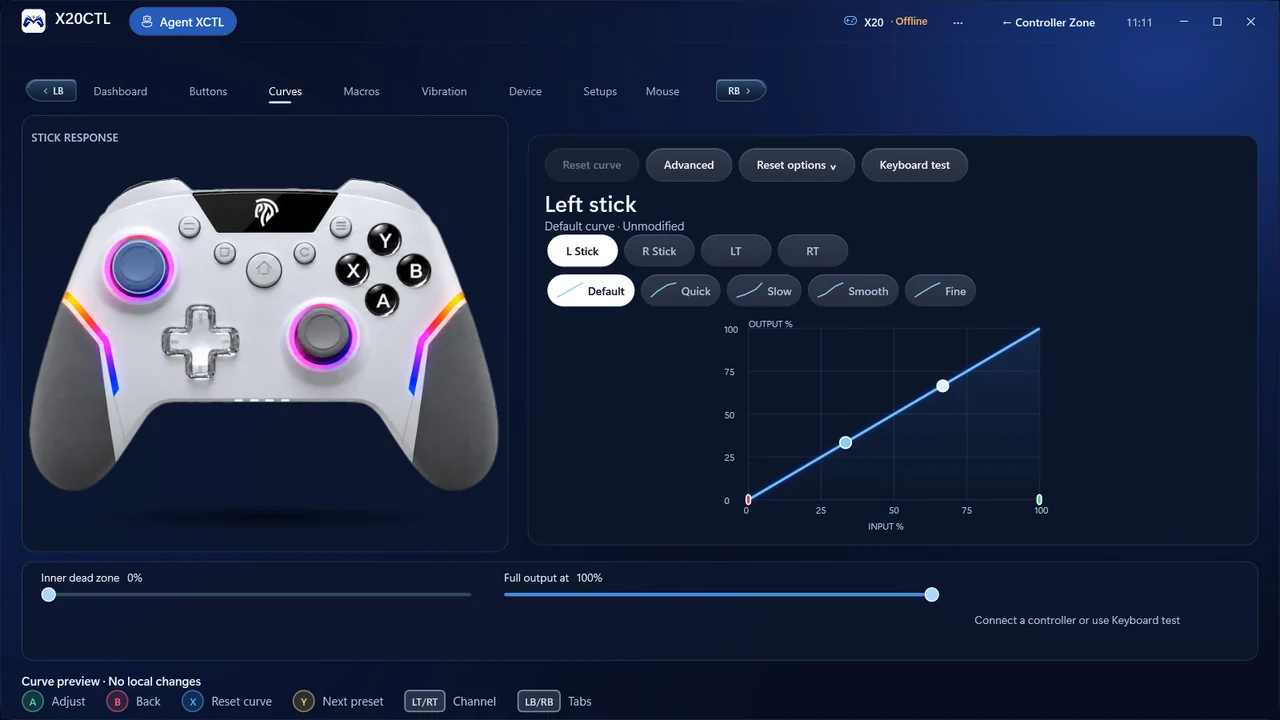
X20CTL provides both a fast inline Curves workspace for quick tuning and a full-screen PS5-inspired Analog Studio for precision stick and trigger engineering.
- Left Zone (Curve & Deadzone Editor): Interactive 10-point response curve editor for Left Stick, Right Stick, Left Trigger, and Right Trigger, plus inner deadzone and outer limit controls.
- Top-Right Zone (Live Stick & Trigger Telemetry): Real-time physical vs. output deflection trace so you can feel your curve adjustments immediately.
-
Bottom-Right Zone (Quick Tuning & Go Advanced): Fast curve presets (
Default,Smooth,Quick,Custom), hardware axis flags (Invert X,Invert Y,Swap Sticks), and the Go Advanced button to launch the full-screen Analog Studio.
Click Go Advanced to unlock deep analog shaping:
| Feature | What It Does |
|---|---|
| Fritsch-Carlson Monotonic Cubic Splines | Smooth, overshoot-free response curves with draggable control points that guarantee monotonic stick acceleration. |
| Curve Archetypes | Instant starting shapes for FPS micro-aim, linear raw aim, racing progressive steering, or aggressive snap turns. |
Deadzone Geometry (Radial, Axial, Hybrid) |
Choose circular radial deadzones, cross-shaped axial deadzones, or blended hybrid deadzones. |
| Anti-Deadzone | Cancels out oversized in-game deadzones so small stick tilts register immediately. |
Gate Morphing (Circular <-> Square) |
Morphs the outer stick boundary between circular and squared diagonals for games expecting square-gate diagonal speed. |
| Axis Rotation | Rotates stick X/Y axes by a custom degree offset to match natural thumb travel angle. |
| 4-Way / 8-Way Angle Snapping | Snaps stick directions toward cardinal or diagonal lanes for fighting games and 2D platformers. |
| Adaptive Smoothing & Snapback Detector | Filters jitter during fine aim and detects spring-back overshoot when releasing a flicked stick. |
| Trigger Splines | Independent custom trigger curves and hair-trigger thresholds for LT and RT. |
| Native Hardware Curve Compilation | Compiles your curve and hardware flags (InvertX, InvertY, SwapSticks) directly into native controller records on supported EasySMX pads. |
Every curve configuration can be exported as a compact X20C1. share code (encoding the channel, spline points, inner/outer/anti-deadzone, SOCD mode, and hardware flags) or published straight to the Community Hub where other users can inspect the curve plot and deadzone ring visually before installing.