Repository navigation
Studio Dashboard Buttons and Macros
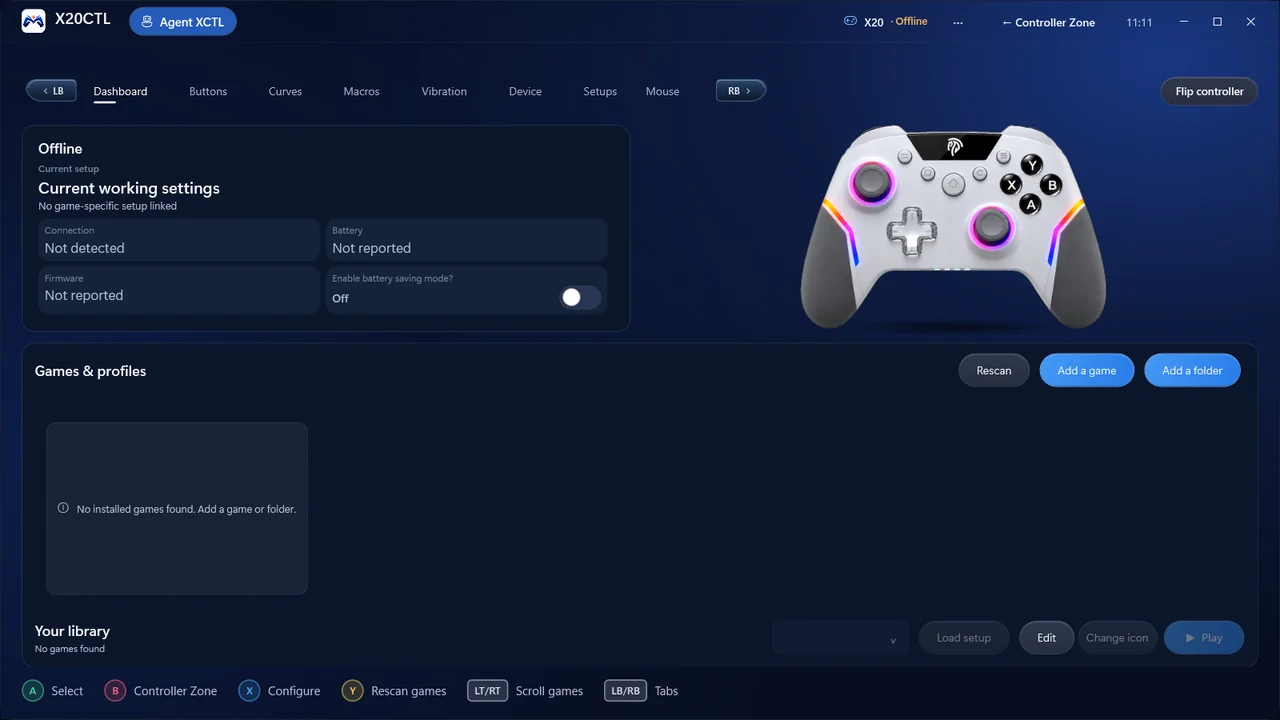
The Dashboard is your home base inside Studio:
-
Active Controller & Player Slot: Displays your selected EasySMX pad, active slot (
P1-P4), connection status, and quick mode overview. - Live Community Pulse & Alerts Bar: Shows how many community members are currently online and any unread alerts/replies from the Community Hub.
-
Full Battery Saving (Eco) Mode: Flip Enable battery saving mode? (with a collapsible What's done in Eco mode? panel) to maximize wireless battery life immediately:
- Turns controller LEDs off over BLE (
ModeOff,0x00). - Stops Universal Haptics and zeroes all grip and trigger motors.
- Blocks PC Mode game rumble forwarding and stops audio FFT capture.
- Pauses background BLE battery polling.
- Greys out and locks Vibration, RGB, and Screen with a one-click turn-off prompt until Eco mode is switched back off.
- Turns controller LEDs off over BLE (
- Offline Multi-Launcher Game Shelf: Automatically scans all fixed drives and local launcher manifests strictly offline across Steam, Epic Games, Xbox / Game Pass, EA App, Ubisoft Connect, Battle.net, GOG, Riot, Heroic, and Lutris so each game can launch with its own dedicated controller profile.
-
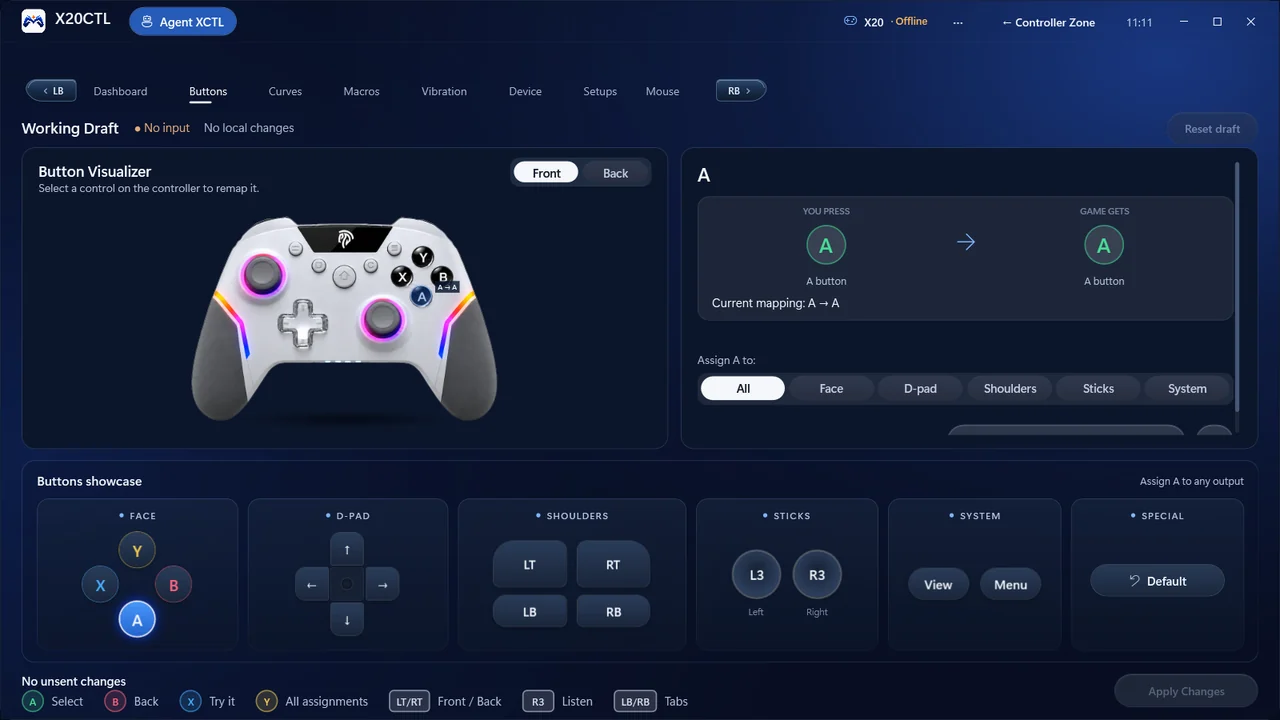
Interactive Controller Visualizer: Click any front button, shoulder/trigger, or rear paddle (
M1-M4on X20,M1-M6on X20 Pro,M1-M2on X10 / D10) and press the button you want it to output. - Test Mapping & All Assignments: Inspect every active remap in one clean list and test mappings live before writing to hardware or applying to PC Mode.
- Safe Draft Workflow: Changes stay as a local draft until you explicitly click Apply (writing to hardware with read-back verification in Native Mode, or updating the virtual controller in PC Mode).
-
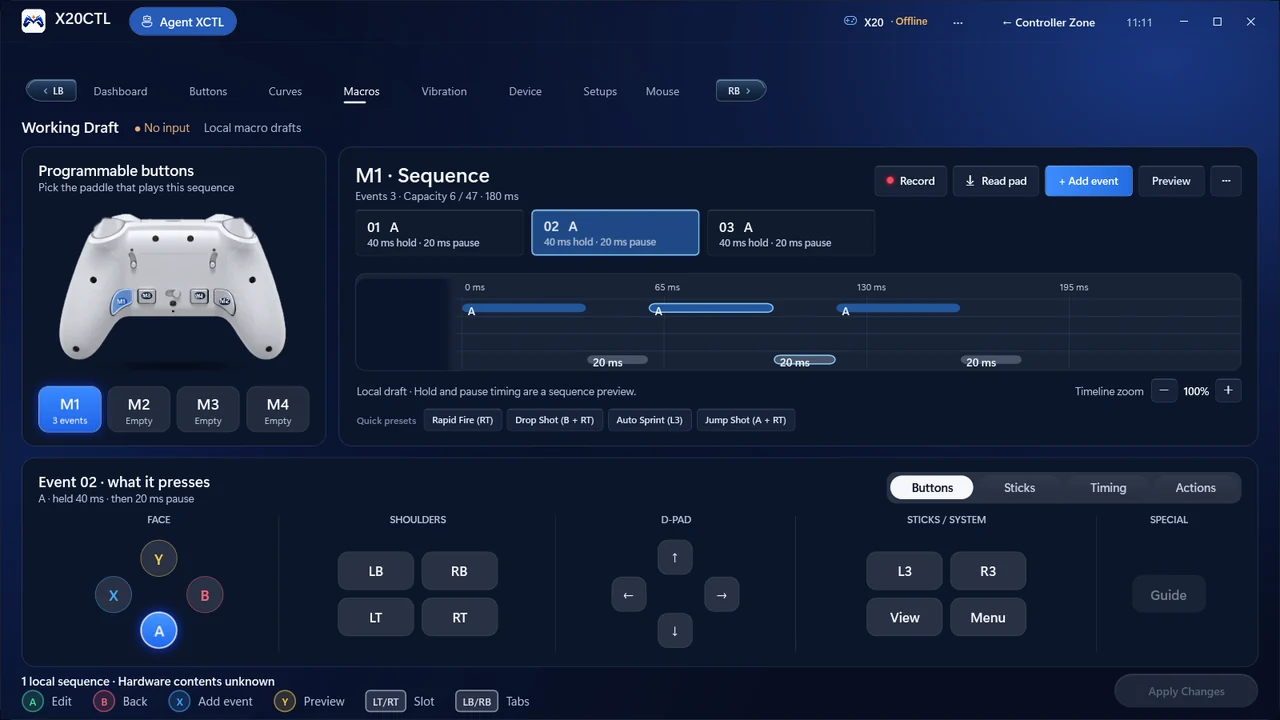
Step-by-Step Timeline: Build multi-step sequences for rear paddles (
M1-M4on X20,M1-M6on X20 Pro,M1-M2on X10 / D10) combining button presses, stick directions, and timed pauses. -
One-Click Quick Presets: Load ready-made templates directly from the Macros toolbar:
Rapid Fire (RT)Drop ShotAuto SprintJump Shot
- Slot Copy & Paste: Duplicate or move macro timelines across paddle slots without rebuilding them by hand.
- PC Mode Macro Loops: In PC Mode, macros also support conditional loops with humanized timing jitter.
Warning
Online Anti-Cheat Notice: Hardware/PC macros and turbo can violate anti-cheat rules in competitive online multiplayer games. Always check each game's rules before enabling macros or turbo.