Repository navigation
PC Mode Keyboard and Mouse
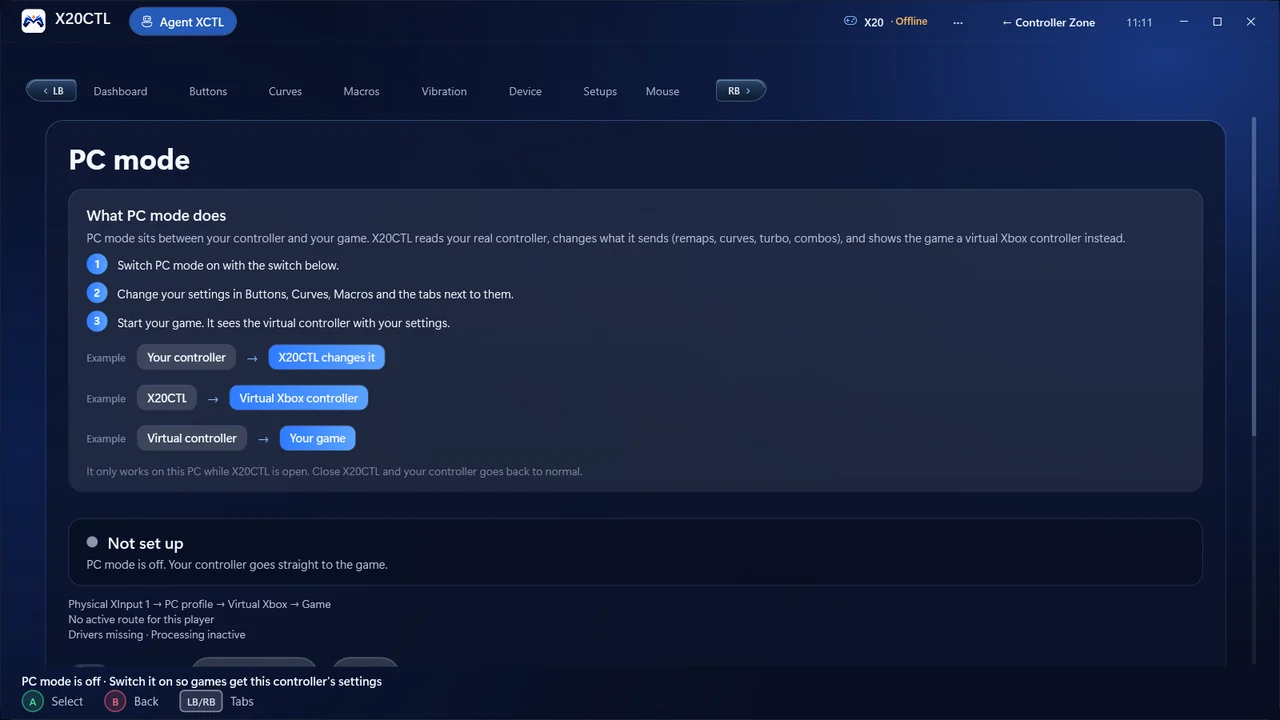
PC Mode sits cleanly between your physical controller and your games on Windows and Linux. All remaps, curves, macros, keyboard sequences, turbo, and 200% rumble boost run in software on your PC without touching onboard controller memory.
flowchart LR
    Phys["Physical Pad (Hidden via HidHide / EVIOCGRAB)"] --> Engine["X20CTL PC Mode Engine (250-1000 Hz)"]
    Engine --> Virt["Virtual Xbox 360 or DualShock 4 (ViGEmBus / uinput)"]
    Engine --> KM["Keyboard Sequences & Standalone Mouse"]
    Virt --> Game["Game / Emulator"]
-
Windows: Outputs virtual Xbox 360 or PlayStation 4 (DualShock 4) controllers using two signed Nefarius drivers verified by SHA-256 hashes inside X20CTL:
-
ViGEmBus
1.22.0: Creates the virtual gamepad. -
HidHide
1.5.230: Hides the physical pad from games to prevent double input. - Both drivers can be removed anytime from Windows Settings -> Apps.
-
ViGEmBus
-
Linux: Outputs a virtual Xbox 360 gamepad via
/dev/uinputwith exclusiveevdevsource grab (EVIOCGRAB). - Up to 4 Controllers at Once: Each of the 4 player slots keeps its own profile and virtual controller.
-
Mid-Game Pause: Hold
View + Menufor 1 second to pause or resume PC Mode mid-game. Quitting X20CTL restores your physical pad immediately.
| Feature | Description |
|---|---|
| SOCD Cleaning | Simultaneous Opposite Cardinal Direction cleaning for D-Pad and Left Stick. |
| Rapid-Trigger & Dual-Stage Triggers | Dynamic actuation/reset thresholds, force-curve presets, and dual-stage trigger outputs. |
| Hold-to-Aim Sniper Curve | Temporarily lowers stick sensitivity while holding your chosen aim trigger/button. |
| Auto-Drift Compensation | Software center-drift compensation without inflating deadzones. |
| A/B Curve Blind Test & Aim Trainer | Compare two curves blind and test aim tracking directly inside X20CTL. |
| Selectable Polling Output Rate | Run the virtual pad at 250, 500, 750, or 1000 Hz. |
| Per-Game Auto-Switch Rules | Bind a PC Mode profile, Eco rule, RGB preset, or Universal Haptics genre to any game/app so X20CTL switches automatically when that window is focused. |
| Co-Pilot Mirroring | Combine two physical controllers into one virtual output. |
| Auto-Pause on Disconnect | Automatically pauses gameplay if your wireless pad drops out. |
Tournament / Clean Mode (Ctrl+Alt+T) |
One-click toggle that disables macros, turbo, and restricted assists for competitive play. |
-
OBS Input Overlay (
Ctrl+Alt+O): Click-through live controller input overlay ready for streaming or recording. -
8-Slice Radial Shortcut Wheel (
View + LB+ Right Stick): TriggerMic Mute,Save Clip,App Vol +/-,Play/Pause,Tournament,Eco, orOBS Overlaywithout leaving your game. -
Import & Share Formats:
- Import DS4Windows (
.xml) and Steam Input (.vdf) controller configs directly. - Export profiles as
.x20pcorX20PC1.codes, or bundlePC Mode + RGB + Hapticstogether into anX20B1.full share bundle. - Rolling 10-snapshot automatic backups are saved before imports or resets.
- Import DS4Windows (
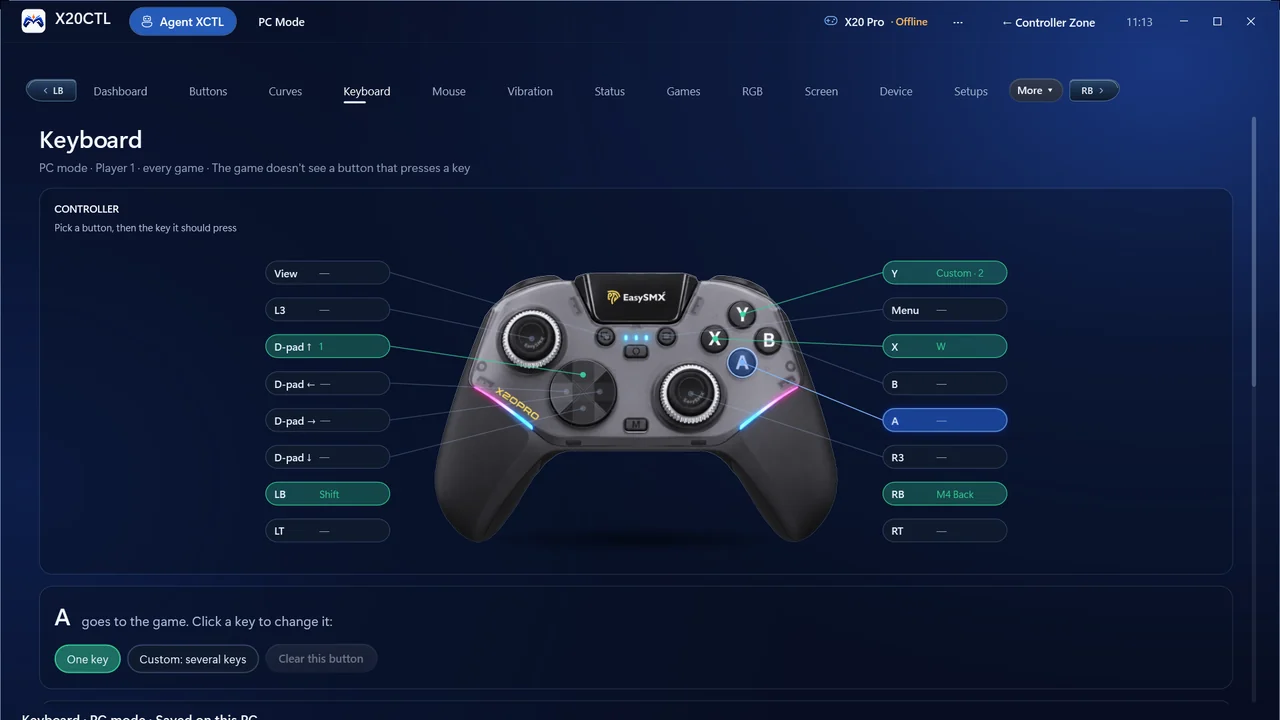
Bind any controller input (including M1-M7) to real keyboard keys, mouse clicks, or custom 64-key sequences with per-step hold and pause timings.
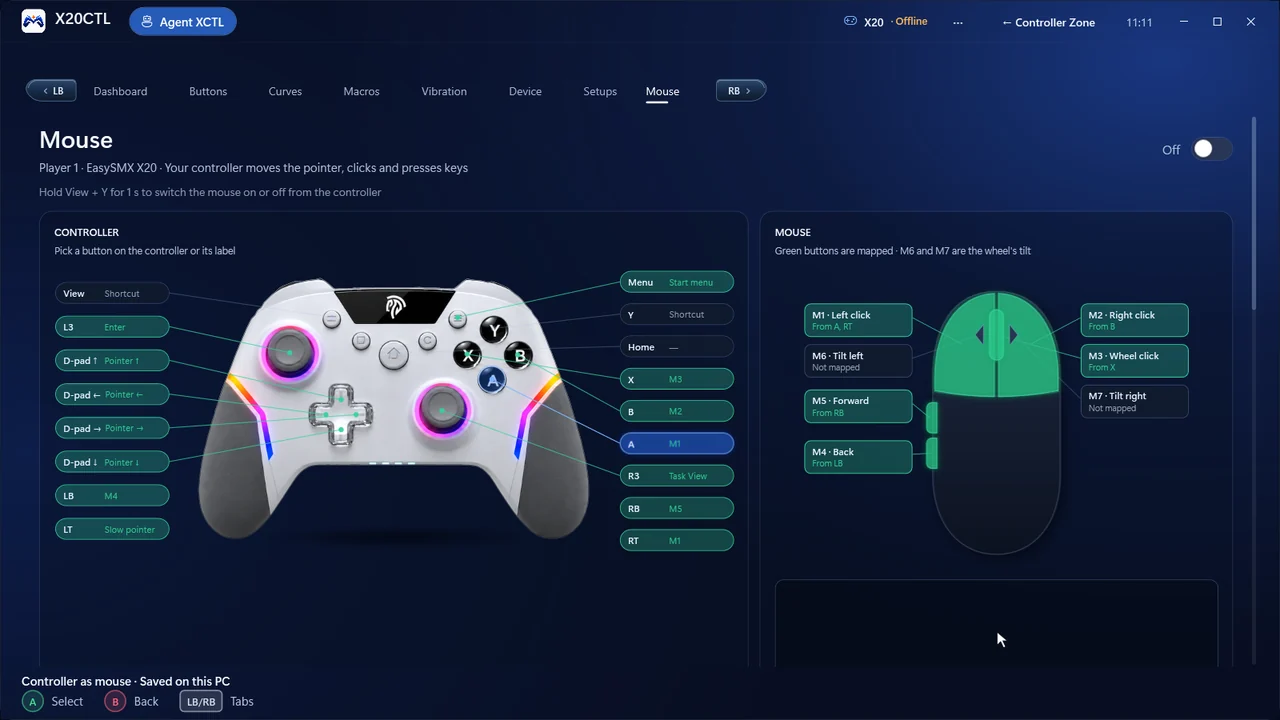
- Works around the Windows desktop and game launchers even when PC Mode is turned off.
- Toggle anytime by holding
View + Y. - One stick steers the cursor while the other scrolls horizontally/vertically with adjustable Scroll Acceleration.
- Supports slow-pointer precision hold,
M1-M7bindings with2-30 Hzturbo, volume/window keys, Mic Mute, Instant Replay, and per-app volume controls.