Repository navigation
Getting Started
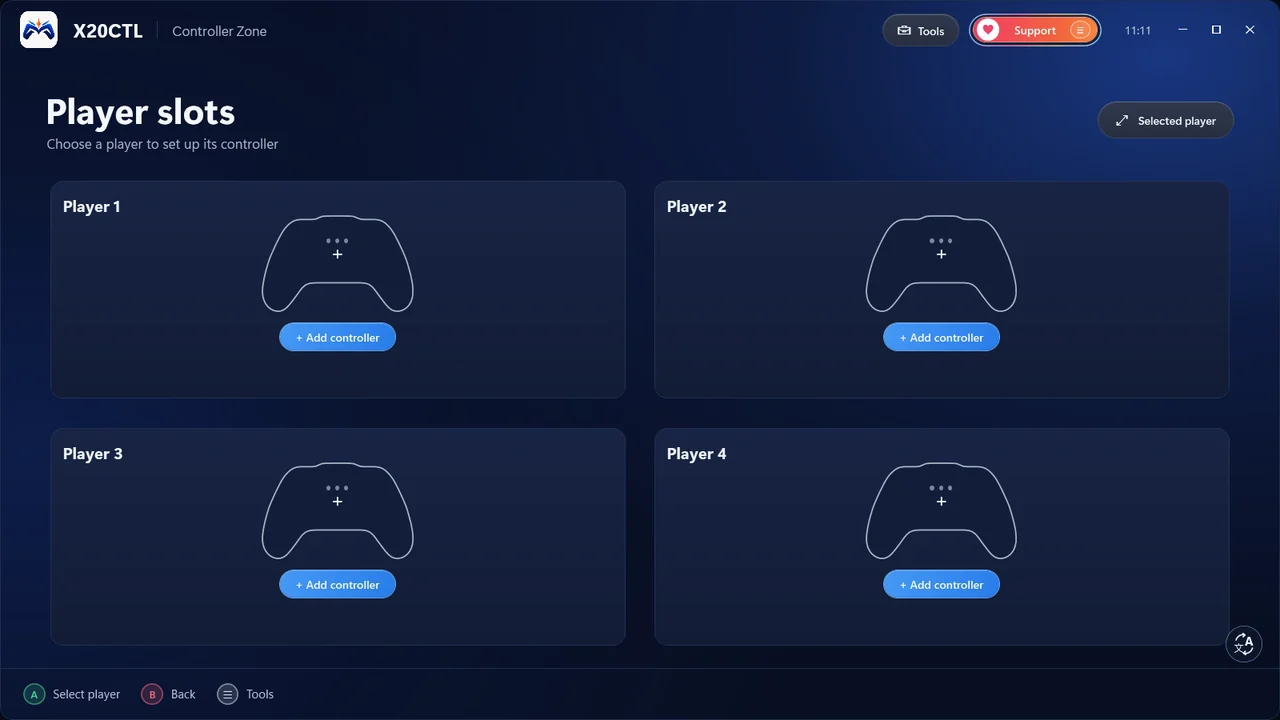
This guide walks through downloading, installing, updating, and personalizing X20CTL on Windows and Linux.
Grab the latest stable build from the GitHub Releases page. Everything is bundled (.NET 10, native C++ engine, and assets) so you do not need to install separate runtimes.
| File | Best For | Details |
|---|---|---|
X20CTL-V0.027-windows-x64-setup.exe |
Most users (recommended) | Small web-setup downloader that fetches the release exe, verifies SHA256SUMS.txt, creates a Start Menu shortcut, and registers a standard Windows Apps uninstaller. |
X20CTL-V0.027-windows-x64.exe |
Portable / single-file use | Standalone self-contained executable. Unpacks its engine automatically on first launch. |
If you create a folder named data right next to X20Ctl.exe (for example on a USB stick), X20CTL automatically switches into Portable Mode and keeps its configs and drafts inside ./data instead of %LocalAppData%\X20CTL. You can verify active storage mode anytime under Tools -> About.
Tip
Windows SmartScreen & Checksums: X20CTL has applied for free open-source code signing via the SignPath Foundation. Until signing is active, releases are unsigned so SmartScreen may show a prompt on first launch. Verify your download against SHA256SUMS.txt on the release page instead of disabling antivirus.
Note
Administrator Prompt: The Windows release requests administrator permission on launch so PC Mode can install signed Nefarius drivers (ViGEmBus / HidHide) and EasySMX D10 can switch its WinUSB driver when you ask it to.
X20CTL ships as an AppImage, Flatpak, glibc tarball, musl tarball, and Python Controller Check ZIP. See the dedicated Linux Studio Guide for install commands and the one-time /dev/uinput udev rule.
-
Opening Intro: X20CTL opens with a brief console-style intro (
Escskips,Mmutes, or turn it off permanently in Tools -> Opening intro). -
Controller Zone (Up to 4 Players):
- The home screen displays up to 4 player cards.
- The active controller sits in the hero slot on the left while other players wait on the right.
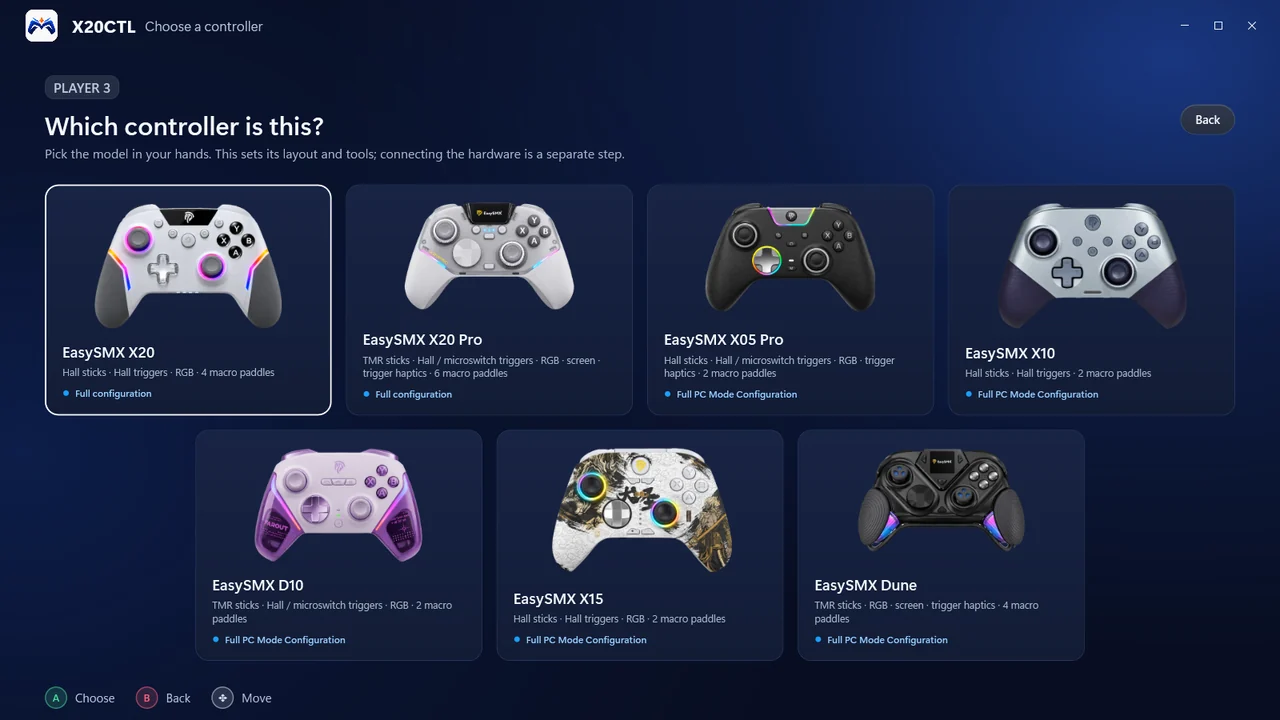
- Click + (
Add controller) to pick your EasySMX model (X20 Pro,X20,X10,D10,X15,X05 Pro,Dune 8K, orGeneric XInput). - Every page in X20CTL can be navigated with either a mouse/keyboard or a gamepad (
LB/RBstep across tabs).
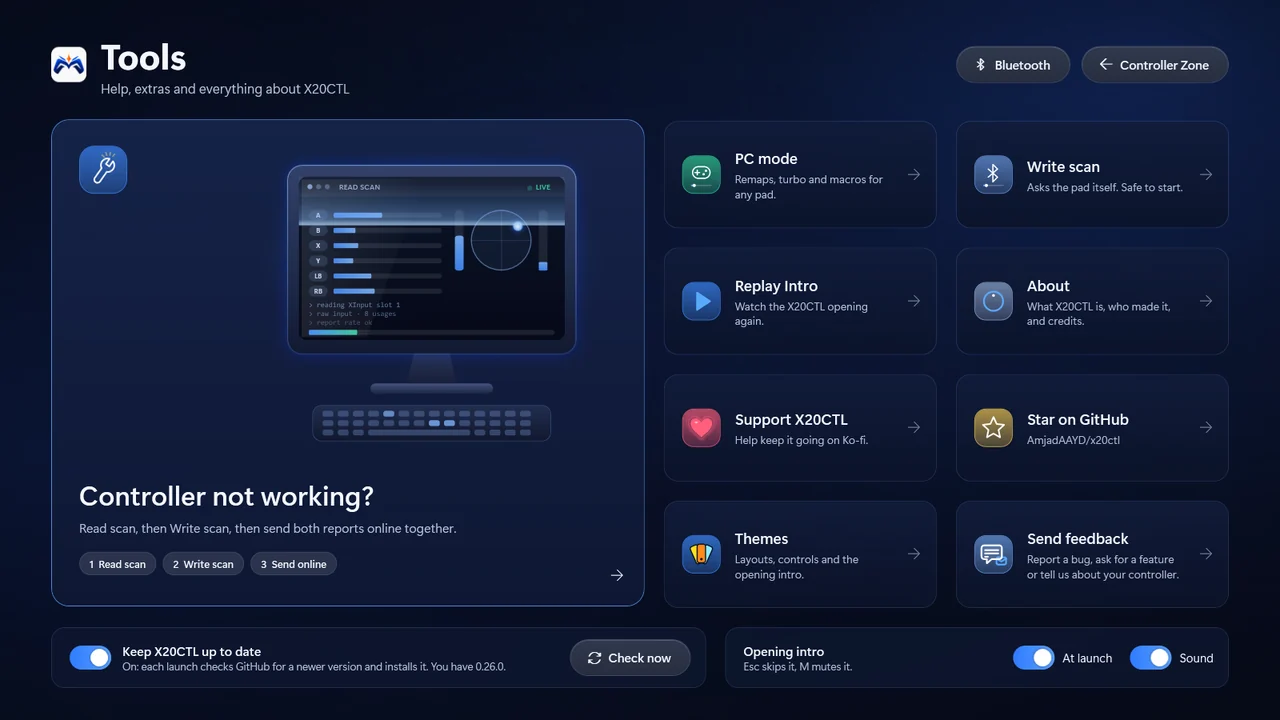
Open Tools from the top bar to customize the app:
-
6 Native Themes:
Default(Space glass),Channel(Gold viewfinder),Undertow(Deep water),Alert(Violet lime),Slate(Relief map), andMultiverse(Red signal). - 10 UI Languages: English, 中文, Français, Deutsch, Polski, Español, 日本語, Русский, Italiano, and Tiếng Việt.
-
Automatic Updates: Keep X20CTL up to date checks stable GitHub releases only (skipping pre-releases). When a new version exists, the top bar shows Update to version V..., verifies
SHA256SUMS.txt, and updates in place. - System Tray: Closing the window with X can minimize X20CTL to the tray so PC Mode profiles and Universal Haptics keep running while you game. Right-click the tray icon and choose Quit to exit completely and release any virtual controller.
- Offline Mode: Toggle Tools -> Offline mode to pause all Community Hub network requests whenever you want a strictly offline session.