Repository navigation
Setup: Hardware
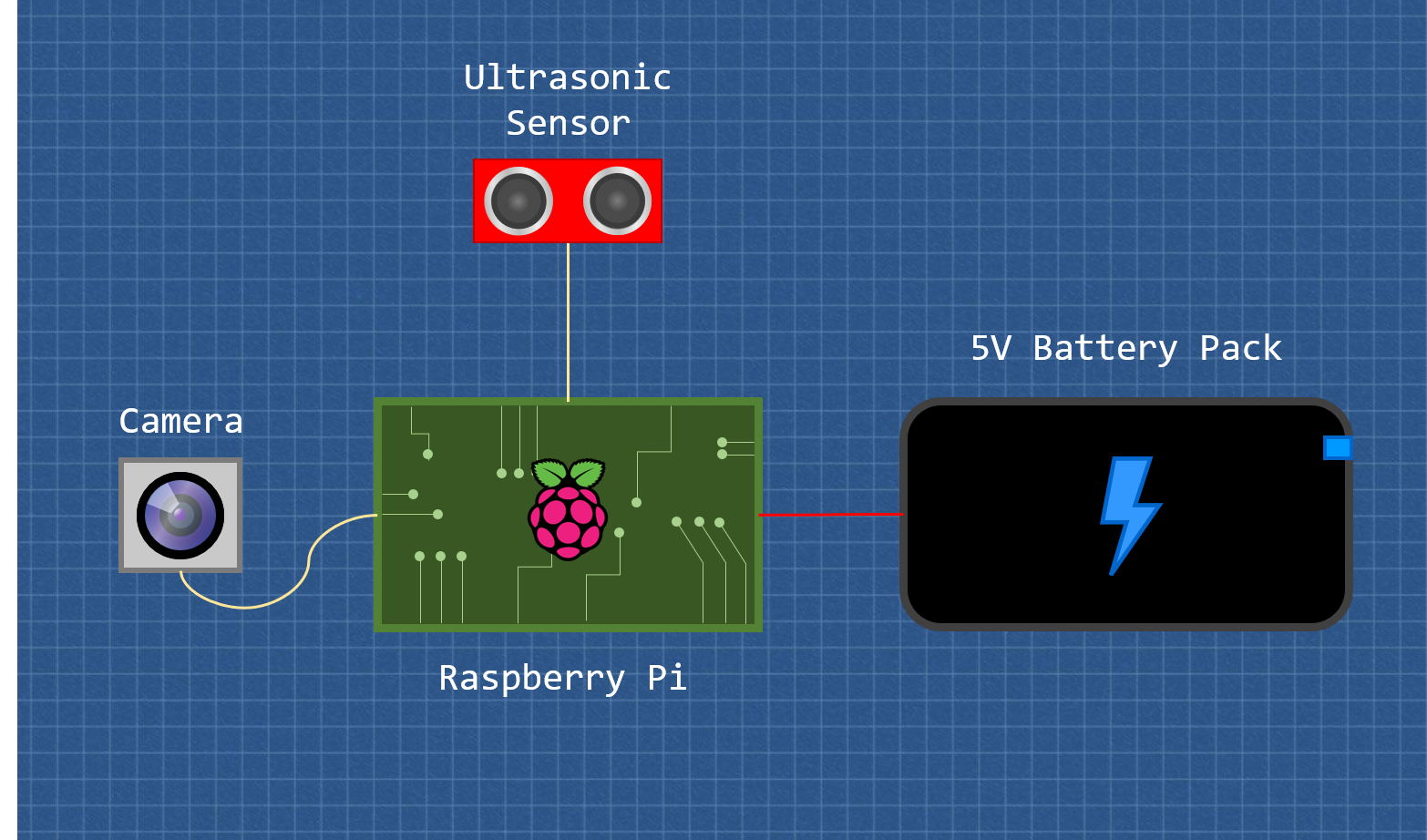
- x1 Raspberry Pi with pi-camera I/O (e.g Raspberry Pi 4b)
- x1 ultrasonic distance sensor
- x1 Raspberry Pi Camera Module V2
- x1 5V portable powerbank
- x1 breadboard
- x5+ m/f jumper wires
- x1 330Ω resistor (R1)
- x1 470Ω resistor (R2)
- To begin setting up your Bird Cafe first make sure your Raspberry Pi is disconnected from all power sources
- Next connect the Pi Camera Module ribbon to the camera I/O with the blue part of the cable towards the USB ports.
- Setup the camera by connecting the power to your pi and logging in. Add the following to the terminal:
sudo apt-get-update
sudo apt-get-upgrade
then open the Raspberry Pi configuration menu by running:
sudo raspi-config
Navigate to 5 Interfacing Options and hit Enter.
Then hit enter on P1 Camera to enable it, select finish and reboot your Pi.
You can test if this has worked by inputting:
raspistill -o image.jpg
to the terminal. If it has been set up correctly this will take a photo and save it as image.jpg.
- If your camera is set up then once again disconnect your Pi from its power source.
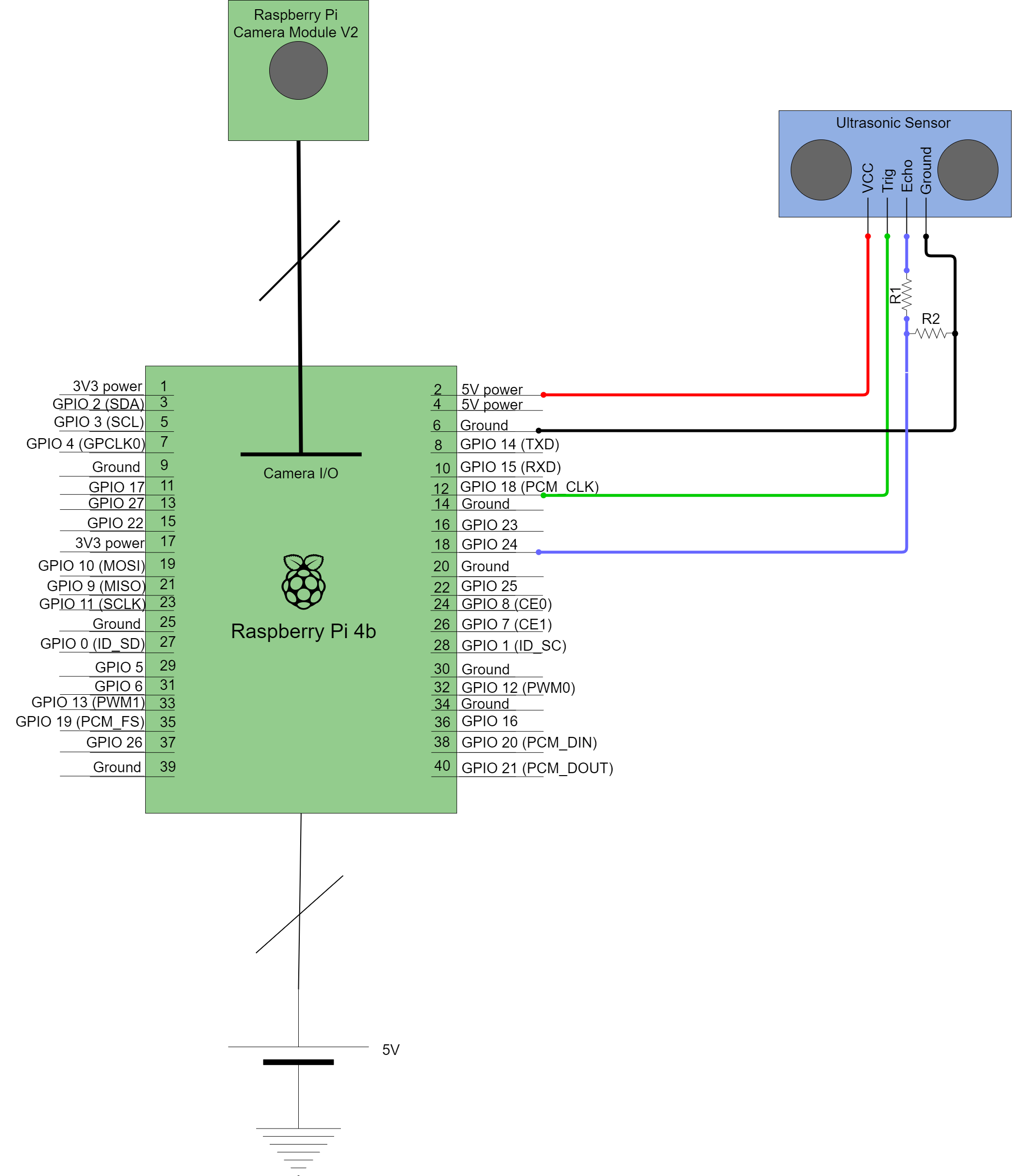
- We will now begin to connect the ultrasonic sensor to the Pi. A wiring diagram for the Raspberry Pi 4b can be found at the bottom of this instruction set and is what these instruction are based off. Wire up the pins as follows.
- Connect pin 2 (5V power) to the VCC line of the ultrasonic sensor.
- Connect pin 6 (Ground) to the ground line of the ultrasonic sensor.
- Connect pin 12 (GPIO 18) to the trigger pin of the ultrasonic sensor.
- For the echo pin we will use a voltage divider to lower the output voltage from the ultrasonic sensor from 5V to 3.3V as this is all GPIO pins will tolerate. To do this, connect the echo pin to R1, then connect the other leg of R1 to both pin 18 (GPIO 24) and R2. Finally connect the other leg of R2 to ground. R1 and R2 do not necessarily need to be 330Ω and 470Ω as all that is important is that the voltage is lowered from 5V to near 3.3V, however, these are standard resistors which will achieve this.
- The ultrasonic sensor should now be connected and the hardware setup complete. Jump to the software setups to get your Bird Cafe up and running!
Instructions based on:
https://tutorials-raspberrypi.com/raspberry-pi-ultrasonic-sensor-hc-sr04/
