Repository navigation
Getting Started
Minecraft Bedrock 26.30 or newer. Cheats and experiments are not required.
- Download
Andys_Locks_And_Keys_0.11.3.mcaddon. - Open it with Minecraft Bedrock.
- Activate Andy's Locks & Keys [BP].
- Confirm Andy's Locks & Keys [RP] is active.
- Both packs must show the same version 0.11.3.
Back up the world before installing or updating.
Consoles generally cannot import a local .mcaddon. Import on Windows or mobile, upload the world to a Realm, and join from the console.
- Craft an Iron Lock: iron ingot + iron nugget. Recipes are always unlocked. For testing,
/give @s andylocks:iron_lock. - Place a vanilla door, trapdoor, fence gate, chest, trapped chest, Ender chest, Copper Chest, or barrel.
- Hold the lock, crouch, and use it on the block.
- The lock is consumed. A padlock hasp appears. You are the owner.
A standing click still opens the block for you. Only crouch-use installs.
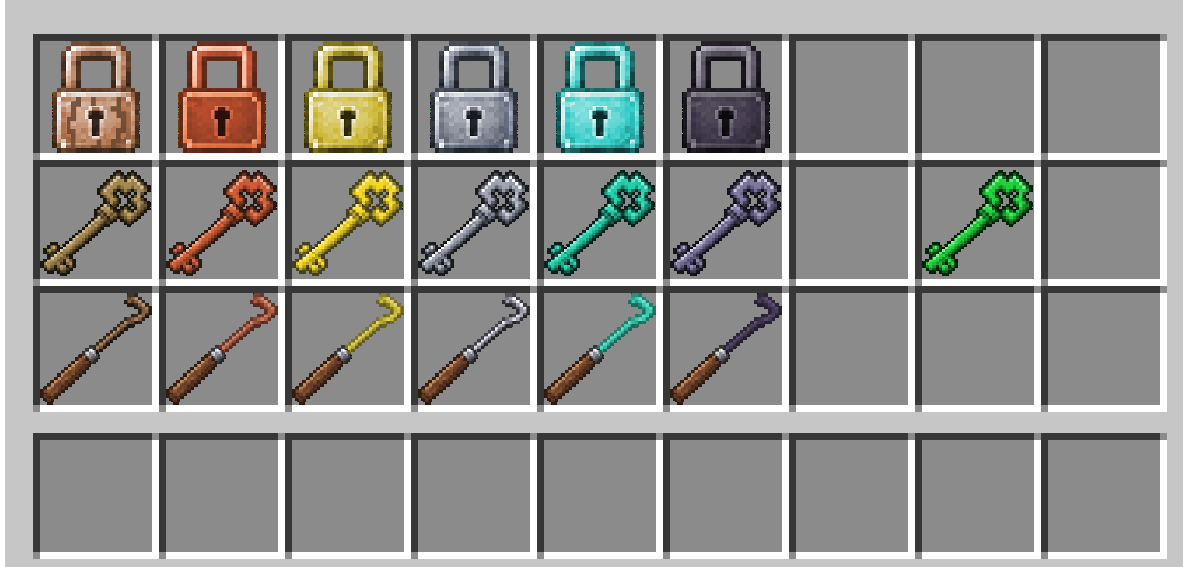
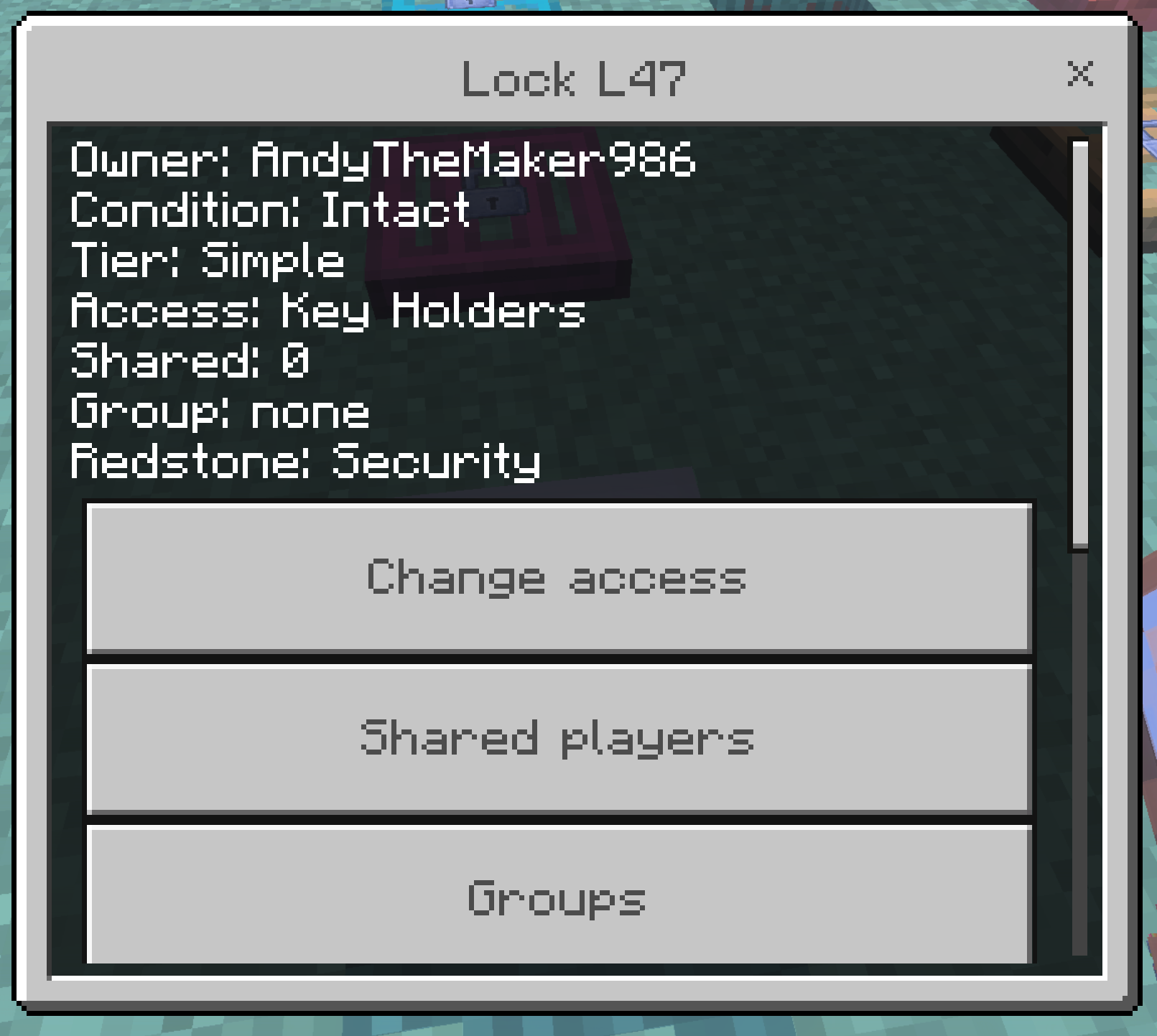
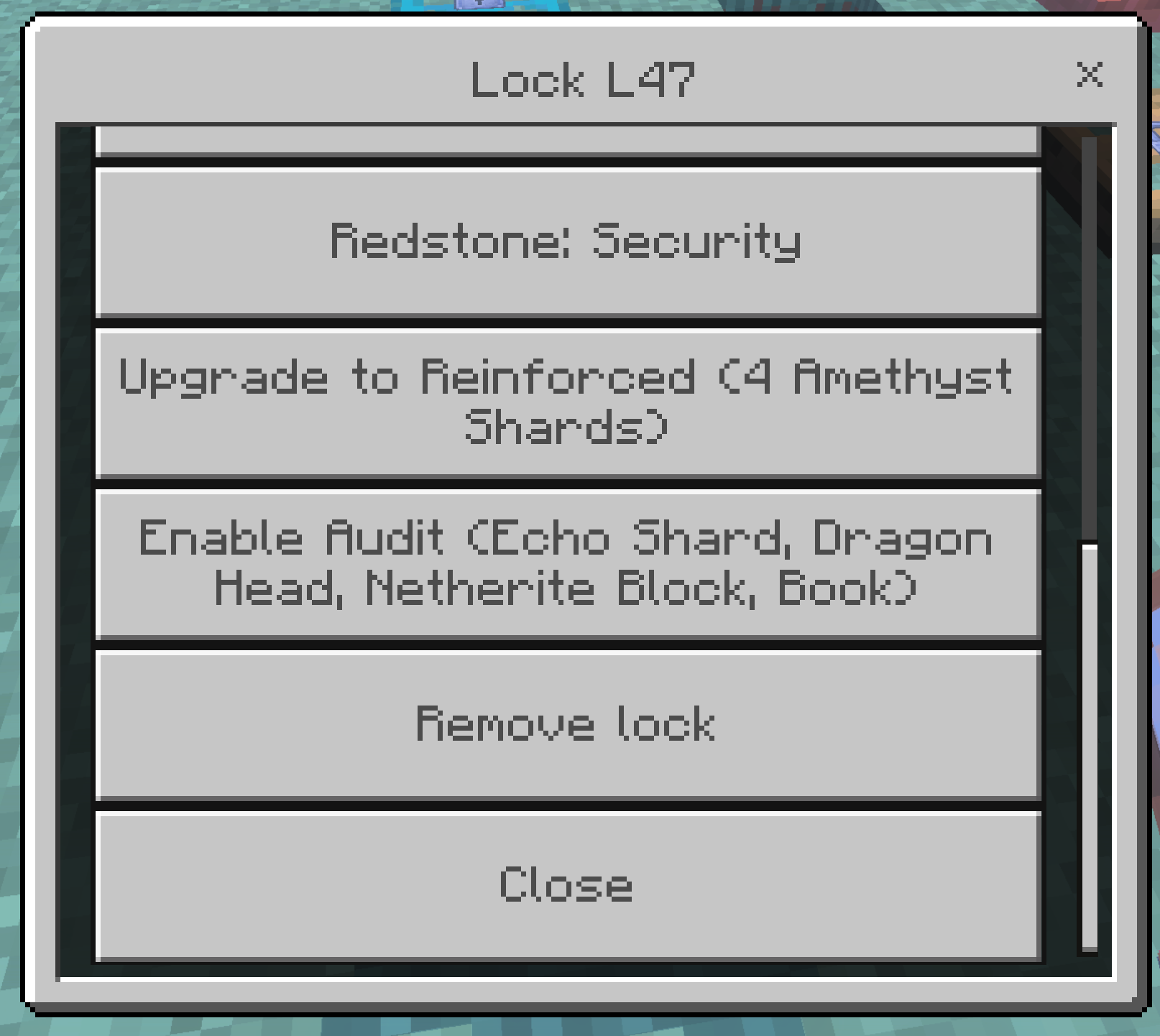
Crouch-use a lock item on a lock you own to open settings. Remove returns a stamped lock item and deletes the hasp.
Break existing locked doors, place them again, and lock them fresh so hasps sit on the current leaf. Then re-lock chests and barrels if you want the newer compact container padlocks.