Admin and Operator Guide
This page is for world owners, server operators, and anyone running Andy's Salvage Table on a multiplayer world, Realm, or Bedrock Dedicated Server. Every category of behavior this add-on performs can be turned off or tuned here if your world or server policy doesn't allow it.
There are 33 world settings. Each one is written up below under the group it appears in, using the same wording as the button you will see in game.
There are three ways in, and they have a fixed precedence: shipped defaults, then the gear menu, then anything set by the operator menu or the console. A value set by an operator overrides the gear menu until you clear it, and reset hands control back.
- In game, from any table. Crouch with an empty hand and use a Salvage Table, then choose World owner settings at the bottom of the menu. The button is only shown to operators.
- The gear menu. Next to the Behavior Pack in the world editor, before you enter the world. Every toggle there is off by default, and off always means the safe behavior — you only ever switch things on. Not every setting has a gear toggle; numbers and speeds are operator-menu or console only, and each write-up below says which.
- The console. See Dedicated Server and console support below. This works headless, with no player present.
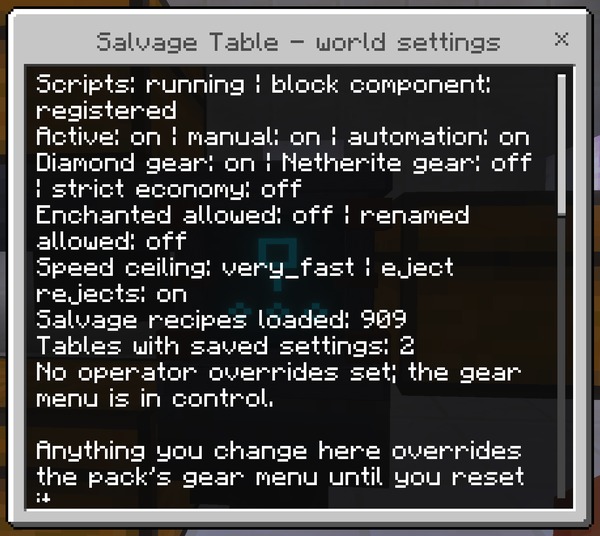
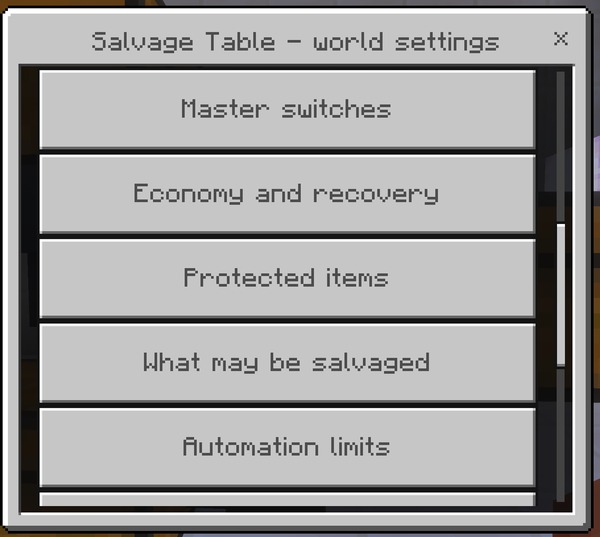
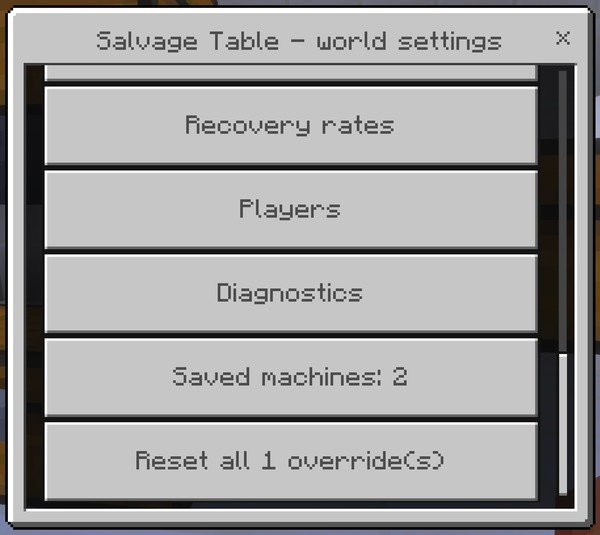
The World owner settings menu opens on a summary — the add-on version, the current master switches, the speed ceiling, how many salvage recipes are loaded, how many came from other add-ons, how many tables have saved settings, and which settings you have overridden. Underneath it are ten buttons.
| Button | What it opens |
|---|---|
| Master switches | The five on/off switches for the add-on as a whole |
| Economy and recovery | Netherite, diamond, strict economy, and minimum condition |
| Protected items | The three protections: enchanted, renamed, and container items |
| What may be salvaged | The eight category switches |
| Automation limits | Speed ceiling, starting speed, and ejection |
| Recovery rates | The seven per-tier rate sliders |
| Players | Operator-only mode, and locking player preferences |
| Diagnostics | Debug logging |
| Saved machines: N | How many tables have saved settings, and a button to forget them all |
| Reset all N override(s) | Hands every setting you have changed back to the gear menu. Reads Nothing to reset when you have not changed any |
Inside a group, one button changes one setting and saves immediately — there is no confirm step and no apply button. Boolean settings flip on the spot. Speeds open a list. Numbers open a single slider, on its own, with nothing else on the screen.
Every table that has been configured remembers its settings against its position in the world. Saved machines reports how many, and Clear every saved machine configuration forgets all of them at once, returning every table in the world to its defaults.
Why and when to use it: after a world edit, a rollback, or a large rebuild that removed tables the add-on still remembers. It is also the fastest way to undo a world's worth of player configuration in one action.
Suggested starting value: leave it alone. This is a maintenance tool, not a setting.
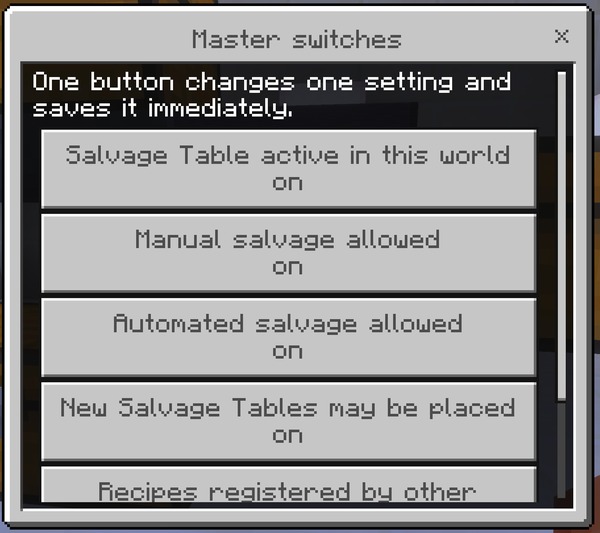
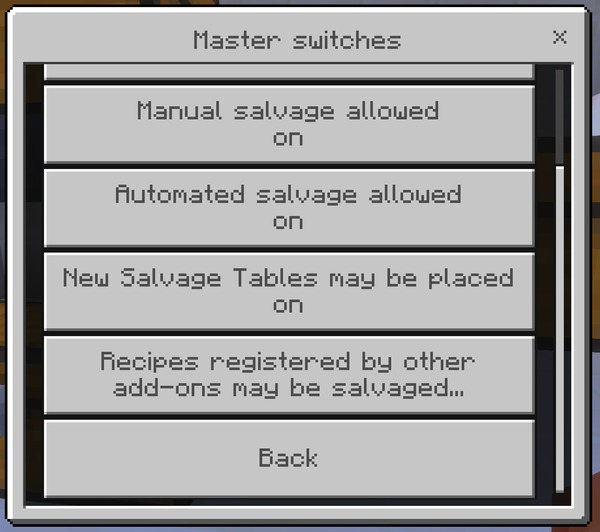
The five switches that decide whether the add-on does anything at all. Everything else in this guide is tuning; these are on or off.
What it controls: The entire add-on. Off means every Salvage Table does nothing at all — no salvage screen, no automation, no settings menu — while staying placed in the world with its configuration intact.
Why and when to change it: To suspend the add-on without removing the pack, so nobody loses a build or a machine's settings while you decide whether to keep it. Removing the Behavior Pack instead would strand every placed table as an unknown block.
Suggested starting value: On. Turn it off only to temporarily suspend everything, and turn it back on rather than uninstalling.
How to set it: The world editor's gear-menu toggle andy_salvage:disabled (on means the add-on is off), the in-game operator menu, or /scriptevent andy_salvage:set.
What it controls: Whether players can salvage by hand — both the slot interface and the Salvage by hand menu screen.
Why and when to change it: On a server where salvaging should be an industrial process rather than a pocket tool. Turn this off and leave automation on, and Salvage Tables work only as farm machinery that has to be built and fed.
Suggested starting value: On.
How to set it: The world editor's gear-menu toggle andy_salvage:no_manual (on means hand salvaging is off), the in-game operator menu, or /scriptevent andy_salvage:set.
What it controls: Whether tables pull items out of adjacent containers and process them automatically. Hand salvaging is unaffected.
Why and when to change it: On a performance-sensitive server, or one where large-scale automated material recovery would unbalance the economy. Players keep the feature; they just have to do it one item at a time.
Suggested starting value: On. Off on a heavily loaded server that wants the feature but not the farms.
How to set it: The world editor's gear-menu toggle andy_salvage:no_automation (on means automation is off), the in-game operator menu, or /scriptevent andy_salvage:set.
What it controls: Whether the block can be placed at all. Tables already in the world keep working normally.
Why and when to change it: To freeze the number of tables in a world — during an event, while you settle an economy dispute, or while you test a configuration change — without breaking anyone's existing build.
Suggested starting value: On.
How to set it: The world editor's gear-menu toggle andy_salvage:no_placement (on means placement is blocked), the in-game operator menu, or /scriptevent andy_salvage:set.
What it controls: Whether salvage recipes that other add-ons have registered are honored. The built-in catalog of vanilla recipes is completely unaffected.
Why and when to change it: To keep a strictly vanilla recovery economy while still running other content add-ons. It is also the switch to reach for if a third-party pack registers recipes you consider too generous.
Suggested starting value: On.
How to set it: The world editor's gear-menu toggle andy_salvage:no_addon_recipes (on means third-party recipes are refused), the in-game operator menu, or /scriptevent andy_salvage:set.
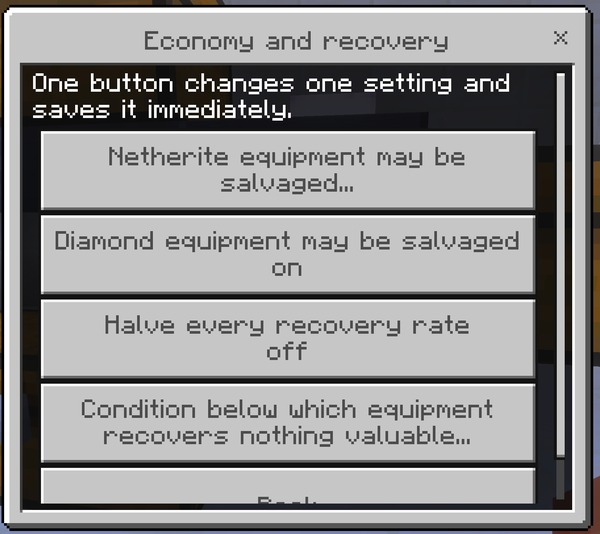
How generous salvaging is. If players tell you the add-on is too rewarding, the answer is almost always in this group.
What it controls: Whether Netherite gear can be broken down. When it is on, salvaging returns raw Netherite Scrap only — never the Netherite Ingot, never the diamond tool that was upgraded, and never the Smithing Template.
Why and when to change it: Off by default because Netherite sits at the top of the progression, and recovering any part of it changes late-game pacing. Turn it on for a late-game, creative-leaning, or long-established world where Netherite is no longer scarce.
Suggested starting value: Off. On for a world that has moved past Netherite scarcity.
How to set it: The world editor's gear-menu toggle andy_salvage:allow_netherite (on means Netherite may be salvaged), the in-game operator menu, or /scriptevent andy_salvage:set.
What it controls: Whether anything containing diamond can be broken down, at the diamond recovery rate of 30%.
Why and when to change it: Turn it off on a hardcore, skyblock, or scarcity-themed server where even a 30% diamond return is too generous. It refuses the item outright rather than quietly returning nothing, so players get a clear reason instead of a confusing empty result.
Suggested starting value: On.
How to set it: The world editor's gear-menu toggle andy_salvage:no_diamond (on means diamond gear is refused), the in-game operator menu, or /scriptevent andy_salvage:set.
What it controls: Halves all seven recovery rates at once, on top of whatever they are individually set to.
Why and when to change it: The single blunt lever for “salvaging is too generous here”. It takes basic materials from 75% to 37.5% and diamond from 30% to 15% without you having to think about seven separate numbers. Reach for it first, and for the individual rates only when this is too coarse.
Suggested starting value: Off. On for a survival server where salvaging should be a last resort rather than a routine.
How to set it: The world editor's gear-menu toggle andy_salvage:strict_economy (on means every rate is halved), the in-game operator menu, or /scriptevent andy_salvage:set.
What it controls: How damaged a durable item may be before the table refuses it outright. The default 0.05 means an item with less than 5% of its durability left is declined.
Why and when to change it: Raise it so nearly-broken gear is refused with a clear message rather than processed for almost nothing — players find a refusal easier to understand than a result of zero. Lower it toward 0 to let any item through whatever its state.
Suggested starting value: 0.05. Try 0.25 if players complain about salvaging worn gear and getting nothing back.
How to set it: The in-game operator menu, or /scriptevent andy_salvage:set. This setting has no gear-menu toggle.
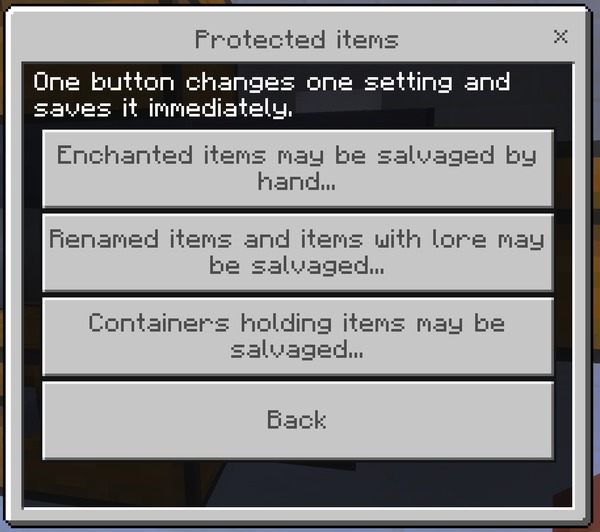
Three things a salvage destroys and cannot give back. All three are protected by default, and an individual machine can be stricter than the world but never more permissive.
What it controls: Whether enchanted items can be broken down. Salvaging destroys the enchantments — the Salvage Table returns materials only and never produces an Enchanted Book.
Why and when to change it: Turn it on for a gold farm or mob farm where the ingots matter and the books do not. Leave it off anywhere a player might lose good gear by accident: a Looting III sword becomes one gold ingot, and there is no undo.
Suggested starting value: Off. If Andy's Disenchanting Pillar is installed in the same world, the table already tells players to use it first, which is a better answer than switching this on.
How to set it: The world editor's gear-menu toggle andy_salvage:allow_enchanted (on means enchanted items may be salvaged), the in-game operator menu, or /scriptevent andy_salvage:set.
What it controls: Whether items carrying a custom name or lore text can be broken down. The name and the lore are lost with the item.
Why and when to change it: Leave it off on any server where renamed items are used for quests, shops, kits, or roleplay — those are exactly the items a player cannot replace by crafting another one.
Suggested starting value: Off.
How to set it: The world editor's gear-menu toggle andy_salvage:allow_named (on means renamed and described items may be salvaged), the in-game operator menu, or /scriptevent andy_salvage:set.
What it controls: Whether Shulker Boxes and Bundles can be broken down. Anything stored inside is destroyed with the container.
Why and when to change it: The table cannot tell an empty Shulker Box from one holding a player's entire base, so it declines all of them. Turn this on only if you accept that somebody will eventually lose a full one.
Suggested starting value: Off. This is the protection most likely to cost a player real storage, and the only one the table cannot warn them about first.
How to set it: The in-game operator menu, or /scriptevent andy_salvage:set. This setting has no gear-menu toggle.
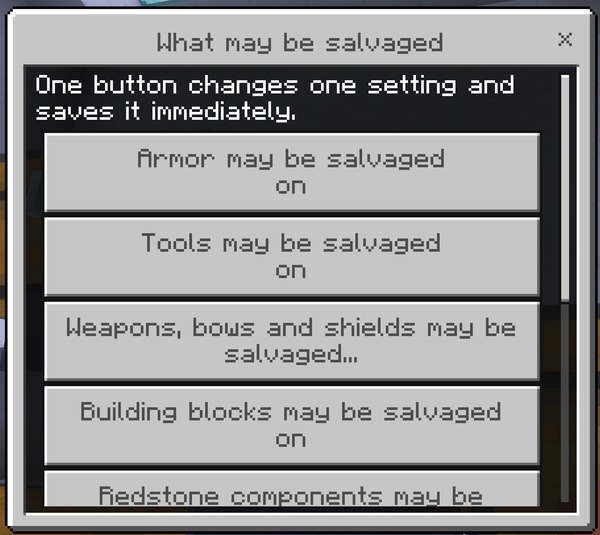
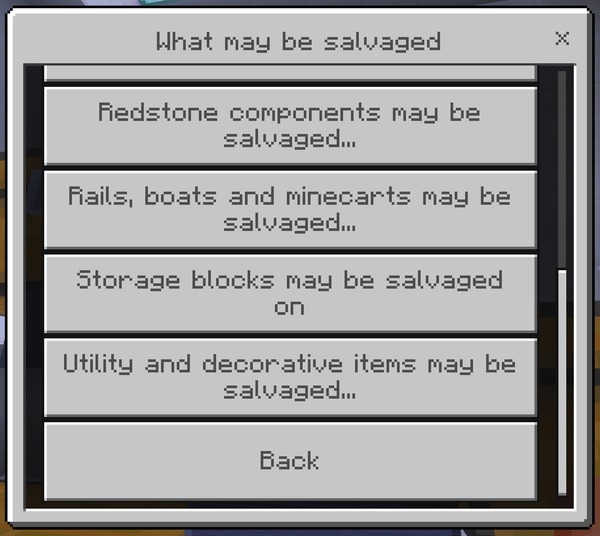
Eight world-wide switches over classes of item. A category switched off here cannot be salvaged anywhere in the world, whatever an individual machine's filter says — the machine's Categories screen shows it as locked off and refuses to toggle it.
What it controls: Whether helmets, chestplates, leggings, boots, and horse armor may be salvaged anywhere in the world.
Why and when to change it: Switch it off to keep armor out of the recovery economy entirely — useful on a PvP server where armor scarcity is part of the balance, or where recovered diamond from armor would shorten the gear loop.
Suggested starting value: On.
How to set it: The world editor's gear-menu toggle andy_salvage:no_armor (on means armor is never salvaged), the in-game operator menu, or /scriptevent andy_salvage:set.
What it controls: Whether pickaxes, axes, shovels, hoes, shears, flint and steel, and similar tools may be salvaged anywhere in the world.
Why and when to change it: Switch it off if a worn tool should be a sunk cost rather than a material source. This is the category most equipment farms are built around, so switching it off has the largest practical effect after blocks.
Suggested starting value: On.
How to set it: The world editor's gear-menu toggle andy_salvage:no_tools (on means tools are never salvaged), the in-game operator menu, or /scriptevent andy_salvage:set.
What it controls: Whether swords, bows, crossbows, tridents, and shields may be salvaged anywhere in the world.
Why and when to change it: Switch it off on a PvP server where recovering weapon materials would shorten the gear loop too much, or where mob-farm weapon drops would become an unintended iron and gold source.
Suggested starting value: On.
How to set it: The world editor's gear-menu toggle andy_salvage:no_weapons (on means weapons are never salvaged), the in-game operator menu, or /scriptevent andy_salvage:set.
What it controls: Whether crafted building blocks — stairs, slabs, walls, fences, planks, bricks, and the rest — may be salvaged anywhere in the world.
Why and when to change it: This is the highest-volume category by a wide margin, and the one that most affects tick time in a large farm. Switch it off if block recycling makes large builds too cheap to undo, or as a performance measure.
Suggested starting value: On.
How to set it: The world editor's gear-menu toggle andy_salvage:no_blocks (on means building blocks are never salvaged), the in-game operator menu, or /scriptevent andy_salvage:set.
What it controls: Whether repeaters, comparators, pistons, observers, dispensers, droppers, hoppers, and similar components may be salvaged anywhere in the world.
Why and when to change it: Switch it off on a technical server where cheap redstone recovery would trivialize dismantling and rebuilding large contraptions.
Suggested starting value: On.
How to set it: The world editor's gear-menu toggle andy_salvage:no_redstone (on means redstone components are never salvaged), the in-game operator menu, or /scriptevent andy_salvage:set.
What it controls: Whether rails of every kind, boats, and minecarts may be salvaged anywhere in the world.
Why and when to change it: Rails are the notable one — they are crafted sixteen at a time, so recovering them is a meaningful iron source on a world with a large rail network being torn up.
Suggested starting value: On.
How to set it: The world editor's gear-menu toggle andy_salvage:no_transport (on means transport items are never salvaged), the in-game operator menu, or /scriptevent andy_salvage:set.
What it controls: Whether Chests, Barrels, Shulker Boxes, and similar blocks may be salvaged anywhere in the world.
Why and when to change it: Switching it off protects Shulker Boxes and Chests from being broken down even in a world where allow_filled has been turned on — a useful pairing if you allowed container salvaging for Bundles only.
Suggested starting value: On.
How to set it: The world editor's gear-menu toggle andy_salvage:no_storage (on means storage blocks are never salvaged), the in-game operator menu, or /scriptevent andy_salvage:set.
What it controls: Whether the catch-all category — item frames, lanterns, candles, beds, decorative blocks, and everything that fits nowhere else — may be salvaged anywhere in the world.
Why and when to change it: This is the largest category after blocks, so switching it off is a substantial change. Do it if you want salvaging restricted to equipment and building materials only.
Suggested starting value: On.
How to set it: The world editor's gear-menu toggle andy_salvage:no_utility (on means utility and decorative items are never salvaged), the in-game operator menu, or /scriptevent andy_salvage:set.
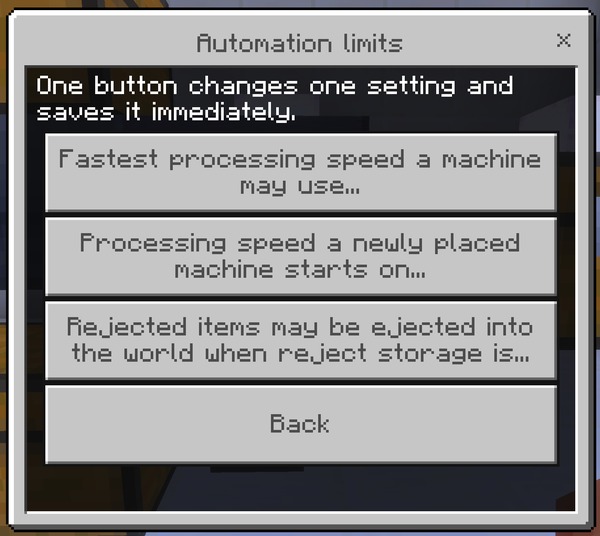
The performance controls. If Salvage Tables are costing you tick time, this is the group to open.
What it controls: The ceiling any machine in this world may be set to — slow, normal, fast, or very_fast. Machines already set faster are capped immediately; their own setting is remembered but not honored.
Why and when to change it: The main performance lever in the add-on. Cap at normal or slow on a server with many farms and every existing machine is capped with it, retroactively, with no player action required. Players still see the faster options in their menu, marked above the world limit, so the cap is visible rather than mysterious.
Suggested starting value: very_fast. Drop to normal if tick performance suffers, and to slow if it still does.
How to set it: The world editor's gear-menu toggle andy_salvage:force_slow (on means every machine is capped at slow), the in-game operator menu, or /scriptevent andy_salvage:set.
What it controls: The speed a freshly placed Salvage Table begins at, before anyone opens its menu.
Why and when to change it: Set it lower than the ceiling so players opt into speed deliberately rather than inheriting the fastest setting the world allows. A world full of tables nobody ever configured then costs you the least.
Suggested starting value: normal. slow on a large server where most tables are placed and forgotten.
How to set it: The in-game operator menu, or /scriptevent andy_salvage:set. This setting has no gear-menu toggle.
What it controls: Whether a machine may throw a refused item out dropper-style when there is no container on its reject side, or that container is full.
Why and when to change it: Turn it off on a server that dislikes loose item entities — chunk-loaded farms ejecting into a corner are a classic source of accumulated lag. With it off, a refused item simply stays where it is and the machine moves on to the next slot.
Suggested starting value: On. Off on a server where you would rather a badly built farm stall than litter.
How to set it: The world editor's gear-menu toggle andy_salvage:no_eject (on means rejected items are never thrown out), the in-game operator menu, or /scriptevent andy_salvage:set.
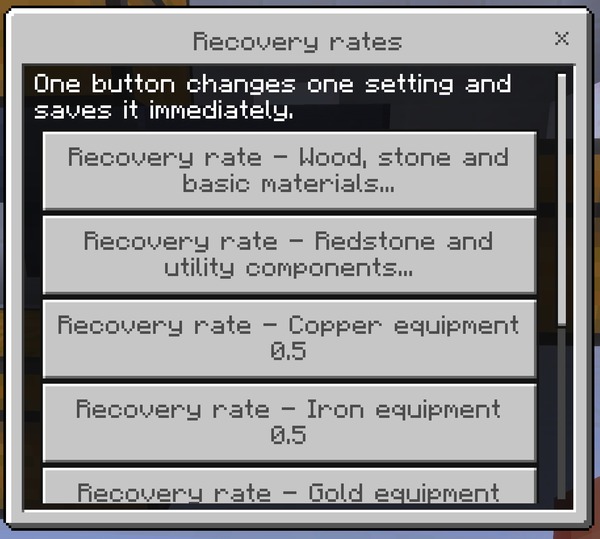
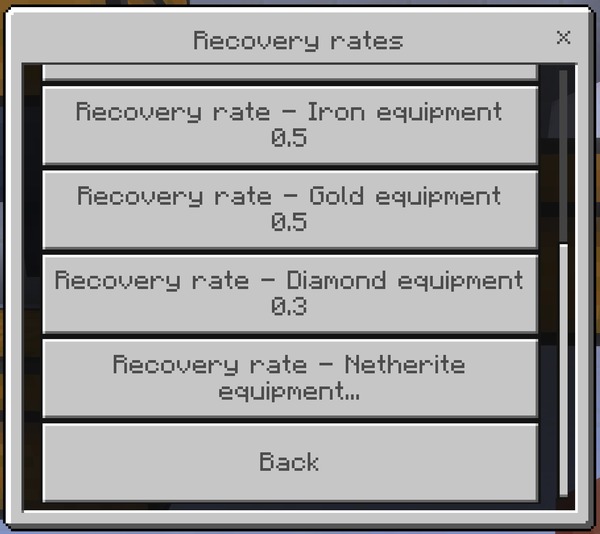
Seven numbers, one per value tier, each between 0 and 1. These are the precise version of strict_economy — use them when halving everything is too coarse. All seven are set from the operator menu's slider or from the console; none has a gear-menu toggle.
What it controls: The fraction of the original recipe returned for wood, stone, and everyday materials. Default 0.75.
Why and when to change it: The single most effective economy change you can make, because most salvaging by volume is wood and stone. Lower this before touching anything else — halving it is felt immediately, where halving the diamond rate is felt by almost nobody.
Suggested starting value: 0.75. Try 0.5 for a noticeably tighter survival economy.
How to set it: The in-game operator menu, or /scriptevent andy_salvage:set. This setting has no gear-menu toggle.
What it controls: The fraction returned for redstone dust, quartz, lapis, emerald, and similar mined or traded materials. Default 0.75.
Why and when to change it: Lower it to make recovering redstone and quartz less attractive than mining fresh, on a world where dismantling old contraptions was becoming the cheapest way to get them.
Suggested starting value: 0.75.
How to set it: The in-game operator menu, or /scriptevent andy_salvage:set. This setting has no gear-menu toggle.
What it controls: The fraction returned for copper equipment and copper blocks. Default 0.5.
Why and when to change it: Copper is abundant enough that this rarely needs changing. Raise it if your world treats copper as a bulk building material and you want tearing down copper builds to be close to free.
Suggested starting value: 0.5.
How to set it: The in-game operator menu, or /scriptevent andy_salvage:set. This setting has no gear-menu toggle.
What it controls: The fraction returned for iron equipment and iron blocks. Default 0.5.
Why and when to change it: Iron farms make this the rate most likely to matter on a long-running server. Lower it if recovered iron starts competing with iron production as the main supply.
Suggested starting value: 0.5.
How to set it: The in-game operator menu, or /scriptevent andy_salvage:set. This setting has no gear-menu toggle.
What it controls: The fraction returned for gold equipment and gold blocks. Default 0.5.
Why and when to change it: Raise it if you run a piglin gold farm and want worn golden swords to be worth processing — at 0.5, combined with durability scaling, most badly damaged ones return nothing at all and players find that surprising.
Suggested starting value: 0.5.
How to set it: The in-game operator menu, or /scriptevent andy_salvage:set. This setting has no gear-menu toggle.
What it controls: The fraction returned for anything containing diamond. Default 0.3, the second-lowest in the add-on.
Why and when to change it: Deliberately low. Raising it turns diamond gear into a renewable material source and changes progression significantly, so change it as a deliberate decision rather than to settle one argument.
Suggested starting value: 0.3.
How to set it: The in-game operator menu, or /scriptevent andy_salvage:set. This setting has no gear-menu toggle.
What it controls: The fraction returned for Netherite gear, as Netherite Scrap. Default 0.25, and only ever reached when allow_netherite is on.
Why and when to change it: The lowest rate in the add-on, applied to the most valuable material in the game. Change it only alongside a deliberate decision about late-game pacing — and remember it does nothing at all while allow_netherite is off.
Suggested starting value: 0.25.
How to set it: The in-game operator menu, or /scriptevent andy_salvage:set. This setting has no gear-menu toggle.
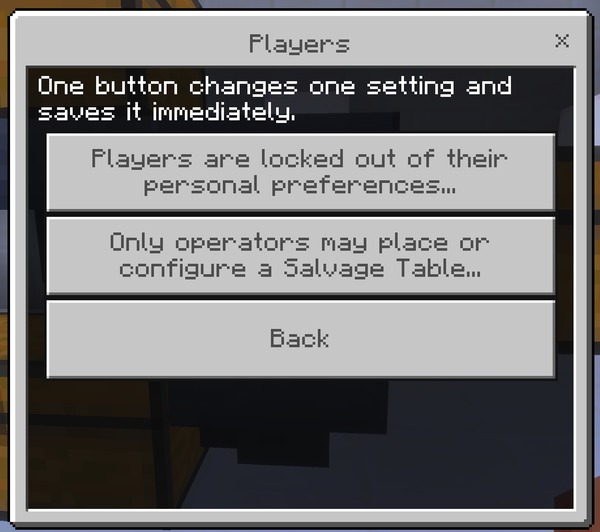
Who may use the add-on, and how much of it they may configure for themselves.
What it controls: Restricts placing and configuring Salvage Tables to operators.
Why and when to change it: For an adventure map, a showcase world, or a minigame server where the table is fixed machinery rather than a tool players build with.
Suggested starting value: Off.
How to set it: The world editor's gear-menu toggle andy_salvage:operators_only (on means operators only), the in-game operator menu, or /scriptevent andy_salvage:set.
What it controls: Prevents players opening Your preferences and changing their own warning and preview settings. They see a message explaining that preferences are locked in this world.
Why and when to change it: On a curated server where the experience should be identical for everyone — particularly where you want the enchantment and rename warnings to stay on, rather than dismissed by a player who then complains about losing an item.
Suggested starting value: Off. On for a curated or tightly moderated server.
How to set it: The world editor's gear-menu toggle andy_salvage:lock_player_settings (on means personal preferences are locked), the in-game operator menu, or /scriptevent andy_salvage:set.
One switch, for when you are working out why something in your world is behaving unexpectedly.
What it controls: Extra per-action detail in the content log — every acceptance, every refusal with its reason code, and every automation step.
Why and when to change it: When you are working out why a table is refusing something, or gathering detail for a support request. It is noisy by design and will fill a busy server's log quickly, so turn it off again afterward.
Suggested starting value: Off.
How to set it: The world editor's gear-menu toggle andy_salvage:debug (on means detailed logging), the in-game operator menu, or /scriptevent andy_salvage:set.
Andy's Salvage Table supports Bedrock Dedicated Server console administration: every setting above is also reachable without a form, for servers running headless or scripted. Commands issued from the server console are always accepted; a player running the same command in game needs operator permission. Every change is written to the content log with the name of whoever made it.
scriptevent andy_salvage:<action> <args>
| Action | Effect |
|---|---|
set <key> <value> |
Change one setting |
get <key> |
Report one setting's current value |
list [group] |
Report every setting, or just one group |
status |
Version, world policy summary, recipe count, and how many tables have saved settings |
clear <key> |
Hand one setting back to the gear menu |
reset |
Hand every setting back to the gear menu |
machines |
How many tables have saved settings |
machines clear |
Forget every saved machine configuration |
config |
Open the operator menu in game; prints status and help on a console |
inspect |
Report whether the item in your hand can be salvaged, and why |
help |
The full command list |
register |
Used by other add-ons to register salvage recipes, not by operators — see Making Your Add-on Compatible |
Every command works with or without a player present. Run in game, the reply goes to your chat; run from a console, the same text goes to the content log.
Setting groups accepted by list are: master, economy, protection, categories, automation, rates, players, diagnostics.
Values are forgiving. A boolean accepts true, on, yes, 1, enable, enabled, or allow, and the matching negatives. A number outside its range, or a choice that is not one of the listed options, is refused rather than written, so a typo leaves the setting as it was.
Concrete examples:
scriptevent andy_salvage:status
scriptevent andy_salvage:list protection
scriptevent andy_salvage:get rate.diamond
scriptevent andy_salvage:set allow_enchanted true
scriptevent andy_salvage:set rate.basic 0.5
scriptevent andy_salvage:clear rate.basic
Suggested base configuration for a new survival server:
scriptevent andy_salvage:set max_speed normal
scriptevent andy_salvage:set rate.basic 0.5
scriptevent andy_salvage:set min_condition 0.25
scriptevent andy_salvage:set allow_diamond false
scriptevent andy_salvage:status
That caps farm throughput, halves the most-used recovery rate, refuses badly worn gear, and keeps diamond out of the economy — while leaving every safety protection at its default.
Every uncertain case resolves to the more restrictive outcome. This is deliberate and worth knowing, because it means a misconfiguration costs a player a refusal rather than an item:
- A protection that cannot be evaluated refuses. If the table cannot read whether an item is enchanted, named, or holding contents, it declines rather than proceeding.
- A missing output container stops the machine. It never drops materials on the ground as a fallback.
- A capacity check that fails means nothing is consumed. There is no partial salvage in either the manual or the automated path — the machine pauses with the input untouched and waits.
- An unrecognized item is refused, not guessed at.
-
A registration from another add-on is validated, not trusted. Any id that is not a real item in that world is rejected,
minecraft:ids are refused outright so no pack can redefine a vanilla recipe, and on a contested id the first claim wins. - A machine can be stricter than the world, never more permissive. Per-table Safety toggles and category filters can only add restrictions on top of the world policy.
- A refused console value is not written. A number outside its range or an unknown choice leaves the setting where it was and reports the error.
Andy's Disenchanting Pillar. When the Pillar is installed in the same world, a Salvage Table refusing an enchanted item adds a line telling the player to use a Pillar first to keep the enchantments. Detection is a single block-type lookup — there is no dependency in either direction, and a world without the Pillar simply never shows the line. The two add-ons override different vanilla screens and can be used together in the same world.
Other add-ons generally. Any add-on can register its own items as salvageable by sending one scriptevent at world load. See Making Your Add-on Compatible for the contract. Registrations live only in memory and are rebuilt each load, so removing the other pack removes its recipes cleanly with nothing left behind. A world owner can refuse all of them at once with addon_recipes, and status reports which packs have registered what.