Admin and Operator Guide
This page is for world owners, server operators, and anyone running Andy's Smart Tool Swapper on a multiplayer world, Realm, or Bedrock Dedicated Server. Every category of behavior this add-on performs can be turned off or tuned here if your world or server policy doesn't allow it.
| Layer | Set where | Wins over |
|---|---|---|
| Gear-menu toggles | The gear icon beside the pack, at world creation | Nothing — this is the base |
| Operator override |
AdminSwapperControl in game, or the console |
The gear menu, for each setting it covers only |
| Player preference |
SwapperControl, per player |
Both — unless you lock player settings |
The override is per-setting deliberately: changing the search scope on a server does not silently reset everything else. Clear the operator override drops every operator change at once and hands the world back to the gear-menu values; player marks and registered tools are unaffected.
The status line at the top of the admin menu always says which layer is in force and how many settings the override covers.
Rename a Stick at an Anvil to exactly AdminSwapperControl — capital letters included — and use it. Anyone can rename a Stick, so the operator restriction is enforced when the menu opens; a non-operator is told so in chat rather than left with an item that silently does nothing.
The menu opens six pages — Core Behavior, Selection & Enchantments, Durability, Tool Classes & Area Tools, Combat, and Players & Notifications — plus Teach Smart Tool Swapper and the Clear-override action.
There are also 27 gear-menu toggles at world creation, all off by default, each phrased as "do this unusual thing" so a toggle that is never read behaves identically to one left at its recommended setting.
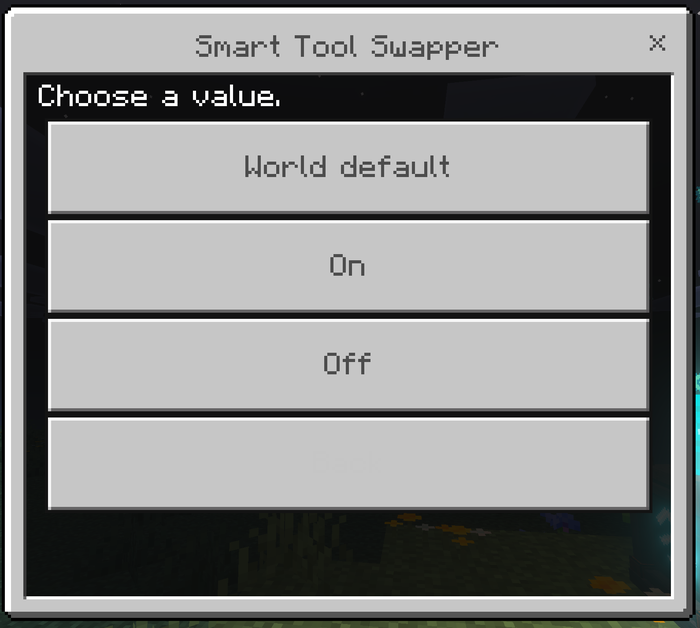
What it controls: Whether the add-on does anything at all on this world. Off means nobody gets swapping, whatever their personal settings say.
Why and when to change it: To disable the add-on without removing the pack — for an event, a build session, or while diagnosing something else.
Suggested starting value: On. Use scriptevent andy_sts:off for a quick temporary disable rather than uninstalling.
What it controls: The world-wide default for how far the engine may reach — hotbar only, or hotbar and inventory.
Why and when to change it: Hotbar-only is the safer default on a busy server, since whole-inventory does more work per material change and touches inventory slots.
Suggested starting value: Hotbar. Players can still choose their own unless you lock them.
What it controls: Whether the add-on borrows or takes.
Why and when to change it: Effectively never. Off exists for completeness.
Suggested starting value: On.
What it controls: Whether holding sneak suspends swapping.
Why and when to change it: Leave it on — it is the only override a player has that needs no menu.
Suggested starting value: On.
What it controls: Keeps the swapper out of the way while a player is actively placing blocks — specifically, for a short window after placing one, while still holding a stack of building material.
Why and when to change it: It never blocks the useful case: start breaking a misplaced block and the right tool still comes to hand, then the building stack comes back. Turn it off only if you have builders who want swapping instant even mid-placement.
Suggested starting value: On.
What it controls: The world-wide default definition of "best tool".
Why and when to change it: A survival server where gear should last sets Preserve valuable gear. A mining or resource server sets Fastest. A hardcore world sets Lowest adequate tier.
Suggested starting value: Balanced; Preserve valuable gear for a long-running survival world.
What it controls: The world-wide default Fortune/Silk Touch policy.
Why and when to change it: Smart suits a resource server where players want the best drop without micromanaging. Respect the tool you chose suits anywhere players curate their own enchanted gear.
Suggested starting value: Respect the tool you chose.
What it controls: Whether tools close to breaking are eligible at all. This is the safety net, separate from the player-facing durability preference.
Why and when to change it: Turn it off only if you want the engine to hand out anything that still exists.
Suggested starting value: Skip tools near breaking.
What it controls: Which of two safe tools wins — healthiest, most worn, or no preference.
Why and when to change it: Worn-first suits a server running a communal tool chest.
Suggested starting value: Prefer the healthiest.
What it controls: How close to breaking is too close. A tool with this many durability points or fewer is never selected. Range 1–64.
Why and when to change it: Raise it if players report tools dying mid-swing, or if your world uses tools with unusually fast wear. Lower it if players complain good tools are being skipped.
Suggested starting value: 3 — roughly one or two more blocks on a normal tool. Raise to 5 on a survival server where losing a tool matters.
What it controls: Whether to read Andy's Advanced Durability Guard's reserve, when installed, and raise the safety floor to match.
Why and when to change it: A tool inside the Guard's reserve still looks perfectly healthy to anything reading only its damage value — but equipping one produces a swing that does nothing, which reads as this add-on being broken. Turn it off only if you have deliberately set the Guard to something you do not want mirrored.
Suggested starting value: On. With no Durability Guard installed it does nothing either way.
What it controls: Whether Hammers, Excavators and similar multi-block tools may be auto-selected.
Why and when to change it: Leave it on Never unless your world is built around area tools. It is the setting that stops a 3×3 Hammer taking eight extra blocks when somebody meant to fix one.
Suggested starting value: Never auto-select.
What it controls: Each tool class individually. Off means the engine will never equip one, for any block.
Why and when to change it: The common case is shears — a server where players keep accidentally shearing decorative sheep or leaves can switch shears off and leave everything else working. Melee weapons are governed by Combat swap instead.
Suggested starting value: All on.
What it controls: The world-wide weapon policy — off, preferred weapon, or best melee weapon.
Why and when to change it: Off by default because weapon management is a matter of taste. A PvE server may want Best melee weapon.
Suggested starting value: Off.
What it controls: Holds the current weapon during a fight so a mining swap cannot interrupt it. Works whether or not combat swap is on — the part people miss.
Why and when to change it: Turning it off only makes sense if you want mining swaps to take priority during combat, which is rarely what anyone wants.
Suggested starting value: On.
What it controls: How long after the last hit the lock holds, 1–30 seconds.
Why and when to change it: Raise it for slower, more deliberate combat or players who circle-strafe with pauses. Lower it if players complain mining does not resume quickly enough after a fight.
Suggested starting value: 5 seconds.
What it controls: The world-wide default for the swap notice.
Why and when to change it: Turn it on world-wide for a tutorial world, or a server where you want players to understand what the add-on is doing.
Suggested starting value: Off.
What it controls: Whether personal settings are honoured at all.
Why and when to change it: Switch it off to lock everyone to the server configuration — useful on a competitive or curated server where the tool policy is part of the ruleset. SwapperControl then tells players their settings are locked rather than failing silently.
Suggested starting value: On.
What it controls: The single chat message a new player gets on first join, explaining the renamed Stick.
Why and when to change it: Turn it off on a server that does its own onboarding, or where chat noise matters.
Suggested starting value: On.
What it controls: Drops every operator change at once and hands the world back to the gear-menu values.
Why and when to change it: When you want to start over, or hand a world to someone else at its as-created defaults. Player marks and registered custom tools are unaffected.
Suggested starting value: Not a setting — an action, used deliberately.
Andy's Smart Tool Swapper supports Bedrock Dedicated Server console administration: every setting above is also reachable without a form, for servers running headless or scripted. The event is authorized by source, not by player permission level — a console/server-issued command is always accepted, which is the usual failure in add-ons that check a player's permission rank and find nothing there.
scriptevent andy_sts:<action> <args>
| Action | Effect |
|---|---|
help |
List every command |
status |
Which config layer is in force, plus key values and Durability Guard detection |
config |
Open the admin menu (operator, in game) |
on / off
|
Turn the swapper on or off, changing nothing else |
set <key> <value> |
Change one setting |
get <key> |
Report one setting's current value |
list [group] |
Report every setting and its value. Groups: core, selection, durability, tools, combat, players
|
reset |
Drop the operator override; the gear menu controls the world again |
player <name> <key> <value|inherit> |
Change one connected player's personal setting |
player_get <name> |
Report one player's personal settings |
player_reset <name> |
Return a player to the world default |
teach <item id> <class> [area] |
Register a custom tool |
forget <item id|all> |
Remove a registration |
tools |
List registered custom tools |
debug <player name> |
Print the full "why did it pick that tool?" report for a player |
Replies go to the player who ran the command, or to the server log when the console ran it, with colour codes stripped so the log stays readable.
| Key | Values | Default |
|---|---|---|
enabled |
on / off | on |
search_scope |
hotbar / inventory | hotbar |
return_item |
on / off | on |
sneak_bypass |
on / off | on |
builder_protection |
on / off | on |
strategy |
balanced / fastest / preserve_gear / lowest_adequate | balanced |
enchant_strategy |
respect_current / smart / fortune / silk_touch | respect_current |
durability_avoidance |
off / safe | safe |
durability_preference |
healthy / worn_first / ignore | healthy |
durability_floor |
1–64 | 3 |
guard_awareness |
on / off | on |
area_tools |
never / allowed / preferred | never |
swap_pickaxe swap_axe swap_shovel swap_hoe swap_shears
|
on / off | on |
combat_swap |
off / preferred / best | off |
combat_lock |
on / off | on |
combat_lock_seconds |
1–30 | 5 |
notify_swaps |
on / off | off |
allow_player_config |
on / off | on |
welcome_tip |
on / off | on |
Booleans accept on, true, 1, yes, enable, enabled and their opposites. Tool classes for teach: pickaxe, axe, shovel, hoe, shears, sword, area.
Suggested base configuration for a new server:
scriptevent andy_sts:status
scriptevent andy_sts:set strategy preserve_gear
scriptevent andy_sts:set enchant_strategy respect_current
scriptevent andy_sts:set search_scope hotbar
scriptevent andy_sts:set durability_floor 5
scriptevent andy_sts:set area_tools never
scriptevent andy_sts:list
Other worked configurations:
# Mining or resource server — speed, and the best drop per block
scriptevent andy_sts:set strategy fastest
scriptevent andy_sts:set enchant_strategy smart
scriptevent andy_sts:set search_scope inventory

# Lock everyone to the server configuration
scriptevent andy_sts:set allow_player_config off

# Build server — swap only when actually mining
scriptevent andy_sts:set builder_protection on
scriptevent andy_sts:set swap_shears off

# Support a modpack's custom tools
scriptevent andy_sts:teach mypack:ruby_pickaxe pickaxe
scriptevent andy_sts:teach mypack:ruby_hammer pickaxe area
scriptevent andy_sts:tools

# Help one player
scriptevent andy_sts:player_get Steve
scriptevent andy_sts:player Steve strategy fastest
scriptevent andy_sts:debug Steve
Personal settings can only be changed for a connected player; the command says so if they are offline.
- A tool the engine cannot judge is not equipped. A block from another add-on that resolves to no known requirement leaves the player's held item alone rather than guessing a tool class.
- Durability Guard integration fails closed. If the Guard is installed but its configuration cannot be read, Smart Tool Swapper assumes the Guard's default reserve rather than assuming none — skipping a nearly-spent tool is the safe error; equipping a dead one is not. With the Guard absent, this add-on's own safety floor applies.
- A locked world ignores player settings entirely rather than half-applying them. When Players may change their own settings is off, personal preferences are discarded, not merged.
- A player can never switch the add-on on when the world has it off. A world-wide Off wins over any personal setting.
-
AdminSwapperControlrefuses non-operators explicitly, in chat, rather than failing silently — so a player knows the item works and they do not have permission, instead of assuming the add-on is broken. - The inventory restore refuses rather than guesses. If either slot no longer holds what the restore recorded, it does nothing instead of moving items the player has since rearranged.
None of these are required, and every add-on works completely on its own.
| Add-on | What the integration does | Without it |
|---|---|---|
| Andy's Advanced Durability Guard | Reads the Guard's reserve from its world dynamic property and raises this add-on's safety floor to match, so a guarded tool is never selected | This add-on's own safety floor (default 3 points) applies |
| Andy's Advanced Hammers, Excavators & More | Its Hammers, Excavators, Tillers, Sickles and Seeder Rakes are recognised as area tools and held out of automatic selection by default | Nothing changes; the recognition is by item name and costs nothing when absent |
| Andy's Silk Touch Relics | Spawners, trial spawners, vaults, budding amethyst and end portal frames ask for Silk Touch, so the right pickaxe is in hand when the relic system checks | The same blocks still ask for Silk Touch, which is harmless — none of them drop anything to an ordinary pickaxe |
| Andy's Configurable Vein Miner & Tree Capacitor | The swap lands on the punch, before the block breaks, so the intended tool is already active when vein mining triggers | Nothing changes |
| Andy's Handy Hotbar Reloader | Complementary — refilling stacks belongs there and this add-on stays out of it | Nothing changes |
The Durability Guard integration is the only one that reads another add-on's data. It is a one-way, soft read of a namespaced world dynamic property: no import, no pack dependency, and a world without the Guard simply has no such property.