Repository navigation
Home
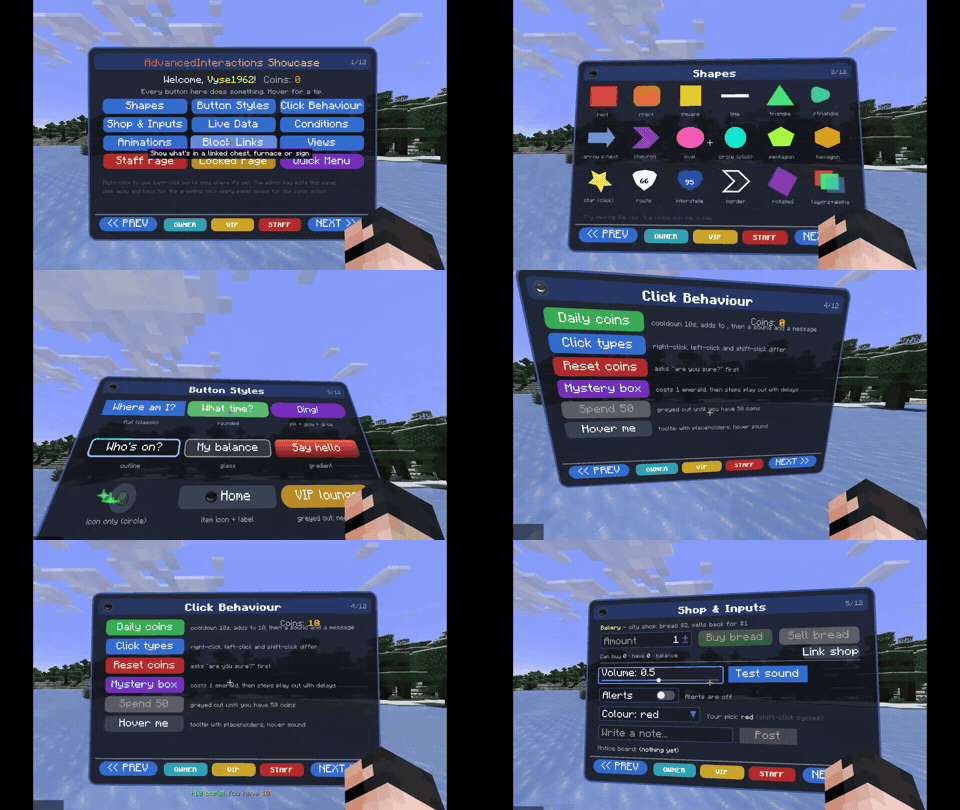
Holograms you can place anywhere in your world: panels with text, buttons, shapes and images that players can read and click. Build them in-game with a visual editor, fill them with live info like player names or server stats, and make buttons do things: switch pages, play sounds, run commands or open shops.
- Installation: which file to download and where it goes
- Your First Hologram: make one in about five minutes
- Info boards and welcome signs that update live
- Menus with multiple pages and clickable buttons
- Shops: trade items for emeralds, or for money with an economy mod
- Panels that follow a player, or only show to certain players
- Displays linked to chests, furnaces and other blocks
- And soo much more
| Minecraft | Loader | Download |
|---|---|---|
| 1.19.2 | Forge | (LINK: CurseForge file) |
| 1.20.1 | Forge / NeoForge | (LINK: CurseForge file) |
| 1.20.1 | Fabric (needs Fabric API) | (LINK: CurseForge file) |
- [FAQ / Troubleshooting](LINK: FAQ page)
- Report a bug or ask a question