Repository navigation
Gallery
Screenshots and recordings of the current tools, made with the bundled CC0 starter equipment on the UO_Model3D body. No original UO client art appears on this page.

Eight of the bundled CC0 starter items on the animated 3D body, mid-walk: arms, hood, robe, sword (top row); round shield, boots, cloak, backpack (bottom row). The starter set covers all 25 UO layer routes; see examples/cc0-starter.
Recorded frame by frame, so every clip loops cleanly as a GIF. These show the restyled Fit Lab from PR #19 (pending merge).

▶ Watch the Fit Lab tour (MP4): the whole lab while a CC0 vest walks through all 8 facings.
 Vest (InnerTorso) in the 2×2 view: orbit, front, side and back, all 8 facings. MP4 Vest (InnerTorso) in the 2×2 view: orbit, front, side and back, all 8 facings. MP4
|
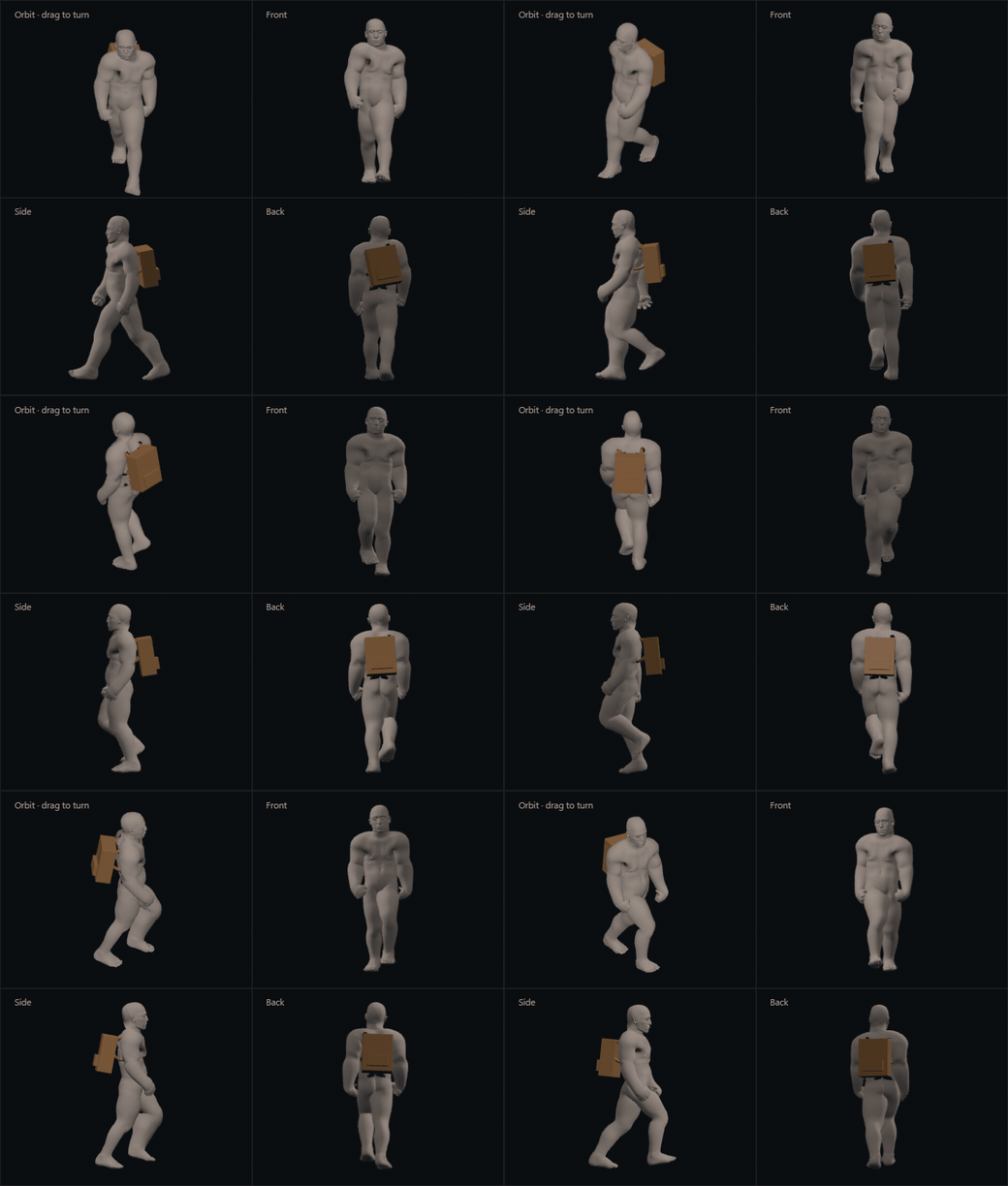 Backpack (rigid binding) in the 2×2 view. MP4 Backpack (rigid binding) in the 2×2 view. MP4
|
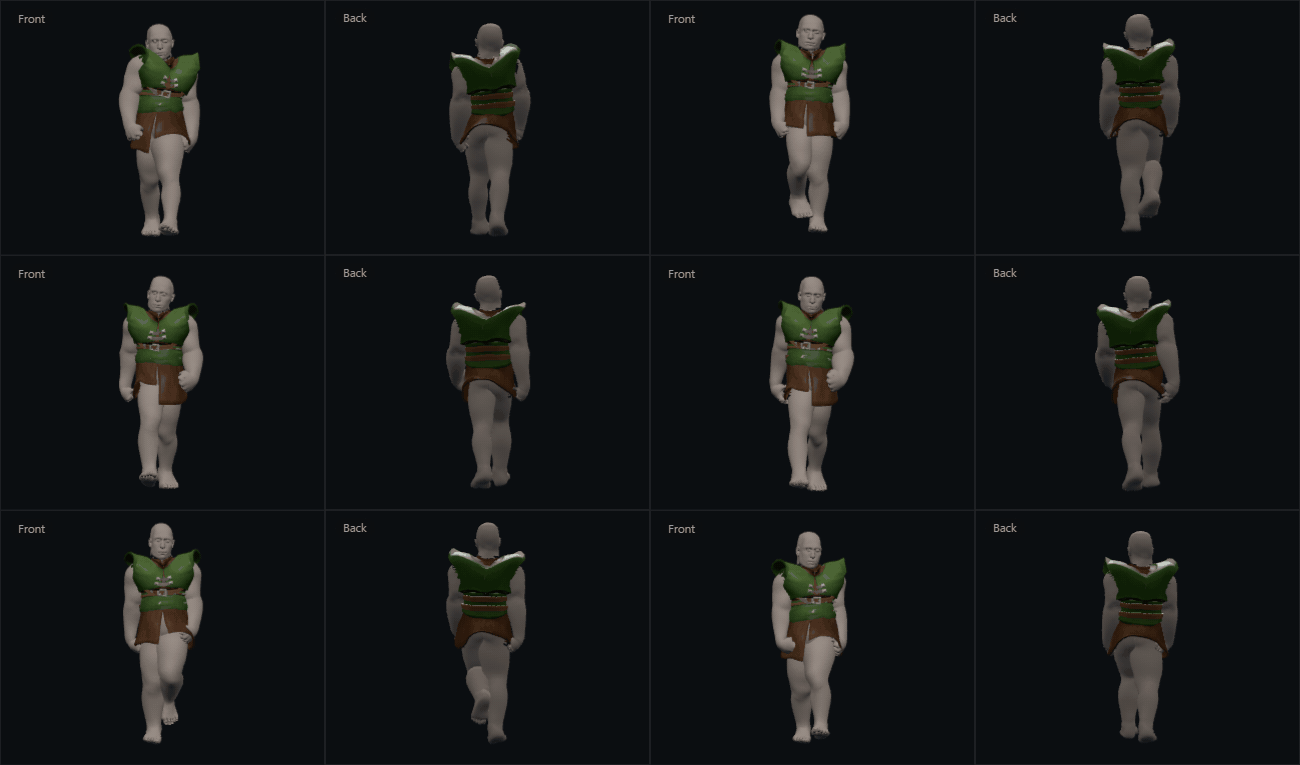
Front and back of the vest over one walk cycle: a short loop for posts and chat.
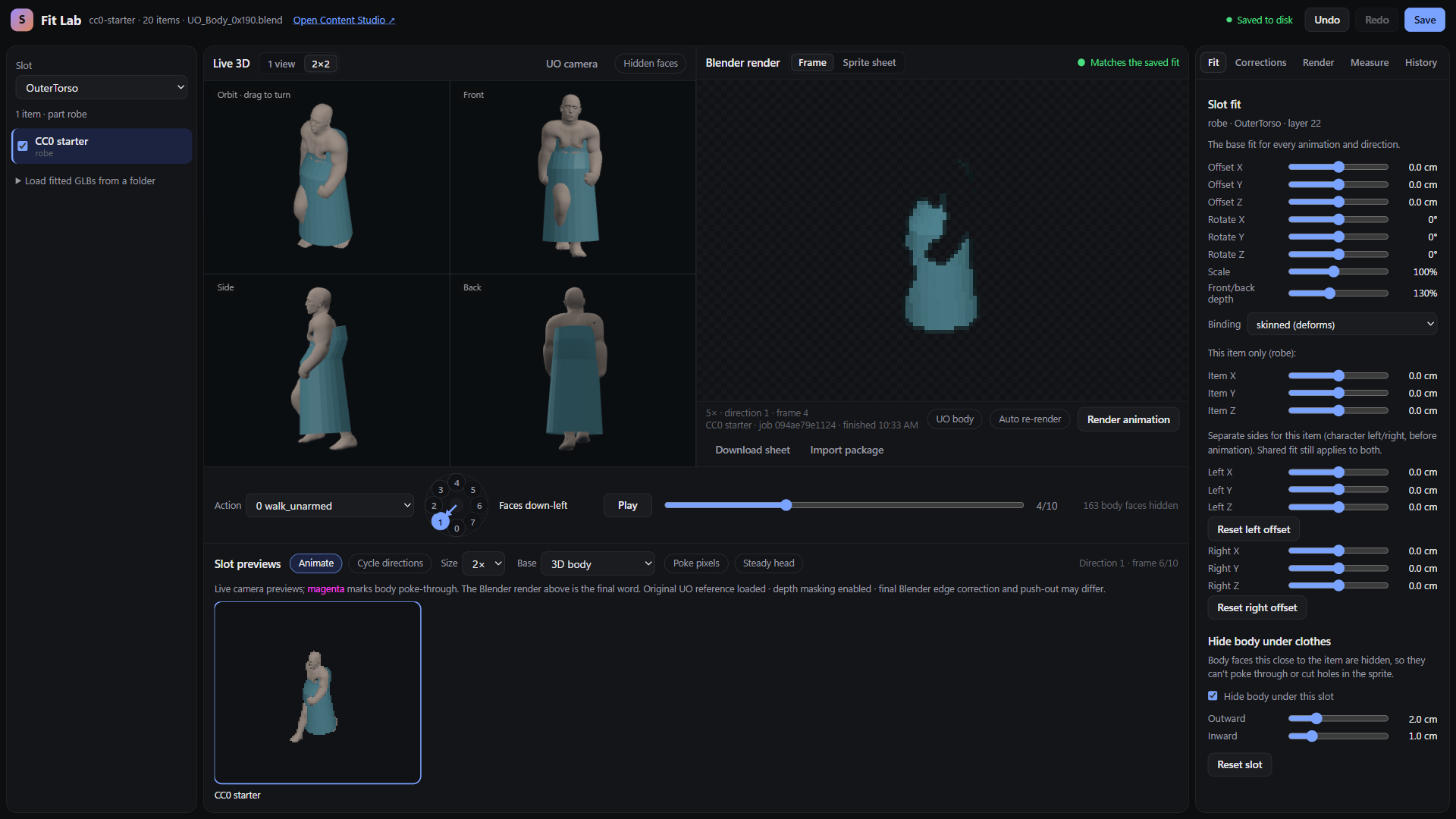
The full Fit Lab layout with the robe (OuterTorso) selected: slot and item list (left), the 3D pane in 2×2, the Blender render pane, action and facing ring, enlarged slot preview, and the Fit tab with slot fit, binding, per-item and left/right offsets.
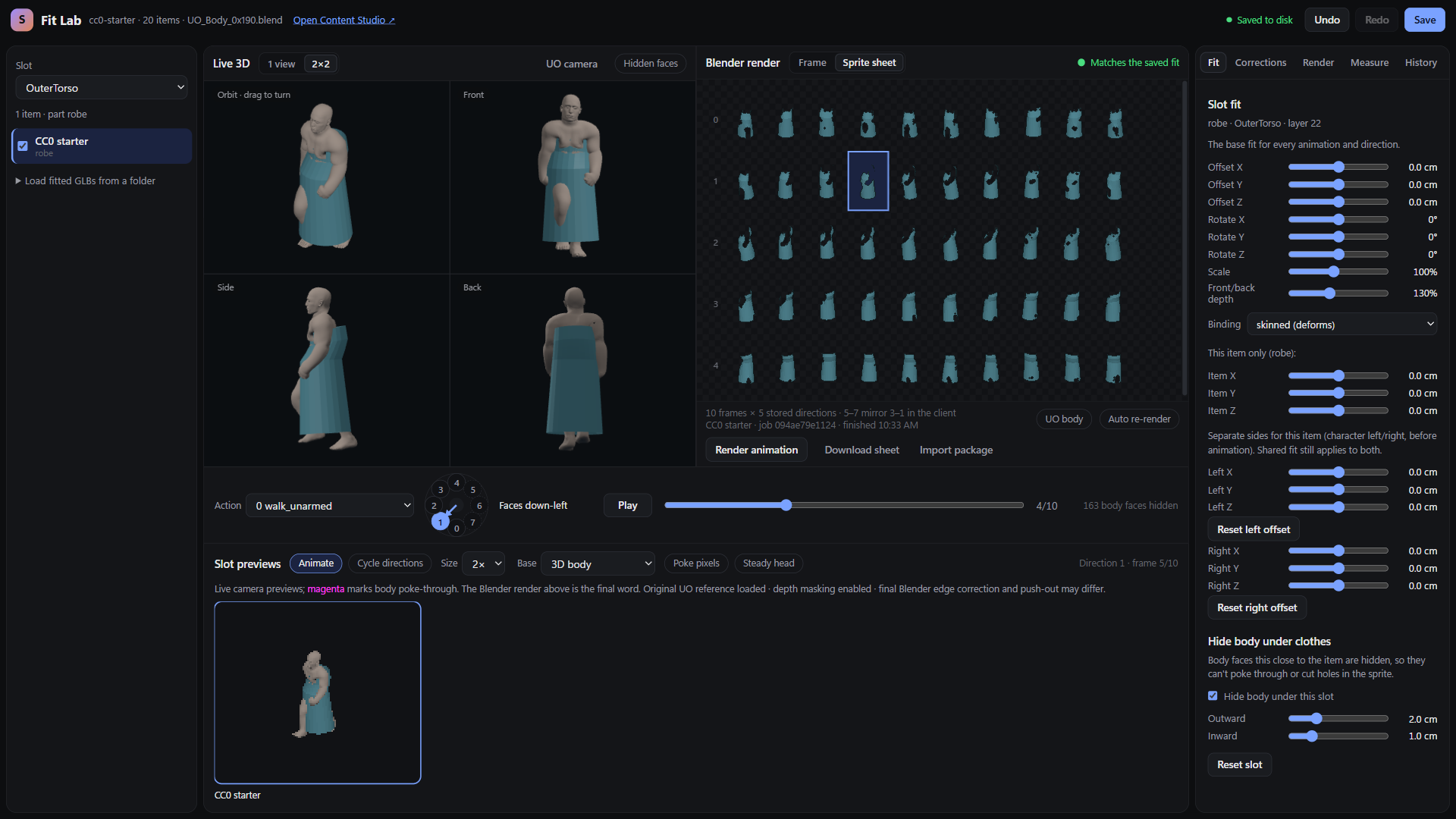
The Sprite sheet view of the Blender render pane for the robe: every frame of the 5 stored directions (directions 5 to 7 are mirrored from 3 to 1 in the client). The status reads Matches the saved fit.
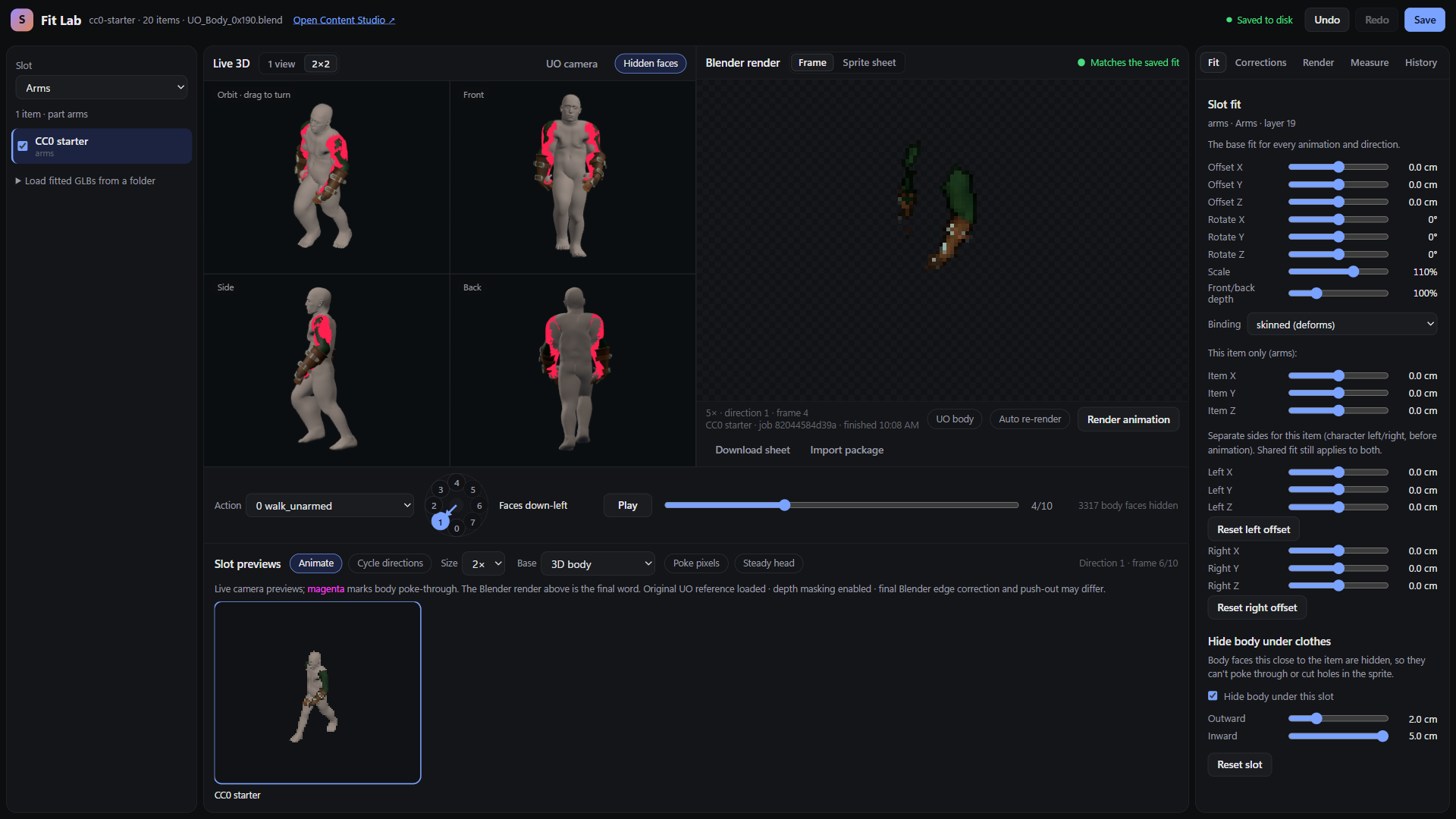
Hidden faces turned on for the sleeves (Arms, layer 19), in red from all four sides: body faces under the garment are removed from the fitting body so they cannot poke through. The bar reports the number of hidden faces.
 Arms (layer 19) Arms (layer 19) |
 Helm (layer 6), hood with rigid binding Helm (layer 6), hood with rigid binding |
 OuterTorso (layer 22), robe OuterTorso (layer 22), robe |
 OneHanded (layer 1), sword OneHanded (layer 1), sword |
 TwoHanded (layer 2), round shield TwoHanded (layer 2), round shield |
 Shoes (layer 3), boots Shoes (layer 3), boots |
 Cloak (layer 20) Cloak (layer 20) |
 Backpack (layer 21), rigid binding Backpack (layer 21), rigid binding |
 Corrections: scoped deltas for this item, a group or specific poses, plus body-masking override. Corrections: scoped deltas for this item, a group or specific poses, plus body-masking override. |
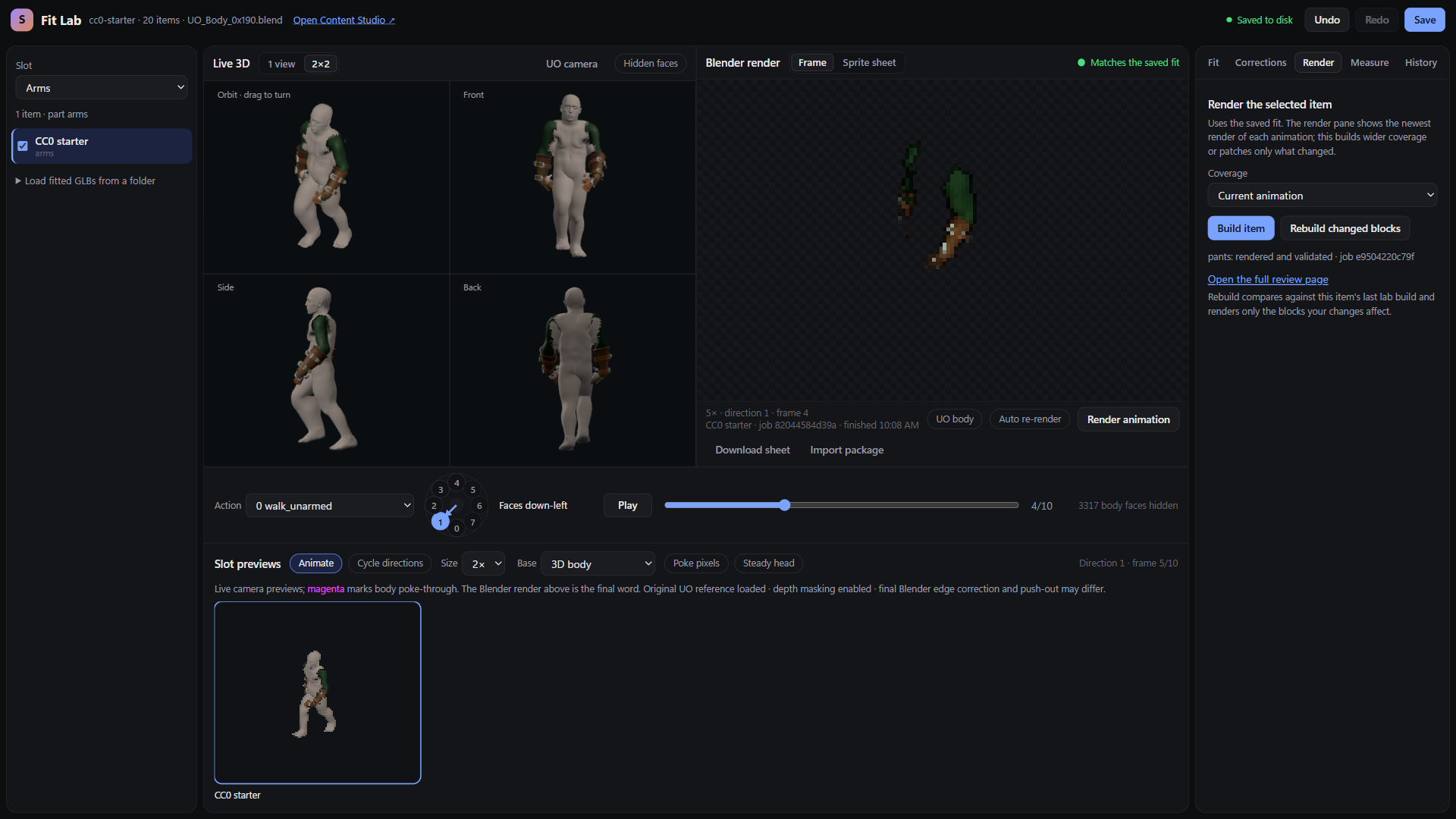 Render: build the selected item at a chosen coverage, or rebuild only changed blocks. Render: build the selected item at a chosen coverage, or rebuild only changed blocks. |
 Measure: poke-through counts over checked actions in 5 directions, and the head-steadying A/B. Measure: poke-through counts over checked actions in 5 directions, and the head-steadying A/B. |
 History: the edit list and the saved-version backups with Restore backup. History: the edit list and the saved-version backups with Restore backup. |
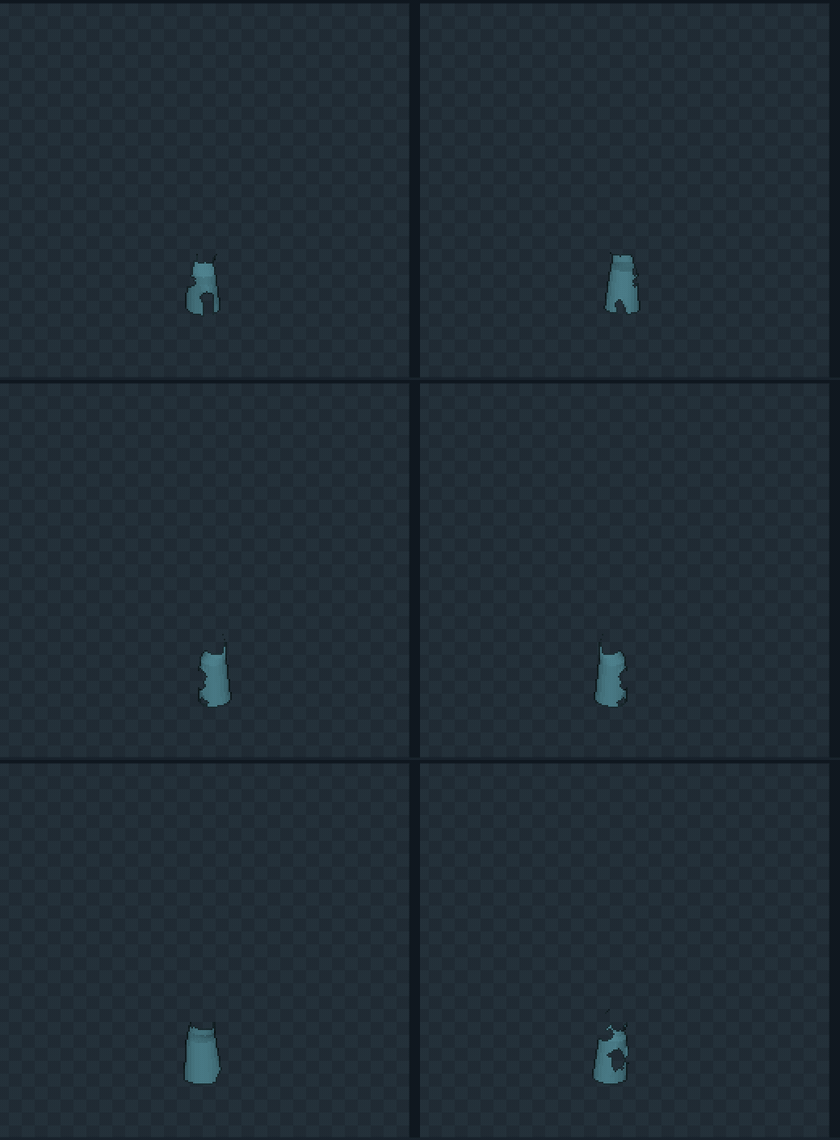
▶ Watch the Content Studio review (MP4): rendered robe frames cycling through the 8 directions.
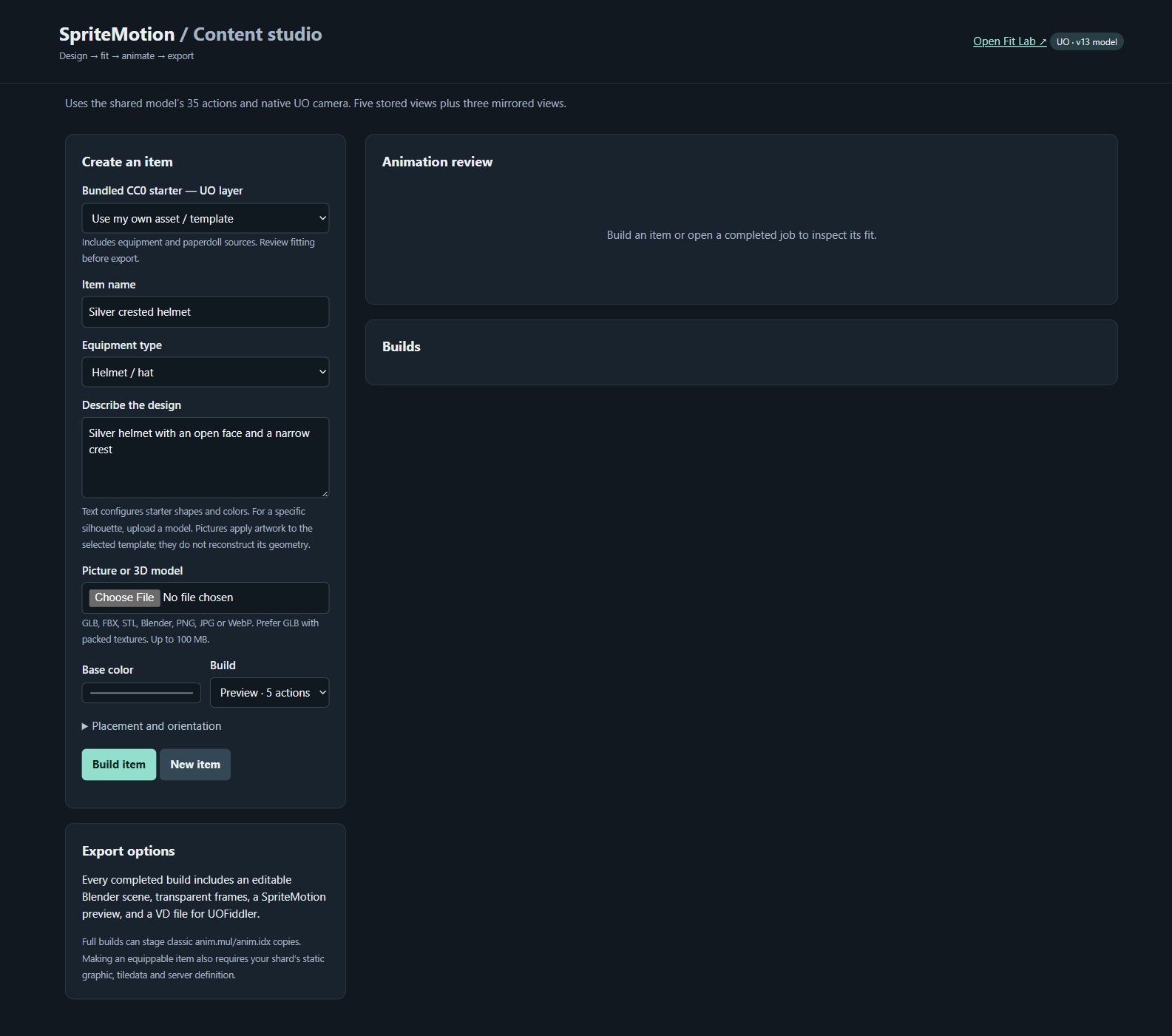
The start page: Create an item (CC0 starter or your own asset/template, name, equipment type, description, picture or 3D model, base color, preview or full build), Export options, Animation review and Builds.
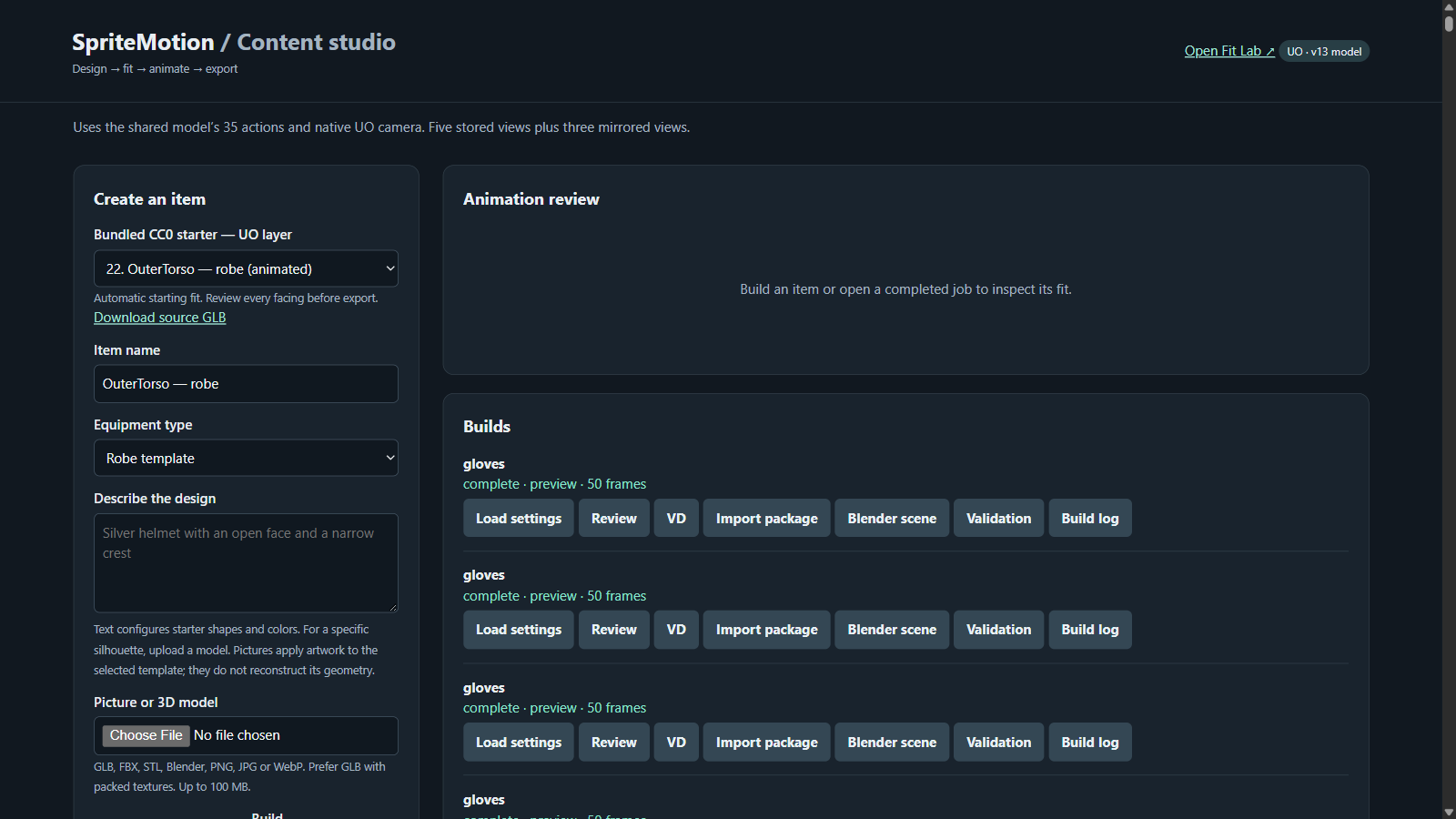
A bundled starter selected (22. OuterTorso, robe), with Download source GLB. Each finished build offers Load settings, Review, VD, Import package, Blender scene, Validation and Build log.
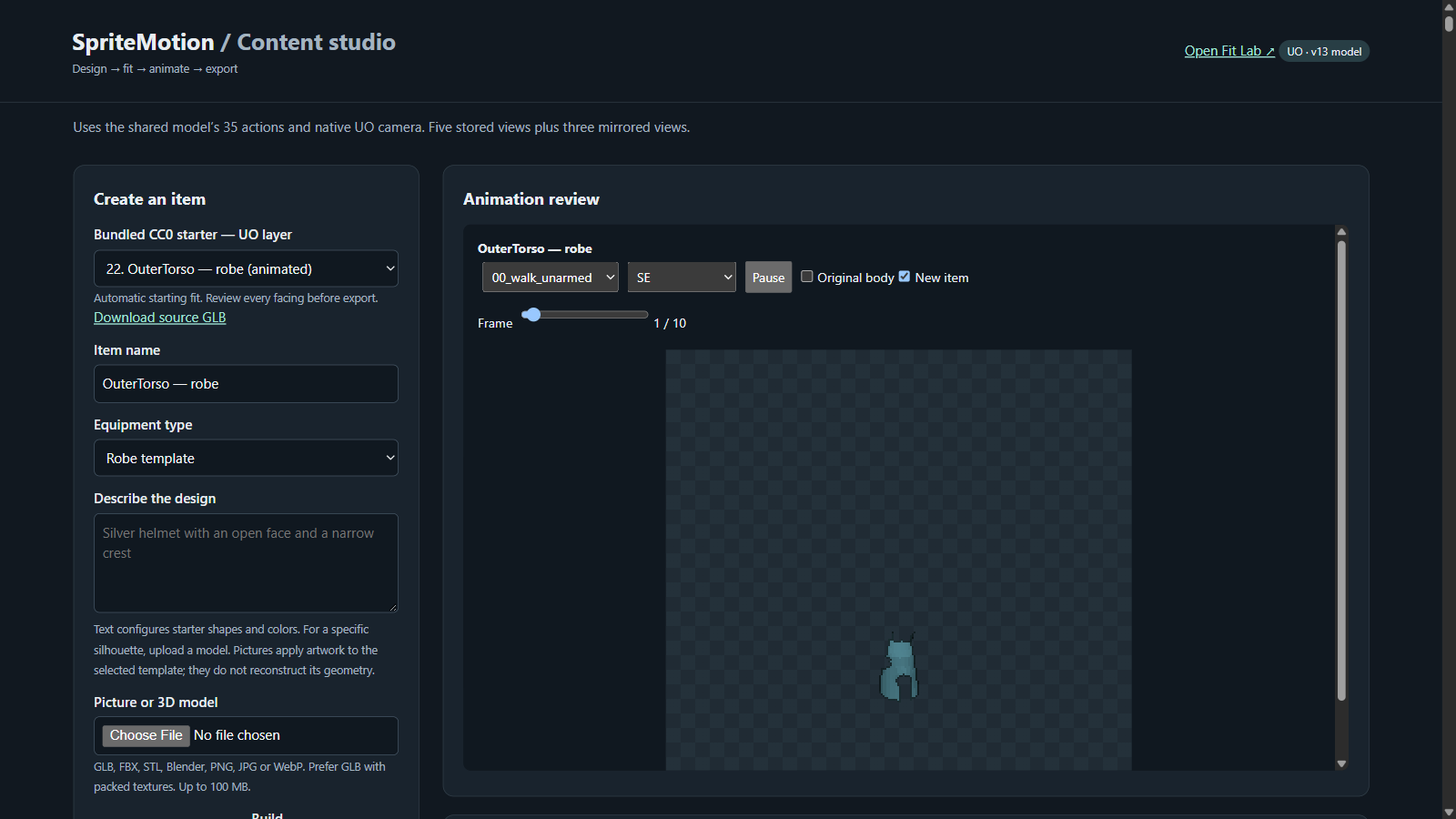
Animation review of the robe build: action, direction (SE shown), play/pause, frame slider, and toggles for the original body and the new item.
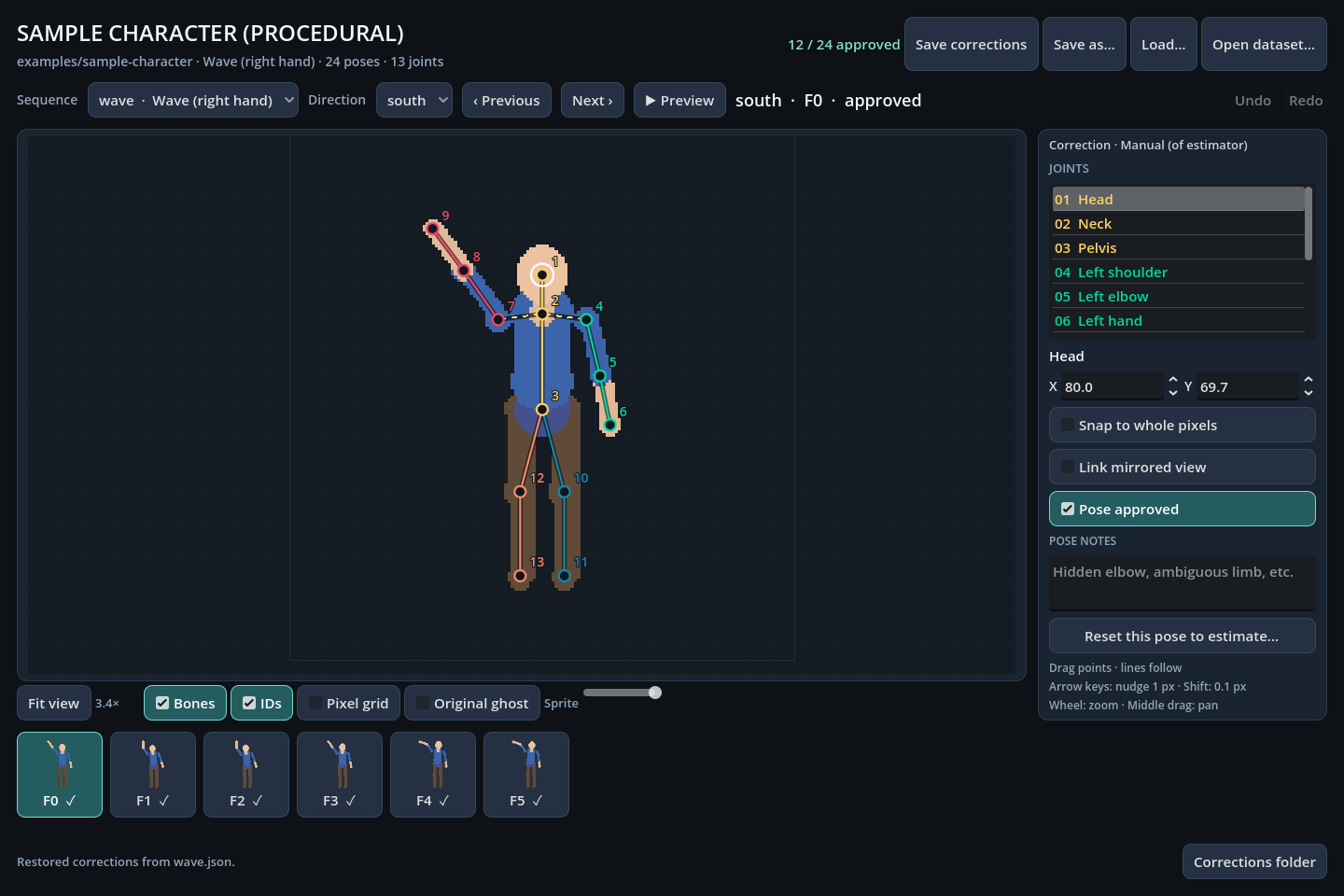
The procedural sample character (wave, south view, an approved pose) in the Godot-based Sprite Pose Editor.
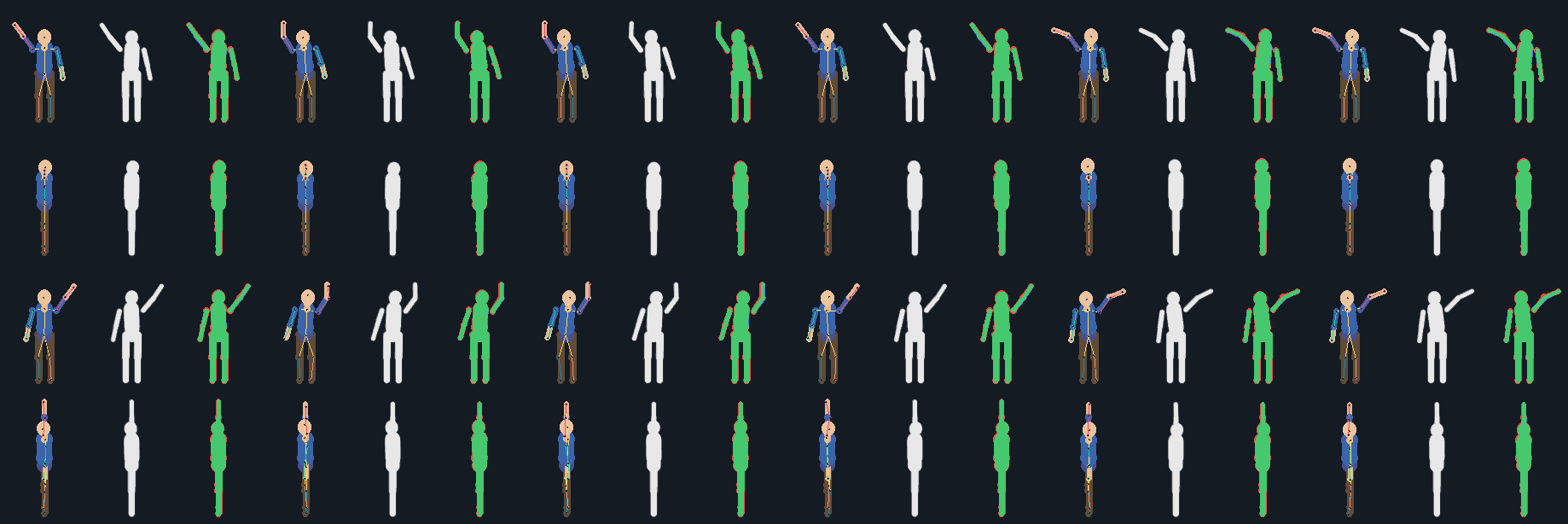
Comparison sheet from the sample loop: for each frame, sprite with joints, the Blender render, and the difference.
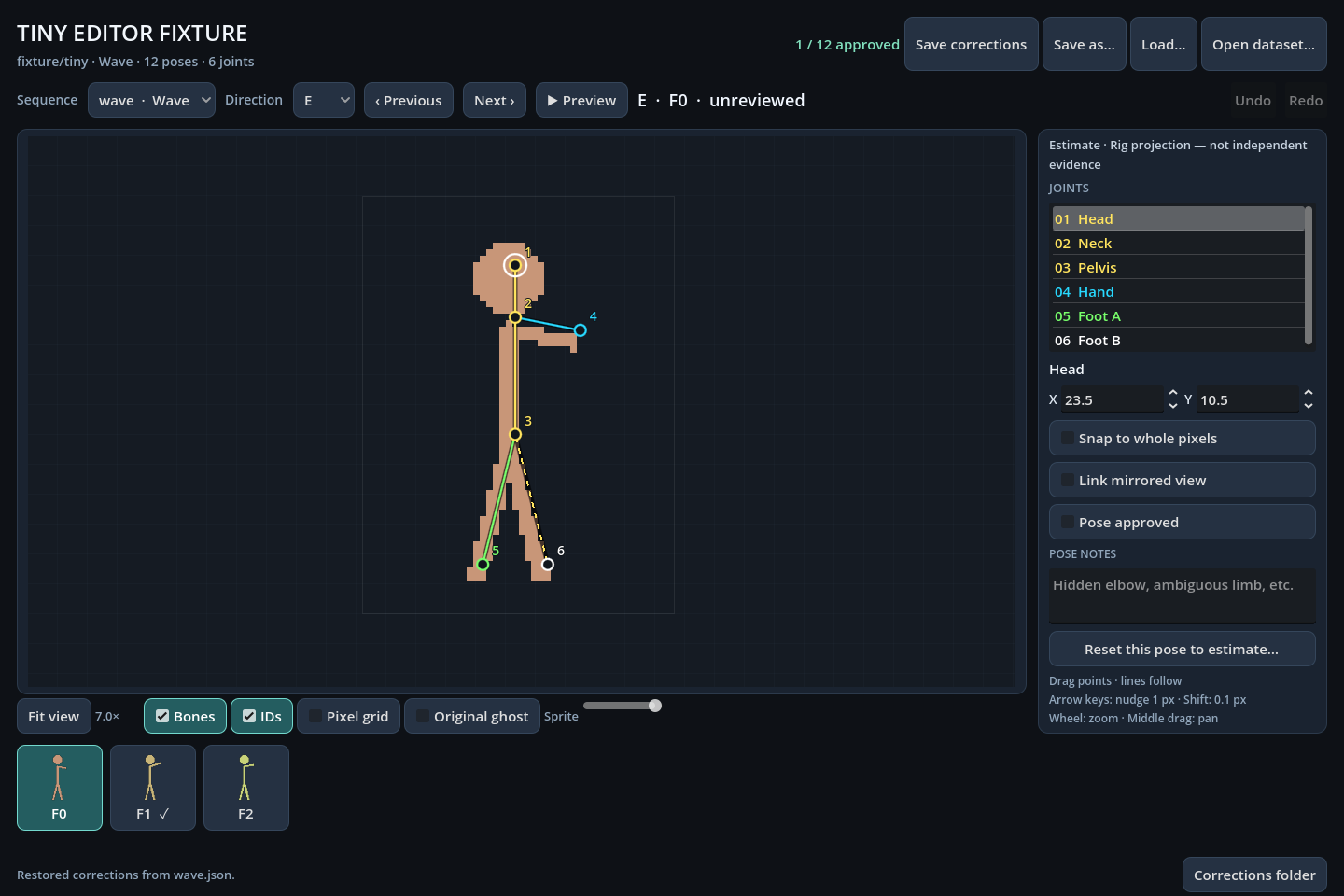
The editor's own test fixture: a rig-projection estimate, labelled not independent evidence, before review.