Backup Import and Migrations
Export connections as JSON or CSV. Passwords are excluded unless you explicitly request an unencrypted export and pass the reinforced confirmation. Configuration backups include non-secret connections, preferences and session state; local encryption keys and passwords are never included.
Use File → Restore configuration… to restore a LakeDB configuration backup. LakeDB strictly validates the file, rejects files over 10 MB and creates a timestamped safety backup of the current configuration before changing anything. SQL contents and local file paths are not restored through a configuration backup.
Saved credentials are retained only when a restored connection still has the same driver, host, port, user, TLS identity and SSH destination. If any of those fields change, LakeDB clears the old credential instead of attaching it to a different server.
Connection imports never write directly to the saved list. DBeaver, SQLyog, LakeDB JSON/CSV and SQL files containing MySQL or JDBC URLs first open a review table where you can:
- select only the connections you want;
- edit imported names and users;
- apply one password to selected rows or enter passwords individually; and
- skip duplicates, update existing connections or import them as copies.
LakeDB tries both supported SQLyog password formats. Passwords it cannot recover safely are flagged and left empty rather than saved as encrypted source text. See Connections, SSL and SSH for the complete connection workflow.
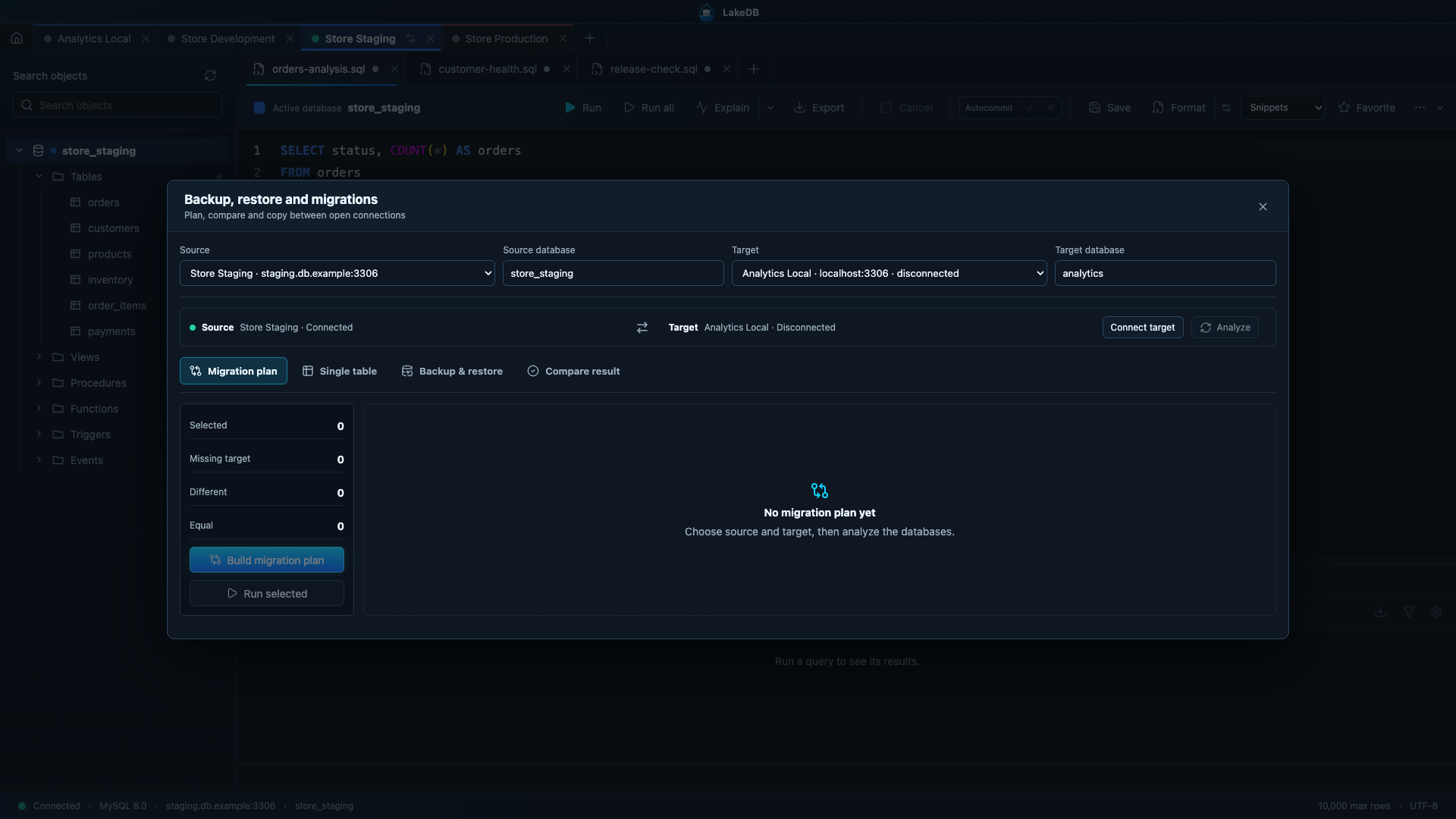
LakeDB can export schema structure and data, restore a SQL file, compare schemas, and copy a table's structure or data between connections. Production restore and copy operations require typing PRODUCTION.
SQL files are size-checked before being loaded. Before a restore, LakeDB writes a full recovery dump of the target schema and reports that path in the result. Exports stream to disk in batches so a large database dump does not have to fit entirely in application memory.
Before local settings migrations, LakeDB creates a versioned SQLite snapshot next to its local database. Automated upgrade tests cover the original schema through the current schema and verify that connection, preference and session data survive.
Schema comparison reports missing, extra or different tables and can expand each changed table to show column, index and foreign-key drift. Column types, nullability, defaults, auto-increment and collation are compared alongside table engine, charset, collation and row counts. It is not yet a full row-by-row data synchronization tool.
Before a significant migration, create and test an independent backup, rehearse in a non-production environment, verify permissions/charset/collation/server versions, and validate the final data before enabling traffic.