Getting Started
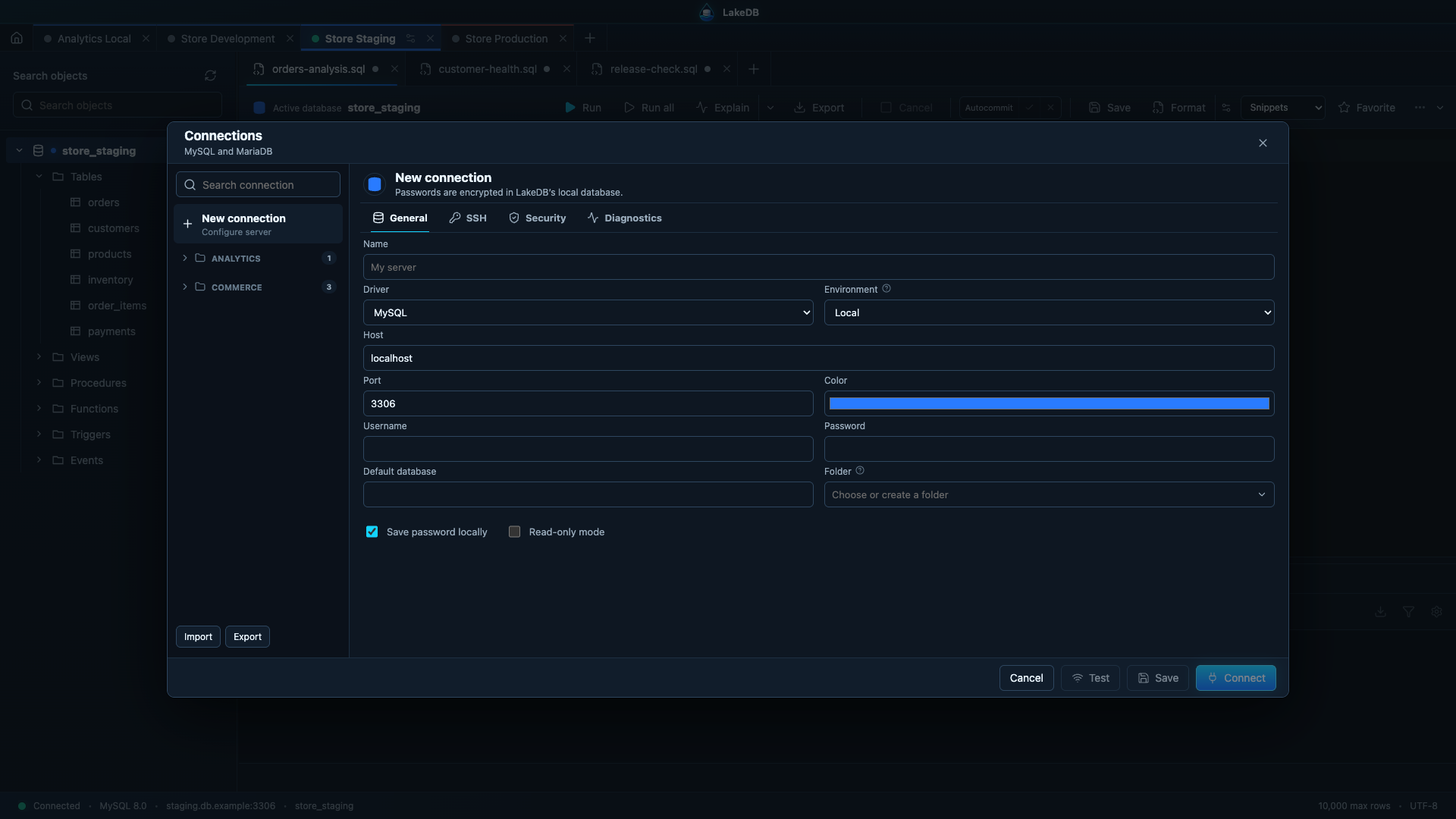
Select New connection, then enter a name, MySQL or MariaDB driver, host, port and username. You can use a password once or store it locally. Select Test before saving, or Connect to save and open the workspace.
Choose Local, Development, Staging or Production. Environment colors make servers easier to identify and production enables stronger safeguards. Enable Read only whenever you only need to inspect data.
LakeDB loads databases first, then tables, views, procedures, functions, triggers and events on demand. Click a table once to open its data in the lower workspace. While writing SQL, double-click a table deliberately to insert its quoted name at the current cursor. Use the context menu for structure, indexes, relationships, DDL and visual table design.
Create a SQL tab and choose a database. LakeDB runs the selection when text is selected; otherwise it resolves the statement under the cursor. Use Run all for a multi-statement script.
Type database. to complete tables and views, then use the assigned alias followed by . to complete columns. Suggestions identify primary keys and indexed columns, and composite-index templates are available directly after WHERE.
History can be filtered by connection, database, result and duration. Save useful queries as favorites and add tags so they are easy to find later.