Home
A fast, focused desktop client for MySQL and MariaDB.
Every connection keeps its own SQL editor, object explorer, tables and workspace state. Your connections, queries and credentials stay on your computer.
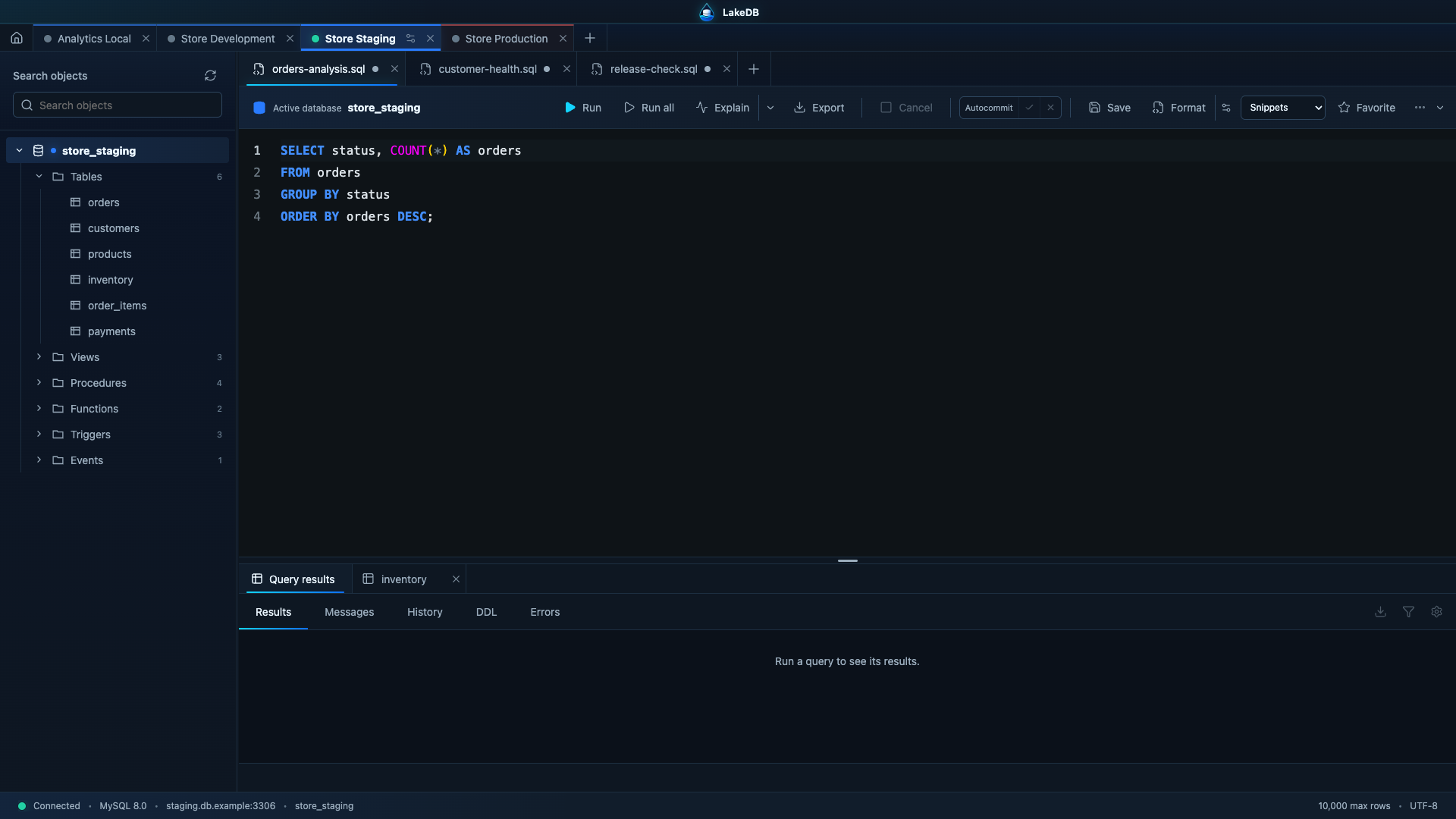
LakeDB keeps multiple database connections open side by side, each with its own SQL and table tabs, active schema, editor content and navigation state. Switching between local, staging and production changes the complete workspace instead of mixing tabs from different servers. That multiconnection workspace is preserved across normal exits and recoverable after an unexpected stop.
LakeDB 0.10.4 is available. It is the latest build in the 0.10 beta line. Download it or review the version history.
- A split SQL workspace with independent query tabs above and result/table tabs below.
- Schema-aware completion for databases, tables, aliases, columns, primary keys and indexes.
- Safe table and eligible query-result editing, cell filters and typed value controls.
- Visual table design for columns, indexes, foreign keys and checks with SQL preview.
- Streaming CSV, JSON, JSON Lines, Excel-compatible and SQL exports.
- Review-first DBeaver, SQLyog, JSON, CSV and SQL URL connection imports.
- Compact overflow navigation for busy multiconnection workspaces.
- Install LakeDB.
- Follow the Getting Started guide.
- Configure connections, SSL and SSH.
- Learn the SQL Editor.