SQL Editor
Open as many connection workspaces as your workflow needs. Each connection owns an independent set of SQL and table tabs, its selected database and its active tab. Moving between servers restores that connection's exact context, which makes parallel local, staging and production work much safer and faster.
Tabs preserve unsaved SQL, cursor and scroll position. They return after a normal restart and from the most recent safe session after an unexpected shutdown; query results and credentials are intentionally excluded.
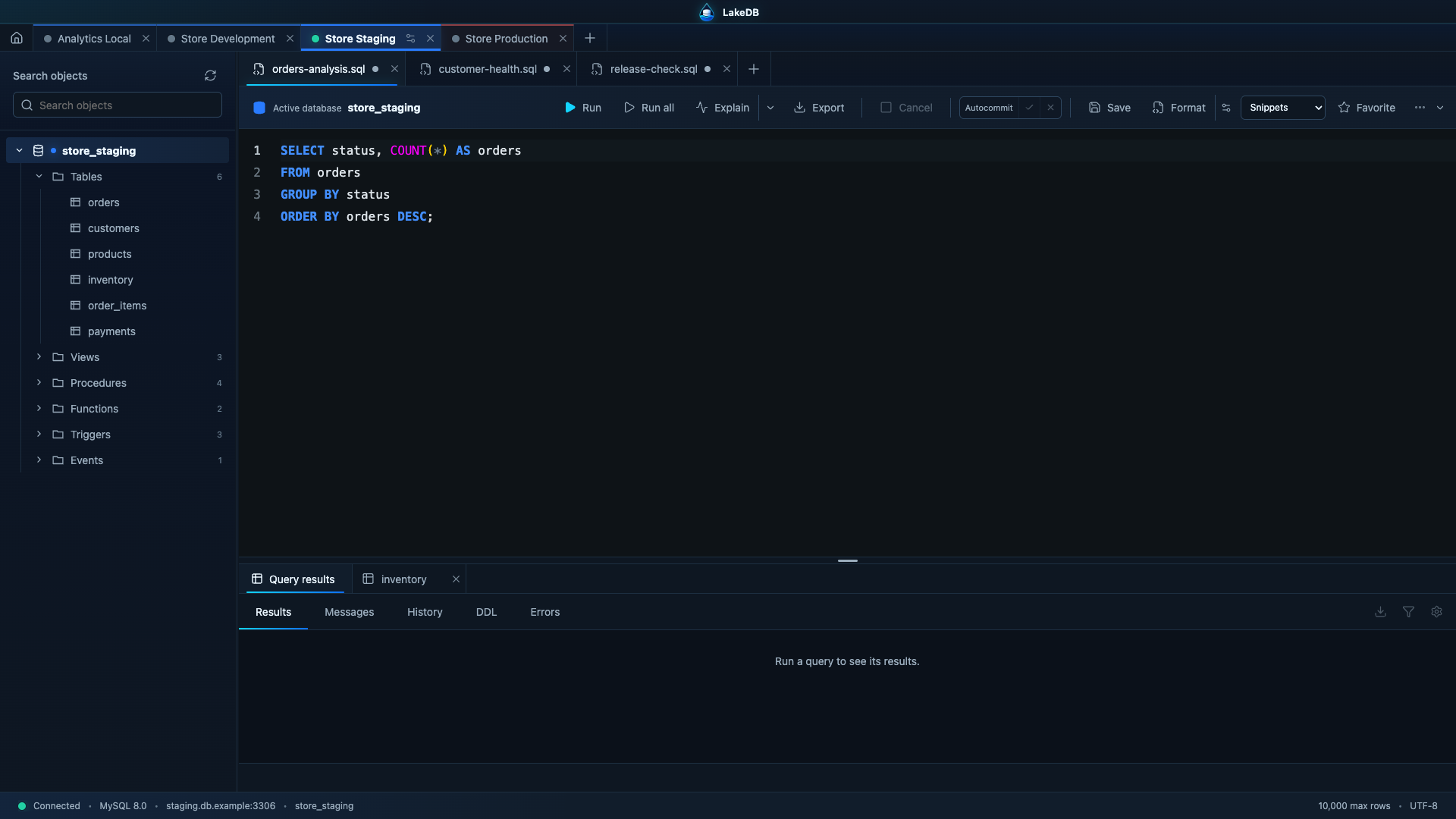
LakeDB uses Monaco Editor and supports multiple independent SQL tabs per connection.
- Run selected text, the statement under the cursor, or the entire script.
- Cancel an active server query with
KILL QUERY. - Multi-statement scripts are split and run sequentially without enabling the driver's unsafe
multipleStatementsoption.
Every result set gets its own tab. Copy cells or rows and generate INSERT/UPDATE snippets. Interactive results remain deliberately limited and are kept temporarily in memory rather than persisted in the session.
Use Export from the SQL toolbar or results panel to export the complete read-only query independently from the limited grid. LakeDB opens a review dialog with the exact current editor selection or document, lets you edit the SQL, choose CSV, JSON or Excel-compatible .xls, and select the destination before starting.
Complete exports allow optional SET or USE statements followed by one read-only SELECT. Rows stream directly to disk with bounded memory, live row/size/time progress and cancellation. The separate export limit is configurable in Preferences up to 50 million rows; exceeding it fails visibly instead of silently truncating the file.
Open, save and save-as .sql files. LakeDB restores unsaved documents, cursor position and scroll state. Production connections are restored disconnected. History stores result, duration and row count according to your retention preferences; potentially sensitive statements can be excluded. Favorites support names, descriptions, connections, databases and tags.