Repository navigation
Features Overview
| Area | What it helps with |
|---|---|
| Dashboard and calendar | Upcoming work, availability and recorded results |
| Equipment bookings | Items, quantities, venues, delivery and returns |
| Property rentals | Units, stays and occupancy actions |
| Monthly agreements | Rental periods, adjustments and deposits |
| Customer requests | Public enquiries with separate owner review |
| Inventory and photos | Offers, pricing, quantities and reference images |
| Money and documents | Payments, balances and printable records |
| Financial reports | Expenses, sales summaries and chart views |
| Records and Directory | Search, customer history, workbook export and Trash |
| Business settings | Identity, appearance, numbering and rental options |
| Invited access | Owner and Administrator accounts |
| Installed app | Supported installation and explicit update prompts |
Available screens follow the business's enabled rental options and configuration. Provider-dependent location features require suitable setup. Explore the demo and review limitations before buying.
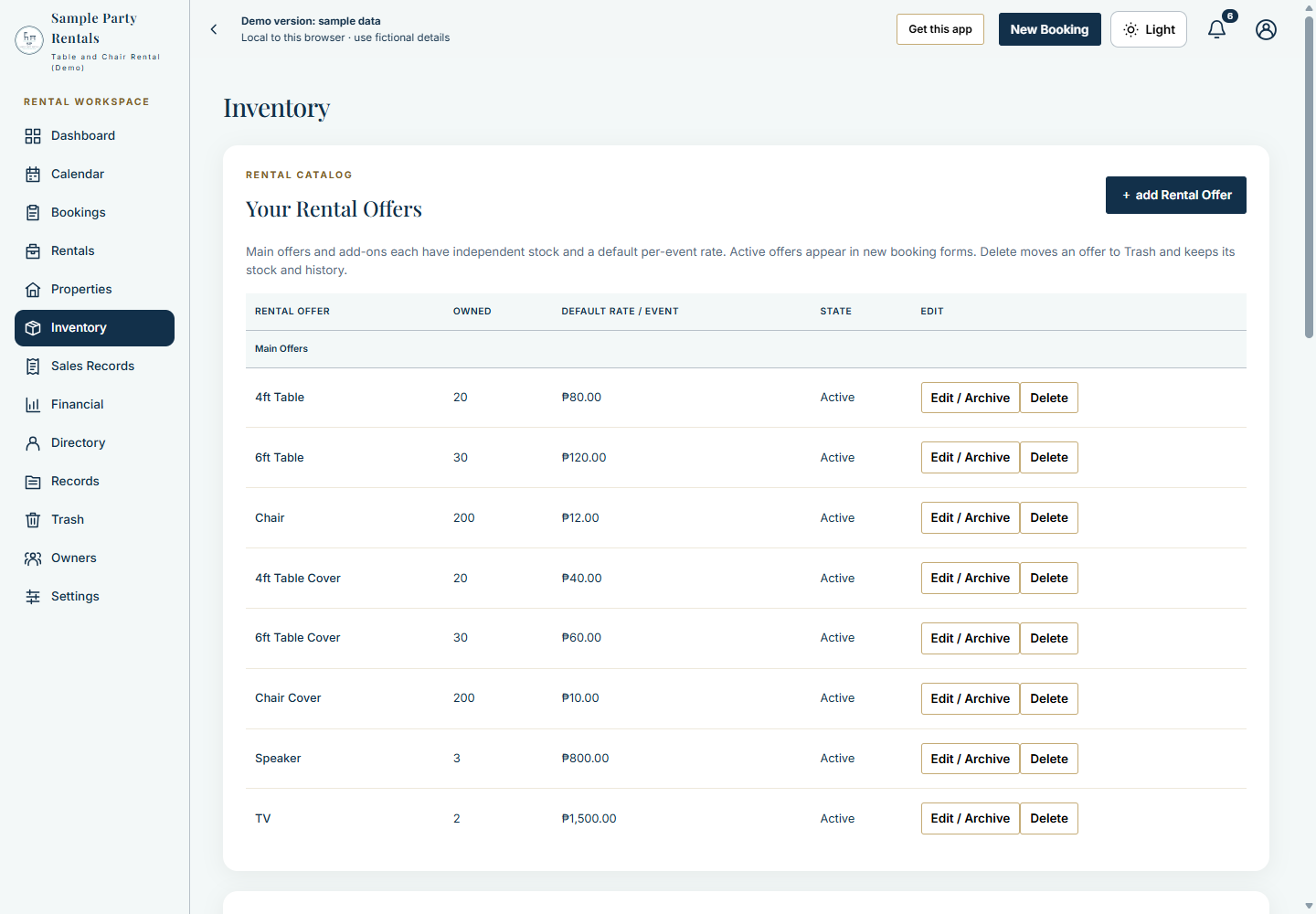
Compare the Screenshot Tour with your daily workflow. All pictured stock, prices and customer records are fictional demo examples.
Explore the Settings Showcase for identity, appearance, numbering, delivery, rental options and update cards. The Workspace Cards tour shows all thirteen tabs at a reduced scale, including cards below the first screen.