Repository navigation
Screenshot Tour
Explore the main screens before trying a workflow. Open the demo or return to Wiki Home.
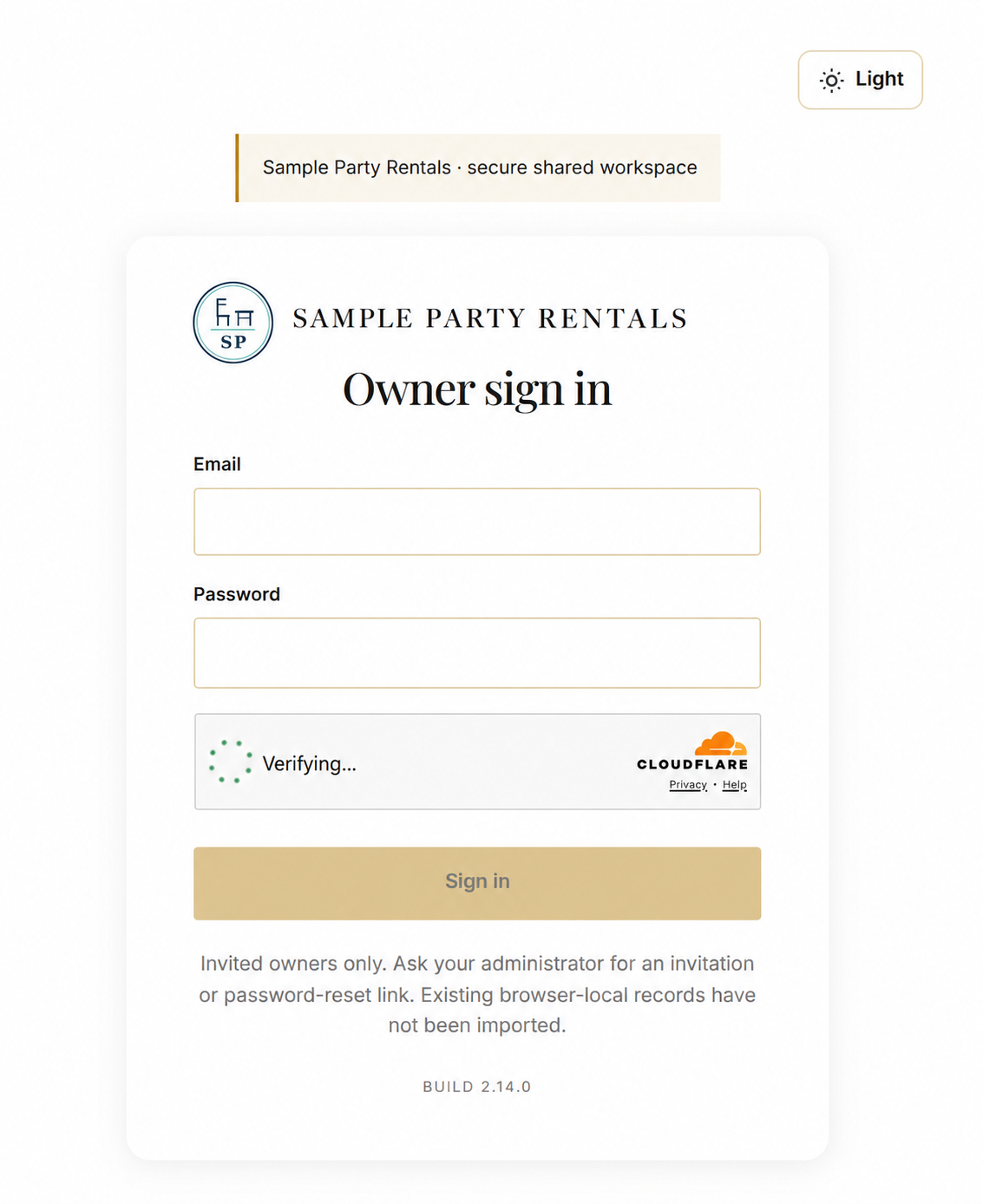
Screenshots use fictional Sample Party Rentals demo data. Names, contact details, dates, quantities and amounts inside the screens are illustrative. The sign-in image is a separately edited illustration; the public demo uses Enter demo without a password. Your own installation uses your business branding and configured services.
Edited illustration based on the owner-supplied sign-in image. Only the business branding was requested to be changed to Sample Party Rentals. The verification widget is shown in progress; this image is not evidence of a completed login or the public demo login flow.
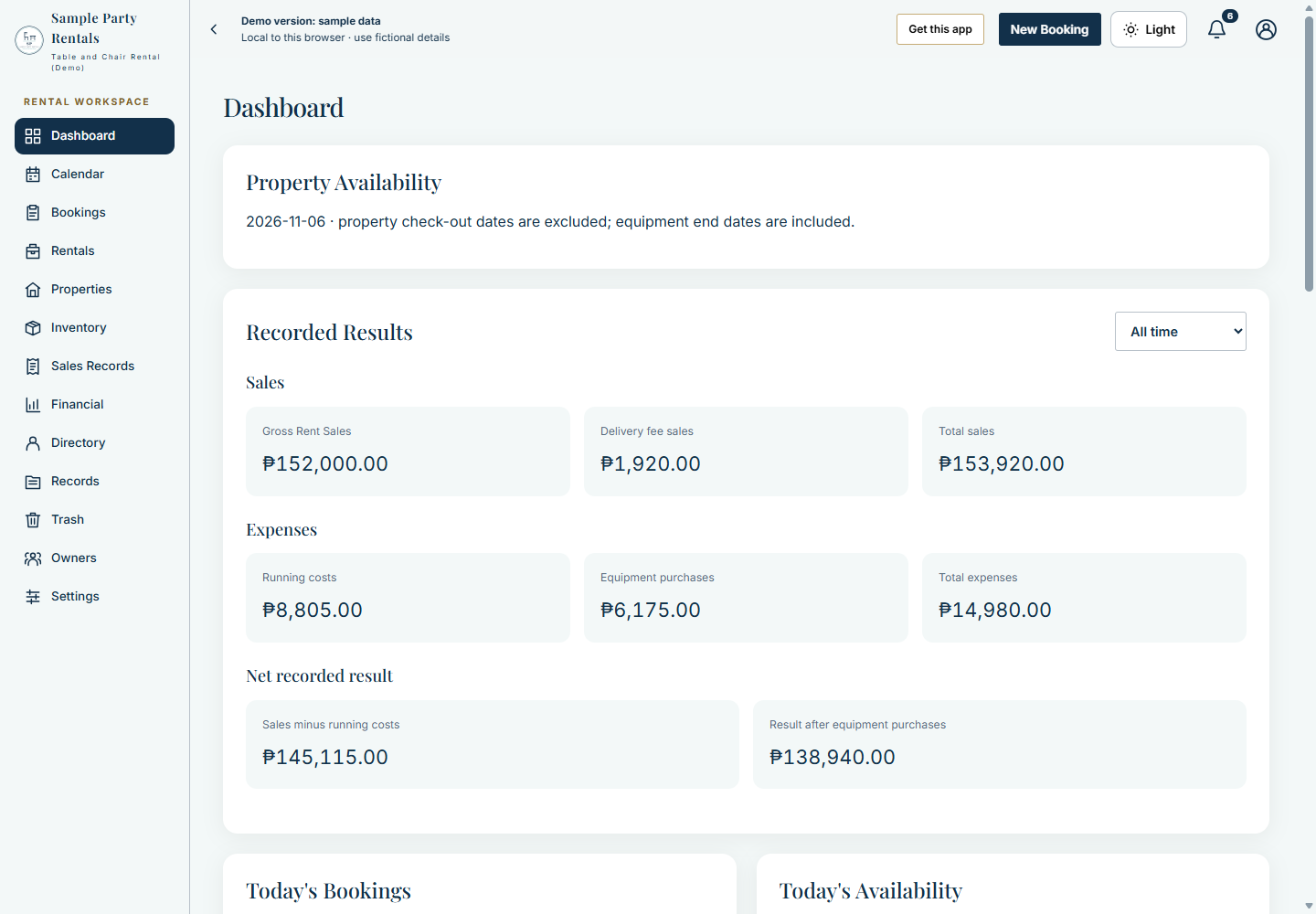
Recorded sales, expenses and availability in the owner workspace. All figures shown belong to fictional demo records, not a business performance claim.
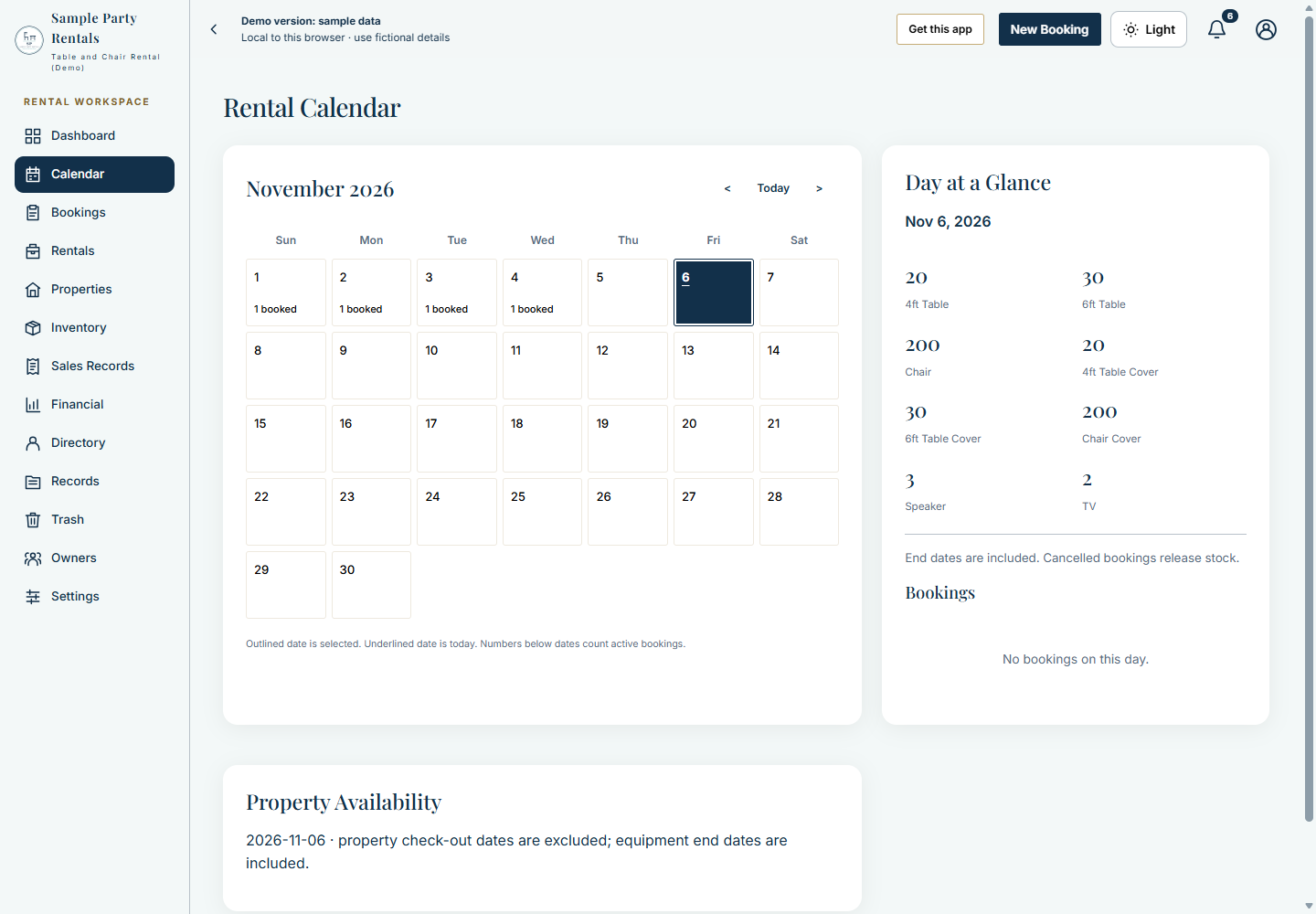
The month view and Day at a Glance help an owner inspect bookings and item availability. Equipment booking end dates are included; property checkout rules differ.
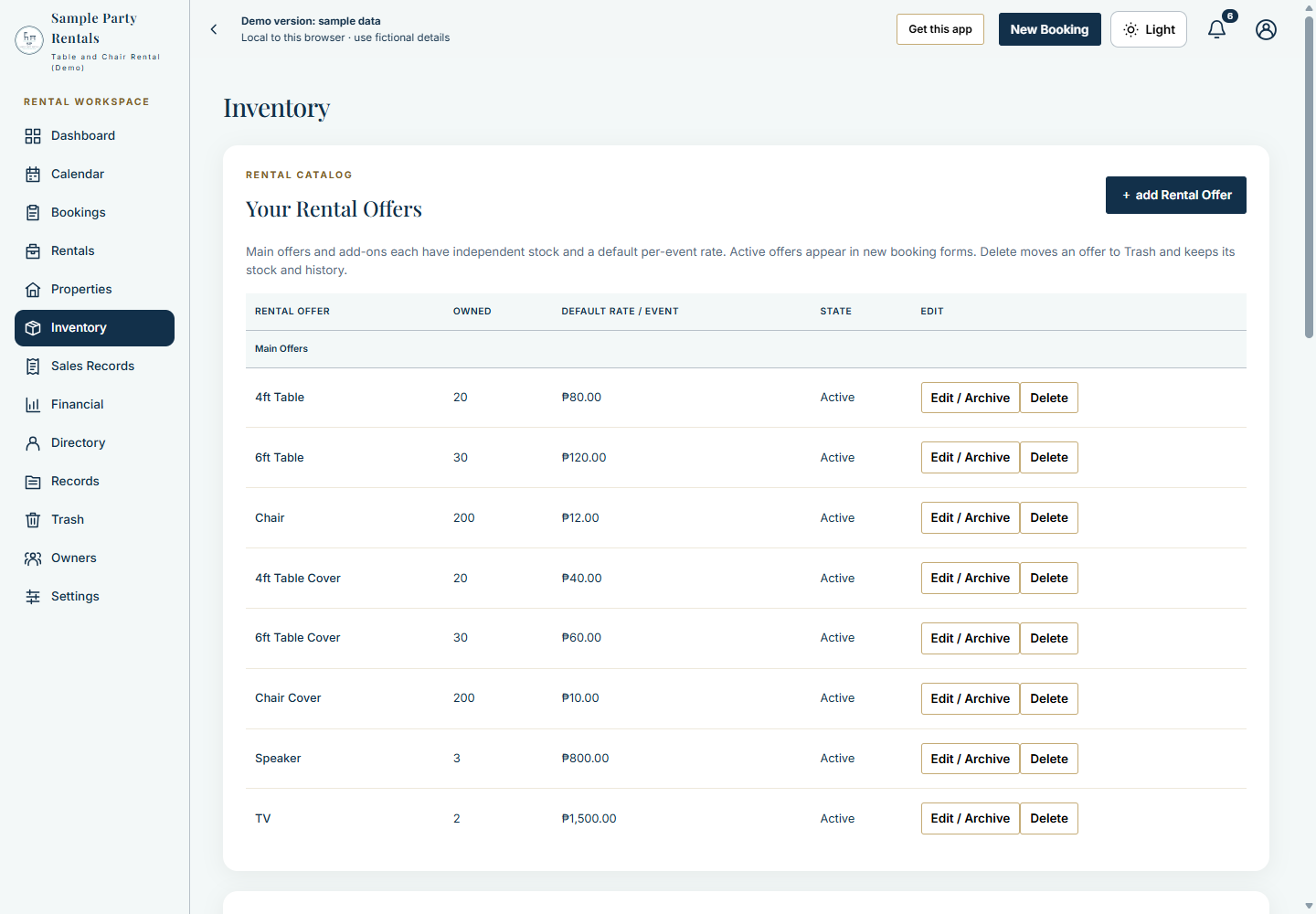
Example offers with owned quantities and per-event prices. These are demonstration rates, not prices charged by Project David or a live rental business.
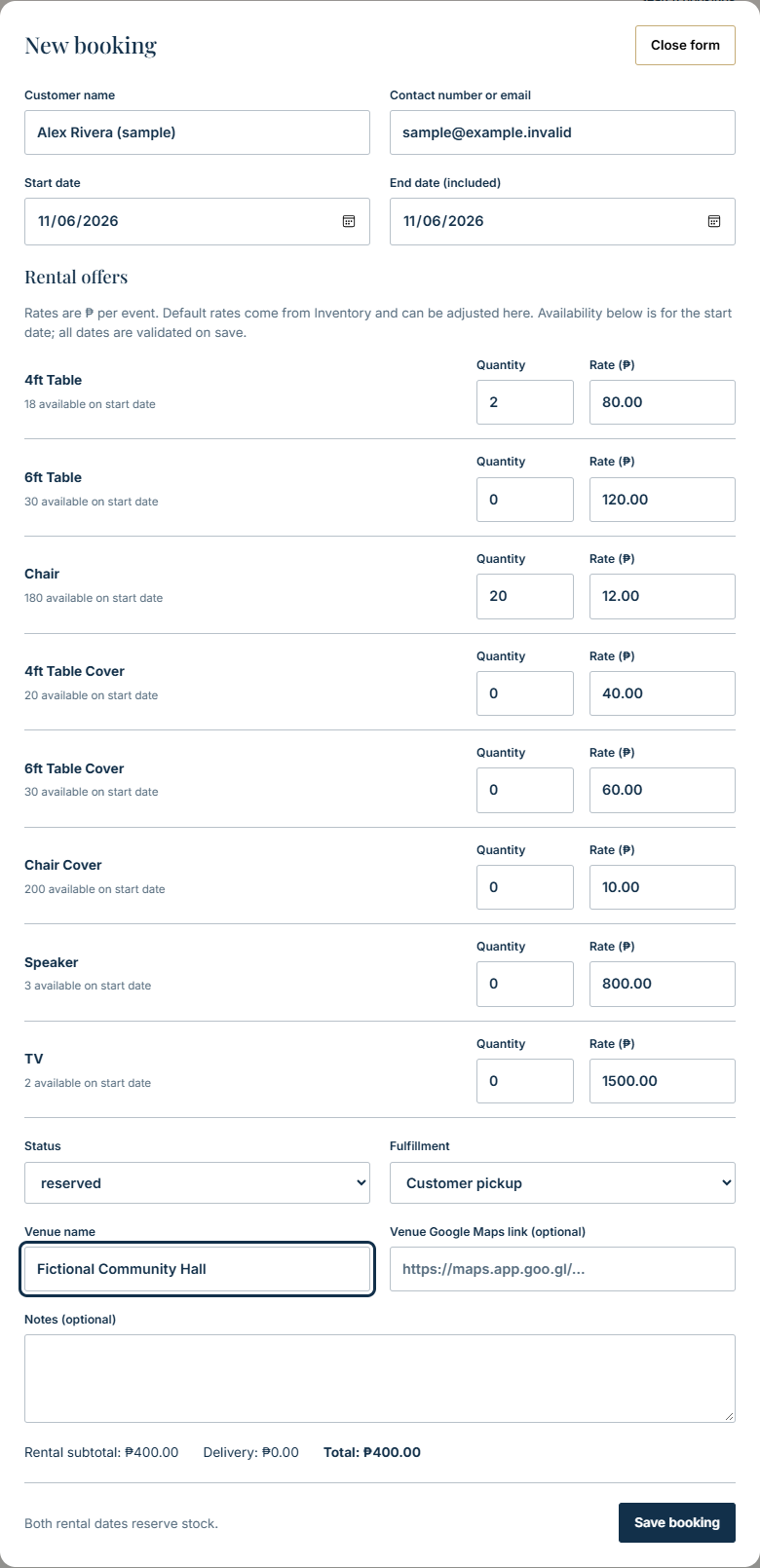
A fictional pickup draft with a sample customer, two tables and twenty chairs. The form shows the chosen quantities, rates, venue and estimate before saving.
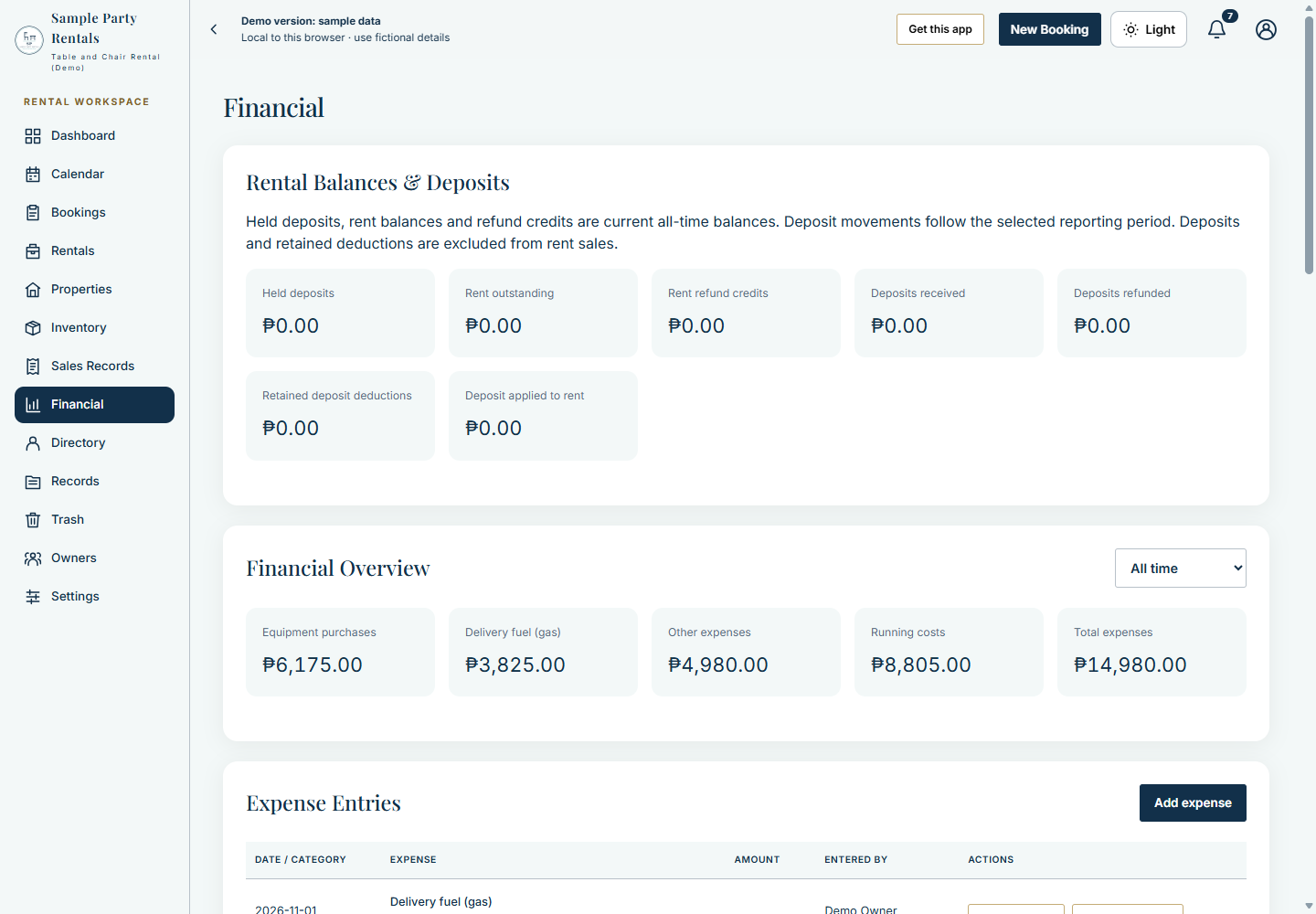
Recorded expense categories are shown separately. Deposits and rental balances have their own summaries; these values are not a bank balance or audited profit.
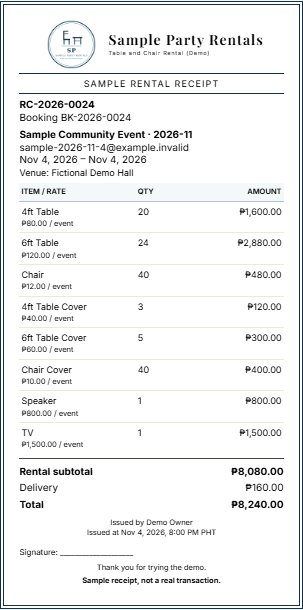
An issued document can be opened for printing. The visible sample-receipt warning is retained. This is an illustration, not proof of tax certification or printer acceptance.
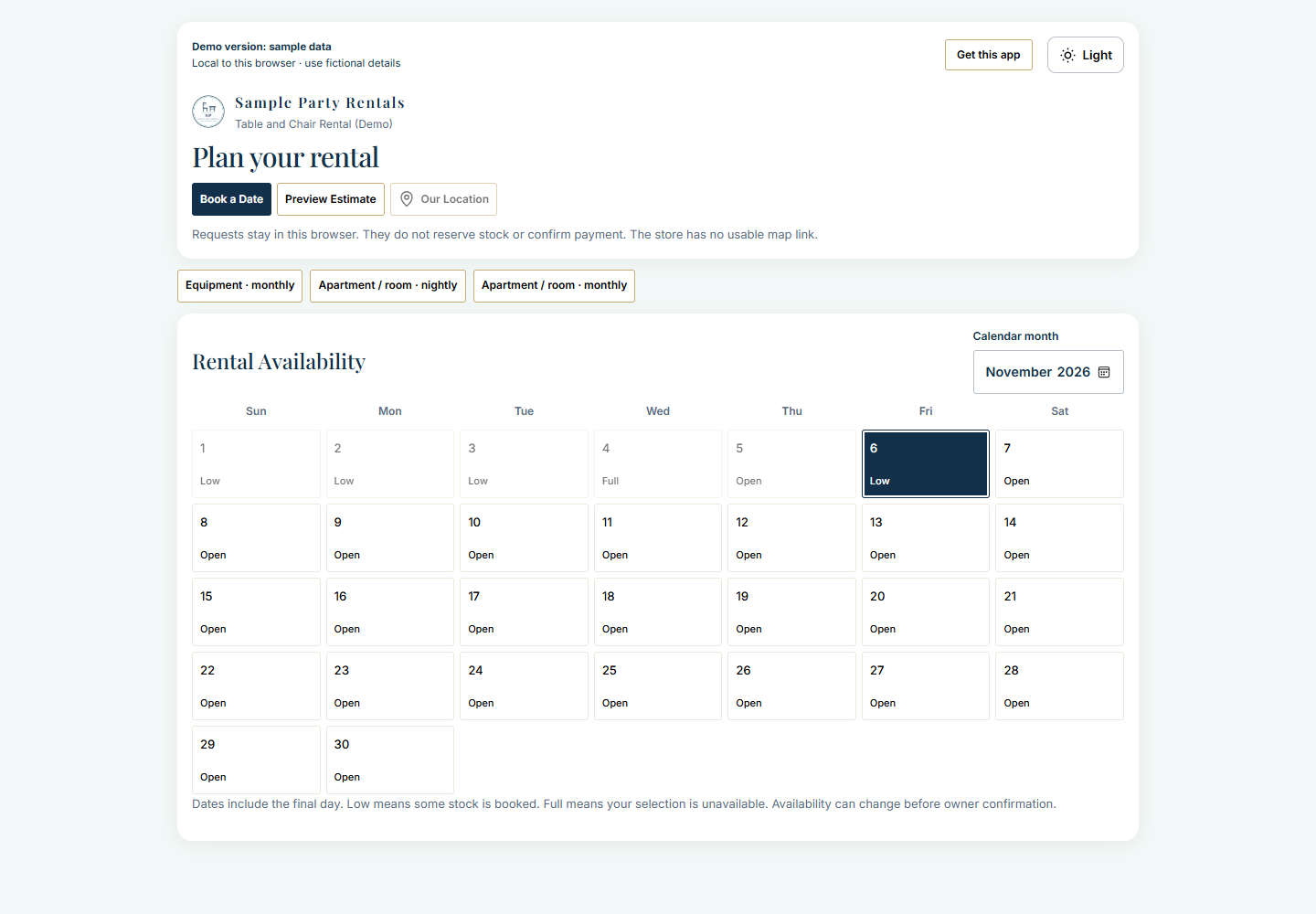
Customers can browse the public availability calendar and open the request form. Requests remain subject to owner review; the demo stores them only in the browser.
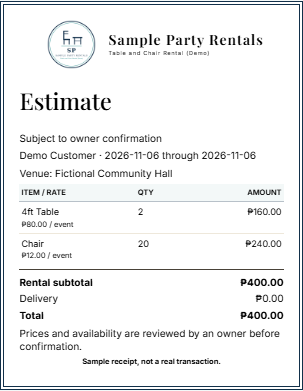
The fictional request totals four hundred pesos for pickup. Previewing is not a payment, stock reservation or issued receipt.
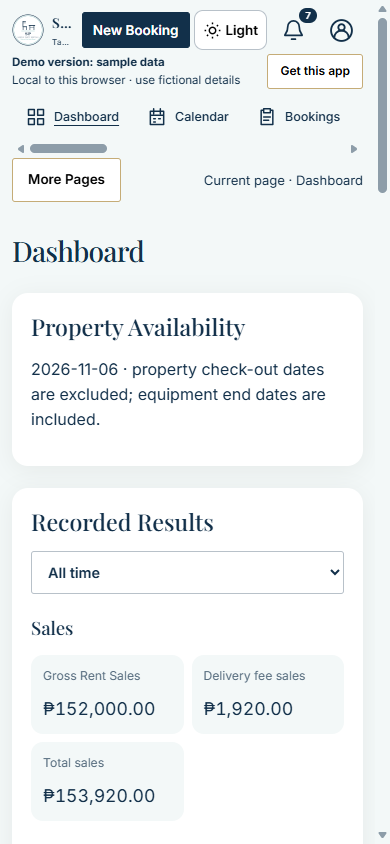
A narrow browser view shows the compact header, horizontal navigation and More Pages control. This screenshot does not establish testing on every phone.
Read Getting Started for your first session, Rental Workflows for the main tasks and FAQ and Limitations for important boundaries. Source code and complete setup documentation are available through Project David on Ko-fi.
Explore the Settings Showcase for identity, appearance, numbering, delivery, rental options and update cards. The Workspace Cards tour shows all thirteen tabs at a reduced scale, including cards below the first screen.