Repository navigation
Intended Conflicts
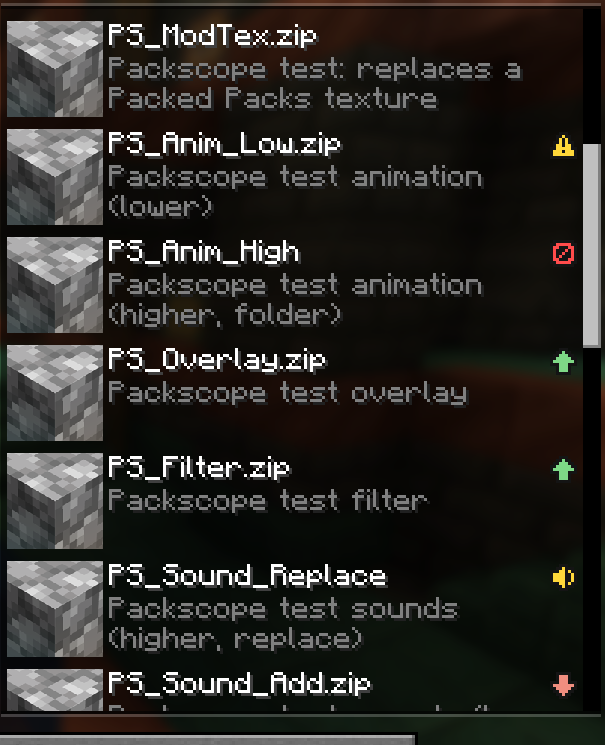
In a sorted pack list almost every conflict is wanted: an add-on over its base pack, an icon pack over a texture pack. If all of them showed up as conflicts, the one that matters would get lost. So you can mark a pack pair once as intended:
- its icon turns grey ("Only intended conflicts") as soon as all conflicts of the pack are marked,
- every new overlap still stands out, for example after a pack update or when you add a pack,
- if a marked pair ends up the wrong way round, both packs get the yellow warning "Against marking".
A marking is always a pair with a direction: "A over B is intended". It covers every kind of conflict between the two: files, language entries, replaced sound events and files hidden by a filter.
| Where | Mark | Remove |
|---|---|---|
| Detail window, "This pack", one group | Mark as intended | Remove marking |
| Detail window, "This pack", whole pack | Mark all as intended (every open pair of this pack, in its current direction) | Remove all markings (every marking that names this pack) |
| Detail window, "All packs", "Pack against pack" | Mark as intended | Remove marking |
| Detail window, "All packs", "Markings" | – | Remove (exactly this entry of the file) |
| Packed Packs, right click on an active pack | Mark all as intended (only if the pack has unmarked pairs) | Remove all markings (only if a marking names the pack) |
- A marking applies at once, in the detail window and in the pack screen, also before you press "Done".
- Marking "A over B" removes an existing marking "B over A".
- "Remove marking" removes every marking that means this pair, also one that matches by base name or
regex:.

A marked group is grey, says intended, shows the note of the marking and is closed by default.
- Marked pairs do not count for "Overrides other packs", "Is overridden", "Overrides and is overridden" or "Replaces sounds".
- If every conflict of a pack is marked, its status is "Only intended conflicts" (grey icon; no icon with
showIntendedSymbol = false). - A file of pack B counts as an intended loss only if every pack that overrides it there is marked with B.
- "Completely covered" always stays visible, marked or not: a pack that has no effect at all is worth a look.
- In the tooltip, intended conflicts are grey lines: "Intended: overrides 40 files of Pack" or "Intended: 5 files overridden by Pack".
- If a marking matches two active packs (for example an old and a new version at the same time), it applies to both.
You marked "A over B", and now B lies above A and overrides it. Both packs get the status "Against marking" (yellow), unless one of them is completely covered, which has priority. The tooltip and the "Warnings" section say "⚠ Against marking: A should be above B". "All packs" lists every reversed pair in its own section.
The section "Markings" in "All packs" lists every entry of the file as "Winner over Loser" with its state:
| State | Meaning |
|---|---|
| works (n elements) (green) | Both packs are active and the pair has n conflicts in the marked direction |
| reversed (yellow) | Both packs are active, but the pair conflicts the other way round |
| pack not active (grey) | One of the two packs is not active (or not installed) |
| no conflict any more (grey) | Both are active, but they no longer overlap |
Markings without effect are simply ignored. Hover over a row to see the ids as written in the file; "Remove" deletes the entry.
The markings are stored in the config folder, so a modpack can ship them. Packscope writes the file whenever you mark or remove something in the game. You can also edit it by hand.
{
  "version": 1,
  "intended": [
    {
      "winner": "file/Example Textures Addon v1.2.zip",
      "loser": "file/Example Textures v1.4.zip",
      "note": "Add-on over its base pack"
    },
    {
      "winner": "regex:file/Example Icons.*",
      "loser": "programmer_art"
    }
  ]
}| Field | Content |
|---|---|
version |
Format version, 1. Another number gives a warning in the report and the file is read as version 1 |
intended |
List of markings |
winner |
Pack that is meant to be above (its files win) |
loser |
Pack that is meant to be below |
note |
Optional text for people, shown in the detail window |
- Packscope writes the file sorted (by winner, then loser) and indented. Fields it does not know, on the top level and in the entries, are kept.
- Entries without
winnerorloserare ignored with a warning in the report and kept in the file. - A broken file never crashes the game: the markings are ignored, a warning goes to the log and into the report,
and before Packscope overwrites the file it keeps a copy as
packscope-intended.json.broken. -
Changes by hand are read when you open the resource pack screen (if the file changed) and with
/packscope rescan. - The ids are the pack ids the game uses, the same as in
options.txt(file/<name>for packs in theresourcepacksfolder). The report lists the id of every pack (see Reports and commands). Markings made in the game always write the exact id.
An entry in winner or loser means an active pack if one of these matches:
- Same id.
-
Same base name (only for ids that start with
file/). This is what keeps a marking alive after a pack update, when the version in the file name changes. -
regex:<pattern>: a Java regular expression that has to match the whole id.
Other ids (programmer_art, built-in packs of mods, …) only match exactly or by regex:.
From a file/... id Packscope takes the last part of the path (so a Packed Packs folder does not matter), removes
.zip, writes it in lower case, removes version numbers and turns every run of other characters than letters and
digits into one space.
A version number is a number with at least one ".part" of digits or x, optionally with v or v. in front, and not
in the middle of a word: v1.4, v.1.4, V1.3, 2.0.1, 1.21.1, 26.x. Numbers without a dot stay: 32x, [64],
v3.
| Pack id | Base name |
|---|---|
file/Example Textures v1.4.zip |
example textures |
file/Example Textures v.1.5.zip |
example textures |
file/Example-Textures-2.0.1-1.21.1.zip |
example textures |
file/My Folder/Example Textures v1.4.zip |
example textures |
file/Example Textures 32x.zip |
example textures 32x |
file/Example Textures [64].zip |
example textures 64 |
file/Example Textures Addon v1.2.zip |
example textures addon |
file/Example Pack v3.zip |
example pack v3 |
So a marking with file/Example Textures v1.4.zip still works for version 1.5 or 2.0.1, but not for the 32x edition
and not for the add-on: those are different packs.
Packscope reads markings only from config/packscope-intended.json. A resource pack cannot bring its own markings.
If you make a modpack, sort the packs, mark the intended pairs and ship this file in the config folder of your pack.
Your players then see the grey icons from the start, and the warnings appear only when something changes. The whole
workflow is on For pack makers.