Importing Reviews
This page documents the two formats Editorialist accepts and how a batch gets into your vault.
The format is written for an AI to produce. For an AI review, paste the formatting instructions into the conversation along with your prose. When the feedback comes from a human — margin notes on a printed page, a marked-up document, an email — hand their notes to an AI together with these same instructions, and it shapes them into a batch with your human reviewer credited as the contributor. A human never works from this format directly.
Tip: you never need to write this format by hand. The review launcher's Copy formatting instructions button puts the full specification — including your book's real scene IDs — on the clipboard, ready to paste into an AI conversation.
Editorialist accepts two output formats. A reviewer can produce either, or both in the same response:
| Format A — Review block | Format B — Editorialism file | |
|---|---|---|
| Use for | Concrete prose-level changes targeting specific scenes | Structural / multi-scene / doctrinal agendas |
| Granularity | Line edits, memos, cuts, condenses, expands, moves | Checklist directives spanning scene ranges or the whole manuscript |
| Where it goes | Imported through the review launcher | Saved as a file under Editorialist/<Book>/<Title>.md
|
| Where you work it | The Review Panel, suggestion by suggestion | The Editorialisms Panel, item by item |
A review block is a fenced code block labelled editorialist-review:
```editorialist-review
Template: Editorialist advanced
Reviewer: GPT-5.4
ReviewerType: ai-editor
Provider: OpenAI
Model: GPT-5.4

=== MEMO ===
Strengths:
What is working across the scenes you reviewed.

Issues:
Patterns or risks to surface before the author works through the line edits.

=== EDIT ===
SceneId: scn_first_scene_id
Original: ...
Revised: ...
Why: ...

=== CUT ===
SceneId: scn_xxxxxxxx
Target: ...
Why: ...
```
Fences are optional. Most chat UIs strip the outer triple-backtick fence when you copy a reply. The importer accepts both fenced and unfenced output — what matters is the metadata header and the === SECTION === markers. Decorative divider lines some LLMs emit between sections (⸻, ---, ***, ═══) are skipped harmlessly.
The lines before the first === SECTION === marker identify the batch and the contributor:
| Field | Purpose |
|---|---|
Reviewer: |
Display name of the contributor (person or model) |
ReviewerType: |
Role — e.g. human-editor, beta-reader, ai-editor
|
Provider: / Model:
|
For AI contributors — drives the provider brand icon in the contributor directory |
Template: / TemplateYear: / SupportedOperations:
|
Emitted by the template; identifies which format version produced the batch |
MEMO carries editorial commentary; the five operations below it are actionable suggestions (their UI labels are Edit, Move, Cut, Condense, Expand):
| Section | Fields | What it does |
|---|---|---|
=== MEMO === |
freeform, optional Strengths: / Issues:, optional SceneId:
|
Commentary that doesn't belong inline as a line edit. A MEMO with a SceneId attaches to that scene only; a MEMO without one is duplicated to every scene that received edits in the batch. Use as many as needed. |
=== EDIT === |
SceneId:, Original:, Revised:, Why:
|
Replace Original text with Revised text. |
=== CUT === |
SceneId:, Target:, Why:
|
Remove the target passage. Accepted cuts can be backed up to a cut file first. |
=== CONDENSE === |
SceneId:, Target:, Suggestion:, Why:
|
Tighten the passage between two anchors into the suggested replacement. |
=== EXPAND === |
SceneId:, Target:, optional Suggestion:, Why:
|
The inverse of condense — develop, slow down, or decompress a beat. |
=== MOVE === |
SceneId:, Target:, Before: (or After:), Why:
|
Relocate the target passage relative to an anchor. |
The CONDENSE target uses a two-anchor format:
Target: "<verbatim opening fragment>" → "<verbatim closing fragment>"
Both fragments must be copied byte-for-byte from the manuscript (≤12 words each is plenty — they're anchors, not the whole passage). Editorialist locates the passage between them by exact text match; a paraphrased description routes the suggestion to "Passage not located" and you can't act on it.
Include a Suggestion: with finished prose and the expand is direct — applicable with one click, like an edit. Omit the Suggestion: and the entry stays advisory — guidance you develop by hand.
Every operation entry targets one scene via SceneId:. Items in the same block may target different scenes — the importer routes each entry to its own scene.
- IDs must be real values from the manuscript or the scene-ID list the template includes. Invented or placeholder IDs (
scn_xxxxxxxx) route a batch to the wrong scene silently. - If a reviewer can't identify the scene for a passage, the right move is to omit the SceneId entirely — Editorialist routes those entries to the scene you're currently viewing and flags them for manual verification, which is recoverable. A confidently wrong ID is not.
- If a Radial Timeline manuscript export was the reviewer's input, scene IDs appear inline in that export and match the template's list. See Radial Timeline Integration.
Original: and Target: text is matched conservatively against the live note: exact text match only. Each suggestion gets a match type — exact, multiple matches, not found, or already applied — surfaced in the review UI so you always know what you're acting on. (A normalized fuzzy-match fallback is planned; see the Roadmap.)
For structural work — scene-range directives, manuscript-wide design intent, a checklist the author walks through across multiple sessions — the reviewer outputs a complete markdown file instead:
---
type: editorialism
title: <Short, descriptive title>
book: <Active book name — must match the book label exactly>
status: in-progress
created: 2026-06-10
---

# <Same as title>

## <Theme or pillar — one section per major concern>
- [ ] Specific actionable directive [scope:: <scope>] [tags:: <tag1>, <tag2>]
- [ ] Another directive in the same theme [scope:: <scope>]

## <Another section>
- [ ] Single-scene directive [scope:: 22]
- [ ] Scene-range directive [scope:: 13–22]
- [ ] Manuscript-wide design directive [scope:: manuscript]
- [ ] Arc-level work [scope:: arc:Shail IT subplot]
Save it under Editorialist/<Book>/<Title>.md and the Editorialisms Panel picks it up.
Required:
- Frontmatter
type: editorialism— files without this are ignored. -
book:must match the active book label exactly.
Inline metadata per item:
-
[scope:: <value>](recommended):manuscript(whole book), a scene number (22), a range (13–22, en-dash or hyphen), orarc:<name>. -
[tags:: tag1, tag2](optional).
Status markers (the character inside the task brackets):
| Marker | Status |
|---|---|
[ ] |
open |
[/] |
in progress |
[x] |
done |
[-] |
deferred |
[?] |
question |
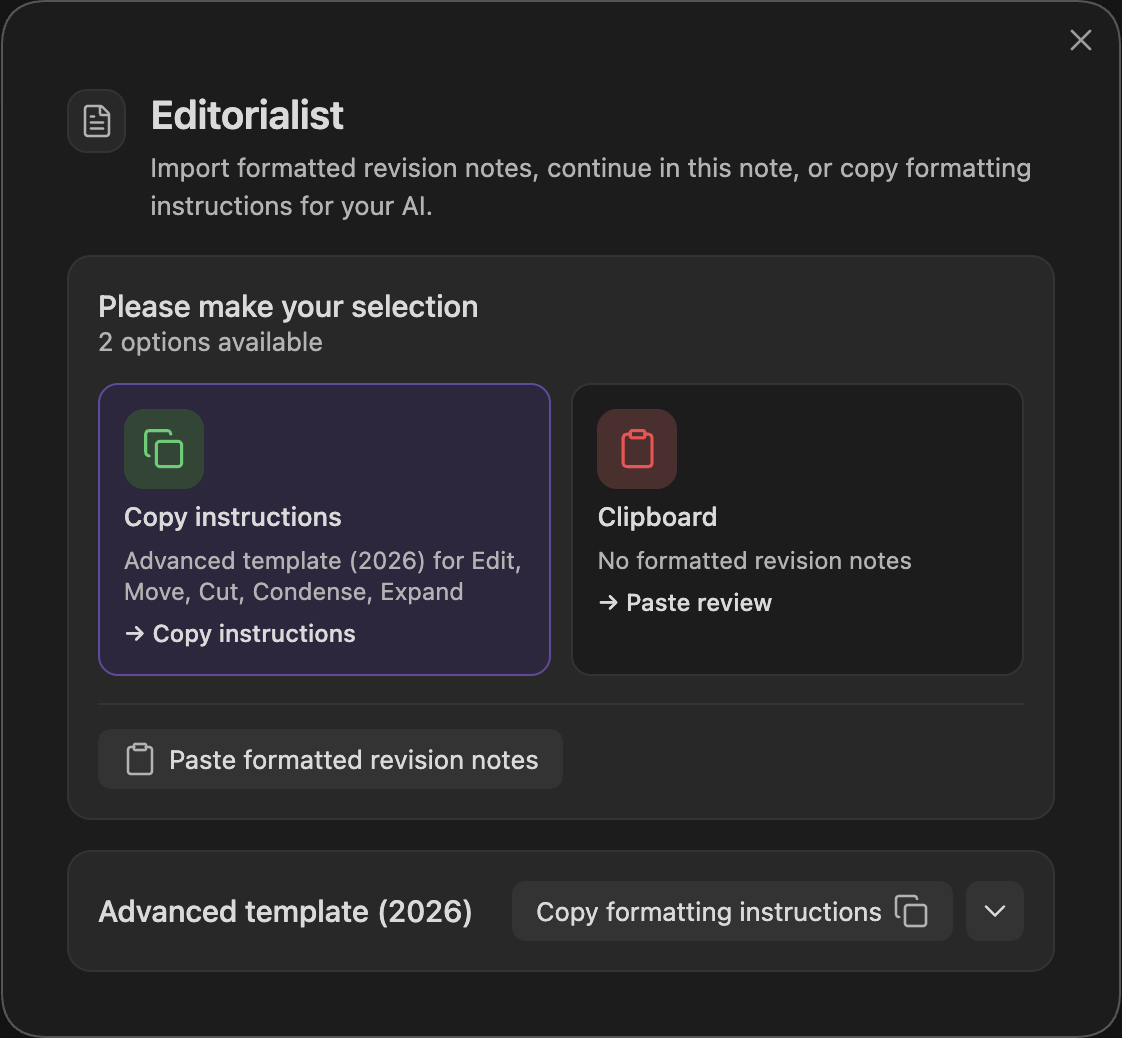
Run Open review launcher (command palette). The launcher modal:
- Checks your clipboard — if it detects a review batch, one click imports it.
- Manual paste — if the clipboard is empty or contains something else, open the manual-import area and paste; validation runs in real time with specific error messages.
- Route assignment — entries that need routing decisions (e.g. missing SceneIds) get an assignment step before anything is written.
- Template copy — the launcher's template button copies the full format guidance, both templates, and your book's actual scene-ID list to the clipboard.
Import writes the review block into the targeted scene notes. Nothing else in the note is touched, and no suggestion is applied until you act on it in the Review Panel.