Logic Pro X (Old)
In Logic Pro X menu select Preferences -> Audio

Set device to BlackHole
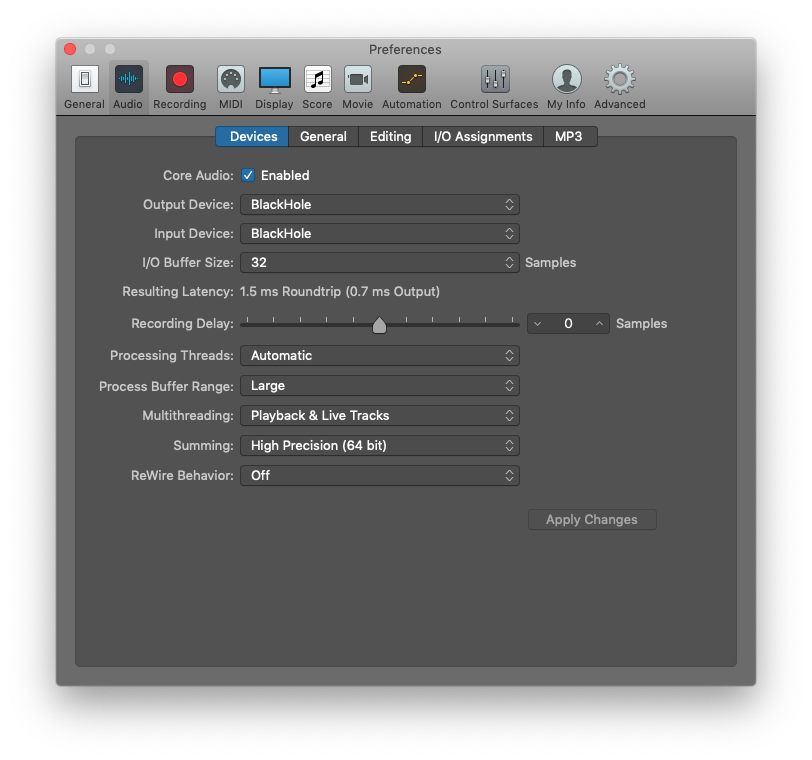
You can alternatively set a separate input and output device in Logic Pro X to enable monitoring while recording.
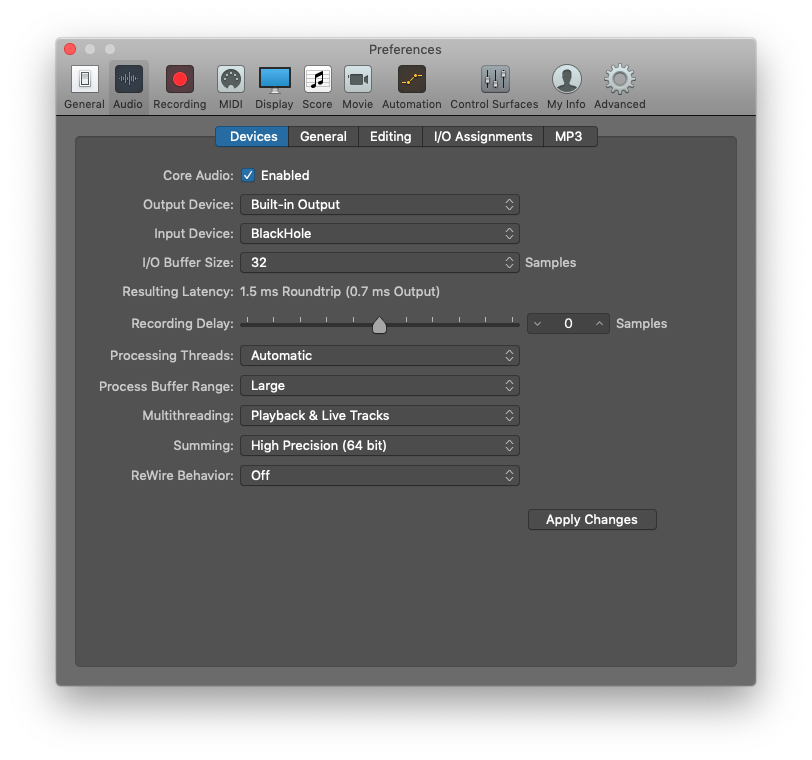
Or setup an Aggregate Device
In Logic Pro X menu select Preferences -> Audio
Set device to BlackHole
You can alternatively set a separate input and output device in Logic Pro X to enable monitoring while recording.
Or setup an Aggregate Device