Repository navigation
Install
Installing OpenShift replaces the shifter's firmware. It erases your calibration and settings, so you calibrate again afterwards.
-
Use Chrome, Edge or Opera on a computer. Firmware updates do not work in Firefox, even with the add-on.
-
Close VelocityOne Tuner if it is open.
-
Linux only: give the browser access to the shifter. Run this once, then unplug the shifter and plug it back in:
sudo tee /etc/udev/rules.d/70-openshift.rules >/dev/null <<'EOF'
SUBSYSTEM=="hidraw", ATTRS{idVendor}=="10f5", ATTRS{idProduct}=="7096", TAG+="uaccess"
SUBSYSTEM=="hidraw", ATTRS{idVendor}=="10f5", ATTRS{idProduct}=="7097", TAG+="uaccess"
EOF
sudo udevadm control --reload-rules
- Plug in the shifter and open the web tool.
- Press Connect the shifter. In the browser's list, pick VelocityOne Multi-Shift and press Connect.
- Open the Firmware tab. Leave the newest OpenShift selected and press the install button below it.
- Press Erase and install.
- The LEDs turn yellow and the shifter restarts in update mode. The first time, the page asks for it again: press Allow update mode, pick VelocityOne Multi-Shift in the list and press Connect.
- Wait. Keep the shifter plugged in and keep the tab open in front.
- When the page says OpenShift (and its version) is running, press Calibrate now and follow Calibrate.
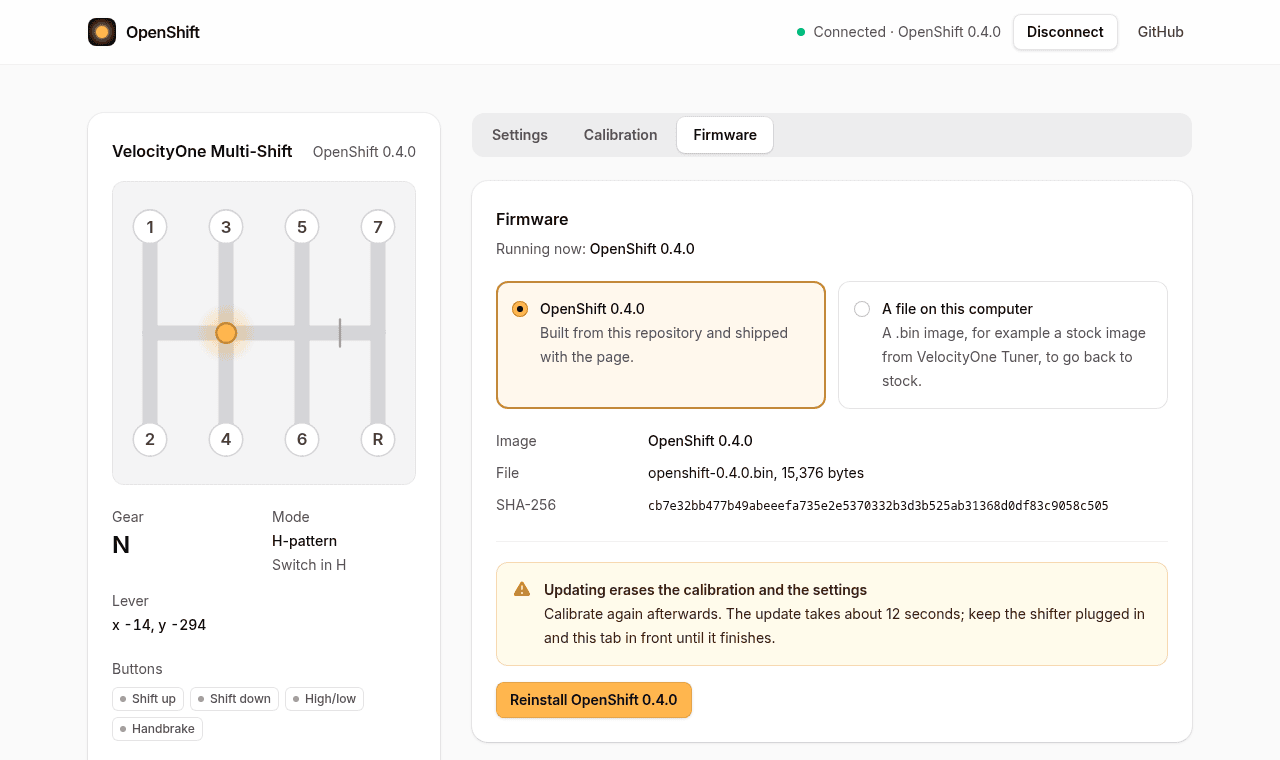
If the update stops halfway, the shifter waits in update mode. Connect it again and install again from the Firmware tab. See Troubleshooting.
On Linux you can also install from a terminal: see Command line. The firmware file is attached to each release.