Repository navigation
Open New Tabs in Command Bar
A new tab opens as Dia's command bar over the page you're on, like Arc, instead of as a new tab page. It's the same bar the new tab page has, so its suggestions, chats, @ and / all work as usual.
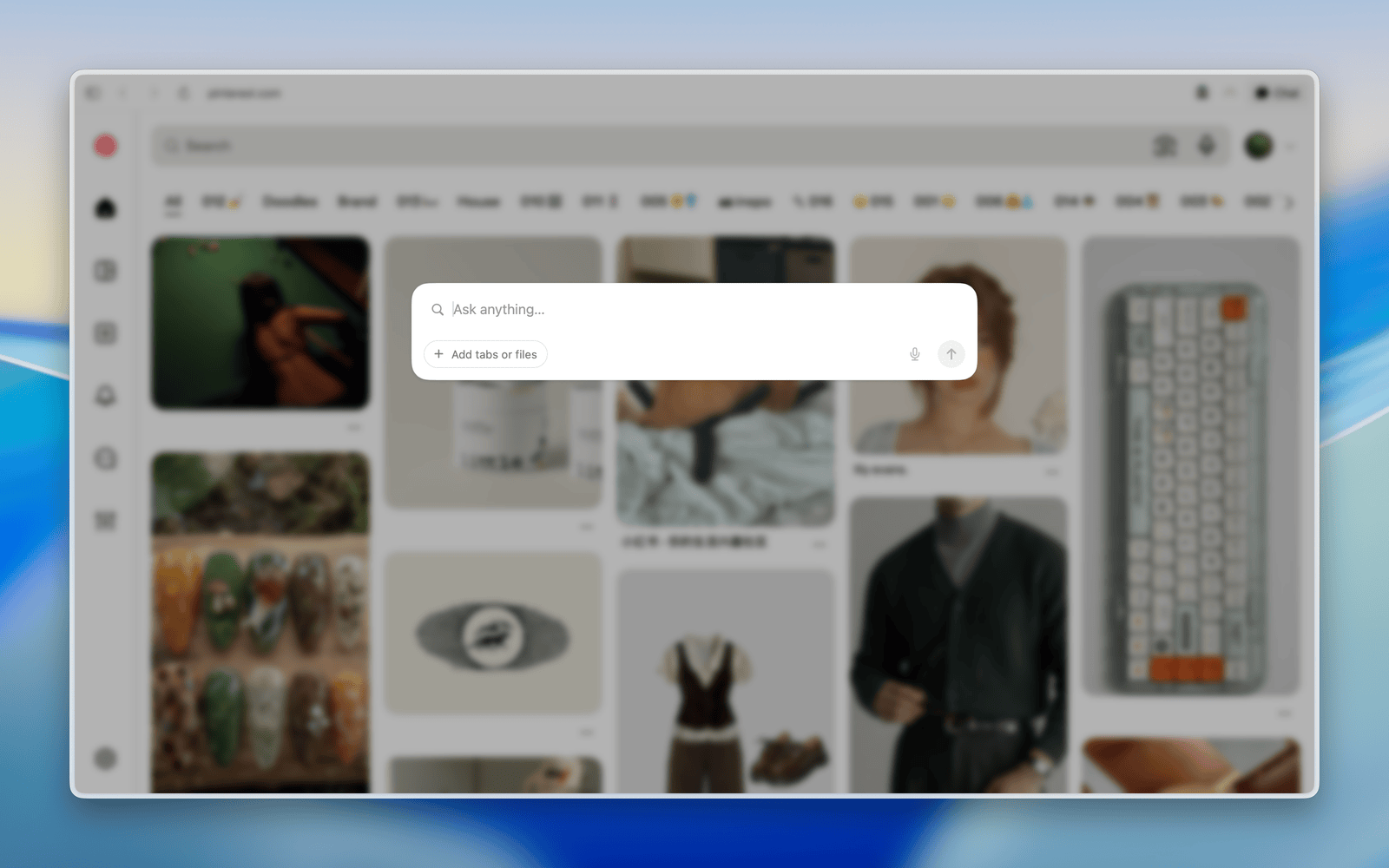
Open Dia → Settings → Patches and switch on Open New Tabs in Command Bar. Or run:
diatweaks enable commandBarPress your New Tab shortcut or click New Tab, then type. Press Return or click a suggestion to open it in a new tab. Press Escape or ⌘W, or click outside the bar, to go back to the page you were on. Pressing the shortcut again while the bar is open just puts you back in it.
With Hide Toolbar on, ⌘L opens the same bar in the same place, filled in with the page's address, and what you pick opens in the tab you're on instead of a new one. When the toolbar is showing, ⌘L opens Dia's own bar under the address field as usual.
Close a window's last tab and the window goes blank, with no new tab page and no bar. Your New Tab shortcut or the New Tab button opens the bar over the blank window without making another tab, and what you pick opens right there. With no page behind it, the bar doesn't blur or darken anything.
On the same page, under Options:
- Position: Like Spotlight puts the bar centred across the screen, a little above the middle, kept inside the Dia window. Center of Window puts it in the middle of the window.
- Blur Page Behind and Darken Page Behind, both on to begin with. They cover the page and move with it when the sidebar slides, but leave the sidebar alone.
- Sliders for Space Above Bar, Darkness and Blur Radius. Type a number into the box beside one, or press ↑ and ↓ to step it by 1, or by 10 with Shift.
- Blur Sidebar Too, to blur the whole window behind the bar.
- Remember What You Typed, off to begin with, so the bar comes back with what you typed before Escape.
To go back to the defaults, set them to these:
| Option | Default |
|---|---|
| Space above the bar | 30% |
| Darkness | 24% |
| Blur radius | 4 pt |
| Blur the sidebar too | Off |
Why does a New Tab show in the sidebar while the bar is open?
The bar opens a real tab and waits there, so whatever you pick loads in it. Going back closes it.
What about a new window?
It opens with the bar over it, without blur or darkening. Going back closes the window.
Why does a blank window still show a New Tab in the sidebar?
Dia always keeps a tab in a window, so the blank window is that tab with its new tab page hidden. It closes as soon as you move to another tab.
Why doesn't ⌘L show a New Tab in the sidebar?
It edits the tab you're on, so there's no new tab to wait in. The bar is Dia's own ⌘L bar, moved out of the address field and laid out like the new tab page's.