Repository navigation
Export STL 3MF en
English | Deutsch
Since version 0.11.0 you can also save the 3D bodies of your project again, for passing on or for viewing in other programs. Until then there was only the import of STL and STEP. The formats are 3MF (with unit millimetre, one named body per part) and STL (all bodies as one mesh).
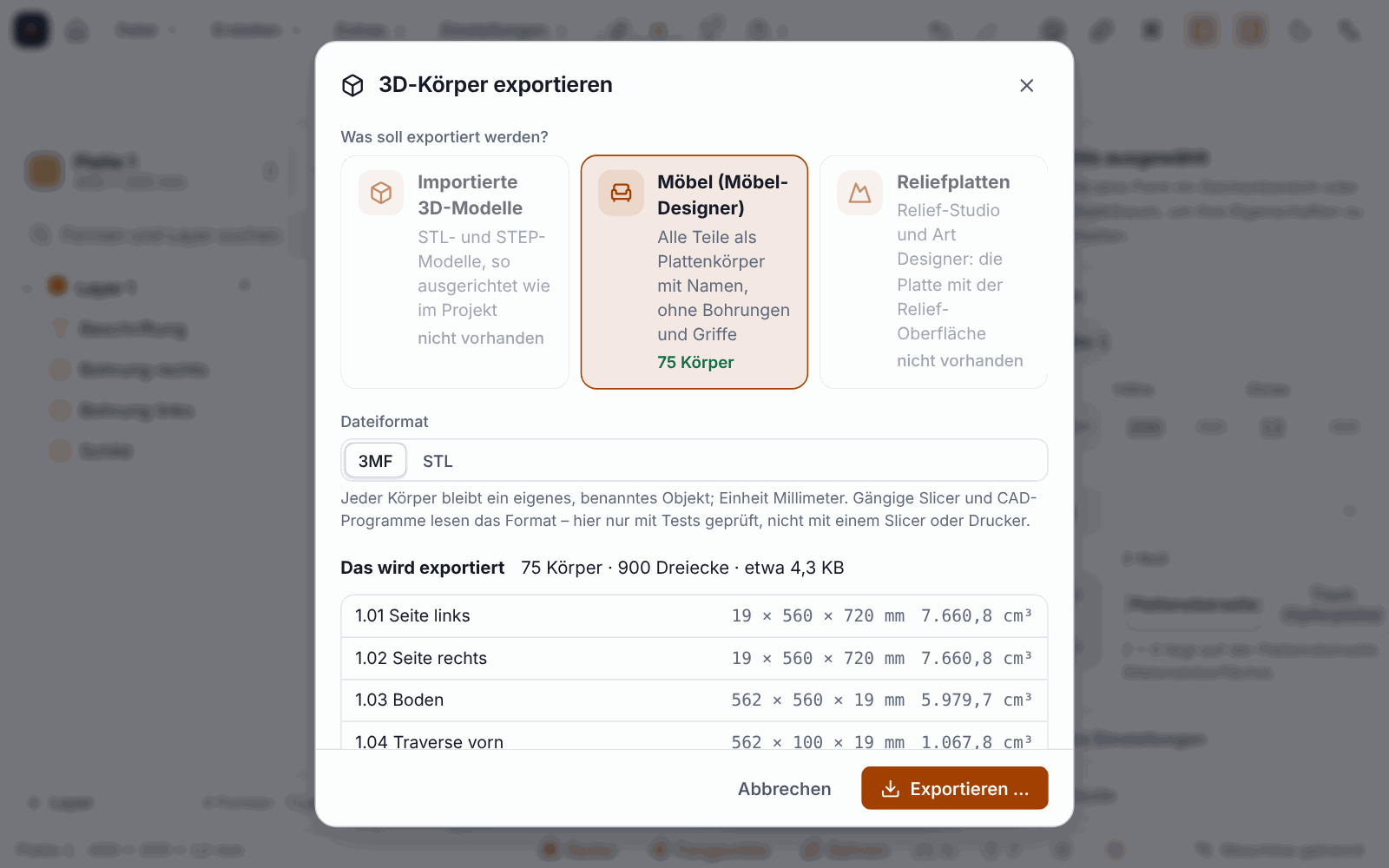
Honest about the status: Checked only with tests: the files were read back and re-measured with a ZIP reader and an independent XML reader (volume, dimensions, number of triangles). Nothing was checked with a slicer, a CAD program or a 3D printer. Whether PrusaSlicer, Bambu Studio, Cura, Fusion or the Windows 3D Viewer open the files without complaint is open. Nothing was printed or milled either.
| Source | Content |
|---|---|
| Imported 3D models (STL, STEP) | oriented and scaled as in the project (unit, scale, rotation, mirroring); if a model is used several times in different positions, each position becomes a body |
| Furniture parts from the furniture designer | as board bodies: outline × thickness at their position in space, named by part number and name (“2.03 Left side”). Z points up, the front is −Y. Without holes, pockets, grooves, handles, front reliefs, edge banding and fittings; doors are closed |
| Relief plates | the board under a relief from the relief studio, from a 3D model or from the Art Designer: underside flat, top side following the relief, full thickness outside the relief |
If the source is not given, the program takes the only one available; if there are several, it asks.
-
File ▸ Export 3D (3MF, STL) … opens the dialog. Other ways: the command palette (
Ctrl+K: “Export 3D bodies”), in the furniture designer the File menu (Export furniture parts as 3MF/STL …) and in the relief studio the 3D file … button in the footer (for a relief that has already been inserted). - Choose the source. The dialog shows where there is something to export and lists the bodies with dimensions and volume together with notes (a preview without a file).
- For reliefs you can change the grid spacing (default automatic, about 250,000 points): finer grids give sharper edges, but larger files.
- Save: in the program via the save dialog.
Command line: ortino export projekt.ocam --format 3mf or --format stl (with --source models|furniture|relief). Claude can also export (tool export_file), but only into a released output folder.
Before writing, the program checks every mesh and reports with a suggested solution: empty or broken meshes, infinite or missing numbers, too many triangles (more than 3 million) or bodies (more than 5000). It leaves out degenerate triangles (duplicate points, zero area) and reports it. A closed mesh that is turned inside out it turns round. An open mesh it writes, but points it out, because many slicers report it.
- Furniture parts are board bodies: no drilling pattern, no grooves, no handles, no fittings, no front reliefs; roundings have 6 segments per corner.
- The surface of a relief comes from a grid: edges finer than the grid spacing are smoothed. More than 1.2 million points the program refuses and names the smallest permitted grid spacing. A rotated relief is exported as a rectangle around the rotated area.
- Not included: the layers of a layered plywood picture from the Art Designer (parts per layer), colours, materials, wood grain, preview images and combining several bodies into an assembly.
- 3MF cannot be imported, and there is no export to STEP.
- Not in the web designer of the portal.
- Not measured: large projects with hundreds of furniture parts and very large reliefs.