Game Profiles and Library
Assign a trigger profile to a game and OpenDS5 applies it automatically when that game is running, and restores things when it exits. Detection watches running processes — no game integration needed, which is exactly what makes it work for games with zero native DualSense support.
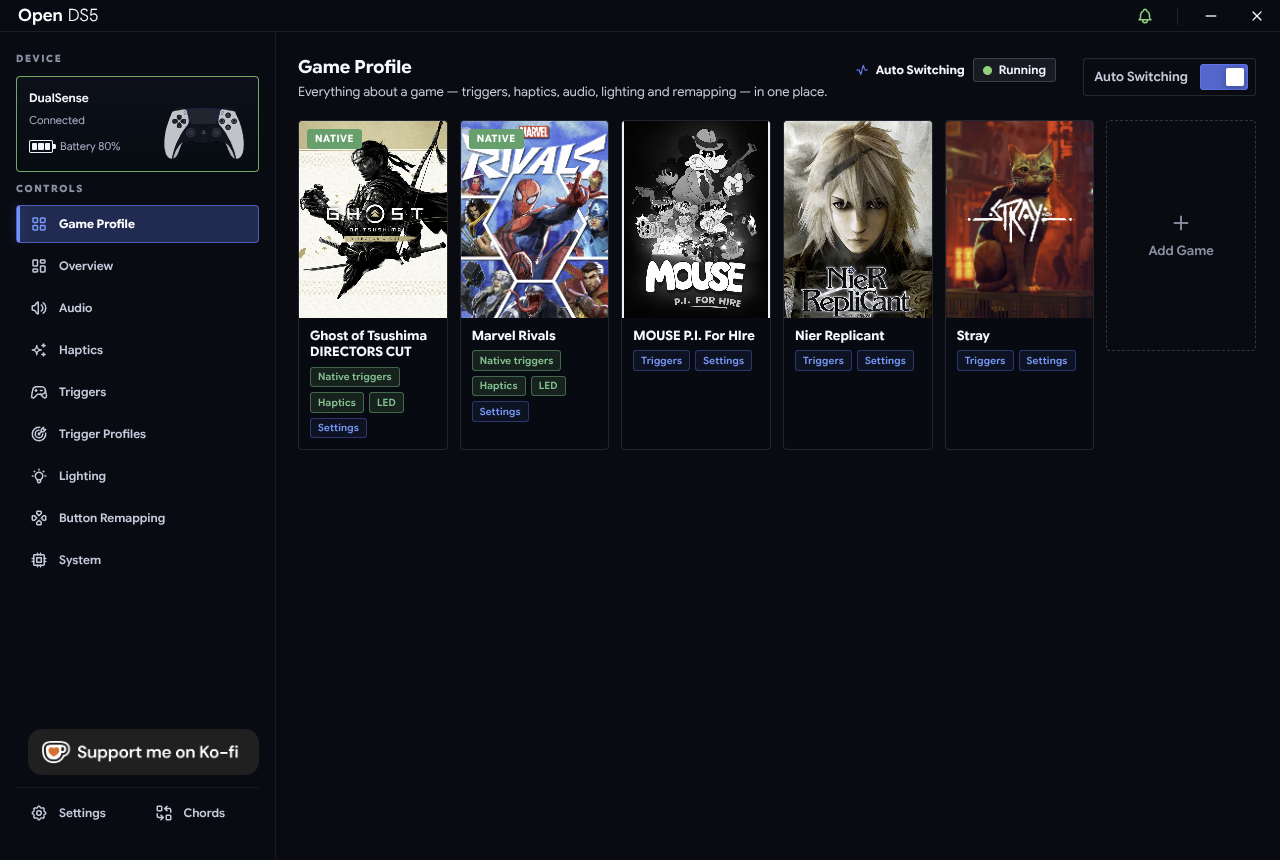
You can also pin a profile manually to force it active regardless of what's running (and unpin to go back to auto).
A profile doesn't have to be one fixed feel, either: it can hold several named states ("Pistol", "Shotgun", "Driving") that switch when you press the game's own buttons — see Multi State Trigger Profiles.
The library (inside Game Trigger Profiles) is a searchable catalog of community-made game profiles. It lives in its own repo — OpenDS5-Profiles — so new profiles reach everyone's app without waiting for an app release.
Search results come in three kinds:
| Tier | Meaning |
|---|---|
| Verified | Reviewed profiles; sort above community ones |
| Community | Contributed profiles, validated by CI but not hand-reviewed |
| Native | Not a profile — a marker that this game has native DualSense trigger support (seeded from PCGamingWiki, 136 games). Use the wired bridge and let the game do the work; a custom profile would fight it. |
Install a profile from the library and it behaves like one of yours: editable, assignable, exportable. Reset returns an edited library profile to its published version.
Profiles are plain JSON. Export from the editor to share a file; Import to load one. This is also the format the library uses.
Made something great? Publish it:
- Export the profile from the app.
- Open a PR against OpenDS5-Profiles:
- one game per PR,
- branch named after the game.
- CI validates the profile with the same rules the app enforces.
- Once merged, the index rebuilds automatically and your profile appears in everyone's in-app library.