A CLI-based TIDAL downloader capable of downloading just about anything
- Lossless Audio - Downloads in Hi-Res Lossless quality by default
- Videos - Can download videos from TIDAL (music videos, etc.)
- Playlists - Can download all tracks from a playlist
- Artist Discography - Can download an entire artist's discography
- Advanced Metadata - Includes as much metadata as possible, including title, album, artist, date, BPM, copyright, barcode, replaygain, explicit rating, credits and more
- Lyrics - Includes synced/plain lyrics if possible
- Cover Art - Downloads the album cover art
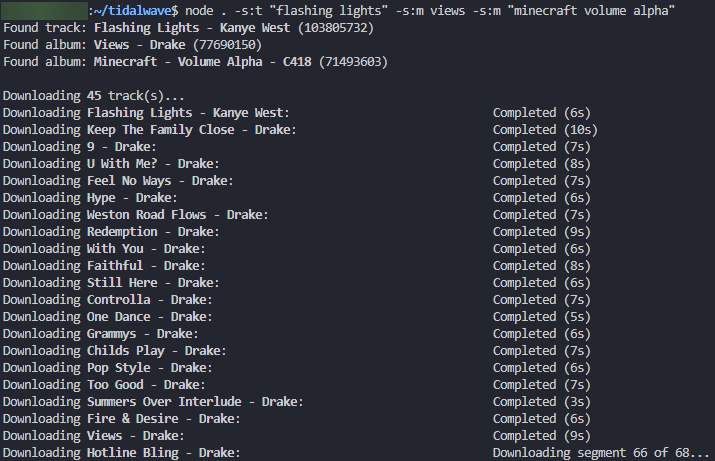
- Searching - Allows searching instead of having to provide URL's or ID's
Coming soon, run ./tidalwave --help for a list of available commands
For a list of available commands, run tidalwave --help
--help,-h: Displays help menu--track <id>,-t: Downloads track--album <id>,-m: Downloads album--video <id>,-v: Downloads videos--artist <id>,-a: Downloads artist discography--playlist <uuid>,-p: Downloads items from playlist--search <query>,-s: Downloads top search result--search:track <query>,-s:t: Downloads top search result for tracks--search:album <query>,-s:m: Downloads top search result for albums--search:video <query>,-s:v: Downloads top search result for videos--search:artist <query>,-s:a: Downloads top search result for artists--search:playlist <query>,-s:p: Downloads top search result for playlists--url <url>,-u: Download from URL--update <path>: Update an existing file with metadata from TIDAL, without downloading--track-quality <low|high|max>,-tq: Sets track download quality, defaults to configtrackQuality--video-quality <low|high|max|<height>>,-vq: Sets video download quality, defaults to configvideoQuality--metadata <yes|no>,-md: Enables or disables all metadata embedding, defaults to configembedMetadata--lyrics <yes|no>,-l: Enables or disables lyrics embedding, defaults to configgetLyrics--cover <yes|no>,-c: Enables or disables cover embedding, defaults to configgetCover--overwrite <yes|no>,-ow: Enables or disables overwriting for existing downloads, defaults to configoverwriteExisting
useArtistsTag can be set to true or false to enable/disable artists and albumartists tag
trackCoverSize can be set to original for very high quality cover art, however this breaks FFmpeg embedding if it's over 16MB
metadataEmbedder can be set to ffmpeg or kid3 to change how metadata is embedded, kid3 must be downloaded for it to work
allowUserUploads can be set to allow/block user uploaded tracks
artistTagSeparator the separator used for multiple artists in metadata
roleTagSeparator the separator used for multiple roles in metadata (composer, lyricist, etc.)
coverFilename can be set to null to delete jpg after embedding
segmentWaitMin and segmentWaitMax adds a delay between downloading segments, can maybe reduce ban or rate limit risk (if there is one)
Check out config.json for more
There may be a risk of getting banned for using a tool like this
