Repository navigation
Easing
Static library of the most common easing equasions in a form of standard AnimationCurve for wide compatibility.
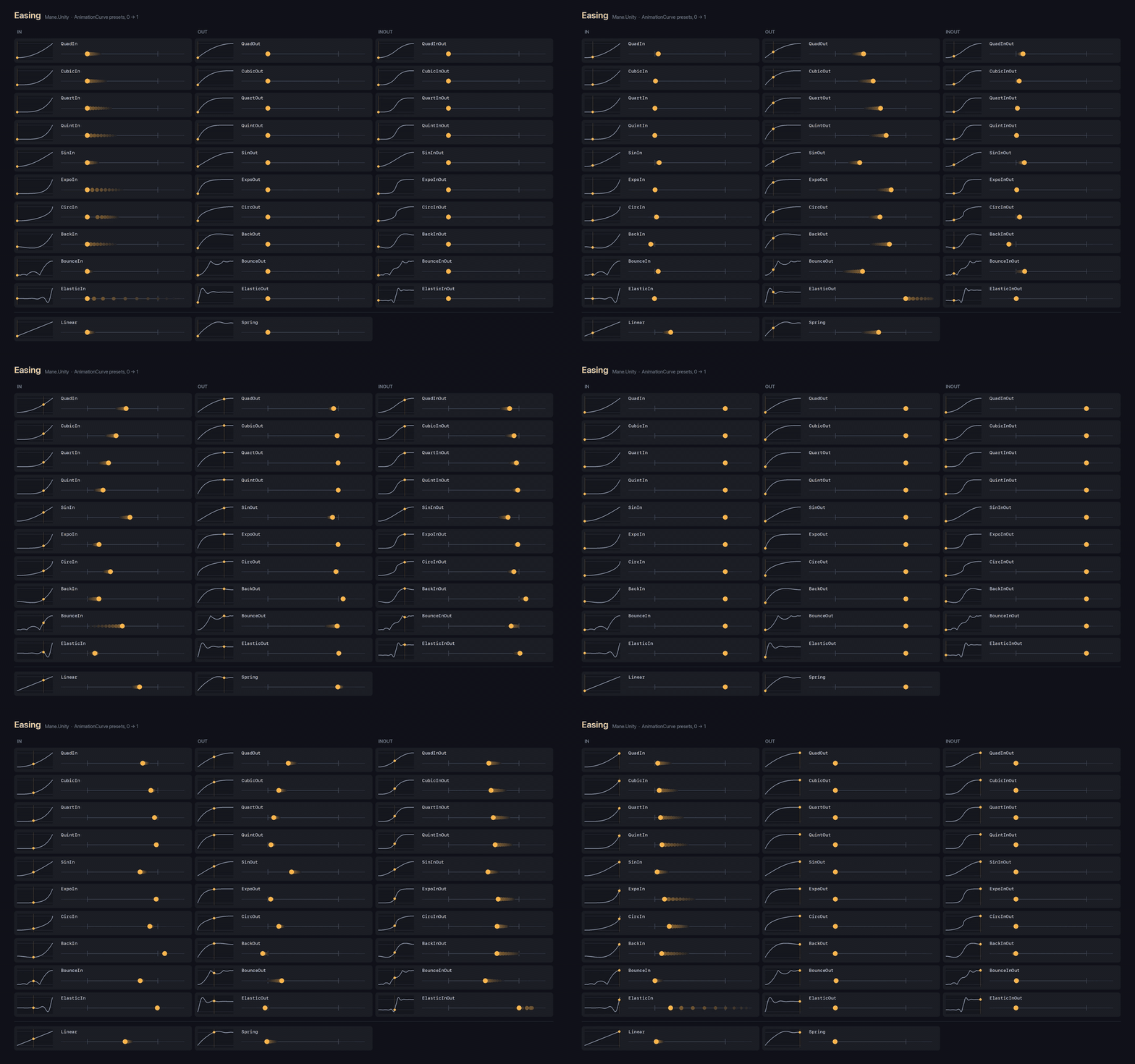
Better Quality Video: download
float weight = Easing.SinOut.Evaluate(t);Shared AnimationCurve presets on the range 0–1. Time is the key, value is the eased weight.
The instances are shared. Do not add or move keys on them. Easing.Clone returns a private copy with the same keys and wrap mode.
Linear, Spring, and in / out / in-out for:
-
Quad,Cubic,Quart,Quint -
Sin,Expo,Circ -
Back,Bounce,Elastic
QuadIn is the slow start, QuadOut the slow end, QuadInOut both. Same pattern for the others.
Every curve is 0 at t = 0 and 1 at t = 1. Back, Elastic, and Spring leave the 0–1 range on the way (overshoot). The others stay inside it.
Linear, the quadratics, the cubics, Back, and Bounce are exact. The rest are cubic fits of the equation, within about 0.001.
Elastic uses period 0.3 and phase period / 4, so ElasticInOut meets in the middle. Expo is pinned to 0 and 1; the raw power term misses one end by 2^-10.
Outside 0–1 the curves hold the end value (WrapMode.Clamp).
EasingPreset lists every curve above, plus Custom for any other curve.
AnimationCurve curve = Easing.Get(EasingPreset.BackOut); // the shared instance; null for Custom
EasingPreset preset = Easing.FindPreset(curve);           // BackOut
FindPreset compares keys, so it also recognizes a Clone or a serialized copy of a preset. Wrap modes are not compared. Any other curve, an empty one, or null is Custom.
[SerializeField, EasingCurve] private AnimationCurve _easing = Easing.CubicOut.Clone();
The inspector shows a dropdown of the presets. Picking one copies its keys into the field. Custom shows the curve under the dropdown and keeps the current keys, so a preset is a starting point for your own curve. An empty field shows no selection; picking Custom there starts from a linear curve. The field is a plain AnimationCurve at runtime; nothing else is stored.
Since only keys are stored, the dropdown finds the preset by comparing them: a curve with a preset's keys shows that preset when the object is selected again. Custom stays selected while you edit, even while the keys still match a preset. Reselecting the object shows that preset again until the keys change. With several objects selected and different curves, the dropdown shows a mixed value, and picking a preset sets it on all of them.
Initialize the field with .Clone(), not with the shared instance itself.
It is a property drawer, so it does not share a field with another drawer attribute (see Property Drawers). Decorators such as Label, ReadOnly and AvailableIf work on it.