Repository navigation
ParticleSystemUIScaler
Scales a ParticleSystem to the size of a RectTransform, for UI effects that must fit a panel or control of any size. The rect can be on the same object or on any other one.
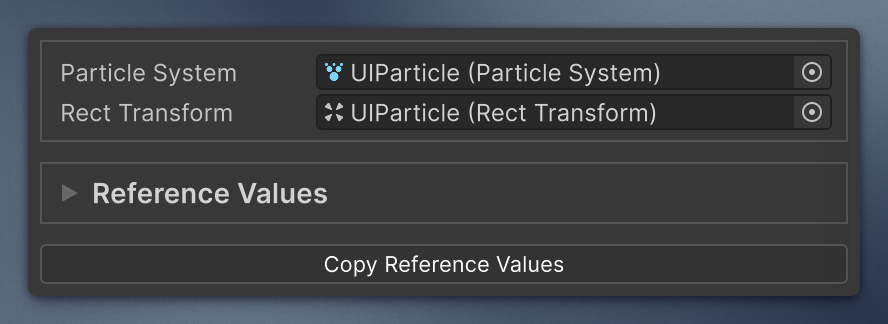
Add it from Add Component → Mane Tools → Components → Particle System UI Scaler. The reference emission values are drawn with the custom MinMaxCurve field.
Reference values are the anchor state: particle settings tuned for one rect size. When the rect size changes, the component recalculates from the reference values:
-
Shapemodule scale: theWidth Axisfollows the rect width, theHeight Axisfollows the rect height, the third axis is kept. - Particle count follows the rect area, so density stays the same: emission rate over time, rate over distance, every burst count, and max particles.
Constant,Two Constants, andCurvemodes are kept.
Here is an example of the setup, using mob-sakai's ParticleEffectForUGUI. It's not required, but it's the best way to handle your particle systems within Canvas, to be sure.

- Add the component next to the particle system. Targets and reference values are filled from the current state.
- To change the anchor, set the rect to the reference size, tune the particle system, and press Copy Reference Values.
- Resize the rect freely. The effect follows in edit mode and in play mode.
Width Axis and Height Axis are detected on copy from the emitter and shape rotation relative to the rect. For an unrotated emitter they are X / Y. For the default Effects → Particle System rotation (-90, 0, 0) they are X / Z. You can change them by hand, but the next copy detects them again.
If bursts are added or removed after the copy, only the bursts that have reference values are scaled, and the component logs a warning once. Press Copy Reference Values again or fix the list manually.
scaler.RectTransform = targetRect;   // re-applies on the next frame
scaler.CopyReferenceValues();        // capture the anchor state from code
scaler.Apply();                      // force an update right now