Repository navigation
Spell01 Basic Damaging Spell
← Custom Spell Cards Overview | Next: Part 2: Status Effects & Rooms →
In this first tutorial, we will build the most fundamental type of spell: a direct-damage card that targets an individual unit. We'll base this on the Hellhorned clan's Horn Break by creating Not Horn Break, a 1-Ember card that deals 5 Piercing damage.
Along the way, you'll learn the structure of a Trainworks Reloaded card definition and how to wire up custom artwork.
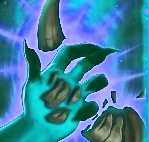
Download the custom card art:
- Download Art: NotHornBreak.png
-
Save Location: Place the file in your project under
textures/NotHornBreak.png.
Important
Keep card artwork dimensions at or below 468x468. While larger images will scale down to fit the card frame, large image files noticeably degrade startup times because file I/O is the primary loading bottleneck.
In Plugin.cs add the path "json/spells/NotHornBreak.json" to the AddMergedJsonFile call. Then, create a new JSON file NotHornBreak.json in the folder json/spells in your mod project. In NotHornBreak.json add the following content:
{
  "$schema": "https://github.com/Monster-Train-2-Modding-Group/Trainworks-Reloaded/releases/latest/download/schema.json",
  "cards": [
    {
      "id": "NotHornBreak",
      "cost": 1,
      "names": {
        "english": "Not Horn Break"
      },
      "descriptions": {
        "english": "Deal [effect0.power] damage."
      },
      "rarity": "common",
      "targets_room": true,
      "targetless": false,
      "class": "ClassBanished",
      "card_art": "@NotHornBreakCardArt",
      "pools": [
        "MegaPool"
      ],
      "traits": [
        "@PiercingTrait"
      ],
      "effects": [
        "@Deal5Damage"
      ]
    }
  ],
  "traits": [
    {
      "id": "PiercingTrait",
      "name": "CardTraitIgnoreArmor"
    }
  ],
  "effects": [
    {
      "id": "Deal5Damage",
      "name": "CardEffectDamage",
      "target_mode": "drop_target_character",
      "target_team": "both",
      "param_int": 5
    }
  ],
  "game_objects": [
    {
      "id": "NotHornBreakCardArt",
      "type": "card_art",
      "extensions": {
        "card_art": {
          "sprite": "@NotHornBreakSprite"
        }
      }
    }
  ],
  "sprites": [
    {
      "id": "NotHornBreakSprite",
      "path": "textures/NotHornBreak.png"
    }
  ]
}"$schema": "https://github.com/Monster-Train-2-Modding-Group/Trainworks-Reloaded/releases/latest/download/schema.json"Always include this at the top of your files. It gives your editor schema validation, syntax checking, autocomplete, and tooltips explaining properties from the editor when moused over.
The link will direct you towards the official JSON schema which is how you interface with the modding framework to create or modify content. The schema file is quite large, so if you are looking for the definitions of a specific item an easier to view version of the schema is in the Trainworks reloaded repo.
For instance here are links to the full schema for each item in this tutorial
-
id: A unique string identifying this card. All objects (cards, traits, effects, art) require unique IDs. -
names: Localized names. English is set here, but the game natively supportsfrench,german,russian,portuguese,chinese,spanish,chinese_traditional,korean, andjapanese. -
descriptions: The card text. Never hardcode any numbers in the description. Use[effect0.power]so that dynamic scaling, upgrades, and spell damage boosts reflect correctly in the text.
-
cost: Ember cost to play the card. -
rarity: Cards can becommon,uncommon,rare, orchampionrarities. -
targets_room/targetless: Defines how the player targets with this card. These don’t specify what is targeted, only how targeting behaves. Settingstargetlessto false gives the arrow the player can use to select a unit. -
class: The clan this card belongs to (e.g.,ClassBanished,ClassPyreborne, or your custom clan). -
traits,effects,pools,card_art: These properties contain references to other objects we define below. Always prefix references to objects you create in your own JSON files with@. In the aboveclassproperty since we do not define the Banished clan, we refer to the class by its nameClassBanishedwe also do not prefix the name with '@`. Remember this.
Important
-
References (
@): Whenever you refer to an object defined inside your own JSON files (like@PiercingTrait,@Deal5Damage, or@NotHornBreakCardArt), prefix the ID with@. When defining anidlike in the above card definition we do not prefix that with '@' as we are defining a new item.
"traits": [
  {
    "id": "PiercingTrait",
    "name": "CardTraitIgnoreArmor"
  }
]
Here we define the trait we will attach to the card. Card Traits attach keywords or special modifiers to cards. CardTraitIgnoreArmor is the games internal name for the Piercing keyword.
Properties
-
id: The internal ID for this card trait. No @ prefix is needed since we’re defining it here. -
name: This required property specifies the class name that defines how thisCardTraitbehaves. As stated above, the Piercing keyword is handled by the classCardTraitIgnoreArmor. This class is code you can look up in the C# decompiler to see its definition.
"effects": [
  {
    "id": "Deal5Damage",
    "name": "CardEffectDamage",
    "target_mode": "drop_target_character",
    "target_team": "both",
    "param_int": 5
  }
]
Properties
-
name: The effect execution class.CardEffectDamageinflicts damage. This is also a class you can look up in the C# decompiler. -
target_mode:"drop_target_character"targets whatever character the player drops the targeting arrow onto. -
target_team: Set to"both", allowing the card to target either enemies (heroes) or friendly units (monsters). -
param_int: The numerical argument passed to the effect—here, the base damage amount (5). This maps to[effect0.power]in the description.
"game_objects": [
  {
    "id": "NotHornBreakCardArt",
    "type": "card_art",
    "extensions": {
      "card_art": {
        "sprite": "@NotHornBreakSprite"
      }
    }
  }
],
"sprites": [
  {
    "id": "NotHornBreakSprite",
    "path": "textures/NotHornBreak.png"
  }
]
Trainworks pairs an abstract card art object with a raw texture file:
-
sprites: Points directly to the file path on disk (textures/NotHornBreak.png). -
game_objects: Defines aGameObjectcard_artcontainer that assigns the sprite to the card frame.
- Build your mod solution and ensure your output and
textures/folders are copied toBepInEx/plugins/<YourMod>/. - Launch the game and inspect the BepInEx console log:
- Verify there are no red/yellow error messages regarding invalid IDs or missing sprites.
- Start a run or open the Logbook/test deck:
- You can use the Cheat console/GUI mods to give your card or mark it discovered. (use the backtick character to open the console or F2 to open the GUI)
- Confirm the card costs 1 Ember, shows the Banished card border, displays your custom art, and reads: "Deal 5 damage.".
- Play the card against an armored enemy unit to confirm the Piercing trait bypasses Armor and damages Health directly.
Now that you have basic targeted damage working, continue to Part 2: Status Effects & Rooms (Give Everyone Armor) to learn how to grant buffs/debuffs and hit an entire floor at once.
Need Help? Got Feedback?
We're in the Shiny Shoe Discord Server - #mt2-modding