Repository navigation
Comparing Builds
Press Compare (top right) to see the current sheet and your plans side by side.
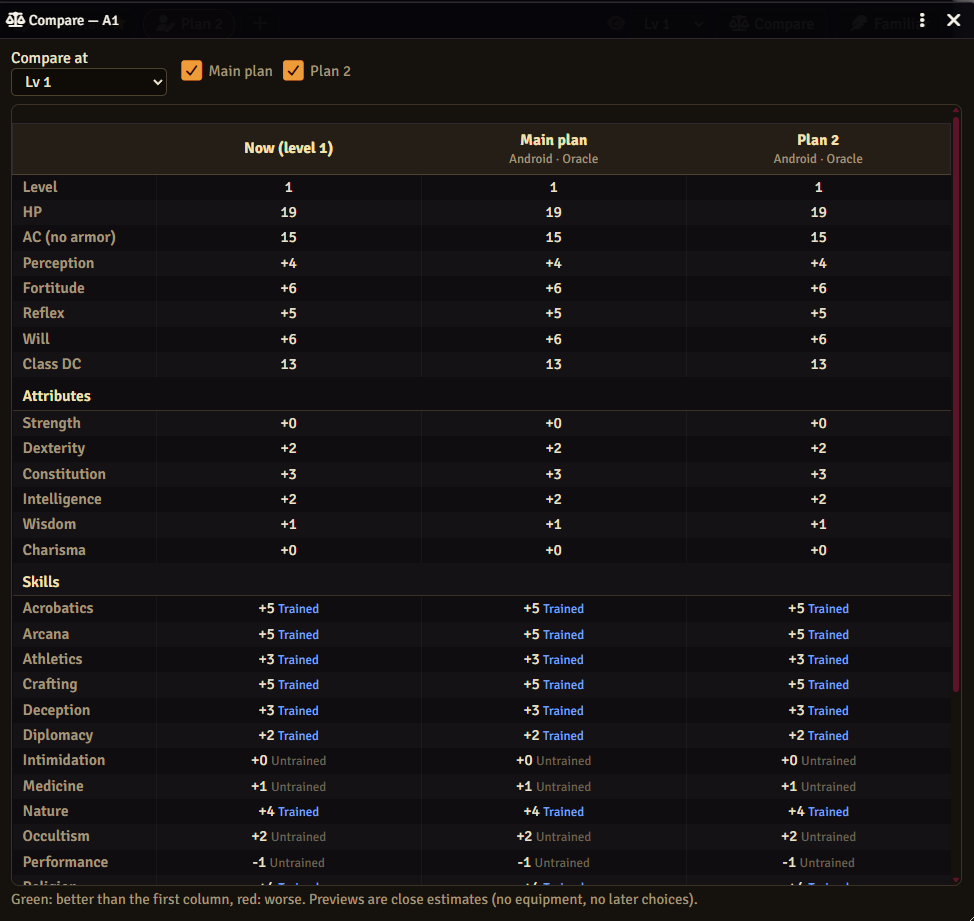
- Compare at — the level to compare.
- Tick the plans to include.
- The first column is the character now; the others are the plans at that level.
Rows: level, HP, AC (no armor), Perception, saves, Class DC, attributes, skills (with rank) and feats. Green is better than the first column, red is worse.
The numbers are calculated by PF2e from each plan, but they are previews: equipment and choices not made yet are not included. Check the real sheet before relying on a number.
Next: Familiar Builder