Repository navigation
Getting Started
- Foundry → Add-on Modules → Install Module.
- Paste the manifest URL and install:
https://github.com/Rutz179/rutz-pf2e-builder/releases/latest/download/module.json - Open a Pathfinder 2e world → Manage Modules → enable Rutz's PF2e Character Builder.
Requires Foundry VTT v13–v14 and the PF2e system. The interface follows Foundry's language (English or Korean).
| Where | Button | Opens |
|---|---|---|
| Actors tab, at the top | Create Character | A new character (shown when you don't have a character yet and may create one) |
| Actors tab, at the top | Character Builder | Your selected token's character, else your assigned character |
| A character's sheet header | Builder | That character |
| A familiar's sheet header | Familiar | The Familiar Builder |
| Level-up chat card | Open the builder | That character |
| Macro | game.rutzBuilder.open(actor) |
See Macros & API |
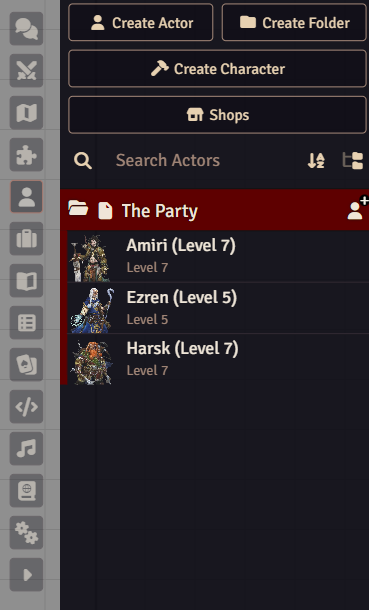
The Create Character button in the Actors tab.
Players without a character are asked on login whether to open the builder (GM setting).
- Players can create characters up to the GM's limit (1 by default). A GM must be online — the GM's client creates the actor. Uploading a portrait needs Foundry's Upload New Files permission.
- The GM can create characters for any player (Character for on the Summary page) and has no limit.
- Players see the rarities the GM allows; GMs always see everything.
- Whether players may raise their own level or rebuild their character in the builder is up to the GM. See GM settings.
Next: Creating a character