Repository navigation
Installation Guide (English)
- Download the build package and extract it anywhere.
- Open game settings and use
Change osu! folder locationto set your data path.
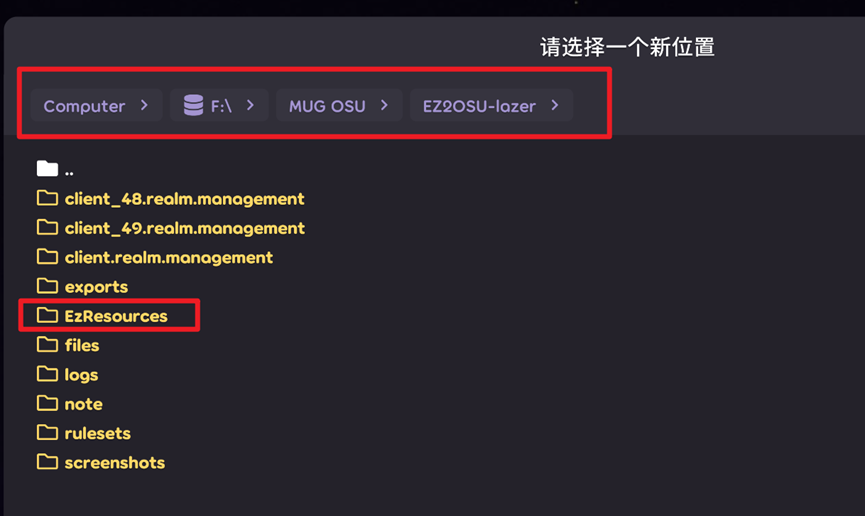
- Example:
F:\MUG OSU\EZ2OSU-lazer
Strongly recommended: place it on the same drive as the stable version of osu!. Only then can hard links be created, saving disk space.

- Download EzResources from OneDrive: EzResources Resource Pack.
Download any archive and extract it into the new path from step 2.
- Example:

If your data folder path isF:\MUG OSU\EZ2OSU-lazerthen the extracted resources should be located atF:\MUG OSU\EZ2OSU-lazer\EzResources.
Continue with: