Getting Started
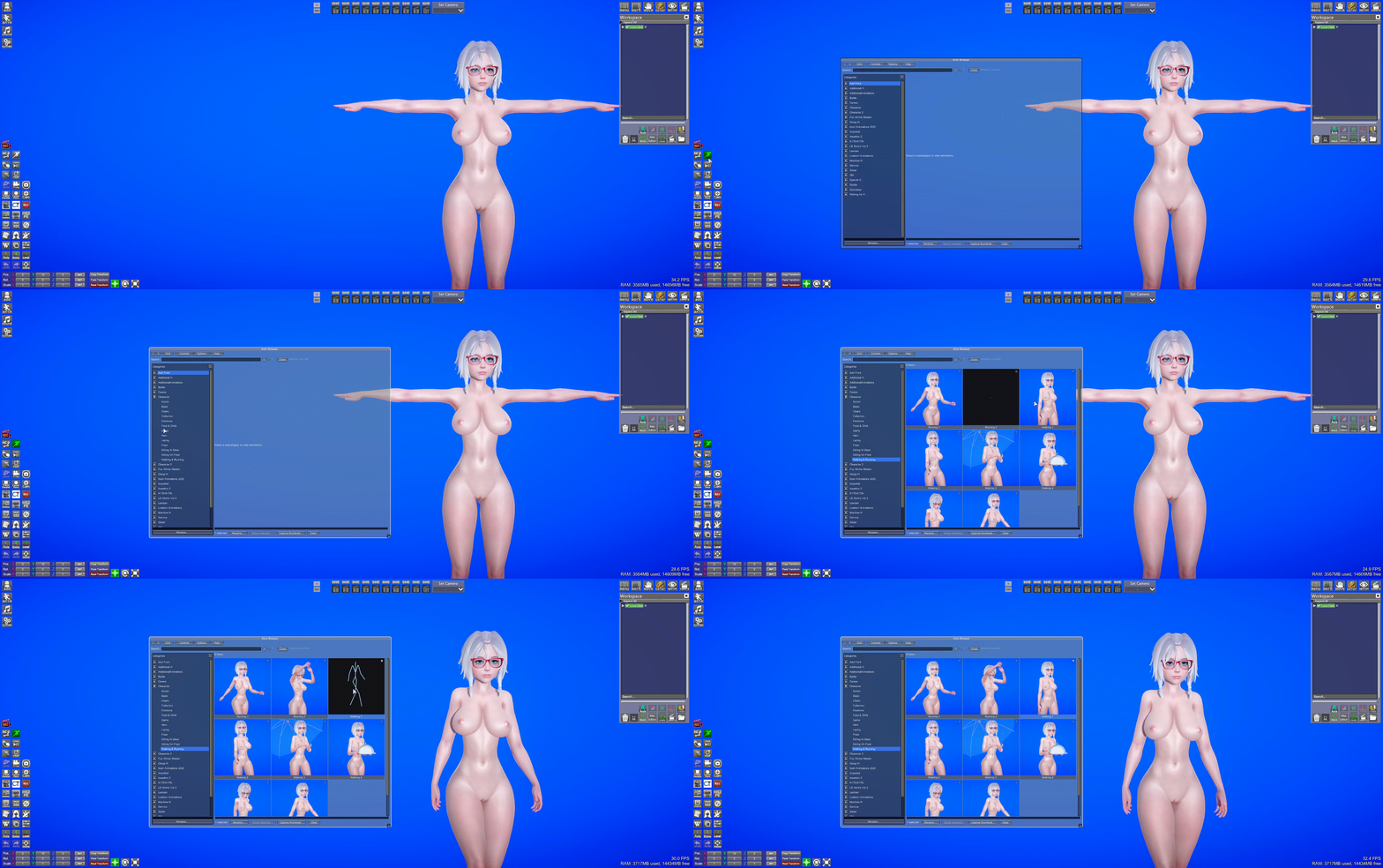
Luna Clark in T-pose in the viewport: Character → Walking & Running → click Walking 1 (stick-figure hover preview on the card) — she begins walking.
- In Studio workspace, select the character(s) to animate
- Open Anim Browser from the anim icon (left toolbar)
- Click a sub-category on the left
- Click an animation — applied to all selected characters
- No character selected in Studio
- Selected object is prop/accessory (ignored)
- Check character summary in top bar
- Groups start collapsed — expand with ►
- Press ↻ after installing animation mods
- Use Grid for previews, List for fast name scanning
- Open Help for in-game quick reference + HS2Wiki links
On HS2, hover grid cards (or list rows) for an optional stick-figure preview — no scene character needed. Toggle and camera settings: Options → Hover animation preview. See Thumbnails for hover vs captured PNGs.
Use Capture thumbnail(s)… in the content bar or Options → Thumbnails to save static PNGs for cards. Useful on KKS/KK where hover preview is unavailable.
Navigation: ← Overview · Getting started · Next: Browsing & search →