Grid and Selection
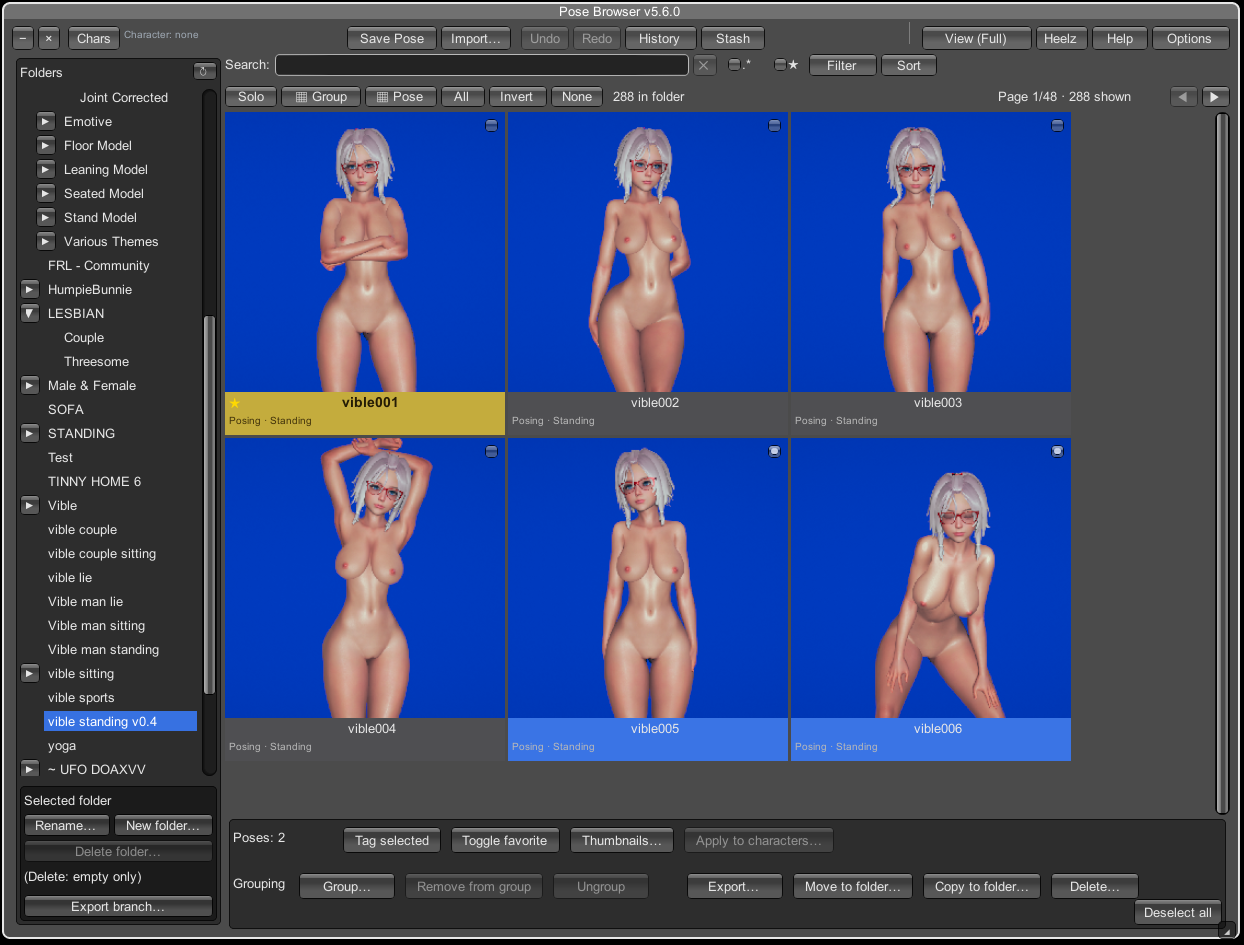
Grid in folder
vible standing v0.4:vible001marked as favorite (★) and selected (yellow),vible006also selected (blue); pagination shows Page 1/48.
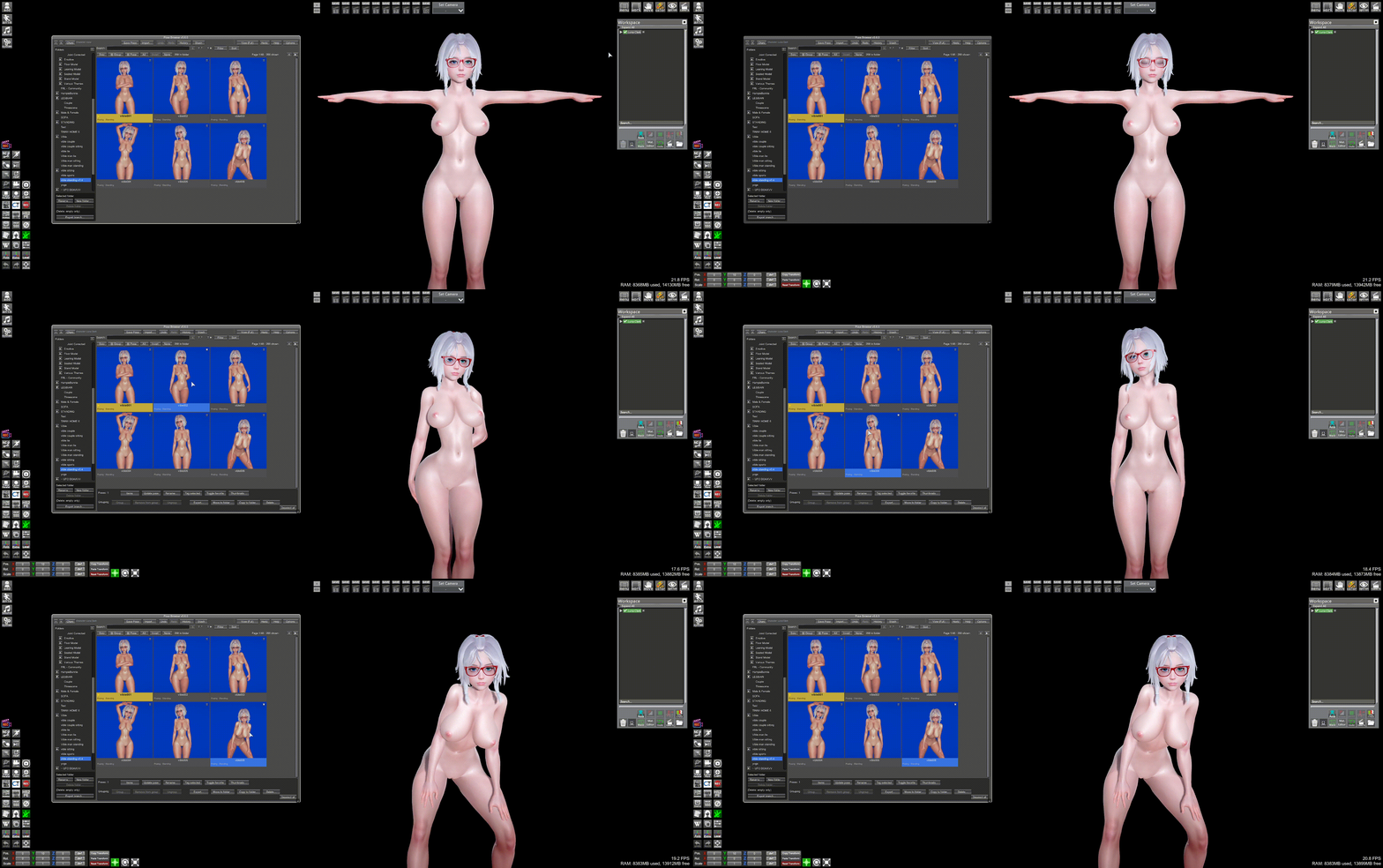
Left-click a pose thumbnail in the browser; the selected Studio character (
Luna Clark) updates from T-pose to the chosen standing pose.
Each card shows:
- Thumbnail (or placeholder)
- Name (+ ★ if favorited)
- Tag line when tags exist
Options → Card width sets minimum width; grid adds columns or stretches cards to fill the row.
If max items per page > 0: ◀ / ▶ and Page x/y · n poses. 0 = all items in one scroll view.
| Input | Effect |
|---|---|
| Checkbox | Toggle selection without applying |
| Left-click thumbnail | Select one, apply pose to selected Studio characters |
| Ctrl+click | Toggle in selection |
| Shift+click | Range select in filtered list |
| Right-click thumbnail | Apply only; selection unchanged |
Apply uses Studio characters only (props/accessories ignored).
Independent of Chars priority lists — applies same pose to all selected characters.
When library poses selected (not import preview):
| Control | Purpose |
|---|---|
| Items | One pose — open Items pane |
| Update Pose | Overwrite file from scene |
| Rename… | Display/file name |
| Group… / Ungroup | Pose groups |
| Tag Selected / Fav Selected | Bulk tag/favorite |
| Thumbnails… | Capture overlay |
| Export… | v5 ZIP |
| Move… / Copy… | Pick destination in tree |
| Delete… | Backup to !_AutoBackup then delete |
| Deselect | Clear selection |
Navigation: ← Search, filters & sort · Pose Browser · Next: Pose groups →