A GUI tool to merge images/videos from multiple folders, remove duplicates with SHA-256, and rename files into a clean sequential format.
- Merge media from multiple input folders into one output folder
- De-duplicate files using
SHA-256 + file extension - Supports 3 operation modes
copy_keep: copy only, keep source filescopy_delete: copy, then delete source filesmove: move files from input to output
- Set a per-folder
prefix - Rename files as
prefix-0001.jpgor0001.jpg - Keep output ordered: images first, videos last
- New desktop UI built with
PySide6 - Native builds with
Nuitka
- Python 3.10+ (recommended)
- OS-specific native builds are supported on Windows, Linux, and macOS
pip install -r requirements.txtPrebuilt packages are published in GitHub Releases:
- Release page:
https://github.com/TamKungZ/ImageMergePy/releases
- Download and run
ImageMerge-windows-x64.msi - Or portable folder: extract
ImageMerge-windows-x64.zip, then runImageMerge.exe - Microsoft Store submission asset is also generated as
ImageMergeGUI-windows-x64.msix - WinGet automation is configured for package id
TamKungZ.ImageMerge
- Debian/Ubuntu/Zorin: install
ImageMerge-linux-x64.deb
sudo apt install ./ImageMerge-linux-x64.deb- Fedora/RHEL/openSUSE: install
ImageMerge-linux-x64.rpm
sudo rpm -Uvh ./ImageMerge-linux-x64.rpm- AppImage: download
ImageMerge-linux-x64.AppImage
chmod +x ImageMerge-linux-x64.AppImage
./ImageMerge-linux-x64.AppImage- Flatpak bundle:
ImageMerge-linux-x64.flatpak - Snap artifact:
ImageMerge-linux-x64.snap(store publishing workflow is configured)
- App bundle zip:
ImageMerge-macos-app-arm64.ziporImageMerge-macos-app-x64.zip - Binary zip:
ImageMerge-macos-binary-arm64.ziporImageMerge-macos-binary-x64.zip - Homebrew cask publishing workflow is configured (
imagemerge)
python MainApp.pyUse CLI mode without opening GUI:
python MainApp.py --cli --input "/path/to/folderA::full" --input "/path/to/folderB::short" --output "/path/to/output" --mode copy_keepImageMerge --cli --input "/path/a::full" --input "/path/b::short" --output "/path/out" --mode copy_keepCLI options:
--input PATH[::PREFIX](repeatable)--output PATH--mode copy_keep|copy_delete|move--clear-output--lang en|th
In packaged builds, run the same options directly from the app binary (Windows/Linux/macOS).
Install dependencies first:
pip install -r requirements.txtThen use the build scripts (or run python build_nuitka.py directly):
./build.shbuild.batBuild step will auto-generate embedded_locales.py from locales/*.json before compiling.
Windows build also reads app_metadata.json and injects version/company/product metadata into the executable.
build_nuitka.py detects the current OS and builds native output:
- Windows: PE executable (
ImageMerge.exe) underdist/windows/ImageMerge.dist/ - Linux: ELF binary (
ImageMerge) underdist/linux/ImageMerge.dist/ - macOS:
- Mach-O binary under
dist/macos-binary/ImageMerge.dist/ .appbundle underdist/macos-app/ImageMerge.app
- Mach-O binary under
Note: cross-compiling to another OS is not configured; run the build on each target OS.
Architecture notes:
- Default CI runners currently publish x64 artifacts.
- The build scripts recognize these architecture labels:
x86,x64,arm,arm64. - To declare a target architecture in local/self-hosted builds, set
IMAGEMERGE_TARGET_ARCH(cross-compilation toolchains are not auto-configured).
Default build mode is standalone for reliability.
To force onefile mode (experimental on some Windows + Python/Nuitka versions):
$env:IMAGEMERGE_ONEFILE=1
./build.bat
If onefile fails during payload step, update packaging deps and retry:
python -m pip install -U "Nuitka[onefile]" zstandardAlso exclude your build folder from Windows Defender/antivirus scan during build.
Set app metadata in app_metadata.json:
company_name,product_name,file_descriptionfile_version,product_versionicon_ico(optional.icopath)
Optional signing is supported during build:
$env:IMAGEMERGE_SIGN=1
$env:IMAGEMERGE_SIGN_PFX="C:\secure\codesign.pfx"
$env:IMAGEMERGE_SIGN_PASSWORD="<pfx-password>"
$env:IMAGEMERGE_SIGN_TIMESTAMP="http://timestamp.digicert.com"
./build.bat
For better SmartScreen reputation in production:
- Use a valid OV/EV code-signing certificate (EV is fastest for reputation).
- Keep publisher name consistent across releases.
- Sign both executable and installer.
- Avoid frequent publisher/certificate changes.
- UI translations are embedded in code (no external locale files required at runtime).
- Source translation files are in
locales/en.jsonandlocales/th.json; embedded module is generated toembedded_locales.py. - Kanit fonts are embedded in code and loaded at runtime (no external font files required at runtime).
- Set
IMAGEMERGE_LANG=enorIMAGEMERGE_LANG=thto force language.
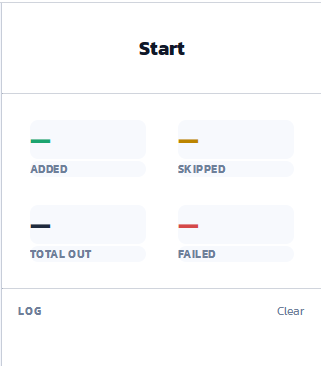
|

|

|
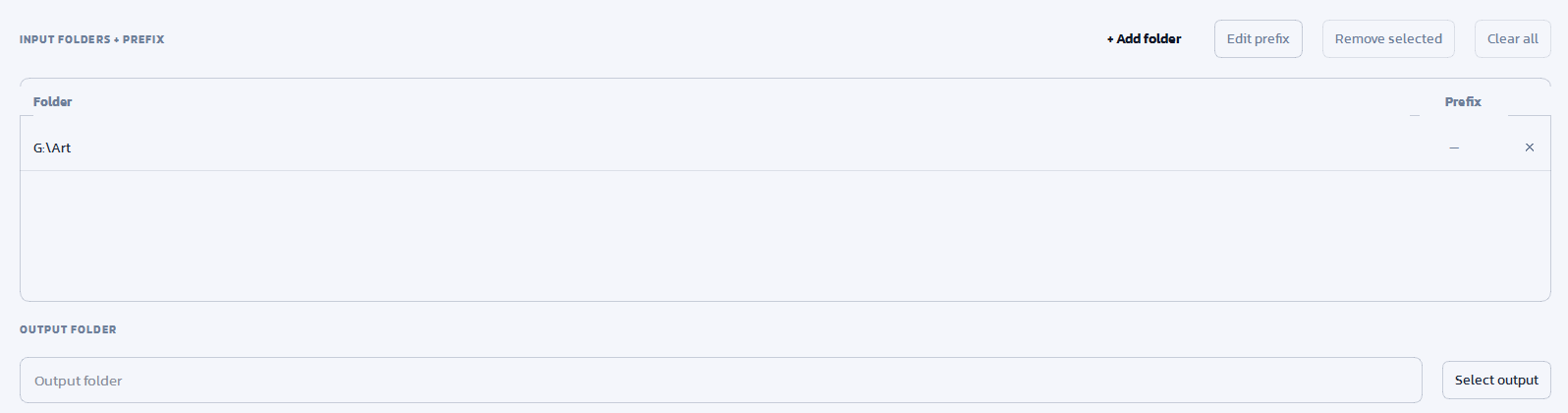
|