Installation EN
🇬🇧 English (this page) · 🇫🇷 Français
Download setup.exe from the
latest release
and run it. It does everything:
- it downloads the application, yt-dlp and ffmpeg from their official sources, and verifies their checksums before installing them;
- it offers, on its very first screen, either a regular installation (shortcuts, clean uninstall) or a portable copy in a folder of your choice, leaving nothing anywhere else;
- it installs per user (
%LOCALAPPDATA%\Programs), so it never asks for administrator rights.
The file is only ~2 MB: it carries no payload, it downloads one. An internet connection is therefore required during installation.
SmartScreen will say "Unknown publisher": the executable is not signed, as Authenticode signing requires a paid certificate. Click More info then Run anyway if you downloaded the file from the official releases page.
If you would rather skip the installer, two ZIP files are published as well:
| Format | Size | Requirements |
|---|---|---|
| Portable | ~46 MB | None — the .NET runtime is bundled into the executable |
| Standard | ~600 KB | .NET 10 Desktop Runtime installed on the machine |
Extract the ZIP of your choice into a standard local folder (see the note about the execution location below).
In that case only, you have to provide yt-dlp.exe and ffmpeg.exe
yourself, next to ChaturbateRecorder.exe: they are deliberately not
included in the ZIP files (ffmpeg's GPL licence, see the
README).
-
yt-dlp.exe: official yt-dlp releases -
ffmpeg.exe: for instance the gyan.dev builds or ffmpeg.org
The application verifies the SHA256 of yt-dlp.exe/ffmpeg.exe before
running them (see the Security page).
Two things can happen when you click Start:
- The hash matches the version tested by the maintainer (the one hard-coded in the release you are using) → nothing is shown, recording starts normally.
- The hash does not match (typically because you downloaded a newer version of yt-dlp/ffmpeg from their official source — yt-dlp in particular is updated very often) → a dialog shows the computed hash and asks you explicitly whether you trust this file. Answer Yes if you are sure where it came from (official site); the choice is remembered, and you will not be interrupted again for that exact version. Answer No if you do not know where the file came from.
The installer performs this verification for you and records the hash as trusted, so you are not interrupted on your first recording.
If you want to compare manually before answering:
Get-FileHash yt-dlp.exe -Algorithm SHA256
Get-FileHash ffmpeg.exe -Algorithm SHA256
and compare it with the official hash published by the yt-dlp/ffmpeg project for the version you downloaded.
ffprobe.exe (often shipped with the same builds as ffmpeg) can also be placed
next to the executable: it lets the application show the duration of the
videos in the recording history. Without it, the duration simply shows "N/A"
and nothing else is affected.
On first launch, the application:
- Checks that it is not running from a forbidden location (network share, temporary folder, NTFS-compressed folder) — move it to a standard local folder if needed.
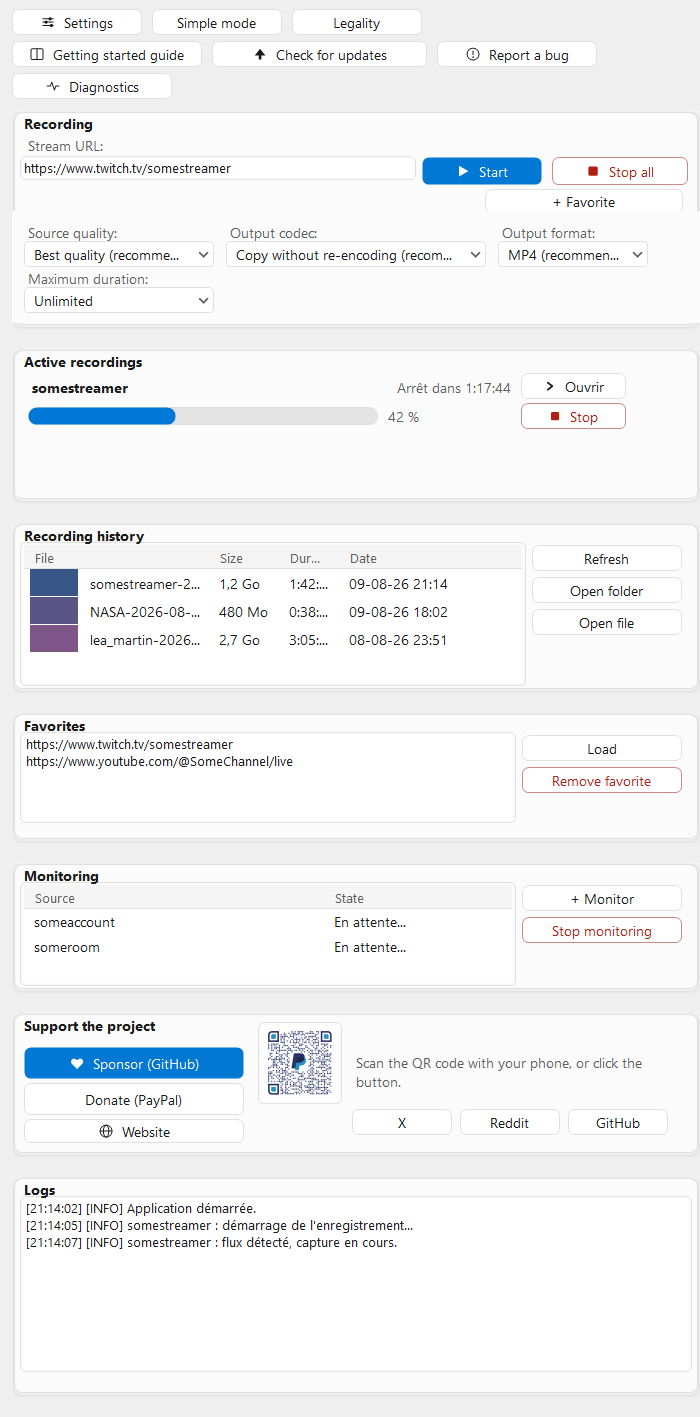
- Shows a step-by-step getting started guide (available again later through the "Getting started" button in advanced mode).
- Creates the default capture/log folders if they do not exist (both can be changed later in Settings, see Configuration).
If a component is faulty (ffmpeg missing, unreadable cookies file), the application still starts: it disables what cannot work, tells you which part and why, and everything else keeps running.
Chaturbate, Twitch, YouTube and TikTok. Paste the stream address into the Stream URL field — the same one you would use in your browser.
If the application refuses to start, see the FAQ and troubleshooting page.