Repository navigation
Getting started
There are no releases yet. Download a build from the latest CI run on main (sign in to GitHub first) and unpack it:
| System | Download | Keep together |
|---|---|---|
| macOS (Apple silicon) | Torqa-macos-arm64.zip |
— |
| Windows | Torqa-windows-x86_64.zip |
Torqa.exe and torqa_gd.dll
|
| Linux (x86_64, arm64) | Torqa-linux-<arch>.tar.gz |
Torqa.<arch> and libtorqa_gd.so
|
Linux builds need glibc 2.35 or newer (Ubuntu 22.04+, Debian 12+, Fedora 36+).
Riding never does. Courses, workouts, devices (Bluetooth), history and analysis all work offline. Torqa goes online only for:
| When | Why | Offline |
|---|---|---|
| Importing a GPX route or a video with GPS | Downloads the area's map (OpenFreeMap) and terrain (Mapterhorn, AWS Terrain Tiles); a course file then keeps them | It still imports, but rougher: the track is not put onto the roads and keeps the GPX's own heights. Areas imported before come from the cache |
| A course card's map and countries | Downloads map tiles of the land around the route | Filled in by itself the next time Torqa is online |
| Riding a video course in 3D for the first time | Its file holds only the route's data, not the world around it | Ride it along the video |
| Connecting to and uploading to intervals.icu or Strava | They are online services | Upload later from the history |
Importing a .tqc course file or a workout file needs no internet. Map and terrain requests
reveal only the area of the route; Torqa has no account, server or tracking of its own.
These are all the servers Torqa contacts, e.g. to allow them in a firewall:
| Server | For |
|---|---|
tiles.openfreemap.org |
Map (roads, buildings, water, land use) |
tiles.mapterhorn.com |
Terrain heights |
s3.amazonaws.com |
Terrain heights where Mapterhorn has none (AWS Terrain Tiles) |
intervals.icu |
Uploads, once connected |
www.strava.com |
Uploads, once connected; logging in opens it in your browser |
While you log in to Strava, Torqa briefly listens on 127.0.0.1 (your own computer only) for the
browser to hand back the login.
Torqa opens on six tabs:
| Tab | What it is for |
|---|---|
| Courses | Your course library: import, find and ride courses |
| Workouts | Hold a power or heart rate, structured workouts, FTP tests |
| History | Your past rides |
| Analysis | Your power and fitness across rides |
| Profile | Riders, their zones, HUD and accounts |
| Devices & Settings | Trainer, power meter, cadence, heart-rate strap, Di2 or Zwift Click (original or v2), graphics, full screen |
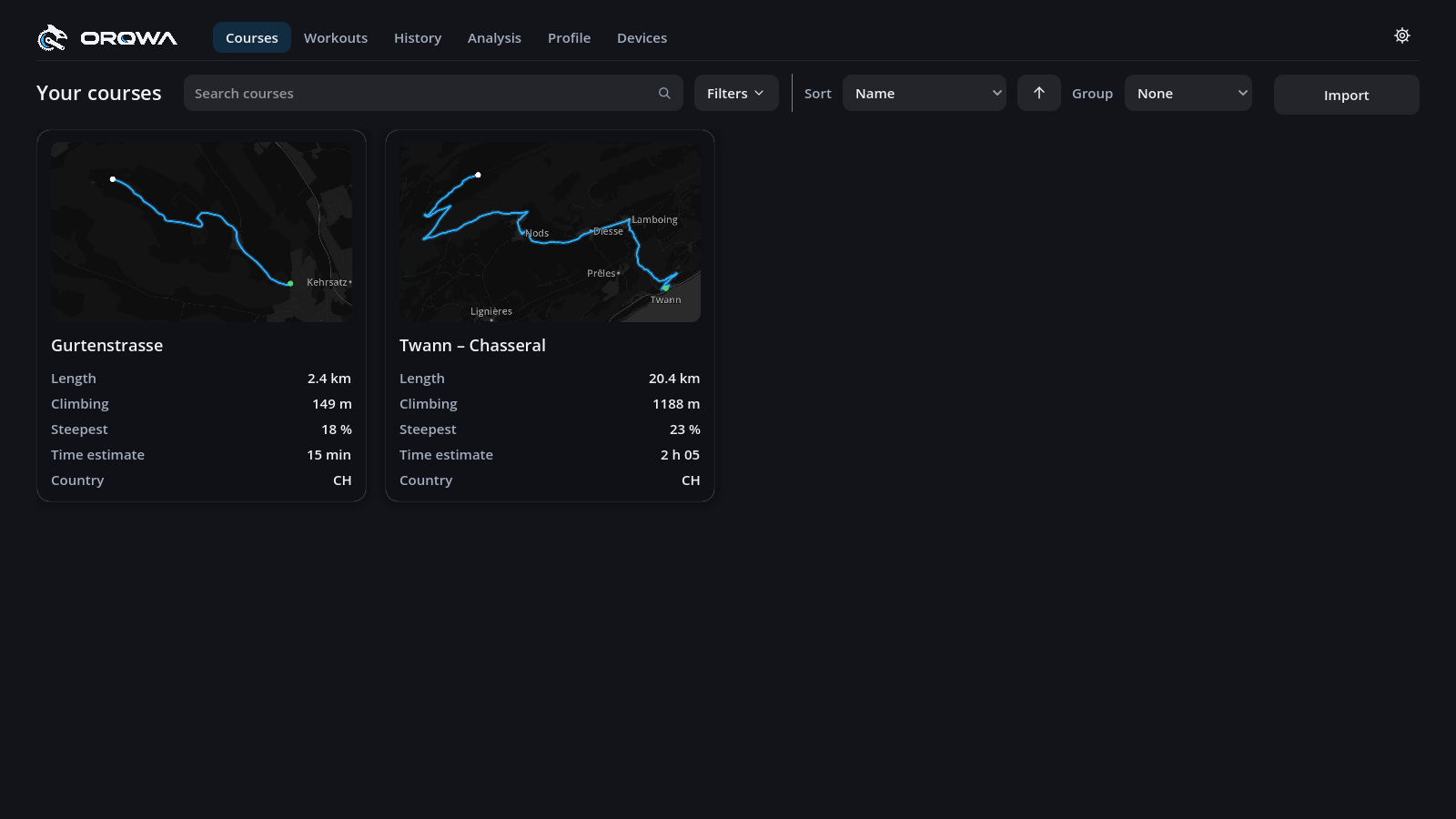
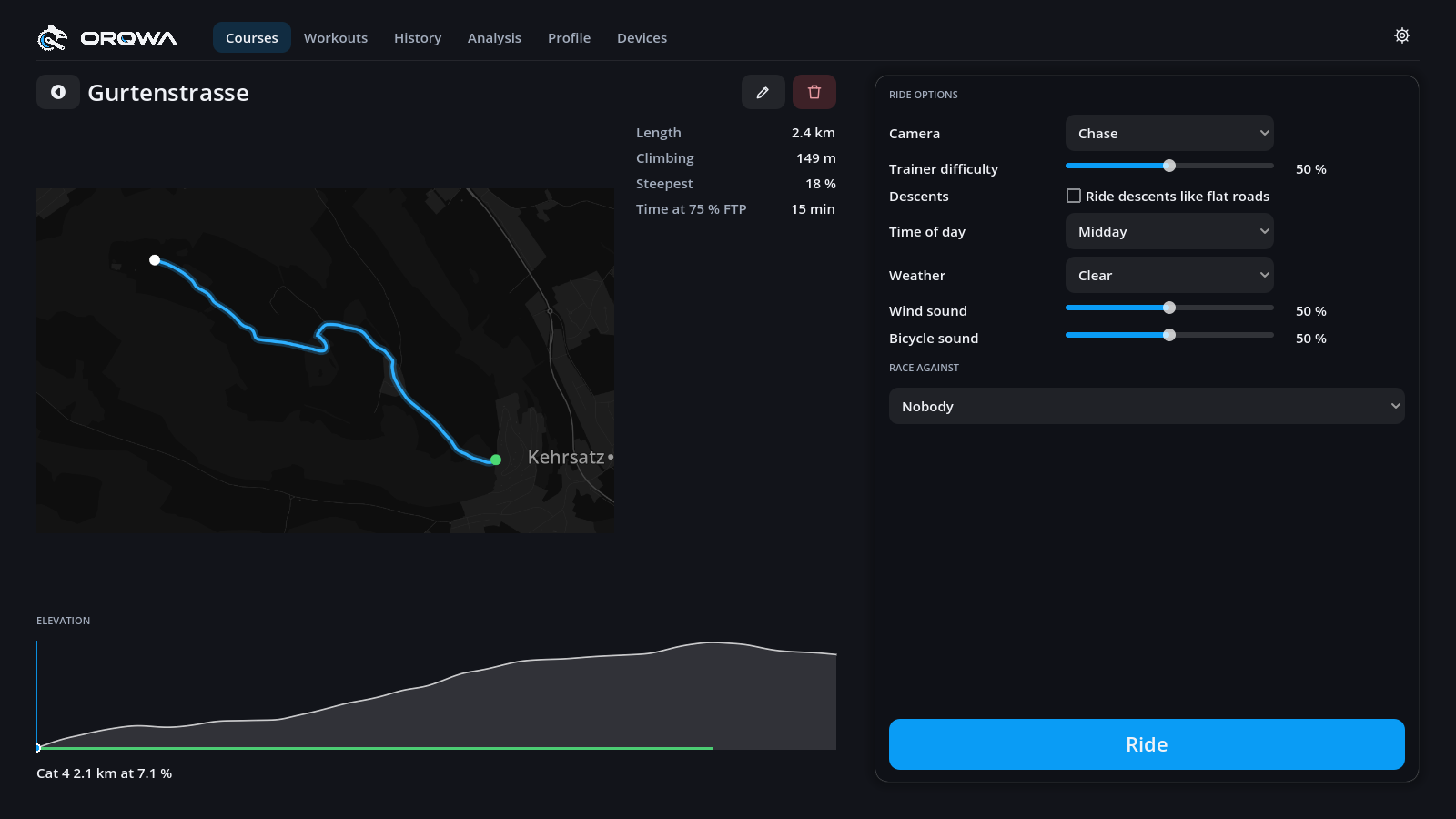
Click a course card to open its page: the route, elevation profile with its climbs, your best times, the ride options (camera, difficulty, time of day, weather) and who to race. Press Ride to go.
Time at 75 % FTP estimates how long the course takes you at a steady endurance pace.
The pencil beside the name renames the course or adds a video; the bin deletes it (your rides on it are kept).