Repository navigation
Current Visual Guide
The current public graphic set has four system maps, seven detailed agent guides, and one combined atlas. Each topic has one canonical SVG in the template. The art is illustrative; exact paths, commands and boundaries are selectable vector text with an adjacent full text companion. The SVG canvas is 7680 × 4320; embedded generated art has its own smaller native resolution.
These images explain the selected beta source. They do not start agents, authenticate providers, grant access, or prove deployment. Use the versioned CLI manual before running commands.
Watch the beta.4 film · Read its chapter and scene guide · Transcript. The film animates this twelve-image library around a fictional task. Its software baseline is v1.11.0-beta.4; the illustrations keep their beta.3 asset provenance. Use the full-size panels and text companion for exact commands and authority boundaries. The film does not demonstrate a live provider, device security, or downstream deployment.
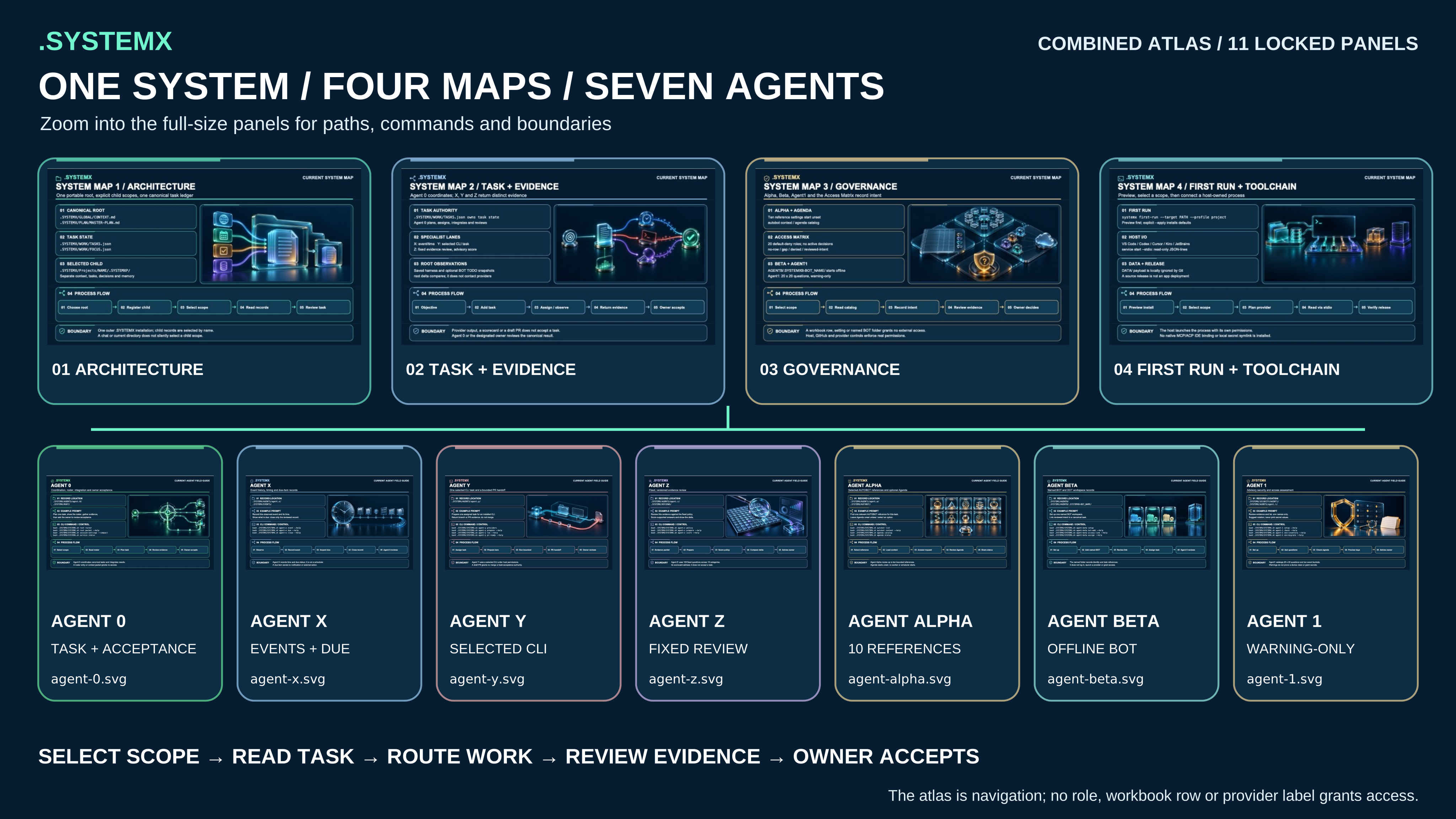
Open the full-size atlas · Read its complete description. The atlas connects scope, task authority, governance, and the host toolchain. Open the separate maps and agent sheets below for their full-size paths, commands, and process flows.
The separate 8K PNG export pack contains twelve 7680 × 4320 exports, a source-bound manifest, checksums, and the text guide. Its embedded generated illustrations originated at 1672 × 941 pixels; the larger export keeps vector labels sharp without adding native illustration detail. The pack is a release download, outside the portable source.
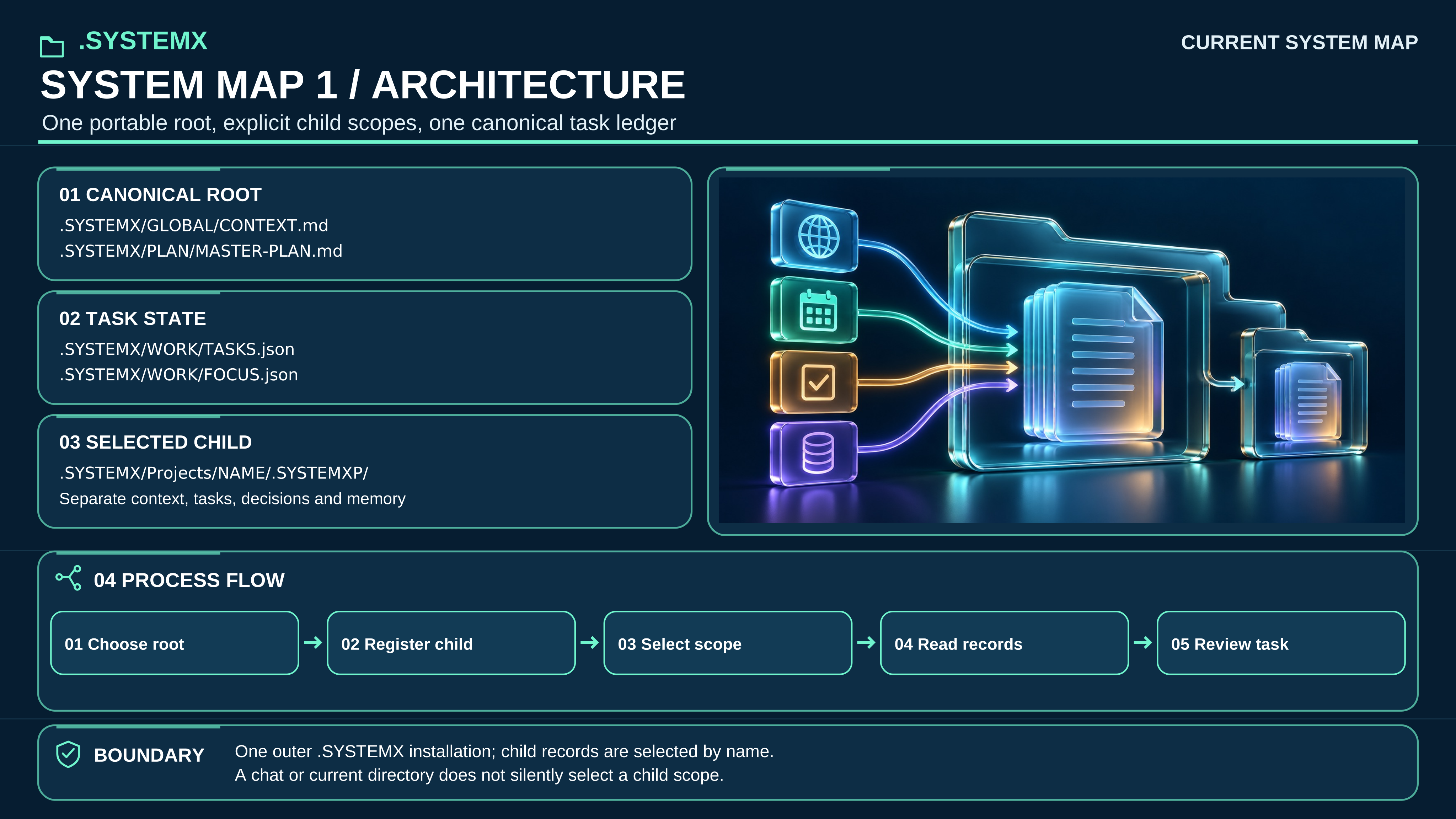
Open full-size SVG · Read full text
Text equivalent: Select the intended root or registered child before reading or writing. GLOBAL/CONTEXT.md and PLAN/MASTER-PLAN.md provide purpose and outcomes; WORK/TASKS.json is the sole task-status ledger. WORK/FOCUS.json selects the next useful step. A child has independent records and does not create a second outer installation.
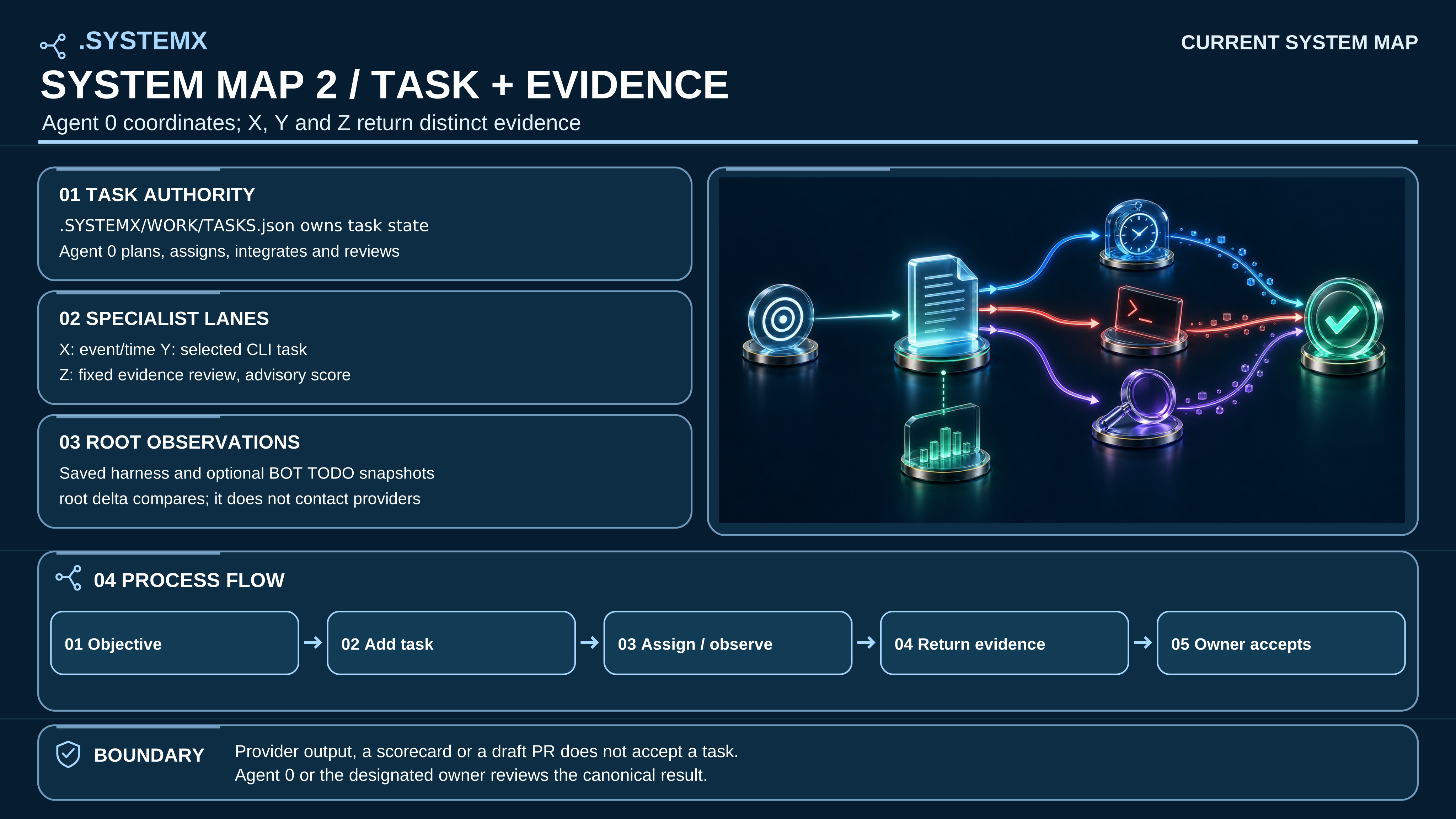
Open full-size SVG · Read full text
Text equivalent: An authorized objective becomes a scoped task in WORK/TASKS.json. Agent X records events and due items; Agent Y may run one selected installed CLI; Agent Z reviews fixed questions. ROOT compares retained harness and optional bot observations without contacting them. Agent 0 integrates evidence, and the designated owner accepts or saves the remaining work.
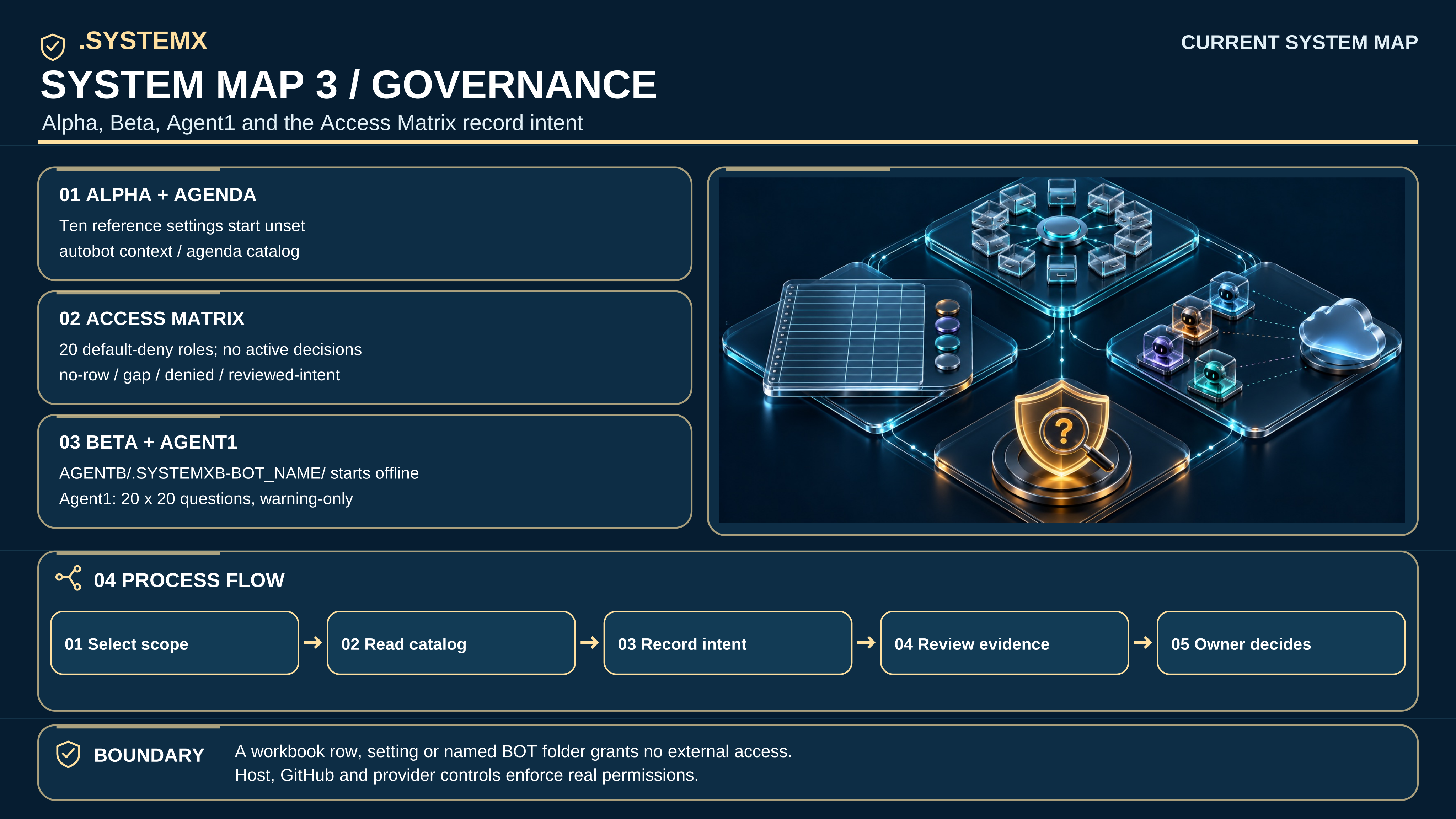
Open full-size SVG · Read full text
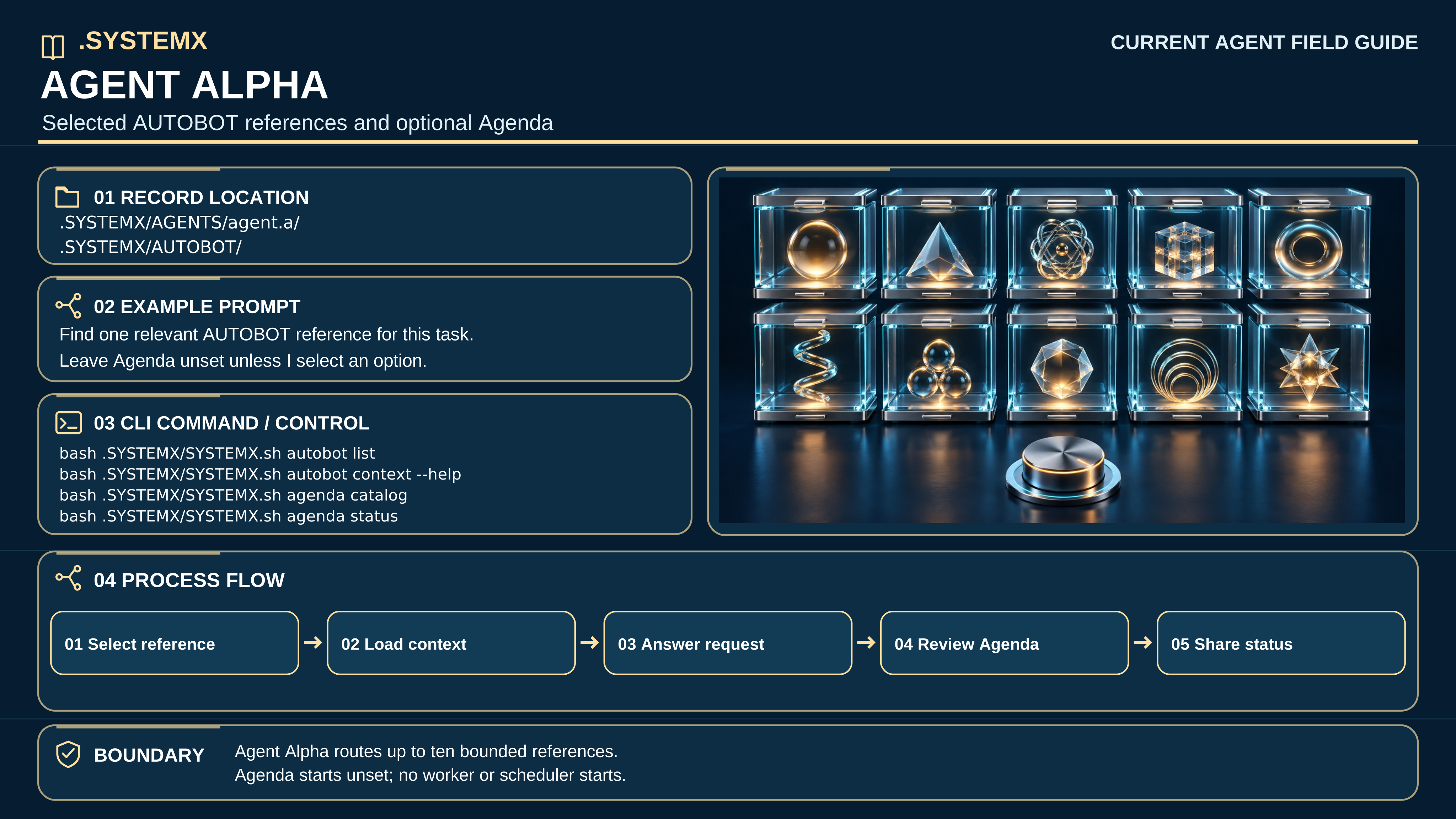
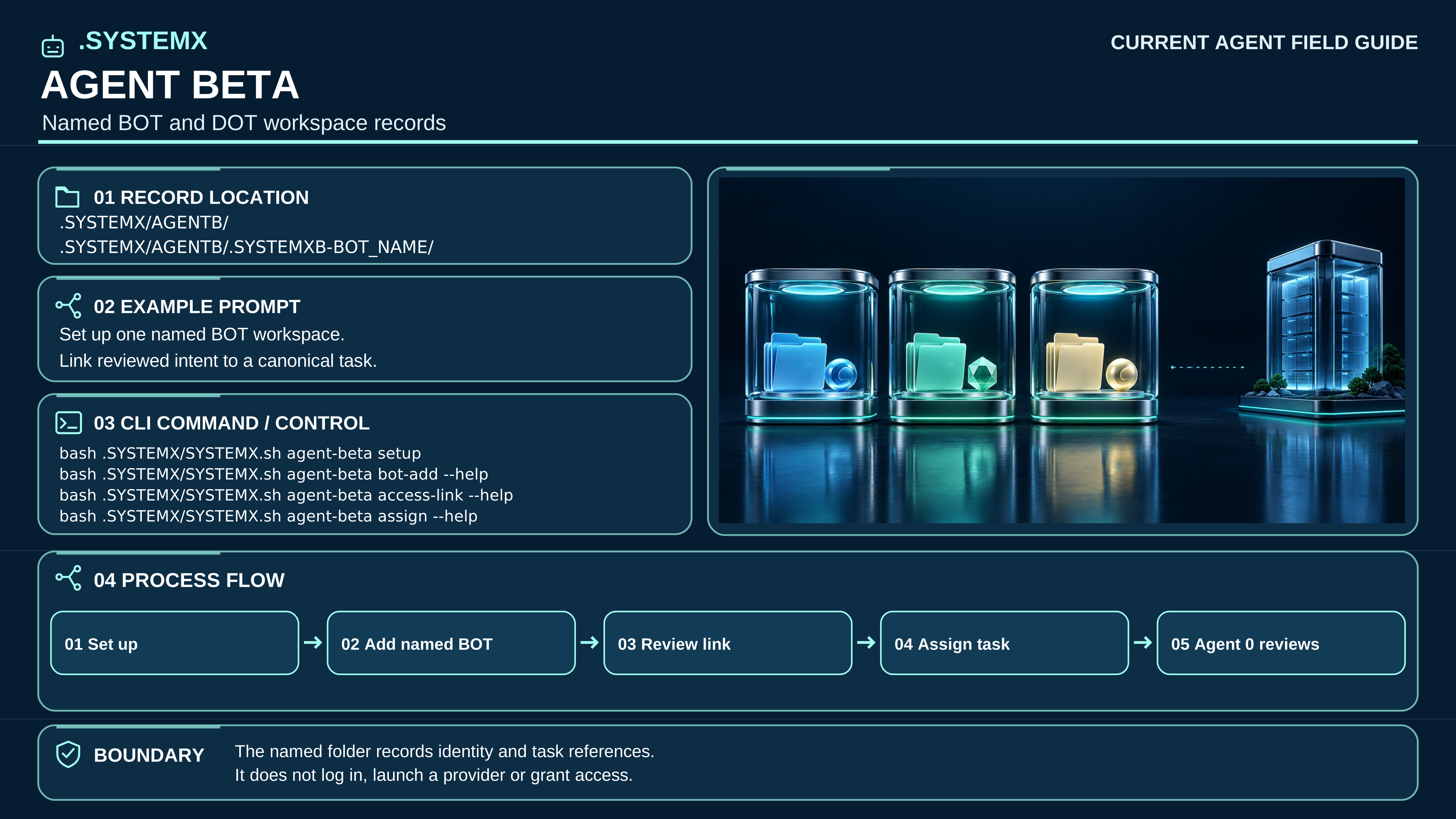
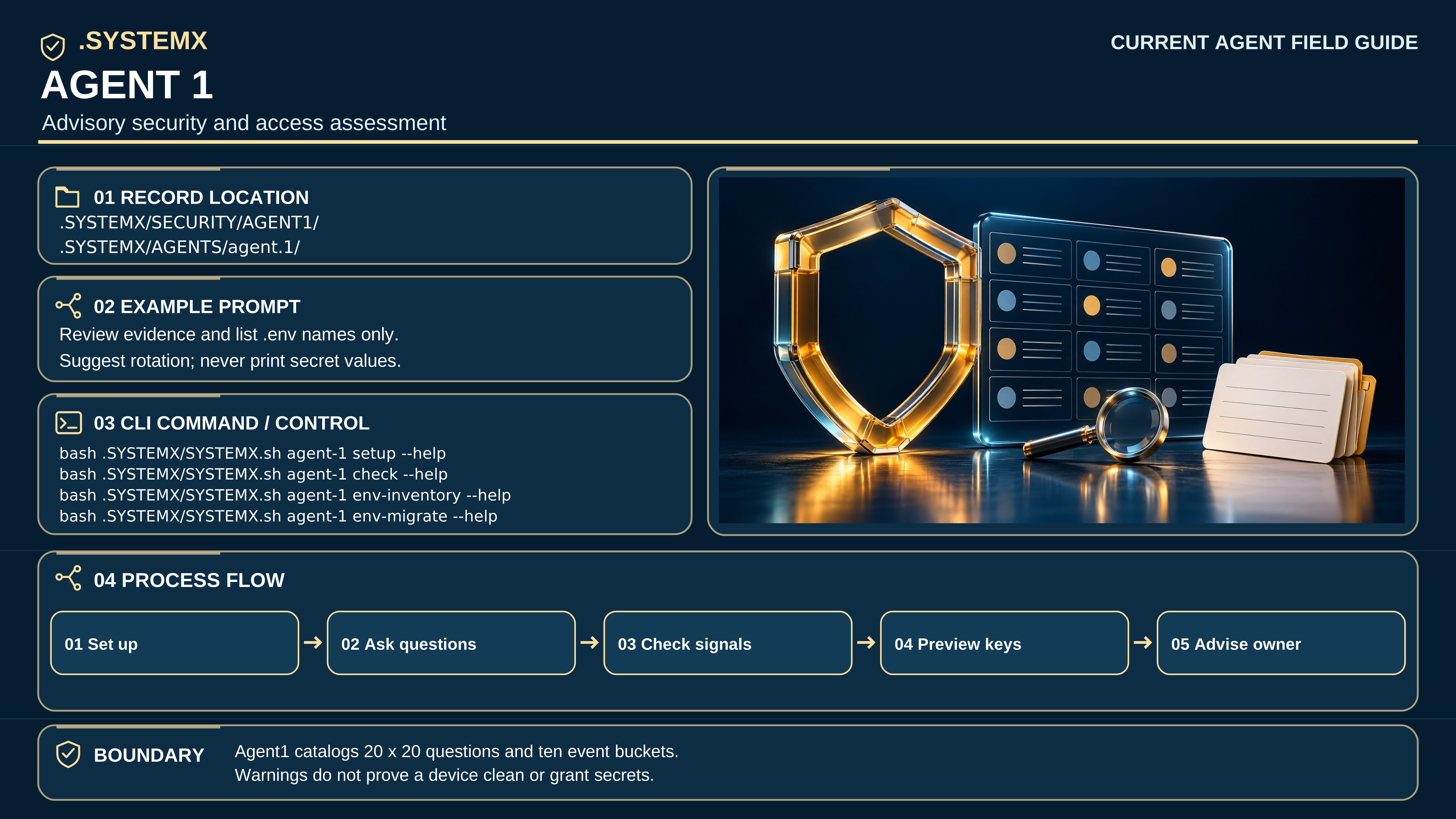
Text equivalent: Agent Alpha selects from up to ten reference functions. Agenda ships ten setting definitions, all unset; project options are empty. The Access Matrix ships 20 default-deny role rows and four decision-rule states, with no active decisions. Agent Beta records named folders under AGENTB/.SYSTEMXB-BOT_NAME/; Agent1 supports 20 × 20 security questions and ten event buckets. None of these records grants external access or launches a bot.
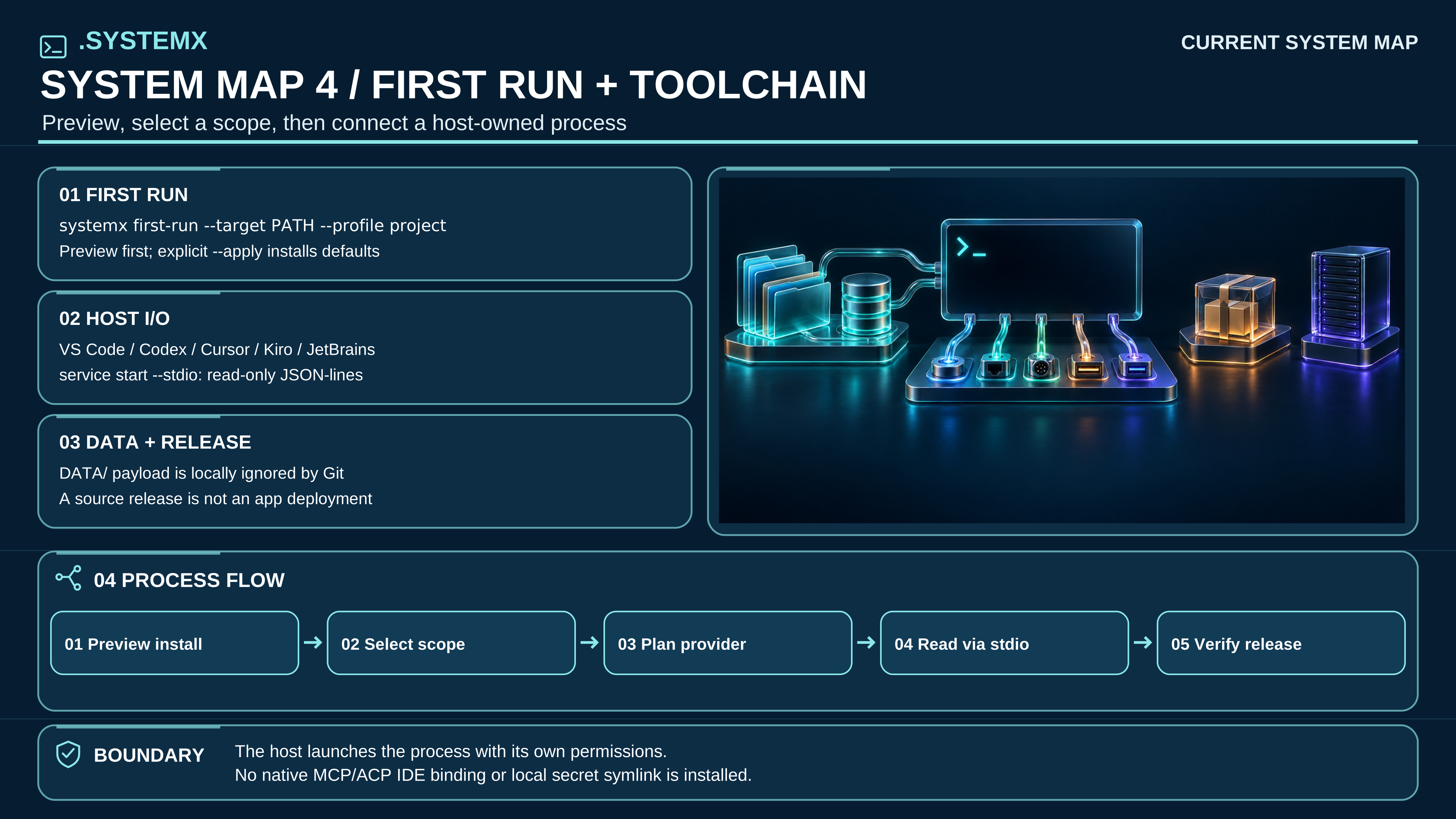
Open full-size SVG · Read full text
Text equivalent: Preview systemx first-run --target PATH --profile project before apply. Select a root or registered child and inspect onboard status and onboard plan. VS Code, Codex, Cursor, Kiro and JetBrains may invoke the reviewed CLI or a host-owned read-only JSON-lines session; this template installs no native MCP or ACP binding. DATA payloads stay local and ignored by Git by default. A version tag or package is not a deployment receipt.
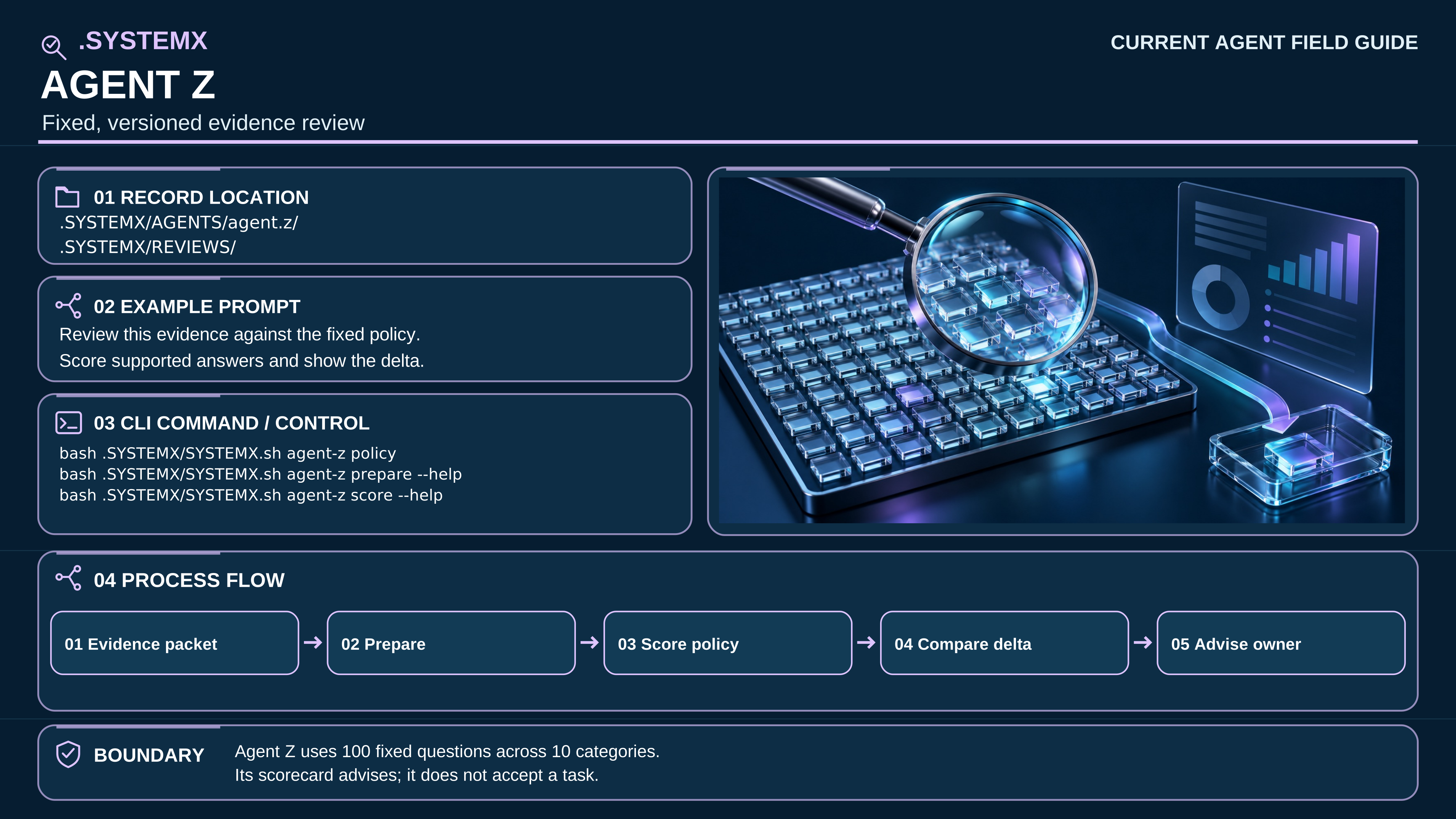
Each role guide shows its record location, an example prompt, a CLI help route, a five-step flow, and an authority boundary. The detailed field-guide text spells these out; the compact table below is navigation.
| Role | Current SVG | Boundary |
|---|---|---|
| Agent 0 | Open guide | Coordinates canonical tasks, roster, evidence and owner acceptance; its records do not grant host permissions. |
| Agent X | Open guide | Records event history, occurrence times and due items; it does not run a scheduler. |
| Agent Y | Open guide | Carries one selected task through an installed CLI and optional draft PR; it does not merge or accept a task. |
| Agent Z | Open guide | Applies its fixed 100-question advisory review; a scorecard is evidence, not acceptance. |
| Agent Alpha | Open guide | Selects up to ten AUTOBOT references; Agenda starts unset and does not start workers. |
| Agent Beta | Open guide | Records named offline BOT/DOT workspaces; a folder does not authenticate a provider. |
| Agent1 | Open guide | Supports warning-only security and access review; no check certifies a device clean. |
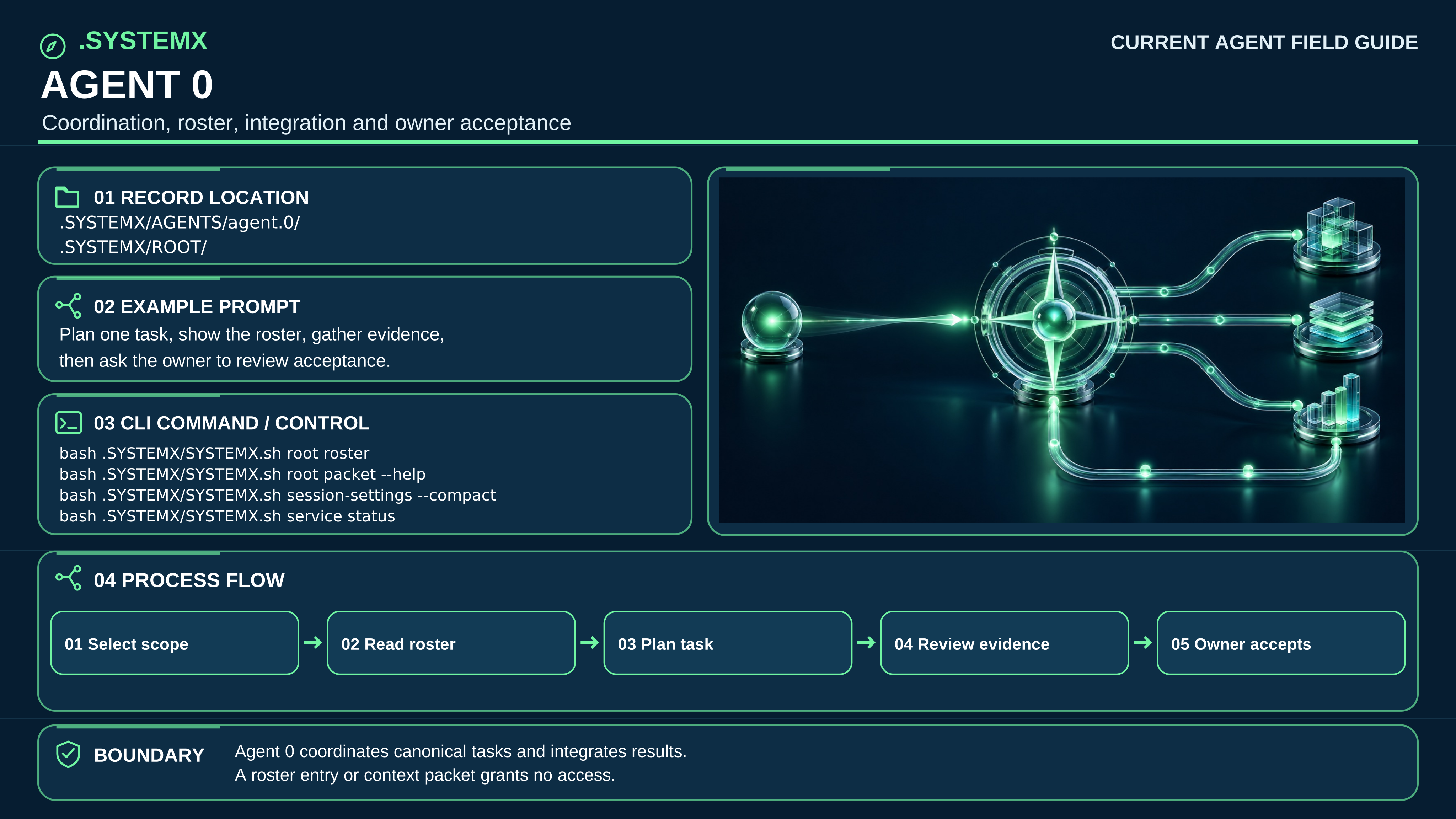
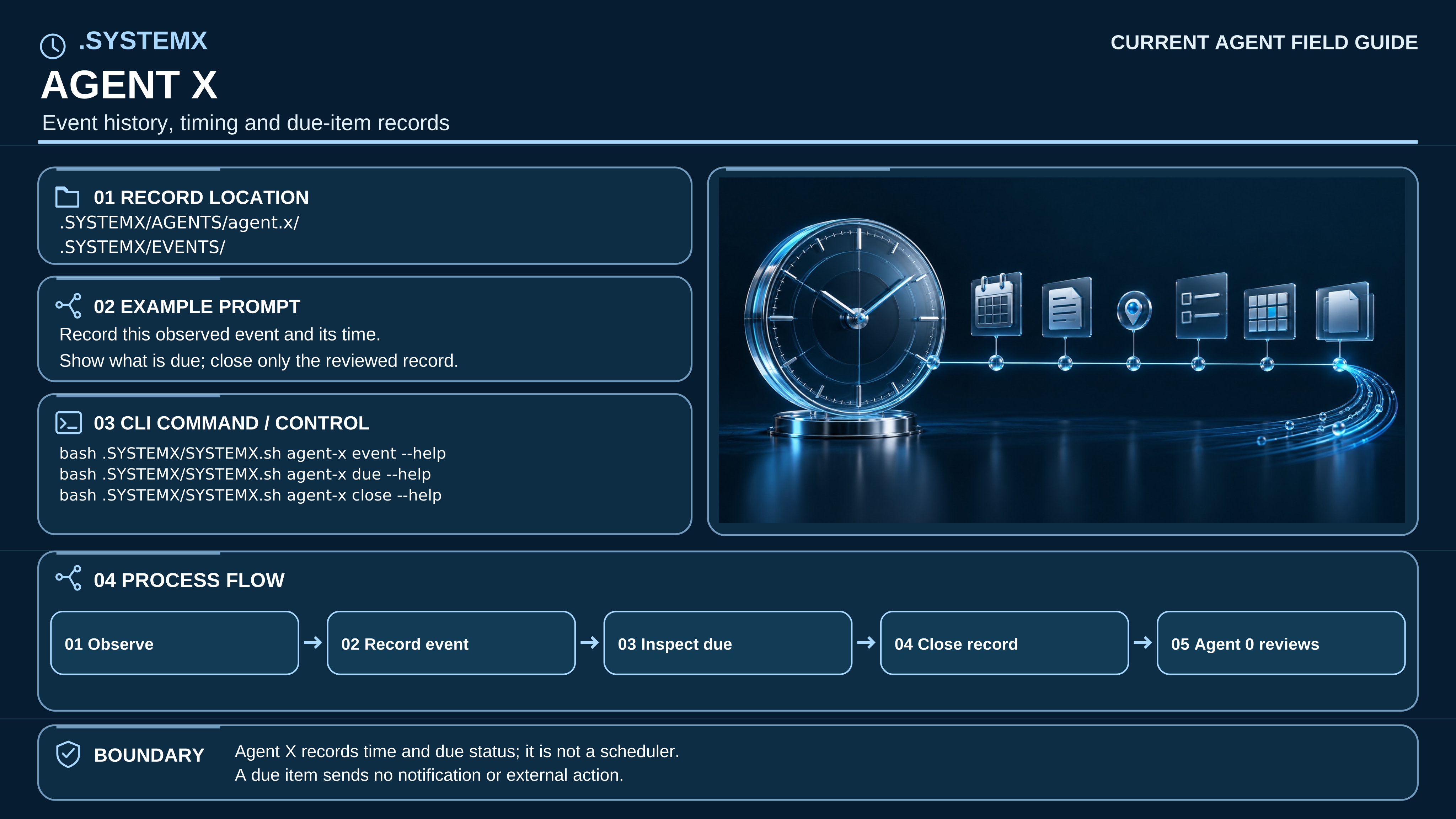
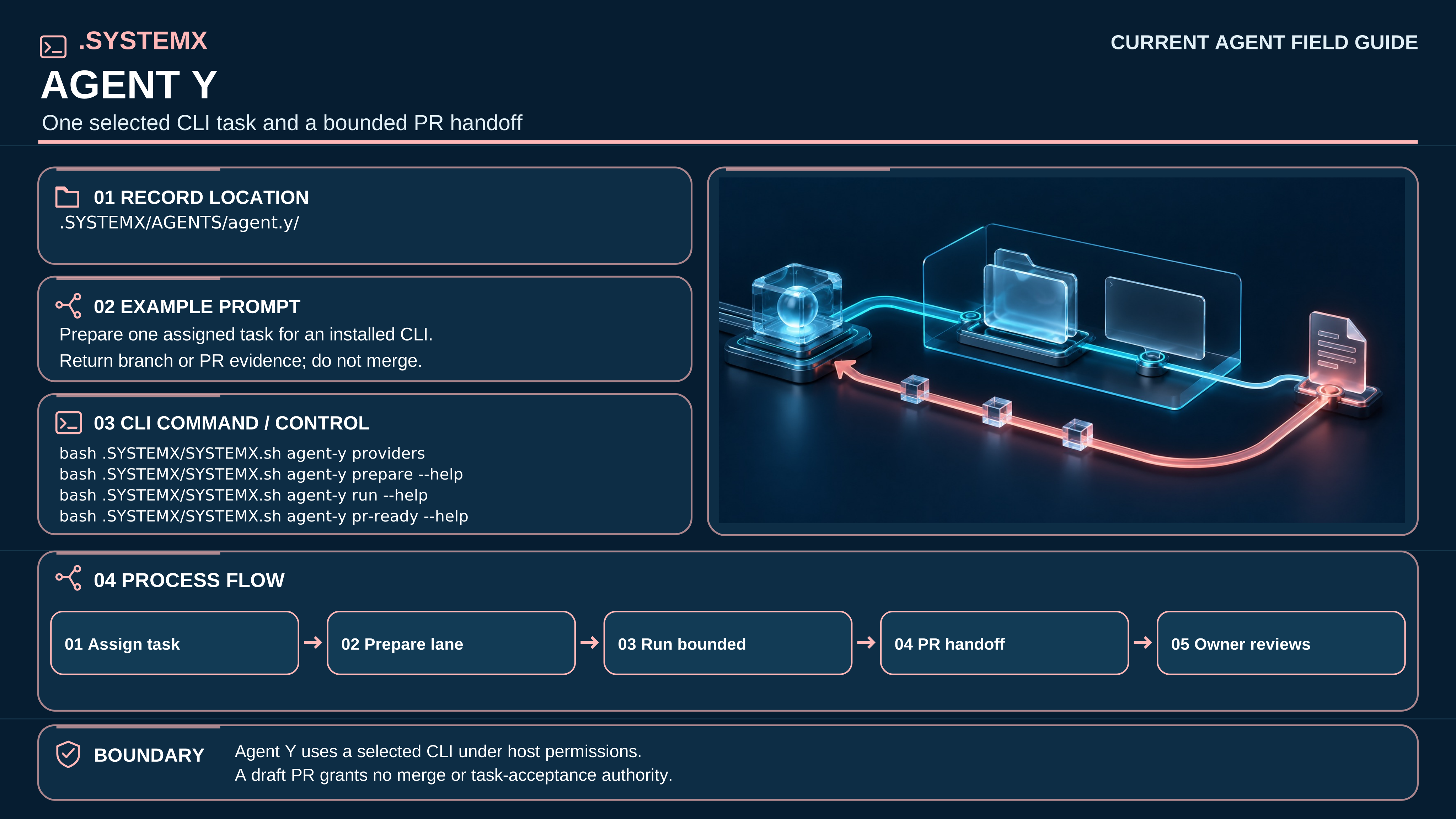
The earlier four-part alpha.3 posters and beta.1 graphic set remain in immutable release history. They are not embedded as current graphics. The edition 2.2 white paper examines beta.4; these illustrations retain their beta.3 art provenance.