Repository navigation
Tutorials 1 Setup and Controls
Part of the EOD Recomp Modding & World Editor Tutorials · Next: Tutorial 2: Your First Track Mod in the EOD World Editor
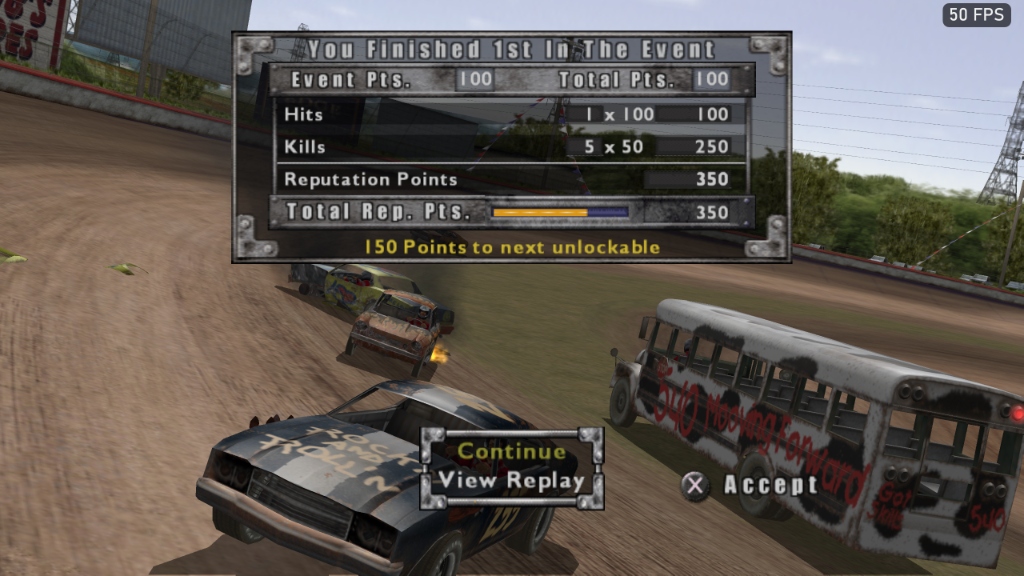
In this tutorial, you will take a legally dumped retail North American PlayStation 2 .ISO of Test Drive: Eve of Destruction (SLUS_209.10), extract and verify all 72 0TSR v6 archives with zero external tools, boot eod.exe straight to the main menu, switch live between the PS2 Classic and 2026 Modern Remastered PBR renderers with F9, and configure widescreen, 4K resolution scaling, maximum LOD, and live gameplay mods in the F1 overlay menu.
EOD Recomp is statically recompiled from the North American NTSC-U release (SLUS_209.10).
-
Accepted Inputs: Standard
2048-byte sector.isofiles, raw2352-byte Mode 1 / Mode 2 Form 1.binimages, or an already-unpacked directory containingSLUS_209.10andDATA/. -
Expected
SLUS_209.10SHA-256:4f60053dc141365f5ae50737622f8408be30ced513b4c109427c926461f2e2ae -
Automatic Region & Integrity Guard: Before unpacking,
tools/iso_extractor.pyreadsSYSTEM.CNFfrom the ISO-9660 primary volume descriptor (sector 16). If a European PAL image (Driven to Destruction,SLES_527.67), NASCAR: Dirt to Daytona (SLUS_204.41), or a truncated rip (< 1.8 GB) is provided, it displays an immediate human-friendly diagnostic banner.
- Double-click
tools\world_editor\launch_editor.bat. - On first launch, the First-Run ISO Setup Card appears automatically.
-
Drag and drop your
Test Drive - Eve of Destruction (USA).isoonto the dropzone (or click Auto-Scan PC to searchDownloads,Desktop,Documents, and mounted optical drivesD:..Z:). - The built-in ISO-9660/UDF extractor:
- Verifies at least 2.6 GB of free disk space (
2.18 GBunpacked). - Strips ISO-9660
;1version suffixes (AFTON.TRK;1→DATA/TRACKS/AFTON.TRK). - Validates every
0TSRv6 archive entry's MSB-first CRC-32 (rst0.eod_crc, polynomial0x04C11DB7). - Atomically swaps the verified staging directory into
%LOCALAPPDATA%\EODRecomp\disc\(or your chosen game folder) and savesdisc_manifest.json.
- Verifies at least 2.6 GB of free disk space (
python tools/iso_extractor.py --iso "C:\Downloads\Test Drive - Eve of Destruction (USA).iso" --out "D:\Test Drive - Eve of Destruction (USA)".\eod.exe --data "D:\Test Drive - Eve of Destruction (USA)"-
Instant PC Boot (JTBD 5): Skips startup
.PSSintro movies, artificial 50 ms PS2 loading screen pauses, and the PS2 memory card slot check by default, booting straight to the Main Menu in under 2 seconds. -
Direct Race Jump (
EOD_DIRECT_START):$env:EOD_DIRECT_START="mode=action;track=AFTON;event=jump_race;car=Bus;ai=8;humans=1" $env:EOD_SKIP_MOVIES="1" .\eod.exe
Press F9 on your keyboard (or L1 + R1 + R3 on a controller) at any time during a race:
-
PS2 Classic Look (
ModernRenderer=0): Native Plume rendering with exact PS2 submission order, GS alpha-blend equations(A - B) * C + D,V4-5prelit vertex colors (Cv * Ct >> 7), and GSTEX1mipmap LOD math (SSIM >= 0.98vs. offline software GS replay). -
Modern Remastered Look (
ModernRenderer=1): Physically based rendering (Filament BRDF/IBL math in native HLSL) driven by 2,728 tagged textures inmaterial_table.json, cascaded sun shadows, sky IBL, clear-coat paint, chrome, glass, water refraction on Woodly (AFTON.TRK), and depth-faded GPU particle VFX. -
Zero-Hitch 1-Frame Switch (Gate P5): Completes in
<= 33 mswith0 MBGPU memory growth over 100 toggles.
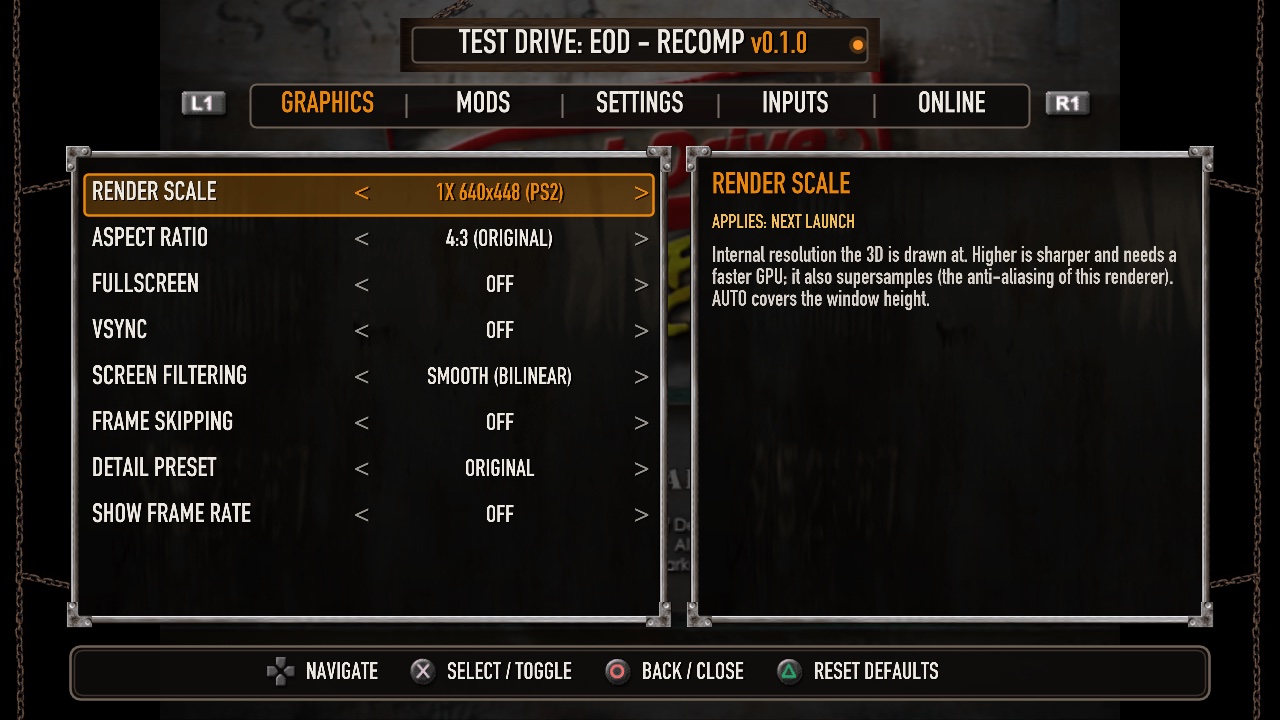
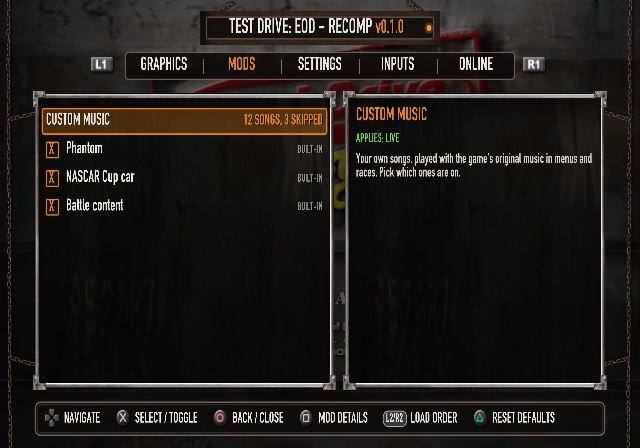
Press F1 (or click both analog sticks L3 + R3) to open the in-game overlay:
-
Display Tab:
-
RenderScale:
1x(640×448) up to6x(3840×26884K) and8x(5120×3584). -
Aspect Ratio:
16:9 Widescreen(true Hor+ FOV expansion at0x0034D328with automatic±106.67HUD edge anchoring). -
Detail Preset:
Maximum(locks all 20 vehicles toLow1.modat all distances and doubles 2P split-screen draw distance from1150mto2300m).
-
RenderScale:
-
Gameplay / Mods Tab:
-
Unlock All Out of the Box (
UnlockAll=true): Unlocks all Career Eves, all 8 Feat cheats, all 7 prize-mask bytes, and all 16 points-gated tracks/cars (including Welch). -
Straight-Shot Chicken Fight (
ChickenFight=true): PressL2to launch forward ballistic explosive chickens at$\vec{v}_{\text{car}} + 28.0\text{ m/s}$ (3.0s reload cooldown), with live Blast Force (1.0x–4.0x) and Blast Radius (1.0x–4.0x) sliders. -
Turbo Boost (
TurboBoost=true) & Turbo Scale: PressL2for rocket thrust lifting the 100 mph PS2 cap up to174+ mph(1.75x–3.0x). - Single-Player Battle Mode & Battle Bots: Unlocks 4-car Battle arena combat across all 14 tracks in solo mode with armed AI Battle Bots.
-
Manual Recovery Only (
ManualRecovery=1): Disables the 3-second off-track/rollover auto-teleport; holdSelectto recover manually.
-
Unlock All Out of the Box (
Next Tutorial: Tutorial 2: Your First Track Mod in the EOD World Editor