Repository navigation
Tutorials 2 First Track Mod and PIE
Part of the EOD Recomp Modding & World Editor Tutorials · Previous: Tutorial 1: Setup & Controls · Next: Tutorial 3: Deleting Fences & SOBL Barriers
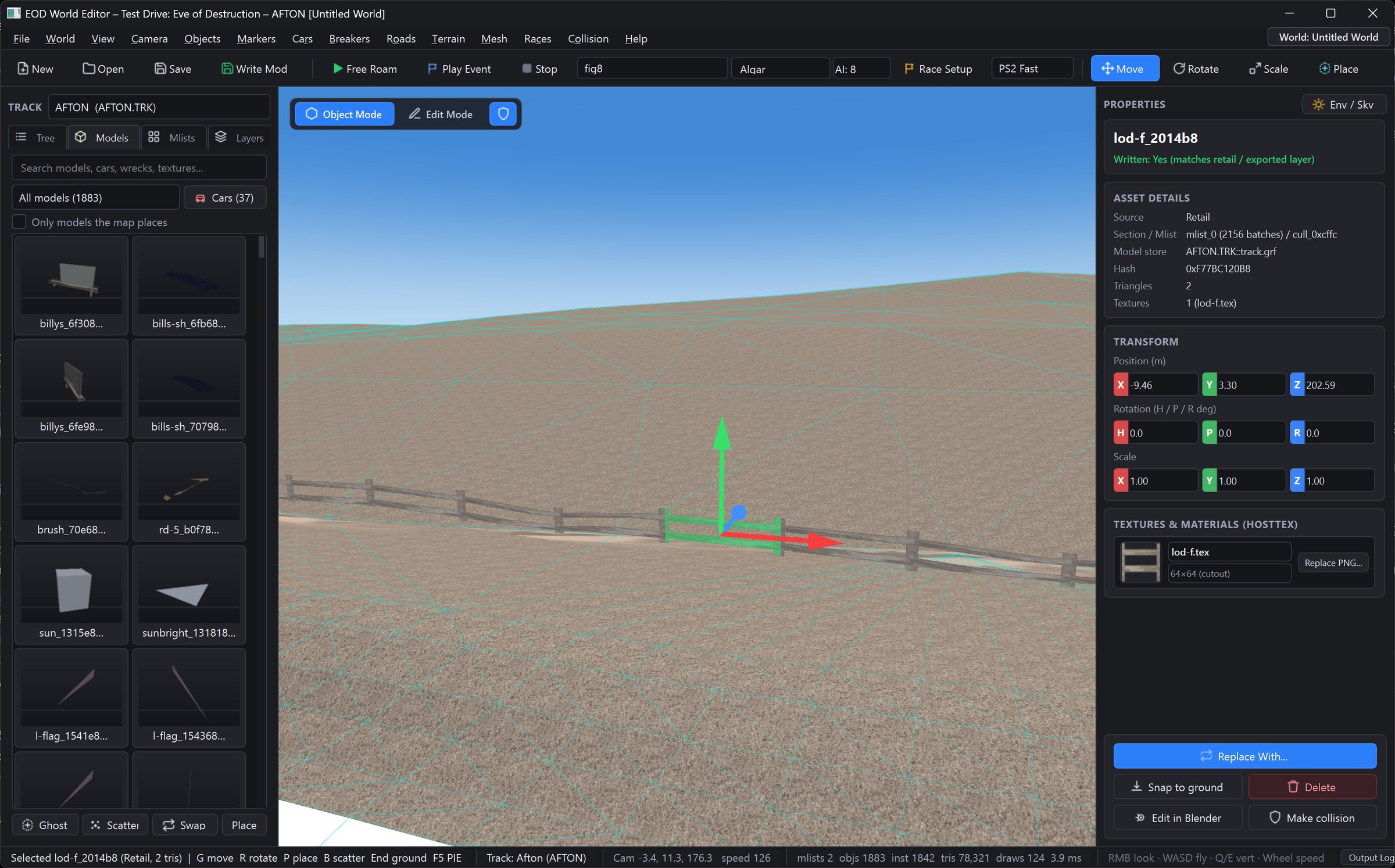
In this tutorial, you will open Woodly (AFTON.TRK) or Dundas (DUNDAS.TRK) in the EOD World Editor, master the 60 FPS 3D fly camera, switch between Event Templates (Jump Race, Figure 8, Battle, Gauntlet), select and scale a dirt jump ramp (baking both its visual 4SPS VIF vertices and its SCOL/SOBL driving collision), and drive off your giant ramp inside Play-In-Editor (PIE).
- Launch
tools\world_editor\launch_editor.bat(orpython tools/world_editor/app.py --track AFTON). - In the Left Explorer Panel, select
AFTON (Woodly)orDUNDASfrom the Track dropdown. - The background worker loads
track.grf(GRAFv18 visual scene),track.bsc(SCOLv4 drivable terrain),track.sol(SOBLv3 solid collision),*.ild(ILINAI racing lines), and the track's 32-tile PS2 sky dome (sky01A..16B.tex). - Note how Woodly renders with authentic PS2 prelit
V4-5vertex colors (0x80 = 1.0) and backface culling disabled (glDisable(GL_CULL_FACE)), preserving every trackside shadow pool and barn interior.
-
Fly Camera: Hold
RMBand pressW / A / S / Dto fly horizontally,Eto ascend, andQto descend. -
Speed Boost & Wheel Control: Hold
Shiftfor a 2.8× speed boost, or roll theMouse Wheelto adjust base fly speed. -
Frame Selection (
F): Click any object in the 3D viewport (or inExplorer → Tree) and pressFto focus the camera directly on it.
Each .TRK archive contains up to 27 event prop layouts (c_<event>.va0) and Optional Terrain (GRAF subtype 20 + SCOL triangle bits +0x1E):
- Use the Event Template selector in the toolbar (or
Races → Custom Race & AI Editor…) to switch between:-
Jump Race(c_jump_race) — enables dirt crossover jump ramps (Optional Terrainmasks2/3/4/6), wall chicanes, hay bales, and explosive barrels. -
Figure 8(c_fig8_race) — activates figure-8 crossover geometry and perimeter walls. -
Battle(c_battle) — opens the full multi-car combat arena with respawn markers. -
Gauntlet/Demolition Derby(c_demo_derby) — switches to tight derby boundaries (bound,ringoutpolygons) and trailer obstacles (Semi_Trailer,tank).
-
-
Select a Jump Ramp: Type
rampin the Explorer search bar (or filter by[Ramp]) or click a dirt jump ramp in the 3D viewport withLMB. -
Position & Drop to Ground (
G/R/End):- Press
G(Move) orR(Rotate) and drag the R/G/B 3D gizmo handles (Red = X,Green = Y,Blue = Z). - Enable
Grid Snap(1.0 m) andAngle Snap(15°) in the toolbar for precision alignment. - Press
End(orCtrl + G) to Drop to Ground, raycastingSCOL(track.bsc) so the base of the ramp sits flush on the dirt track.
- Press
-
Scale the Ramp (
S):- Press
S(Scale) or enter values in Right Properties Panel → Transform → Scale:- Set
Scale X = 1.50,Scale Y = 1.85(85% taller launch peak!),Scale Z = 1.40.
- Set
- Press
-
Bake Visual VIF Vertices AND Driving Collision (
SCOL+SOBL):- In the PS2 engine, visual meshes (
track.grf) and driving collision (track.bscSCOL+track.solSOBL) are stored separately. - In the Object Inspector (Right Panel) under Collision & Mesh Baking:
- Check
☑ Bake Scaled/Moved Vertices into VIF Stream(patches4SPSq199/V3-16vertices viavif_patch.pyand updatesmrModel,mlist, and0x102cull spheres). - Click
🔨 Bake / Sync Driving Collision (SCOL+SOBL)so overlappingSCOLoptional-terrain triangles (Table 1edge planes +Table 2plane equations) andSOBLramp collision prisms update in lockstep with your scaled visual ramp!
- Check
- In the PS2 engine, visual meshes (
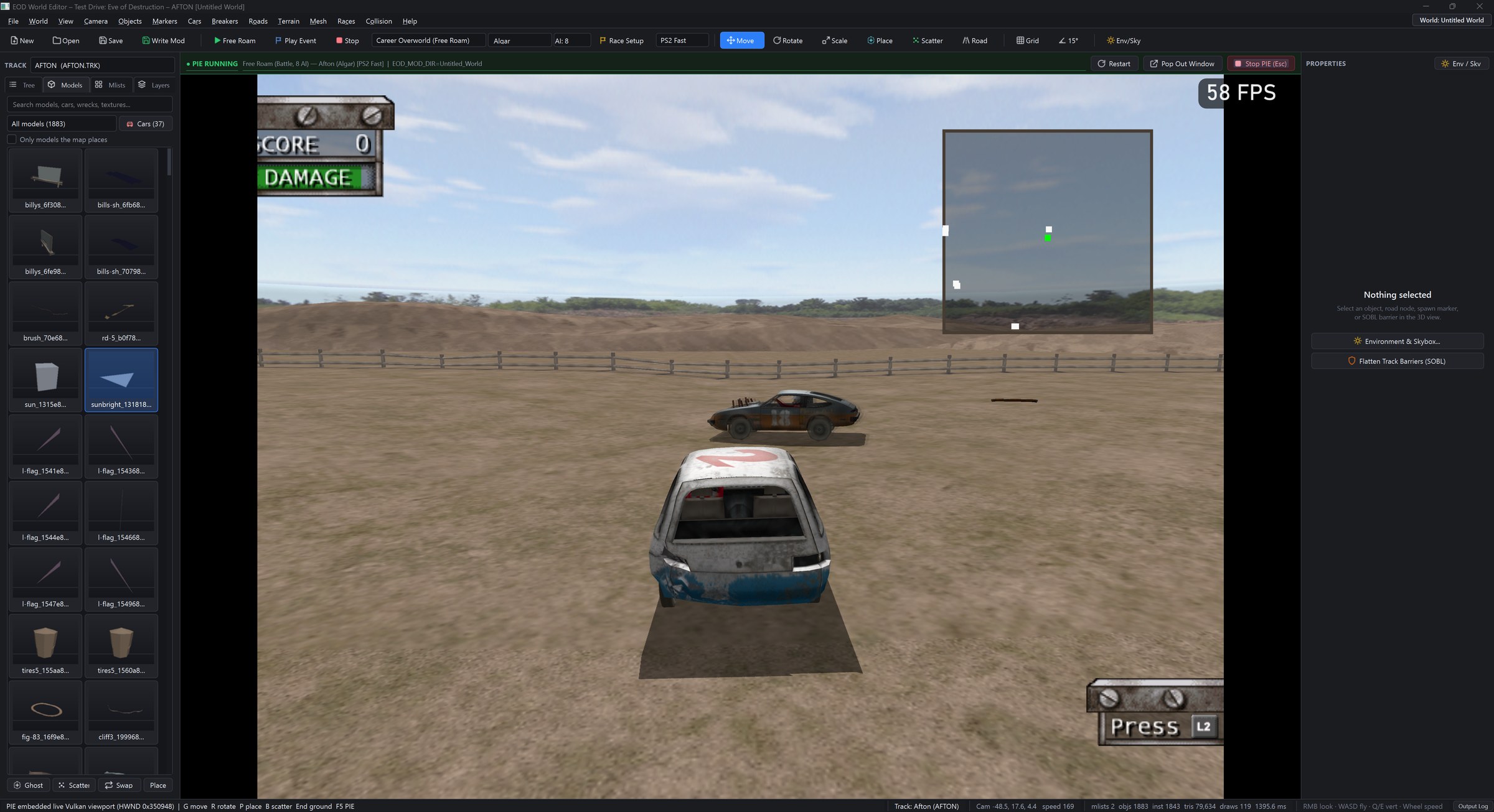
- Press
F5(▶ Play Free Roam) orShift + F5(🏁 Play Event / Race). - The editor compiles only your dirty archive members (
< 200 ms), verifies all untouched0TSRmember CRCs, suspends the OpenGL editor loop, and embeds the liveeod.exeVulkan viewport inside the central window. - Hit your giant dirt jump at 100+ mph! Press
Shift + Esc(or click■ Stop PIE) at any time to return immediately to the 3D editor.
Next Tutorial: Tutorial 3: Deleting Fences, Removing Invisible Barriers (SOBL) & Multi-Selection