Repository navigation
Tutorials 6 4K Textures Skyboxes and NASCAR
Part of the EOD Recomp Modding & World Editor Tutorials · Previous: Tutorial 5: AI Pathfinding & Custom Modes · Next: Tutorial 7: Packaging & Sharing
.eodmodMods
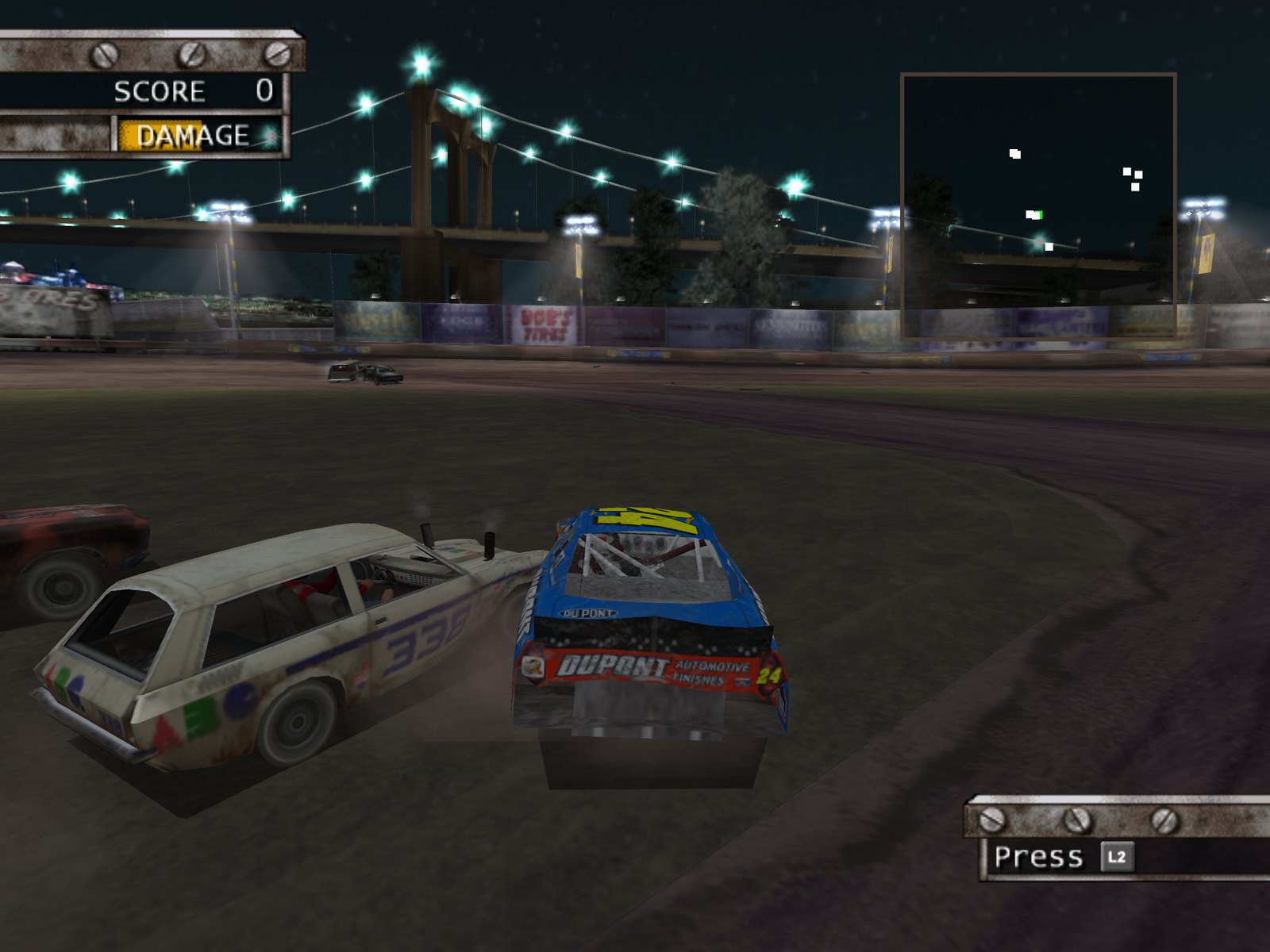
In this tutorial, you will click any 3D object in the World Editor to replace its texture with a 4K PNG via Vulkan HOSTTEX (.eodhtx), swap skyboxes and fog across tracks, import playable stock cars and Cup wheels from NASCAR: Dirt to Daytona (SLUS_204.41) using tools/import_nascar_cars.py, and tune live vehicle suspension and gearing in physics.val.
- Click any 3D object in the World Editor viewport (e.g. a billboard, barn, or asphalt road section).
- In the Right Properties Panel → Texture / Material Inspector, inspect the clickable texture cards showing the texture's retail name, dimensions, and FNV-1a 64-bit
indexKey/paletteKey. - Click
🖼 Replace PNG…and select any 8-bit RGBA.pngwhose dimensions are a power-of-two multiple$k \in {1, 2, 4, 8, 16, 32}$ of the retail texture (up to4096×4096). - The viewport updates on the very next frame (undoable with
Ctrl+Z). - On compile (
Ctrl+Shift+SorF5), the editor automatically converts alpha to the PS2 GS domain, builds a full 2×2 box-filtered RGBA8 mipmap chain inmods/<Project>/HOSTTEX/*.eodhtx, and updatesHOSTTEX/replacements.tsvsoeod.exeloads your 4K texture in both Classic and Modern modes!
- Click
☀ Env / Skyin the toolbar (orWorld → Environment / Skybox). - Pick a 1-click mood preset (Track Default, Clear Day, Golden Sunset, Anoka Night, Overcast Storm, Desert Noon) or adjust Sun Azimuth/Elevation, Ambient Brightness, and Fog Color/Start/End/Density at 60 FPS.
-
Cross-Track Skybox Transplant (
Borrow Sky From Track…):- Select any donor track (e.g.
ANOKAorGILROY) in theBorrow Sky From Trackdropdown. - The viewport immediately displays the donor track's 32-tile sky dome (
sky01A..16B.tex), and compiling (Ctrl+Shift+S/F5) emits.eodhtxreplacements keyed to the active track's skyindexKeys!
- Select any donor track (e.g.
Run tools/import_nascar_cars.py pointing to your extracted NASCAR: Dirt to Daytona (SLUS_204.41) and Eve of Destruction (SLUS_209.10) DATA directories:
python tools/import_nascar_cars.py `
  --nascar-data "D:\NASCAR - Dirt to Daytona (USA)\DATA" `
  --eod-data "D:\Test Drive - Eve of Destruction (USA)\DATA" `
  --output "mods\nascar_cupcar" `
  --kind stock `
  --name Cupcar `
  --number 777 `
  --class midsize `
--paint Car24.tex-
What the Importer Does Automatically:
- Registers
CUPCAR.CARin theMidsizeclass (COMMON.RES#carclass.val,buycar.val,dirt.val, racing#777, dealer#778) with customUICAR.RESportraits. - Transcodes
Low0..3.mod4SPSVIF streams from NASCARMSCAL 0x2D(V4-55-bit normals) to EODMSCAL 0x5C(V4-88-bit normals withSTROW 0x47800000) and synthesizes a 157-boneBone.mvldamage skeleton. - Upgrades NASCAR
TEXv9 (0x60header) liveries to EODTEXv10 (0x80header).texand.tm0streams inCT.RES. - Converts NASCAR slow (
Rtire0..4) and independent high-speed fast (Rtire0f..4f) Cup wheels (MSCAL 0x26 → 0x55) into namespacedncu0..4.mod/ncu0f..4f.modinsideRACE.RES(wheel_class = ncu).
- Registers
Warning
Why SETU (.gar) Files Have No In-Game Effect:
All 64 .gar files (default.gar, Advanced.gar, arcade.gar, ai.gar) in the track archives are unused leftovers from the NASCAR engine—SLUS_209.10 has zero loader for SETU. The editor flags them with an [Unused by PS2 Runtime] warning badge.
Always edit DATA/CAR/<CAR>.CAR#physics.val (VALT v11, loaded by 0x00185470) via the Creation Kit VALT Schema Inspector:
-
[Chassis]:mass(lbs),spring_factor(suspension stiffness),grip,slip,brake_factor,damage_scale(durability). -
[Transmission]:num_gears,g1..g4(gear ratios),rear_end_ratio(final drive differential, default5.0). -
[Engine]:redline,torque_curve. -
[Front]/[Rear]:wheel_class(mid,com,mus,bus, or importedncu).
Next Tutorial: Tutorial 7: Packaging, Sharing & Installing .eodmod Mods Online