Repository navigation
Archives
Each backup is an archive in the repository. The Archives tab lists them, newest first.
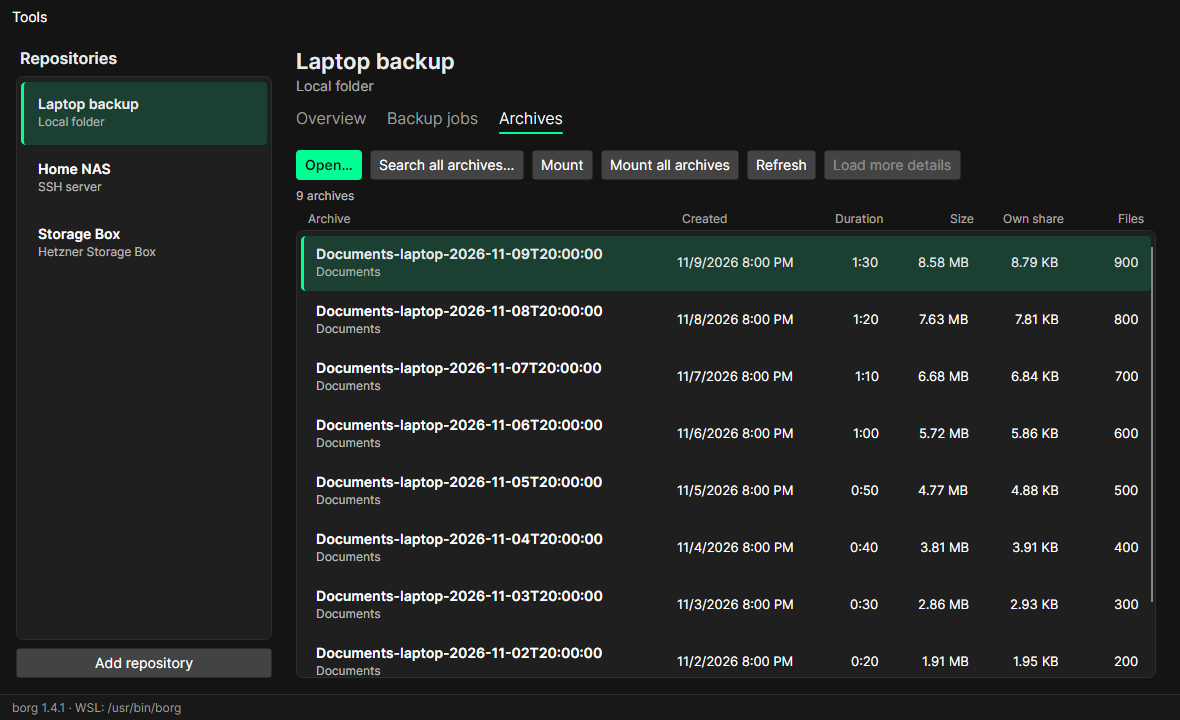
| Column | Meaning |
|---|---|
| Archive | name, and the backup job it comes from |
| Created | when the backup started |
| Duration | how long it took |
| Size | the size of the backed-up files |
| Own share | what only this archive takes up in the repository – what deleting it would free |
| Files | number of files |
Details are read for the newest 20 archives; Load more details reads the next ones. borg needs a while for this (it reads all metadata of an archive), so BorgStudio caches the list: the tab opens at once and only asks borg for archives it has not seen yet. Refresh reads the list again.
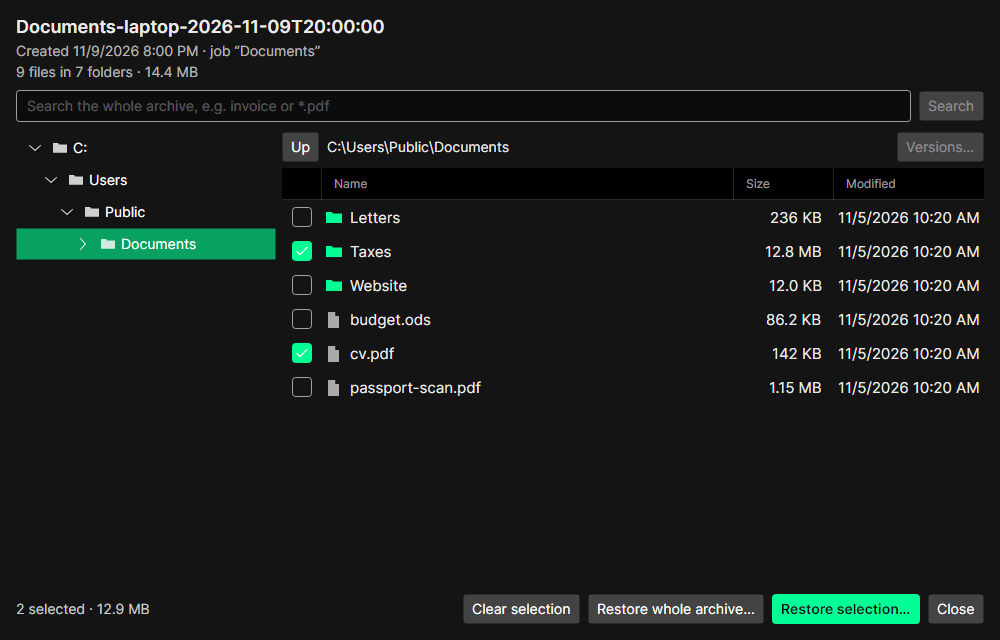
Open… (or a double-click) opens an archive like a folder: a tree on the left, the files of the selected folder on the right with size and date. Columns can be resized and sorted.
-
Search finds files and folders in the whole archive – by part of the name (
invoice) or with patterns (*.pdf,report-202?.docx), ignoring case. - Tick files and folders and use Restore selection…, or Restore whole archive… – see Restoring files.
- Versions… shows all versions of the selected file across the archives (see below).
- With borg in WSL, Windows drives show as
C:\….
Reading the file list of a large archive takes a while; BorgStudio shows the progress and keeps the list afterwards (archives never change), so the next time it opens at once.
Search all archives… finds a file or folder in every archive of the repository: one row per path, with how many different versions there are and in how many archives it is.
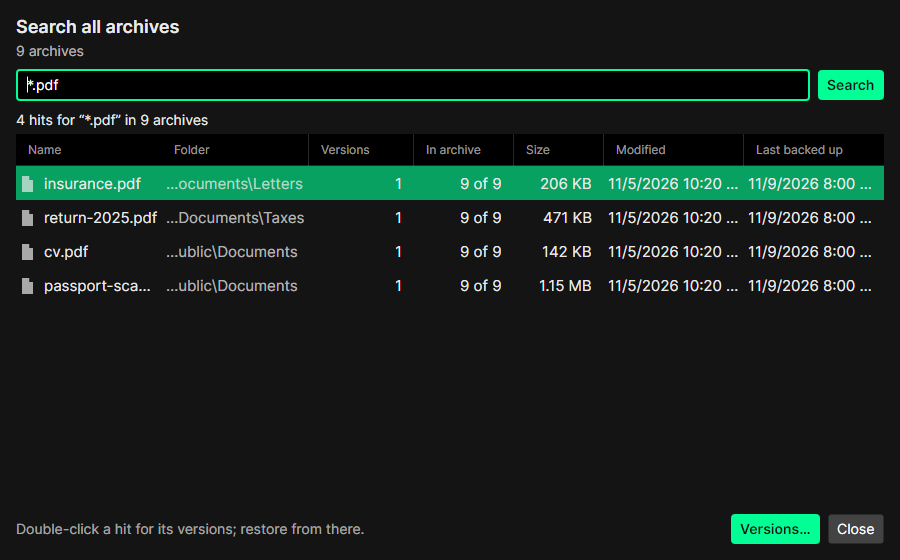
Archives whose file list was never read have to be read by borg once. BorgStudio says how many and estimates how long it takes; you can also search only the archives already read.
Double-click a hit (or Versions… in the browser) to see the versions of a file: one row per change of size or date, with the archives in which it stayed the same counted together, and the stretches of archives it is missing from (deleted, or not there yet). Any version can be restored – from the newest archive that has it.
Mount and Mount all archives make an archive (or all of them) a read-only folder – see Mounting archives.