Repository navigation
Mounting Archives
borg mount makes an archive a read-only folder: open files directly, copy what you need with Explorer, Finder
or your file manager.
In the Archives tab:
- Mount – the selected archive,
- Mount all archives – the whole repository, one folder per archive.
BorgStudio mounts below ~/borgstudio-mounts/<repository>/<archive> and opens the folder. Several archives can be
mounted at the same time; the status bar shows how many, and its list opens, unmounts one or all.
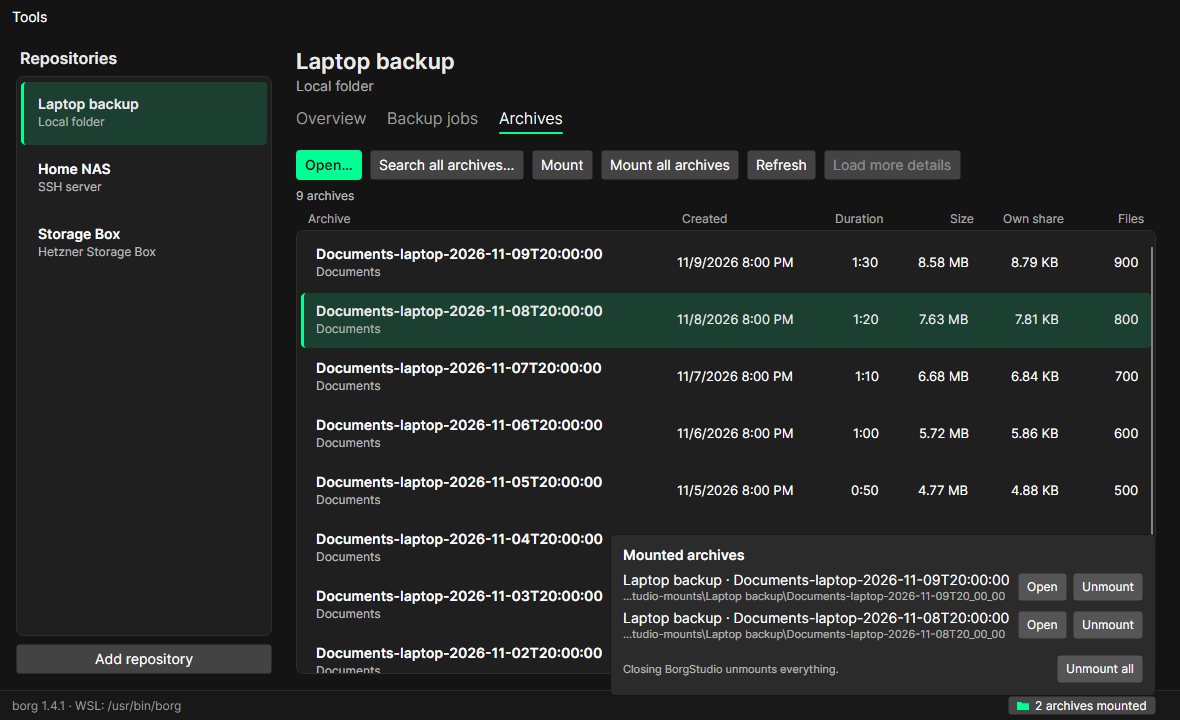
- Unmount in the list, or Unmount all.
- A folder still open in another program stays mounted; BorgStudio says so – close it there and try again.
- Closing BorgStudio unmounts everything. Mounts left behind by a crash are cleaned up at the next start.
- The app lock (PIN) leaves mounts as they are.
While a repository has mounted archives, borg holds its lock: backups, cleaning up and freeing space ask to unmount first. Reading (archive list, browser, restore) keeps working.
| System | What is needed |
|---|---|
| Linux | FUSE (usually there) and borg with FUSE support (borgbackup packages have it) |
| macOS | macFUSE – borg's mount does not work without it |
| Windows | borg in WSL (WSL 2) |
Explorer reaches the mount through \\wsl.localhost\…. For that the mount needs the FUSE option allow_other, which
WSL only allows with the line user_allow_other in /etc/fuse.conf.
The first time you mount, BorgStudio checks this and offers to add the line itself (as root in WSL, no password needed). If that is not possible, it shows the command and copies it to the clipboard – run it in your WSL terminal:
echo user_allow_other | sudo tee -a /etc/fuse.conf