Connection Types
Connection types control how CloudBeaver behaves when working with a database. They help define environment-specific behavior, such as:
- autocommit mode
- background color for easy environment recognition
You can assign a connection type when creating or editing a connection. Connection type colors appear in the Connections.
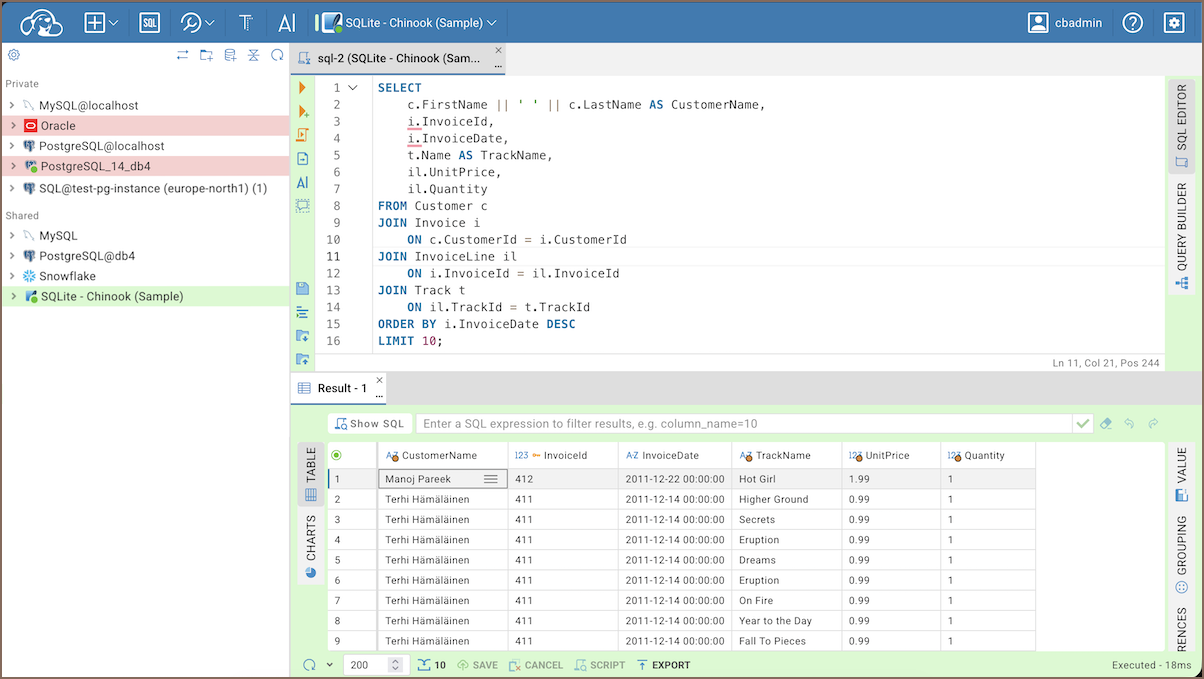
Important: Connection types define the default behavior for all connections that use them. In particular, autocommit mode is inherited from the connection type unless you explicitly change the transaction mode for the active connection.
New connections use the Development type by default. Learn more about Default connection types.
-
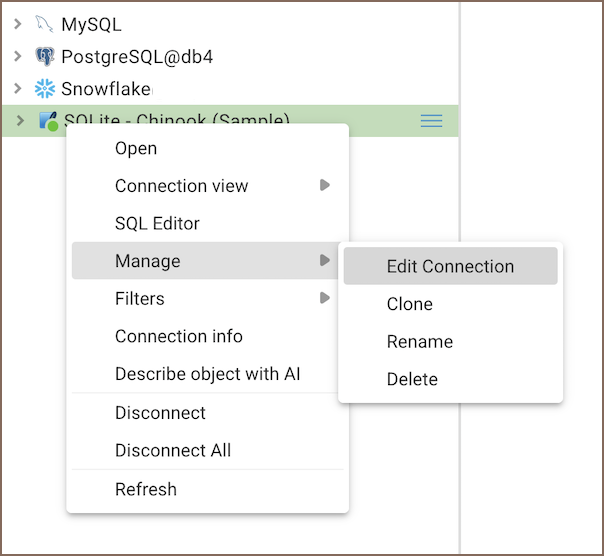
In the Connections, open the context menu for a connection and select Manage -> Edit Connection.
-
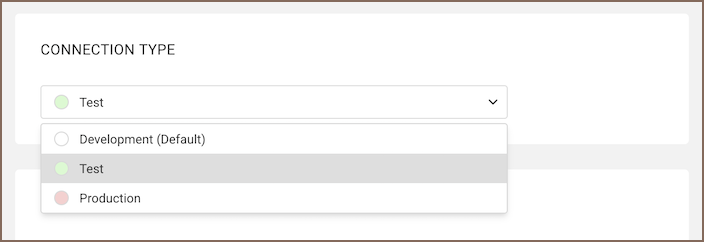
In the connection settings, select a value in the Connection type list.
-
Save the connection.
CloudBeaver includes three built-in connection types:
- Development – for local use
- Test – for staging environments
- Production – for live databases
| Setting | Development | Test | Production |
|---|---|---|---|
| Autocommit | On | On | Off |
- Getting started
- Create connection
- Connection network options
- Supported databases
-
Drivers management

- Database authentication methods
- Connections
- Properties editor
- Data editor
- SQL editor
-
Entity relation diagrams
- Cloud services
- Data transfer
- General user guide
- Administration
- Server configuration
-
Server security and access configuration
- Authentication methods
- Access management
- Proxy configuration
-
Secret management
- Logs
-
Query manager
- Workspace location
- Command line parameters
-
Session manager
- Deployment options
- CloudBeaver Editions
- FAQ
- Development