Repository navigation
Getting started
Requires WordPress 7.1 or later and PHP 8.2 or later. Upload the release ZIP through Plugins → Add Plugin → Upload Plugin, then activate it. Use the installable ZIP attached to the release.
- Open Settings → Site Essentials.
- Choose a built-in preset or start with the plugin defaults.
- Review the proposed changes; take over only the choices you need.
- Select Save all settings to apply the draft.
- Test the affected frontend and editing workflows.
Activation enables three administrator-only website reminders. Cleanup and behavior-changing options remain off unless chosen or applied through a deliberately prepared startup preset. Settings do not apply merely because a preset was selected.
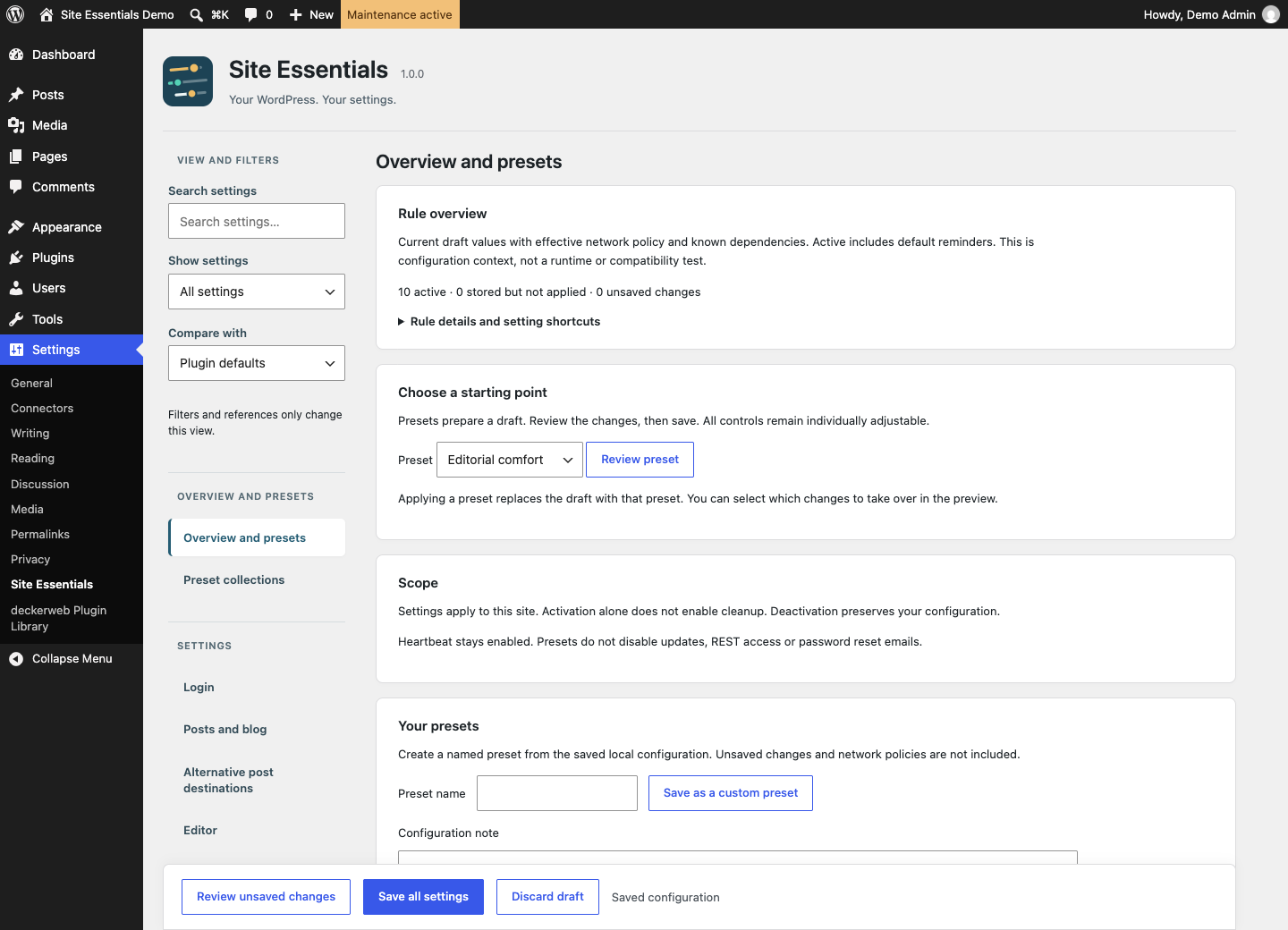
Review presets, filter settings and save the configuration deliberately.
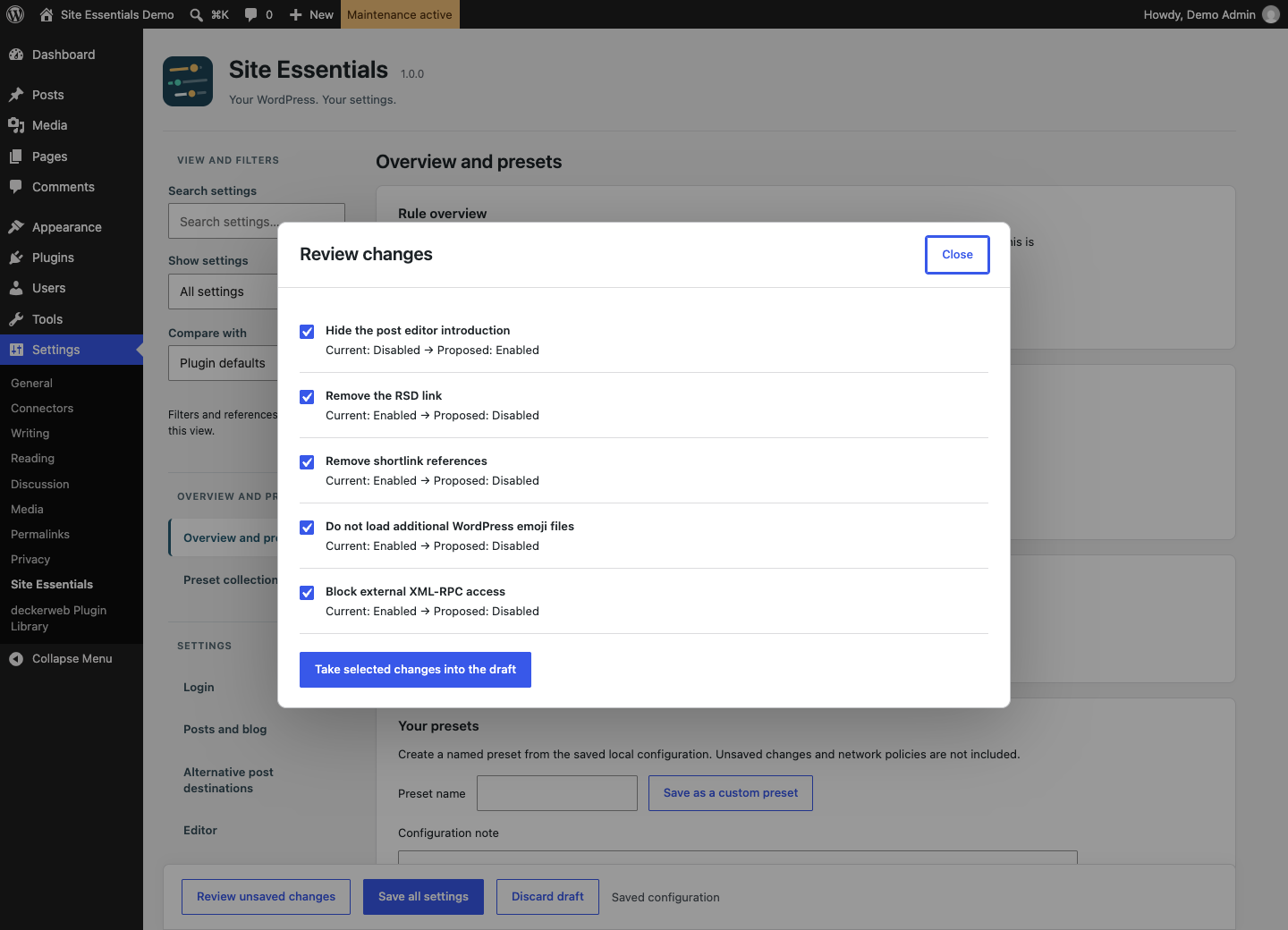
Select which proposed changes enter the draft. Saving remains a separate step.
Settings exports contain saved local configuration. Preset collections transfer selected named configurations as fresh copies. User exceptions, avatar assignments, legal-page assignments and operational maintenance state stay local. See the user guide and FAQ by topic.