Repository navigation
Takeover
Open Settings → Site Essentials → Import and export → Review Falcon and Unbloater settings. The helper reads installed supported sources once, including retained options of inactive installed plugins. It does not run their code or configure a permanent synchronization.
- Keep a normal backup and note which source functions are in use.
- Review detected sources and the proposed equivalents.
- Choose explicitly for each setting. The default is Keep current; differing sources or existing choices are highlighted.
- Confirm the complete reviewed selection.
- Test Site Essentials, then deactivate and remove the old plugins yourself.
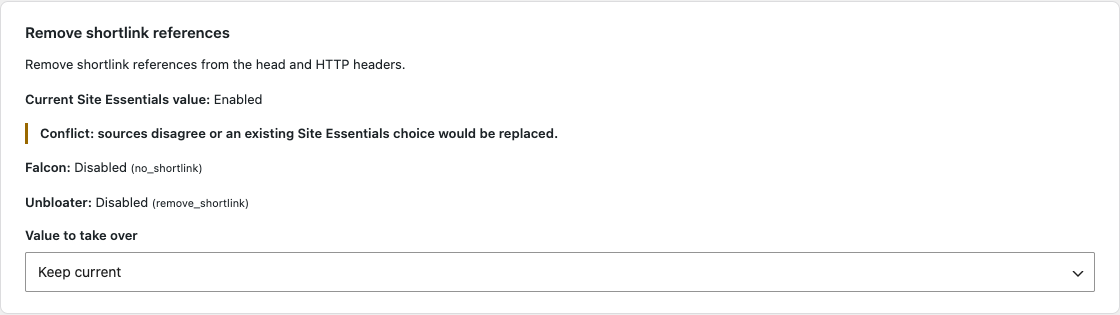
Keep the current value or deliberately choose a source. Existing plugins and their settings remain untouched.
Verified source versions: Falcon 2.12.0 and Unbloater 1.7.0. Other versions are detected but do not offer an unverified import. The helper transfers selected matching behavior, not every function of either plugin. Meaningful differences are shown, such as signed-in jQuery Migrate behavior or XML-RPC blocking.
The previous Site Essentials configuration remains available for recovery until a later settings save replaces the snapshot. Source settings and plugins are not deleted. In Multisite, the action affects the current website; it does not distribute settings across the network. Reading network-scoped source settings requires appropriate network authorization.