Repository navigation
Maintenance
- Open Settings → Site Essentials → Maintenance mode.
- Create a maintenance page, or choose an existing published page without a password.
- Design it with the configured Block Editor or Classic Editor.
- Preview the saved page as an administrator.
- Enable maintenance and use Save maintenance mode. Test anonymously in a private browser window.
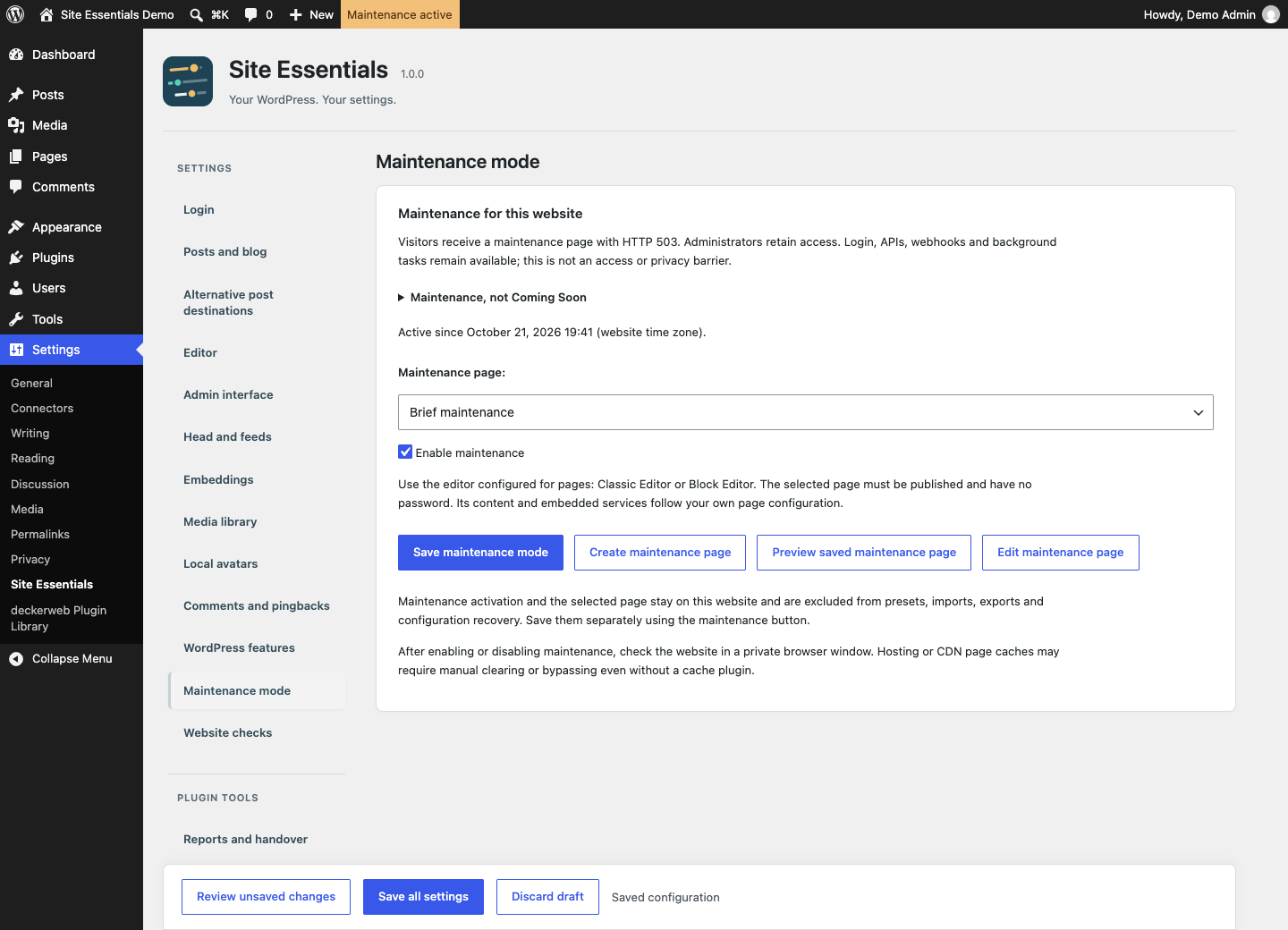
Select a published WordPress page. Maintenance uses HTTP 503 and has its own save action.
Visitors receive HTTP 503, Retry-After and no-cache/noindex headers. Administrators retain normal access; the orange toolbar entry identifies active own maintenance. Login, APIs, webhooks and background tasks remain available. This is not an access-control or privacy barrier.
This mode is for temporary work on an existing website. A long-running public launch page normally needs HTTP 200 and separate indexing/access choices. Site Essentials has no Coming Soon mode or status-code switch. Use an appropriate theme, builder or specialist plugin for that workflow.
Active maintenance in Bricks, Elementor or Breakdance takes precedence. Site Essentials pauses its own response without changing foreign settings. After a conflict, resume it deliberately rather than expecting automatic reactivation.
A hosting/CDN page cache can serve a previously saved page before WordPress runs, even without a cache plugin. Clear or bypass it manually where necessary, and check the public response after enabling and disabling maintenance. The plugin does not reconfigure foreign caches.
Maintenance activation, page assignment and recorded start time are operational data for this website. They are excluded from presets, imports, exports and configuration recovery.