User Guide Administration
Everything under the Administration section. Most of it is visible only to those holding the relevant permissions.
Name, application name, the assistant's name, address, accent colour, and whether your logo replaces the Cairn one. This is what appears in the interface header and on generated reports.
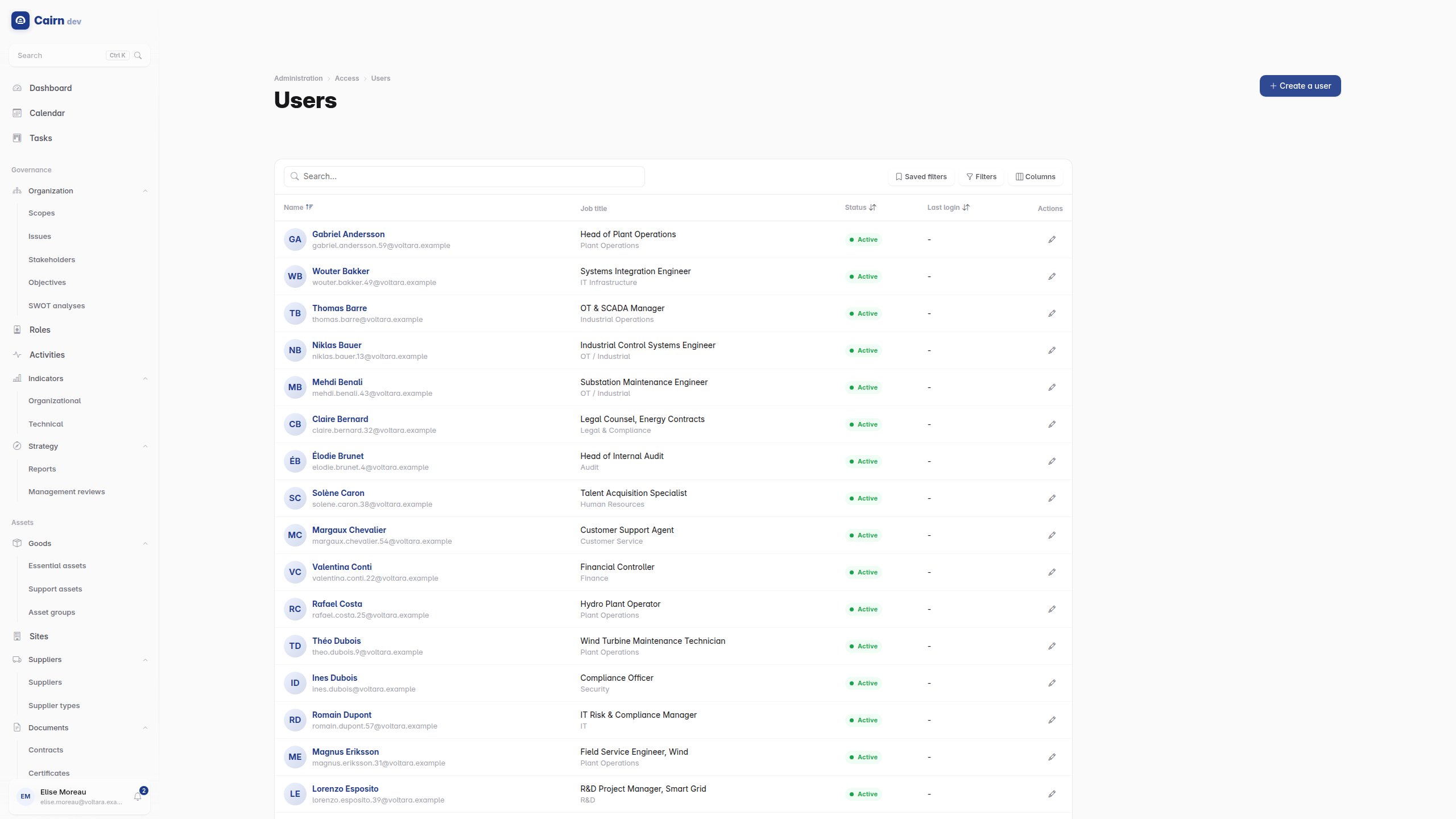
Users sign in with their email address; there is no username.
Inviting is the normal way to add someone. The account is created with no password and the invitee receives a single-use activation link to set their first credential. No administrator ever types someone else's password, and no endpoint accepts one on their behalf.
A user is assigned groups, which grant permissions, and scopes, which decide which records they see. Both matter, and they are independent : the right permissions on the wrong scopes still shows an empty list.
Impersonation lets an administrator act as another user, which is the fastest way to answer "why can't they see this". It is recorded in the access log at both ends, so it is a traceable act rather than an invisible one.
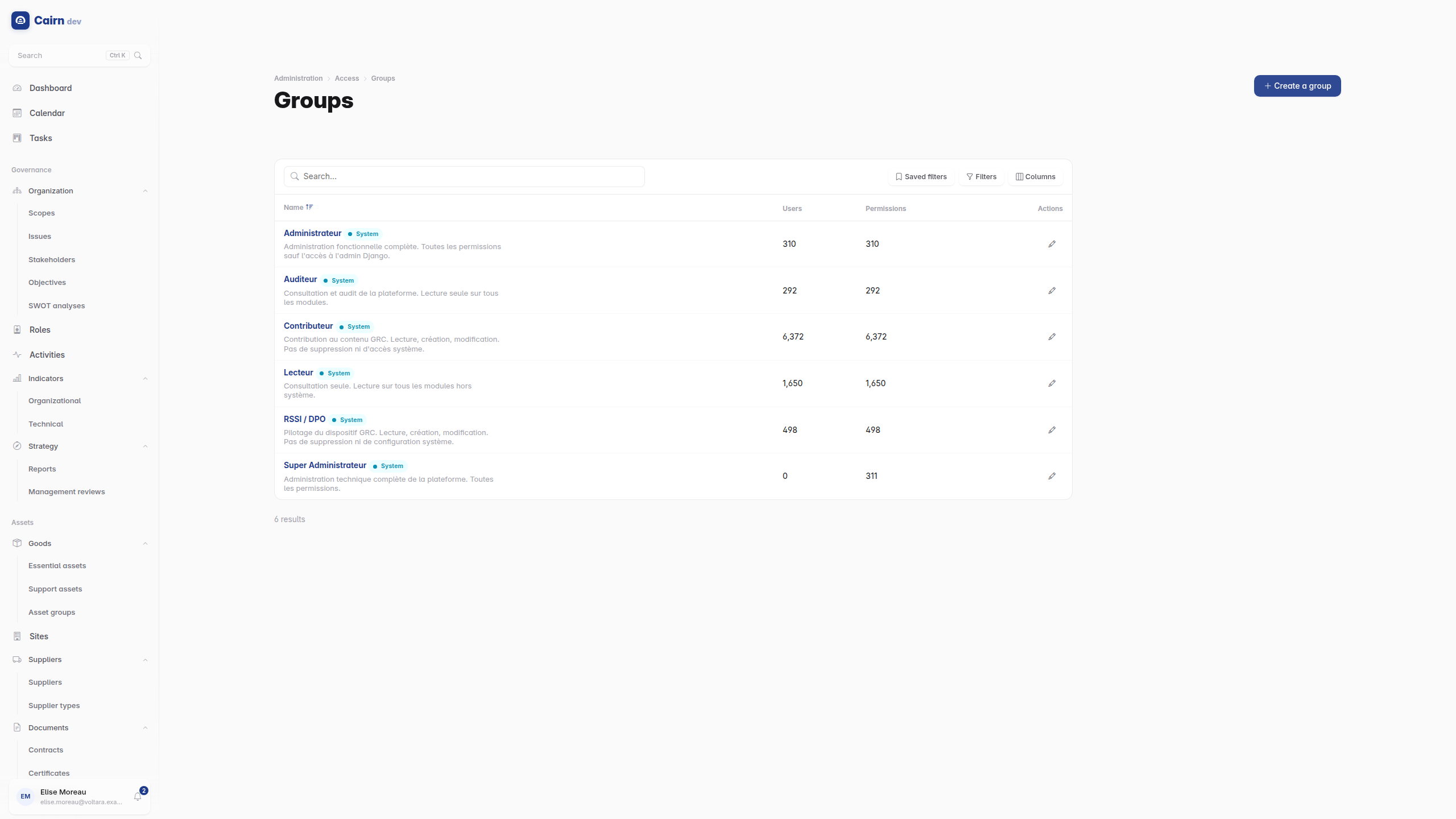
Six groups ship with the platform, from Super Administrator down to read-only roles. A group's permission set is a filter over the permission catalogue rather than a hand-maintained list, which is why a newly added permission lands in the right groups automatically.
Permissions are named module.feature.action : risks.risk.update,
incidents.evidence.read. The action is one of create, read, update, delete,
access or approve. Approve is the one that gates lifecycle transitions, so a
user who can edit a risk but not approve it can prepare work without validating
it. That separation is usually the point.
The complete catalogue is in the permissions reference.
Custom groups are the normal case for a real organisation. Start from the shipped group closest to the role and adjust.
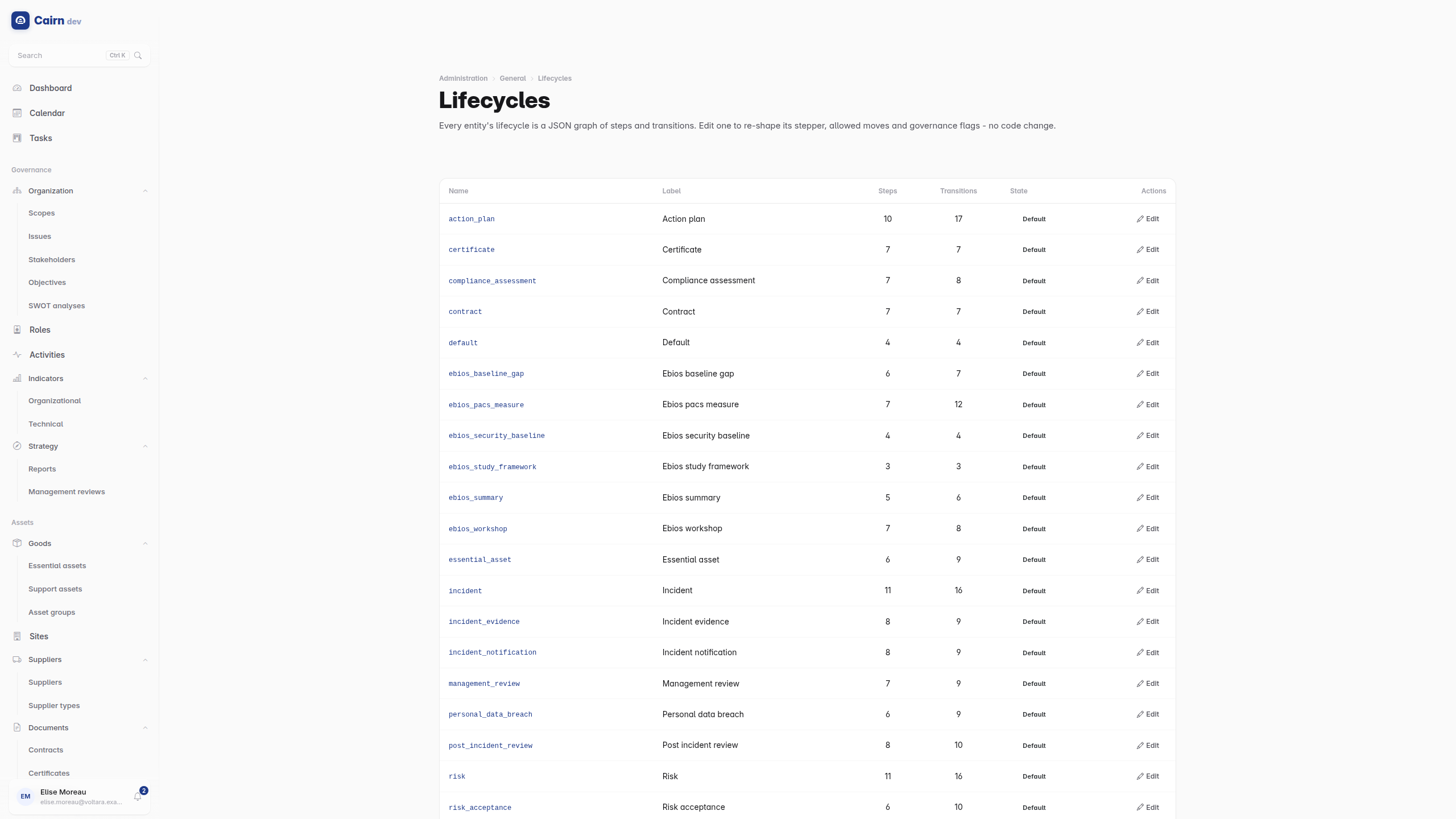
Administration -> Lifecycles lets you edit the steps and transitions of any lifecycle : rename a step, add one, change what requires a comment, change which permission gates a transition.
Treat this as a governance change rather than a settings change. Adding a step changes what "validated" means for every existing record of that type. See how records move.
The reusable labels assignable to any record in any module. Managed centrally so the vocabulary stays shared rather than each person inventing their own.
Issues personal iCal feeds so users can see Cairn deadlines in Outlook, Google Calendar or Apple Calendar. Each subscription is a token that can be revoked.
Settings for the public page, and the queue of document requests to review and approve. See Trust Center.
The thumbs up and down users left on assistant answers, with the original question and the model's response, exportable for analysis. Only present when the assistant is enabled.
The access log records authentication and account events : successful and failed logins, logouts, token refreshes, password changes, lockouts, passkey registration and use, invitations, activations, and impersonation start and stop.
The action log records what was done in the application.
Both are the audit surface. An account locked after five failed attempts, an impersonation session, a passkey registered from an unfamiliar device : this is where you see them.
Bulk import is available where the data usually starts life in a spreadsheet: compliance frameworks from Excel, suppliers from CSV.
Import is not a merge tool. Review what a file will create before running it on a populated instance, particularly for frameworks, where a second import of the same standard produces a second framework rather than updating the first.