Godot version
v4.0.1.stable.official [cacf499]
System information
Windows 10, Vulkan, Ryzen 3900, NVIDIA GTX 2080 SUPER
Issue description
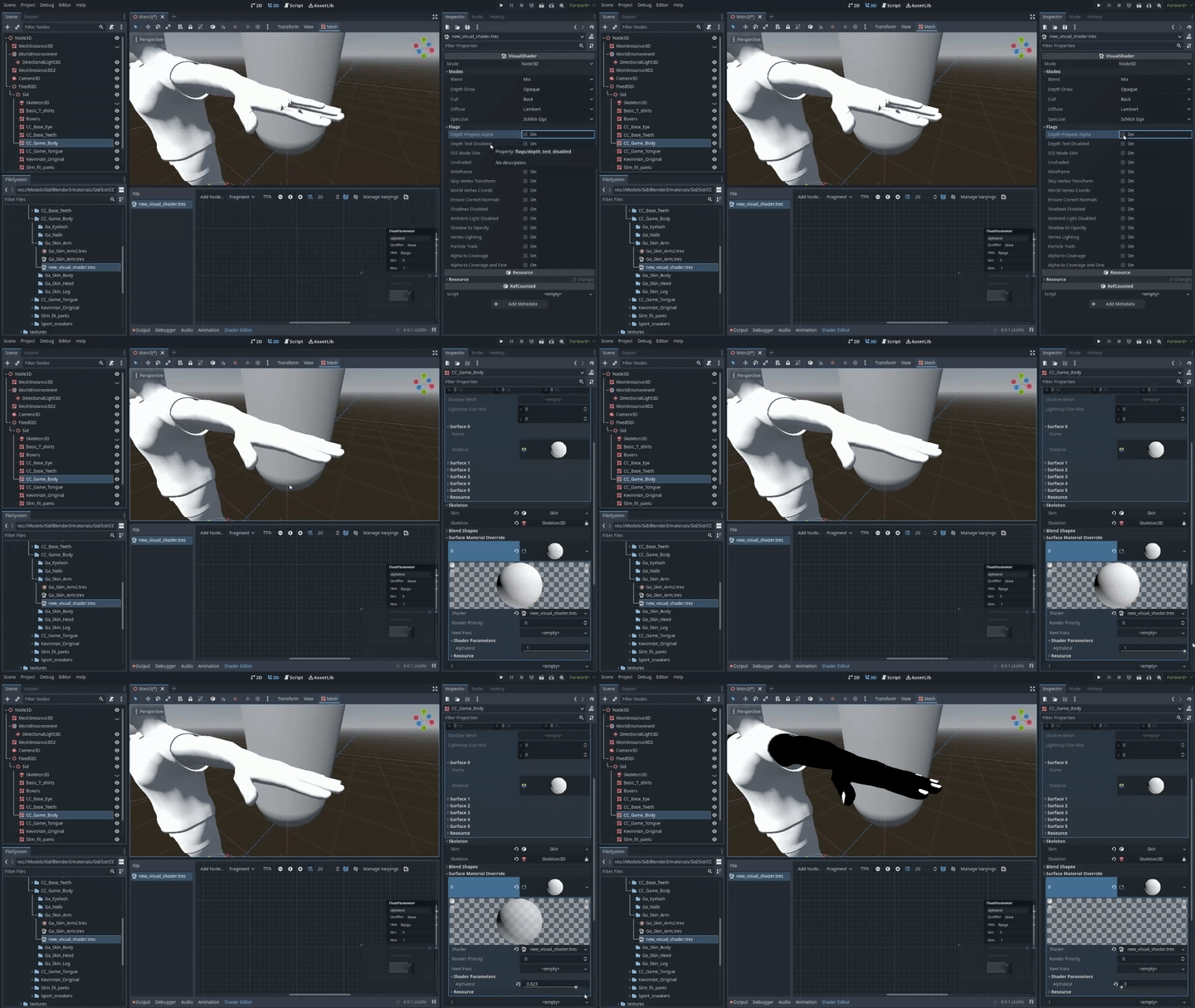
I noticed that the Draw prepath Alpha for the Visual Shader isn't working correctly, for some reason it causes the object to fade/turn black when the float function is set to "0"...
This is through the Visual Shader Material:
While this is what was supposed to happen, albeit done with Spatial's "Depth Depth Mode" (done using the built-in spatial material):

Steps to reproduce
If anybody is interested to recreate this weird effect, just make a visual shader with a float parameter, and connect it to the "Alpha":

Attach the visual shader to any mesh, preferrably a mesh with fingers or claws. Then change the slider under the "Shader Parameters" in the material/material override section:

Make sure you enable the Draw prepath Alpha in the visual shader material as well:

Minimal reproduction project
Here is the project file to test it on. Had to use a different model instead of the one generated from Character Creator:
"Alpha_Test_Debug.zip
Godot version
v4.0.1.stable.official [cacf499]
System information
Windows 10, Vulkan, Ryzen 3900, NVIDIA GTX 2080 SUPER
Issue description
I noticed that the Draw prepath Alpha for the Visual Shader isn't working correctly, for some reason it causes the object to fade/turn black when the float function is set to "0"...
This is through the Visual Shader Material:

While this is what was supposed to happen, albeit done with Spatial's "Depth Depth Mode" (done using the built-in spatial material):

Steps to reproduce
If anybody is interested to recreate this weird effect, just make a visual shader with a float parameter, and connect it to the "Alpha":

Attach the visual shader to any mesh, preferrably a mesh with fingers or claws. Then change the slider under the "Shader Parameters" in the material/material override section:

Make sure you enable the Draw prepath Alpha in the visual shader material as well:

Minimal reproduction project
Here is the project file to test it on. Had to use a different model instead of the one generated from Character Creator:
"Alpha_Test_Debug.zip