Repository navigation
Data Collection
English · Italiano · Deutsch · Nederlands · Français · Español · Português · Português (Brasil) · Dansk · Norsk · Svenska · Íslenska · Eesti · Lietuvių · Latviešu · Polski · Čeština · Magyar · Română · Ελληνικά · Русский · Українська · Türkçe · Afrikaans · العربية · עברית · اردو · हिन्दी · বাংলা · ไทย · Bahasa Indonesia · Tagalog · 日本語 · 한국어 · 中文 · 中文 (繁體)
Tab: Live and real-time data › Data collection.
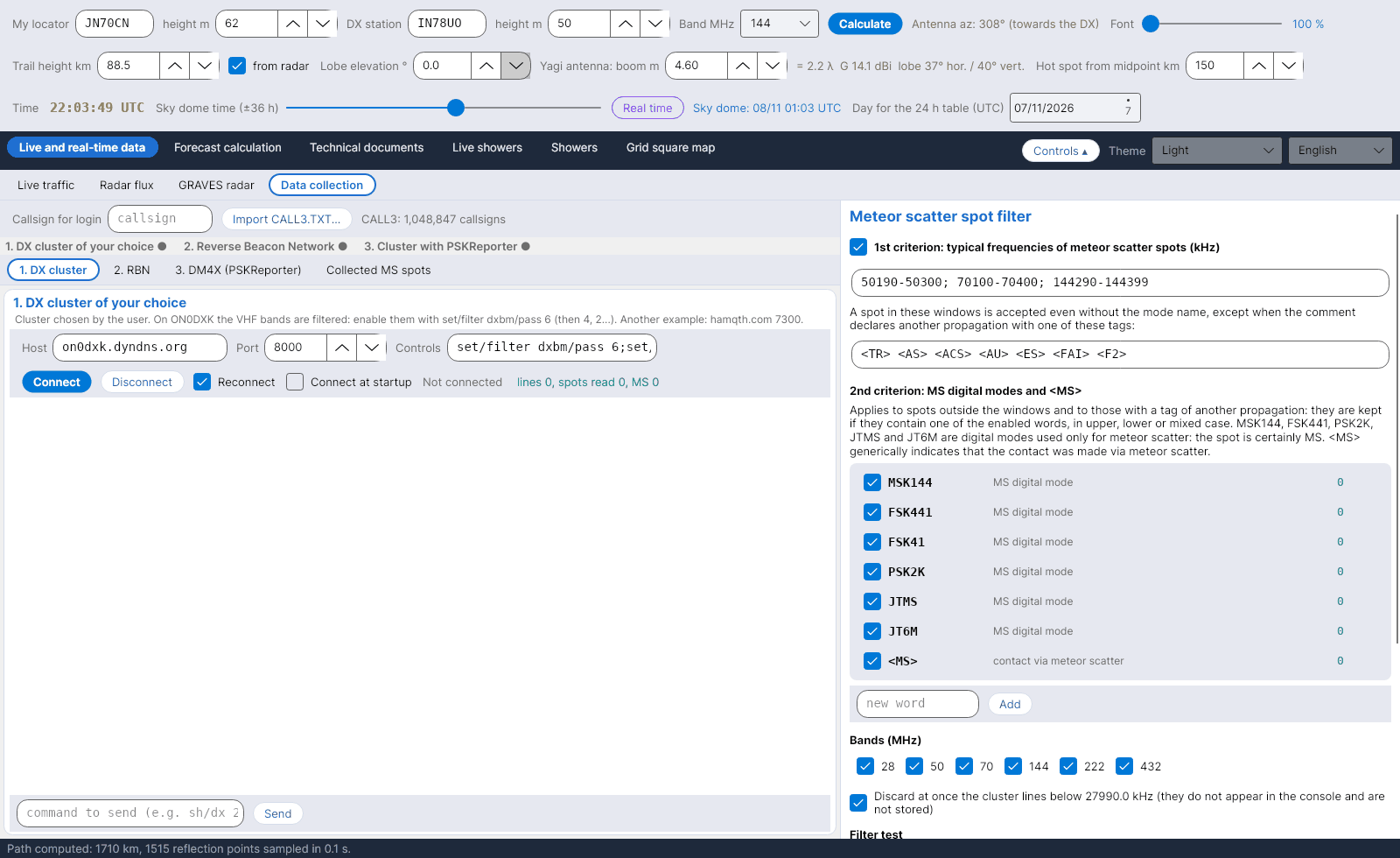
The tab collects meteor-scatter spots from three telnet streams and from the PSKReporter MQTT feed, each in its own sub-tab:
| Sub-tab | Default | Notes |
|---|---|---|
| 1. DX cluster | on0dxk.dyndns.org : 8000 | A cluster of your choice. On ON0DXK the VHF bands are filtered: enable them with set/filter dxbm/pass 6 (then 4, 2…). |
| 2. RBN | telnet.reversebeacon.net : 7001 | Reverse Beacon Network (7000 = CW/RTTY, 7001 = FT8). Skimmers rarely decode MS modes. |
| 3. DM4X (PSKReporter) | dm4x.ddns.net : 8500 | DM4X cluster carrying the PSKReporter spots: the MSK144 decodes of WSJT-X and MSHV arrive here. |
| 4. PSKReporter MQTT | mqtt.pskreporter.info : 1883 | Live PSKReporter spots via MQTT (service by M0LTE): no login, each spot already carries the locators of the transmitting and the receiving station. Default topics: MSK144 on 6 m, 4 m, 2 m, 1.25 m, 70 cm and FSK441 on 2 m (pskr/filter/v2/band/mode/#); Default topics restores them. |
| MS spots collected | – | Table of the accepted spots, newest first. |
Each stream has host, port, commands sent after the login, Reconnect, Connect at start-up, a console and a line to send commands. Write your callsign for the login at the top. The MQTT source has host, port, topics (one per line or separated by ;), Reconnect and Connect at start-up (off by default) and a console with the received spots; its spots go through the same filter. A strip shows the state of the four sources (green dot = connected). The sessions stay open when you change language or colour scheme.
- Optional local filter: cluster lines below 27990.0 kHz are discarded at once (not shown, not stored).
-
1st criterion – typical MS frequencies: 50190–50300, 70100–70400, 144290–144399 kHz. A spot in these windows is accepted even without the mode name, unless the comment declares another propagation:
<TR> <AS> <ACS> <AU> <ES> <FAI> <F2>. Windows and tags can be edited. - 2nd criterion – MS modes: outside the windows, or with one of those tags, a spot is kept only if it contains MSK144, FSK441, FSK41, PSK2K, JTMS, JT6M (digital modes used only for MS) or <MS>, in upper, lower or mixed case. Words can be switched off, added and removed; each has its counter.
- Bands 28, 50, 70, 144, 222, 432 MHz; filter test on a pasted line; counters.
Missing locators, or locators with only 4 characters, are taken from the CALL3 archive (data/call3.txt, JTDX file, over a million callsigns), which always wins over a 4-character locator. Accepted spots are saved in data/spot_ms, one CSV file per day, and feed the Live traffic map.