Repository navigation
Grid Square Map
English · Italiano · Deutsch · Nederlands · Français · Español · Português · Português (Brasil) · Dansk · Norsk · Svenska · Íslenska · Eesti · Lietuvių · Latviešu · Polski · Čeština · Magyar · Română · Ελληνικά · Русский · Українська · Türkçe · Afrikaans · العربية · עברית · اردو · हिन्दी · বাংলা · ไทย · Bahasa Indonesia · Tagalog · 日本語 · 한국어 · 中文 · 中文 (繁體)
Tab: Grid square map.
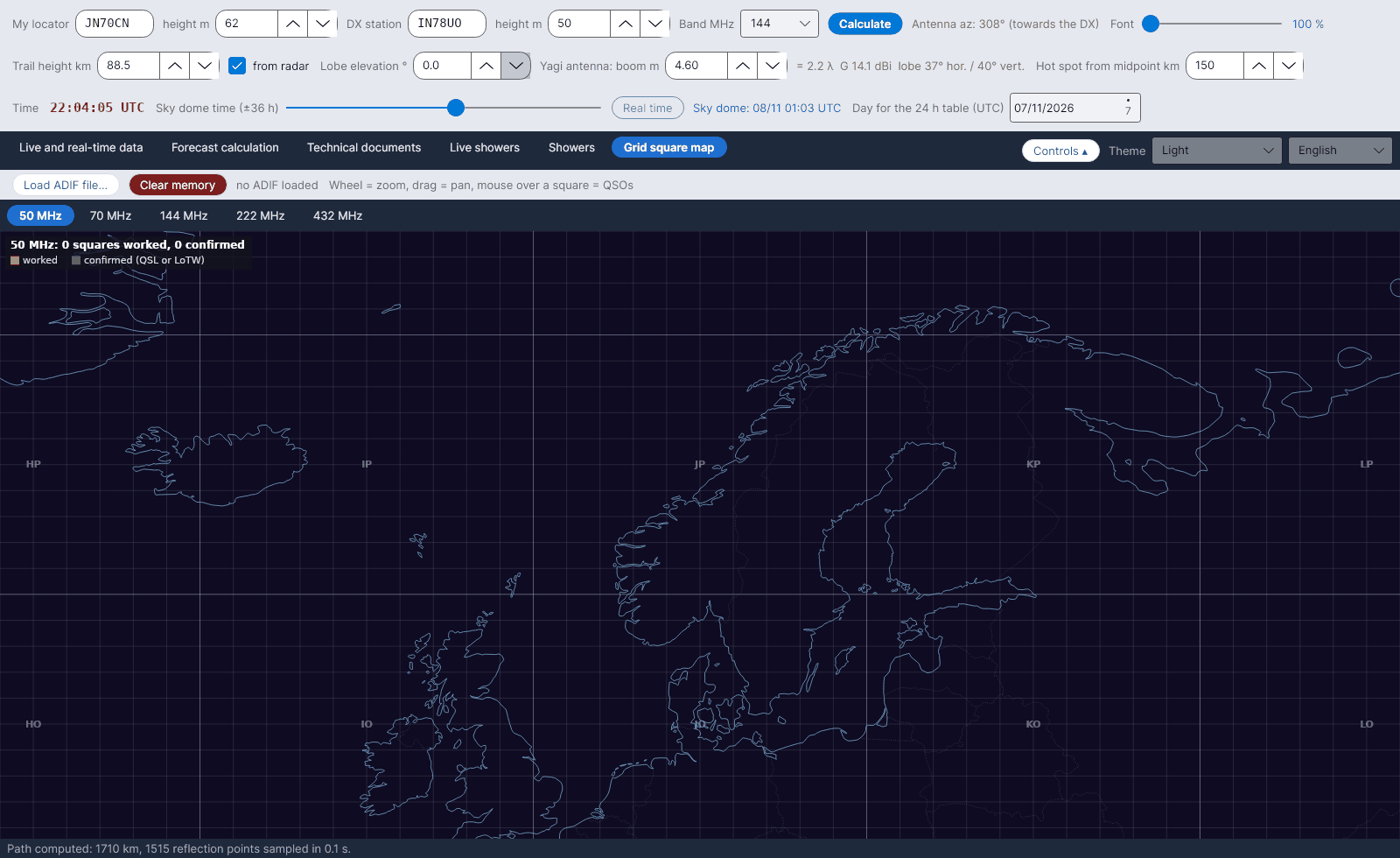
The Maidenhead squares (4 characters) you have worked and confirmed, read from the ADIF file of your log, on a map of Europe – one sub-tab per band: 50, 70, 144, 222 and 432 MHz.
| Control | What it does |
|---|---|
| Load ADIF file... | Reads an .adi / .adif file. A new ADIF replaces the previous data. |
| Clear memory | Deletes all the squares loaded from ADIF (asks for confirmation). |
| Mouse | Wheel = zoom, drag = pan, mouse over a square = QSOs (up to six callsigns with date, (confirmed) when confirmed) |
After loading, the status shows … QSOs read, … QSO squares in the 50-432 MHz bands, … QSOs discarded (other bands or no square). Each band map has the caption … squares worked, … confirmed.
| Colour | Meaning |
|---|---|
| Orange | worked |
| Green | confirmed (QSL or LoTW) |
- Fields used:
CALL,GRIDSQUARE,VUCC_GRIDS,BAND,FREQ,QSO_DATE,QSL_RCVD,LOTW_QSL_RCVD(ADIF specification). - Band from
BAND, or from the frequency: 50–54 MHz = 6 m, 69.9–71.5 MHz = 4 m, 144–148 MHz = 2 m, 219–225 MHz = 1.25 m, 420–450 MHz = 70 cm. - A square is confirmed if at least one QSO in it has
QSL_RCVD = YorLOTW_QSL_RCVD = Y. - The squares are kept in
data/adif_quadrati.csvuntil you load another file or press Clear memory.
YA-MS does not connect to LoTW: export the ADIF from your logging program (or from LoTW) and load it here.