Recipes and Designer
MeadOS ships with 38 built-in recipes and the tools to scale, customise, design and export your own.
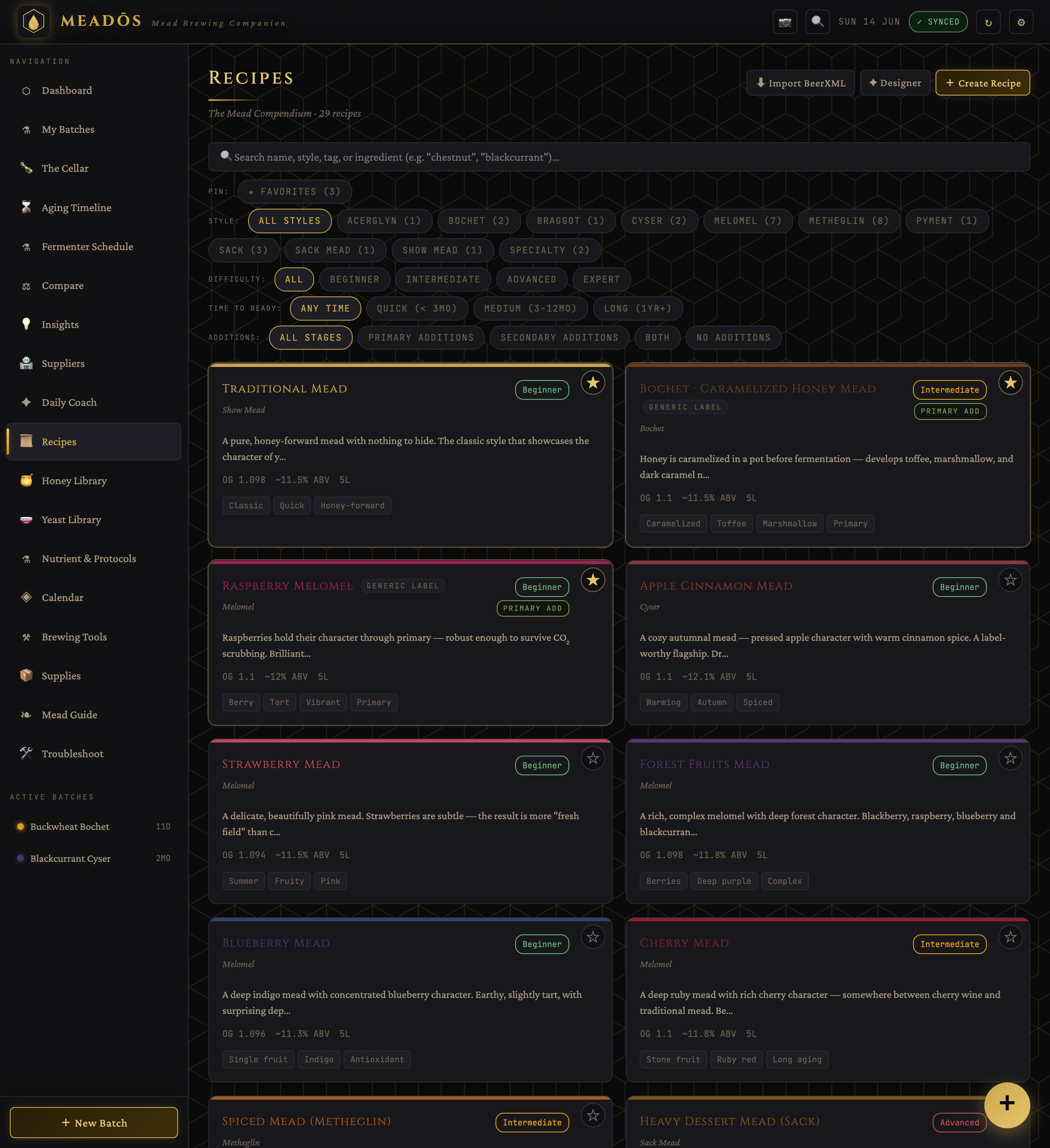
The recipes span the classic mead families:
- Traditional / show meads — honey-forward, nothing to hide behind
- Melomels — fruit meads (strawberry, forest fruits, blueberry, raspberry, cherry, blackcurrant, peach…)
- Cysers — apple
- Pyments — grape
- Metheglins — spiced and herbal (ginger, chai, vanilla, hibiscus, rose, lavender, hopped…)
- Bochets — caramelised honey
- Braggots — honey-and-malt
- Sack & port-style meads — high-gravity, sweet, long-aged
- Acerglyn — honey and maple
- Sparkling / bottle-conditioned meads — five of them (champagne-style traditional, cyser, session hydromel, berry, ginger)
Every recipe's steps carry the same good-practice conventions automatically, so guidance stays consistent everywhere it appears (recipe page, coach, calendar):
- Water reads "top up to the N L mark", never a fixed pour, so the volume can't overshoot.
- Racking is gated on a finished fermentation (a stable gravity across two readings), not a calendar day.
- Stabilising before backsweetening always calls for potassium sorbate and metabisulfite together — metabisulfite alone won't stop a restart.
- A bottling step is described as the earliest sensible point, not a deadline.
The four most aroma-sensitive melomels — forest fruits, strawberry, raspberry and blueberry — each come in two linked versions: fruit-in-primary (deeper colour and body) and fruit-in-secondary (fresher, brighter aroma). Each version explains the trade-off and links to its sibling.
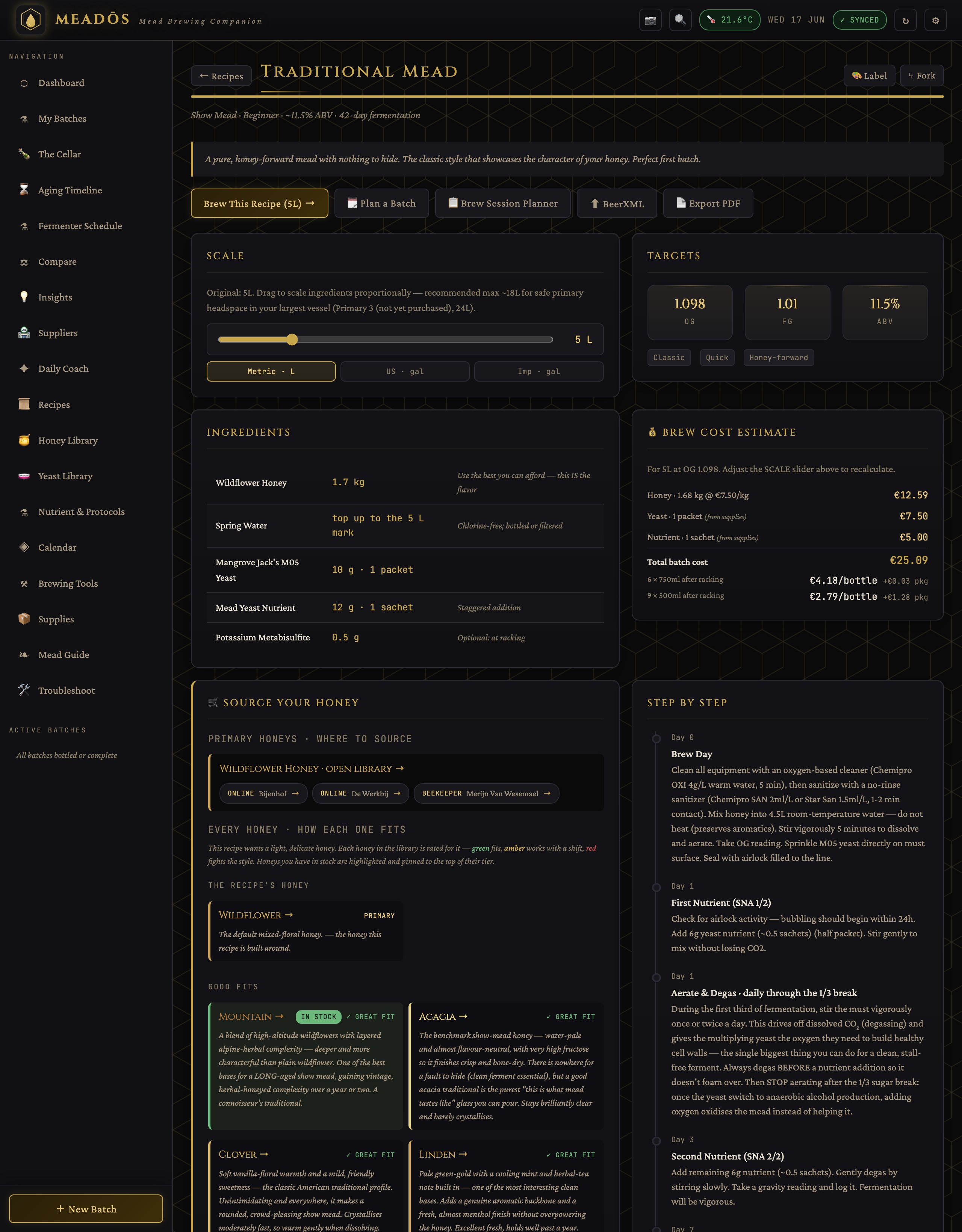
Open any recipe to find:
- Scale — a slider (with metric / US / imperial readout) that rescales ingredients, nutrient sachet counts, pectic-enzyme doses and the cost estimate live. Sub-gram additions (pectic enzyme, metabisulfite, sorbate) show to two decimals so they never round to "0 g".
- Ingredients — the scaled list.
- Source your honey — see below.
- Recommended yeast and Nutrient strategy — strain picks (top pick / also works / avoid) and a protocol (TOSNA or SNA) with recipe-specific notes.
- Targets — OG, FG, ABV.
- Brew cost estimate — using your configured prices.
- Step by step — the day-by-day schedule.
The "Source your honey" panel rates every honey in the library for the recipe you're viewing — a hand-curated verdict per pairing:
| Badge | Meaning |
|---|---|
| PRIMARY | The honey the recipe is built around |
| ✓ GREAT FIT | An excellent match |
| ✓ GOOD FIT | Works well |
| **~ WORKABLE** | Usable, but shifts the character — use with intent |
| ✗ NOT IDEAL / CLASH | Fights this recipe |
Each entry includes a note on what that honey specifically does to this mead — flavour, aroma, colour, body, fermentation behaviour, handling and aging. Honeys you currently have in stock are highlighted and pinned to the top of their tier, so you can tell at a glance whether the jar on your shelf is a good choice. On desktop the list is a two-column grid; on a phone it's a single readable column.
From a recipe you can:
- Brew This Recipe — start a live batch at the current scale
- Plan a Batch — queue it onto the Fermenter Schedule and shopping list without occupying a vessel yet
- Brew Session Planner — print a pre-brew checklist (scaled ingredients, equipment, sanitation steps)
Create your own recipes, fork a built-in one to tweak it, save reusable templates (variations), and mark favourites to pin them to the top.
Don't want to do the honey maths? The Designer wizard asks for a style, batch volume, target ABV and sweetness, then works backwards to propose honey quantity, OG/FG targets, a yeast that can reach the ABV, a nutrient strategy, an ingredient list and a starting step schedule. Everything stays editable before you save or brew it.
- BeerXML — import recipes from other brewing software, and export yours.
- PDF — produce a clean, print-ready version of any recipe.
- Libraries — the honey, yeast and nutrient knowledge the ratings draw on
- Batches & Fermentation — what happens after you hit "Brew"